

AI PDF vs AskYourPDF: Which Is Better for Students?
AI PDF vs AskYourPDF compared side-by-side. Studley breaks down features, accuracy, and value to help students choose the right tool.

Choosing between two AI PDF tools sounds simple until the pricing pages, feature lists, and trial limitations make the decision harder than expected. Students dealing with dense research papers and tight deadlines need a clear, honest comparison, not marketing copy. This breakdown of AI PDF and AskYourPDF covers what each tool actually does, where each falls short, and which one makes more sense depending on how you study.
For students who want something built specifically around academic work, there is a stronger alternative worth considering. Studley is designed to help students summarize documents, search for answers inside PDFs, and work through complex material faster, all without the guesswork that comes with general-purpose tools. Those looking for a focused, student-first experience can explore it directly as an AI study tool.
Table of Contents
- What Is AI PDF and How Does It Work?
- What Is AskYourPDF and How Does It Work?
- What Should Students Look for in an AI PDF Study Tool?
- AI PDF vs AskYourPDF: 9 Key Differences for Students
- Which Tool Is Better for Different Types of Students?
- Why Students Choose Studley for a More Complete Study Experience
- Stop Cramming. Study Smarter with Studley for Free Today!
Summary
- AI document tools have grown significantly more capable, but the market is still optimized for fast output rather than durable learning. According to the HEPI Student Generative AI Survey 2025, 92% of students reported using generative AI tools, an unprecedented increase that reflects how normalized AI assistance has become in academic work. The challenge is that most of these tools are built around retrieval, not retention.
- The boundary between source-anchored answers and hallucinated ones matters more than most students realize. A March 2026 evaluation across 35 open-weight models found that even the strongest model fabricated answers 1.19% of the time under ideal conditions, with median models inventing responses to roughly one in four questions about information absent from the source. A tool that says "not in this document" is more useful for academic work than one that fills every gap with plausible-sounding prose.
- OCR capability is a practical requirement that many students overlook until it fails them. A significant share of course materials arrive as scanned chapters, photographed slides, or photocopied handouts with no selectable text. Tools without optical character recognition cannot process these files accurately, so every answer built from them rests on a flawed foundation. AI PDF reports 99.2% accuracy on Pro-level OCR conversion, a specification worth checking before committing to a platform.
- Multi-file analysis changes what is possible in a study session. Platforms that group multiple readings into a single collection allow students to run one query across several uploaded documents simultaneously, rather than opening separate sessions for each file. The AI Drive Agent approach takes this further by reading files in sequence, linking references automatically, and merging outputs, which compresses what would otherwise be 90 minutes of manual comparison into a structured summary built in roughly 10 minutes.
- Recognition and recall are not the same skill, and most document chat tools train only the first one. Research published in Computers and Education in 2024 found that students reading on paper answered 55 questions correctly on the same material, whereas screen readers answered only 44, a large effect (Cohen's d = 0.92). Passive querying compounds this risk because information that enters working memory without being tested does not consolidate into retrievable knowledge.
- Progress tracking separates a single study session from a repeatable study habit. A chat history shows what questions were asked, but it doesn't indicate which concepts students have retained across sessions. Without mastery tagging or spaced repetition, students tend to review familiar material repeatedly while the genuinely difficult items stay unaddressed until the night before an exam.
- Studley bridges the gap between document retrieval and exam readiness by converting uploaded PDFs, lecture slides, and notes into flashcards, quizzes, written tests, and active recall exercises grounded in the student's course content.
What Is AI PDF and How Does It Work?
AI PDF is a cloud-based document workspace that lets you instantly ask questions about, summarize, and analyze PDF files using conversational AI. You upload your files, and the system organizes them so a language model can answer questions based on your documents—not generic training data. The result is a tool that turns a 70-page research paper into something you can query like a knowledgeable colleague who already read every word.
"AI PDF transforms static documents into interactive, queryable knowledge sources — making dense research instantly accessible through natural conversation."
💡 Example: Instead of skimming a 70-page report for one statistic, you simply ask — and your AI PDF tool surfaces the answer in seconds.
🔑 Takeaway: AI PDF works by combining document storage, language model processing, and conversational querying — turning any PDF into a smart, searchable assistant.
- Reading process → Traditional PDF reading: Manually skim the entire document → AI PDF approach: Ask direct questions instantly.
- Summarization → Traditional PDF reading: Highlight and re-read for summaries → AI PDF approach: Auto-summarize any section.
- Search method → Traditional PDF reading: Search by keyword only → AI PDF approach: Conversational queries in plain language.
- Cross-referencing → Traditional PDF reading: Time-consuming cross-referencing → AI PDF approach: Instant analysis across the full file.
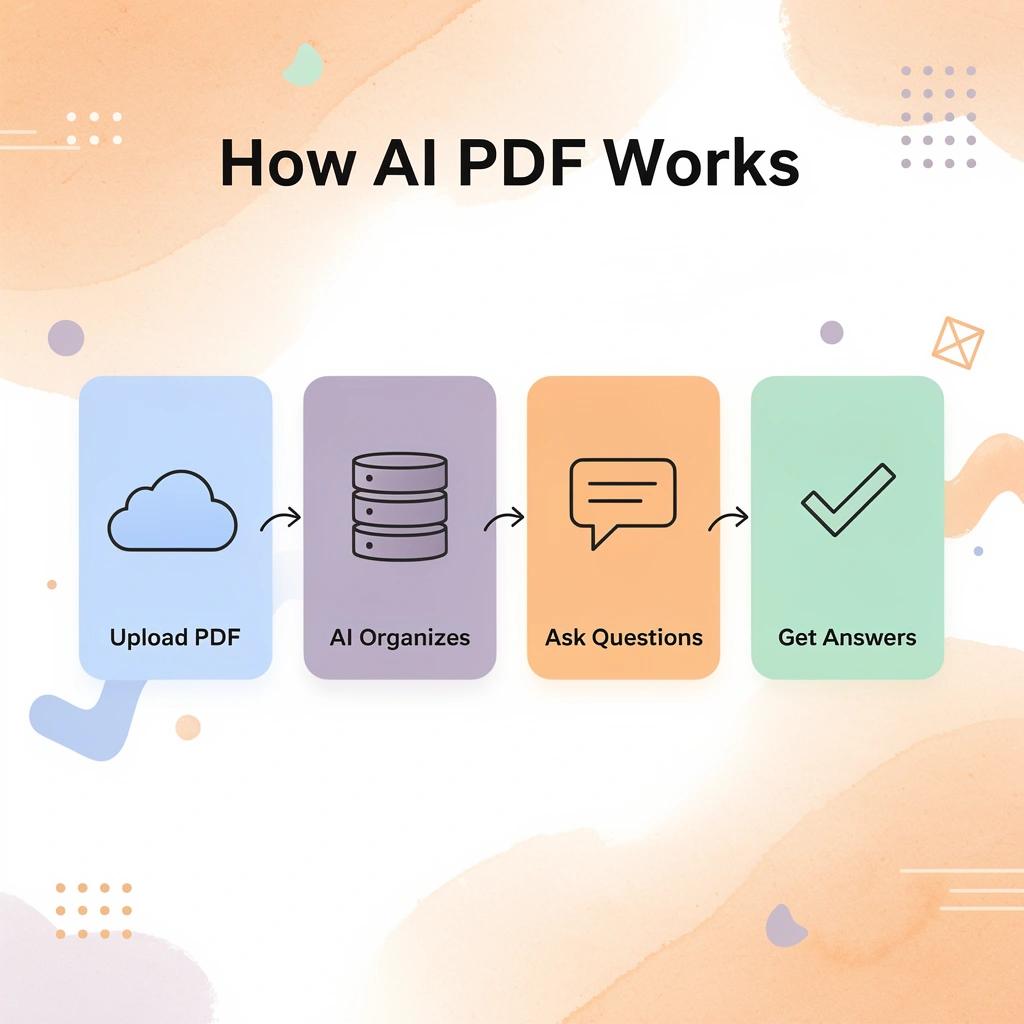
How the upload-to-answer process actually works
When you drop a file into AI Drive, the platform runs optical character recognition if needed, then indexes the content so the AI can find specific passages, pull out arguments, and cross-reference sections. Half the "PDFs" students use are scanned handouts or photographed slides, invisible to standard search tools. Studley's PDF reports 99.2% accuracy on Pro-level OCR conversion, transforming blurry lecture packets into searchable documents instead of dead weight.
How does multi-model access change the equation for AI PDF vs AskYourPDF?
The main difference between AI PDF and a standard chatbot is that it sends your work through multiple language models, including options from OpenAI, Anthropic, and Google, so you can select the engine that fits the task. A detailed methods section and a big-picture introduction require different kinds of analysis, and using one model forces you to accept imperfect results on at least one. Combined with folder-level search using an @ locator, you can ask a single question across an entire semester's worth of readings without opening multiple tabs.
Why does the familiar paste-and-hope workflow break under real study load?
Most students copy text into a general chatbot and hope for accuracy. As reading demands increase across classes, this method falters: you lose important details, forget which file your answer came from, and verifying correctness requires additional research. AI study tool transforms your uploaded documents into flashcards, quizzes, and active recall exercises, training your brain to remember the material during exams.
What the AI Drive Agent handles that a single prompt cannot
According to the Stanford HAI AI Index 2025, AI performed better than humans on 5 out of 7 benchmarks tested in 2024, up from 0 in 2018. Multi-step document agents demonstrate this capability gap in practical work.
How does AI PDF vs AskYourPDF handle multi-file document tasks?
The AI Drive Agent reads several files in sequence, extracts specific pieces, links references automatically, and combines everything into one output: the difference between spending 90 minutes manually comparing three methods sections and spending 10 minutes reviewing a structured summary.
Global AI investment reached $252 billion in 2024, more than doubling from $120 billion in 2022, with significant capital flowing into retrieval, analysis, and summarization infrastructure. For students, this means the underlying technology is improving faster than any individual tool's feature list can capture.
Why does understanding document processing matter beyond a single tool?
Understanding how AI PDF processes your documents is only half the picture.
Related Reading
- Workflow Automation For Law Firms
- Agentic Ai For Legal Teams
- Ai In Litigation
- How Ai Drafts Legal Documents From Templates
- Automated Contract Drafting
- Ai Contract Negotiation
- Ai Deposition Summary
- Paralegal Automation
What Is AskYourPDF and How Does It Work?
AskYourPDF is a document intelligence platform that lets you ask questions about files you upload through a conversational AI interface. Upload a PDF, ask a question, and the system gives you answers that come straight from that document—no made-up citations or mixed web results, just information pulled directly from your source.
"No made-up citations or mixed web results — just information pulled directly from your source." — AskYourPDF Core Promise
💡 How It Works: The process is remarkably simple — upload your document, type your question in plain language, and receive precise, source-backed answers in seconds. No searching, no skimming, no guesswork.
🎯 Key Point: Unlike general AI chatbots, AskYourPDF is strictly grounded in the document you provide — making it a reliable research and study tool rather than a source of hallucinated information.
- Conversational AI interface → What it means for you: Ask questions in plain language — no special commands needed.
- Document-grounded answers → What it means for you: Responses come only from your uploaded file.
- No mixed web results → What it means for you: Zero outside information contaminating your answers.
- PDF upload support → What it means for you: Works with your existing documents instan
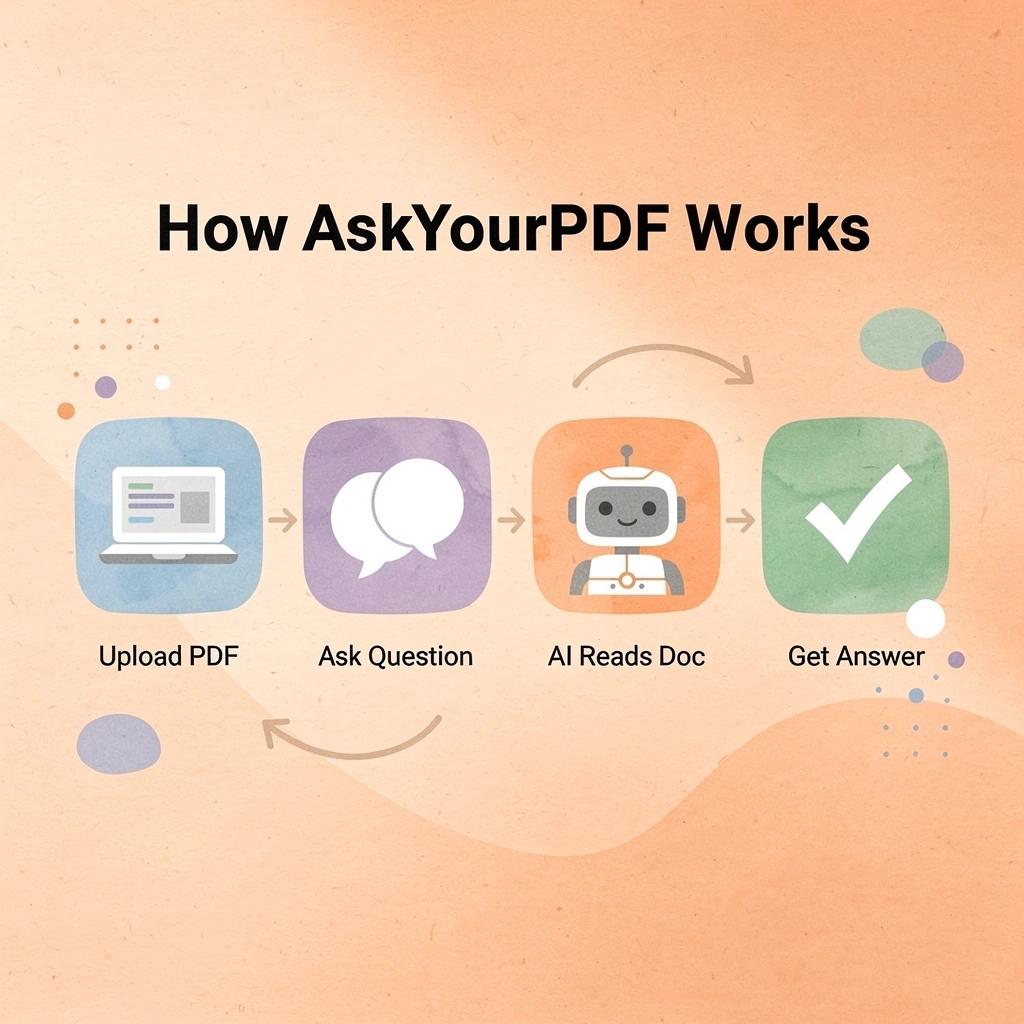
Why does the document boundary matter in AI PDF vs AskYourPDF?
The main difference between AskYourPDF and a regular chatbot is that boundary. When students paste excerpts into a standard AI tool, the model fills in gaps with outside knowledge—helpful until you cite a detail the model fabricated. AskYourPDF closes that gap intentionally: the assistant answers from your sources, and if the fact isn't in the document, it says so. That limit is a strength, not a weakness, because academic work lives and dies on attribution accuracy.
How does AskYourPDF handle multiple files at once?
The platform handles multiple files simultaneously. Its Knowledge Base groups readings into a single collection, allowing you to run prompts like "what sample size does each paper report?" across four uploaded articles at once, rather than opening separate chat sessions. According to AskYourPDF's official website, the platform supports up to 2,000 pages per PDF for chat and analysis, covering most course packets, textbook chapters, and research compilations students encounter in a semester.
Where retrieval ends, and learning begins
The most common mistake students make with document AI tools is treating retrieval as the end of the process. A summary that helps you understand a paper's structure is useful, but using it instead of reading the important sections breaks your workflow. A 2024 study in Computers and Education found that students reading on paper answered 55 questions correctly on material where screen readers answered only 44, a large effect (Cohen's d = 0.92). Document chat tools compound this risk by adding another layer of distance between you and the source text.
Why does passive querying fail where active recall succeeds?
Passive reading and passive AI querying share the same problem: information enters your working memory but never gets tested, so it doesn't stick. Platforms like Studley fix this by converting document content into flashcards, quizzes, and active recall exercises, transforming retrieved material into something your brain practices with before the exam.
What does AI PDF vs AskYourPDF actually offer at each tier?
AskYourPDF works with Chrome, Zotero, ChatGPT, Google Drive, and Dropbox, integrating seamlessly into your existing workflow. The free version allows 100 pages per document, one document per day, and 50 questions per day—sufficient for a single assignment but not a literature review week. Paid plans remove those limits and add OCR for scanned documents, Knowledge Base access, and the Literature Review Writer, which flags where authors agree or disagree across your uploaded documents. Check live pricing at askyourpdf.com before subscribing.
Which half of the tool decision do most students skip?
Knowing what a tool can do is only half the decision. The other half, which most students skip, matters more.
What Should Students Look for in an AI PDF Study Tool?
Speed is the wrong way to judge a tool. The real question is whether the tool keeps you responsible to the source or lets you drift away from it unnoticed.
"The best AI study tools don't replace the source — they anchor you to it, making every answer traceable and every insight verifiable."
🎯 Key Point: A tool that prioritizes fast results over source accountability isn't a study tool; it's a shortcut that undermines genuine learning.

According to the HEPI Student Generative AI Survey 2025, 92% of students said they used generative AI tools, flooding the market with options made to produce fast results rather than learning that lasts. What really matters is whether the tool connects every answer to a specific page you can check, or creates smooth writing that sounds good while pulling you away from the source completely.
- Links answers to specific pages → What it means for you: You stay accountable to the source.
- Produces fast, unverified summaries → What it means for you: You risk drifting from the material.
- Enables source cross-checking → What it means for you: Supports genuine comprehension.
- Generates smooth, sourceless writing → What it means for you: Creates false confidence in understanding.
💡 Tip: Before committing to any AI study tool, test it with a question from your PDF — if it can't point you to a specific page or passage, look elsewhere.
🔑 Takeaway: With 92% of students already using generative AI, the market is saturated with speed-first tools. The critical differentiator is source traceability — because a tool that can't show its work can't build yours.
Does it cite the page or just summarize?
The first test is simple: ask the tool to quote a sentence and name the page. If it rewrites the words without showing their source, it's a writing assistant, not a study tool. A side-by-side viewer that highlights the exact passage in the original document is stronger because you see surrounding context, not isolated lines. Context is where meaning lives—pulling a sentence without its neighbors turns nuanced findings into confident misreadings.
Can it handle the files your professor actually sends?
Many course PDFs are scanned chapters, photographed slides, or photocopied handouts with no selectable text. If the tool cannot run optical character recognition, it guesses from whatever it could read, and every subsequent answer builds on that mistake.
How does AI PDF vs AskYourPDF handle tables and scanned files?
Tables are the next stress test: research on multimodal retrieval shows accuracy dropping and hallucination climbing when models process rows and columns rather than plain text. A tool that cannot keep a results table intact will hand you a fabricated total with no warning.
Why does the failure stay invisible until it matters most?
Most students upload their cleanest PDF and assume the tool works the same way on every file. It does not. The failure remains invisible until an exam question asks for the exact figure from the methods section. Platforms like Studley convert uploaded documents into active study material—flashcards, quizzes, and fill-in-the-blank exercises—closing the gap between reading a file and knowing its content through retrieval practice, not rereading.
Does it tell you what it cannot find?
A tool that says "not in this document" is more valuable than one that answers every question. A March 2026 evaluation across 35 open-weight models found that even the strongest model fabricated answers 1.19% of the time under ideal conditions, with median models inventing responses to roughly one in four questions about information absent from the source. The ability to resist fabrication and the ability to find information are separate skills, yet most tools conflate them. Choose the one that refuses to fill gaps rather than one that fills them with plausible-sounding answers.
What should you check before uploading sensitive files?
Before uploading a draft, unpublished dataset, or article behind a university login, find the vendor's security page and confirm four things: encryption in transit and at rest, whether uploads train models, how you delete files and chat history, and where data is stored. HEPI's 2025 survey of 1,041 students found institutional data policies lag behind student behavior. Read the terms before the file leaves your device.
How does AI PDF vs AskYourPDF change what you do next?
Knowing which tool to choose solves only part of the problem. The deeper question is what you do with it once you have it.
Related Reading
- How To Summarize Text With Ai
- How To Take Notes On A PDF
- How To Summarize A Paragraph
- Auto Text Summarization
- How To Summarize A Chapter In A Book
- Best AI for Book Summary
- How To Summarize An Article
- How To Summarize A PowerPoint Presentation
- How To Summarize A Book
- How Long Should A Book Summary Be
- Can ChatGPT Summarize a PDF
AI PDF vs AskYourPDF: 9 Key Differences for Students
AI PDF and AskYourPDF both use AI to help students work through documents, but they differ significantly in how they handle models, file handling, document organization, and research workflows.
"The right AI document tool can mean the difference between passively reading and actively mastering your study material." — AI Productivity Research
🎯 Key Point: Choosing between AI PDF and AskYourPDF isn't just a preference — it's a strategic decision that impacts your study efficiency, document management, and academic performance.
- AI models → AI PDF: Multiple model options → AskYourPDF: Single model approach.
- File handling → AI PDF: Advanced file processing → AskYourPDF: Standard upload system.
- Document organization → AI PDF: Structured library system → AskYourPDF: Basic document storage.
- Research workflows → AI PDF: Optimized for deep research → AskYourPDF: General-purpose Q&A.
💡 Tip: Before committing to either platform, evaluate your specific study needs — whether that's deep research workflows, multi-document organization, or quick document Q&A — to ensure you pick the best tool for your academic goals.

1. One is a document drive. The other is a chat stack with academic plug-ins.
AI PDF at aipdf.com is a document storage system where you can save files and organize folders of PDFs, Word documents, and Excel spreadsheets using an agent, analyzer, and summarizer. AskYourPDF at askyourpdf.com is a conversation tool: upload a file, ask questions about it, and access paid features like a Knowledge Base, Research Assistant GPT, Literature Review Writer, Chrome extension, ChatGPT plugin, and Zotero plugin. Both let you ask questions about PDFs, but they differ in approach: one is a persistent library you maintain and organize; the other is a chat conversation with your current file.
2. AI PDF lives in a workspace. AskYourPDF follows the file you already opened.
On AI PDF / AI Drive, the workflow is account → upload → organize → chat inside that drive, including folder search with an @ locator and an agent that reads across directories. AskYourPDF meets the PDF where you found it: the site chat, a Chrome extension for PDFs you've opened (including Google Drive and Dropbox links), mobile apps, a ChatGPT plugin, and a Zotero plugin that starts conversations from items already in your reference library. The drive model reduces duplicate files if your readings live as Downloads chaos; the plugin model skips a second upload if your readings live as browser tabs and a Zotero collection.
3. Multi-file work is a folder agent versus a Knowledge Base.
AI Drive's agent is the multi-file brain: it handles multi-document analysis, markdown summaries, automatic reference linking, full-document reads without page caps, and work split across models, then merged. AskYourPDF's equivalent is the Knowledge Base: drop several papers into one collection and query the set as a single library, adding or removing files as needed. The Knowledge Base is included only on paid AskYourPDF plans. For literature reviews with multiple PDFs, both solve the core problem but differ in execution: search a folder in a drive versus query a named collection (and paste that collection's ID into ChatGPT on AskYourPDF).
4. File types and hard caps are not the same homework.
AI PDF / AI Drive lists PDFs, Word docs, Excel, and images, with OCR on scans and automatic OCR at 99.2% accuracy on paid AI Drive. AskYourPDF supports PDF, TXT, PPT, PPTX, CSV, EPUB, and RTF files, plus URL ingest and OCR on paid tiers. Free AskYourPDF caps at 100 pages per file, 15 MB, and one document per day. Paid tiers allow 2,500 pages / 31 MB / 50 files daily, then 6,000 pages / 877 MB / 150 files daily. AI PDF's free tier limits are listed on myaidrive.com. Before choosing a tool for a 400-page textbook scan, verify the plan covers that file size, not just the demo that handled a 12-page article.
5. Price and the free plan hit a student budget in different places.
AskYourPDF's free plan allows 50 questions and three conversations per day using GPT-4 Mini. Premium costs $11.99 per month (paid yearly), and Pro costs $14.99 per month (paid yearly). AI Drive's free plan upgrades to Pro for $39 per month, providing 50,000 credits and access to GPT, Claude, and Gemini models, or Business for $200 per month. AskYourPDF is cheaper for chatting and using plugins, while AI Drive costs more if you need folder-level agents, credit-based model routing, and drive storage. Visit each pricing page for current rates, as annual versus monthly billing and credit usage speed affect total cost.
6. Academic extras sit on AskYourPDF. Heavy document labor sits on AI Drive.
AskYourPDF ships academic-focused tools: a Research Assistant GPT for long papers and textbooks, a Literature Review Writer that pulls themes and disagreements across uploads, a Writer Co-pilot for academic drafting, plus 15 other free writing utilities. AI Drive emphasizes heavy lifting: an AI PDF Analyzer, PDF summariser, custom agents, structured data extraction, and multi-pass extraction for large file sets. AskYourPDF reports 5 million-plus users with student-facing features for study use and paper summaries; AI Drive reports 550,000-plus active users, 4 million-plus AI conversations, and 10 million-plus documents processed. For "compare six journal PDFs and draft a review," AskYourPDF's labeled academic tools match the task. For "extract every number from this packet and keep the folder searchable all term," the Drive agent is the better fit.
7. Security pages are not written at the same level of detail.
AI Drive publishes a dedicated security page: AES-256 at rest, TLS 1.3 in transit, U.S. Google Cloud storage for customer files and chat history, completed SOC 2 Type 1 and Type 2 exams, ISO 27001 practices, and a written rule that AI Drive does not train models on your data, with provider agreements covering OpenAI, Anthropic, Google, and xAI/Grok. AskYourPDF claims GDPR compliance, encryption, and "strict standards" for privacy, with answers limited to sources you approve on the website-agent product. Only AI Drive details training bans, audit exams, and data-center location. For sensitive work like thesis chapters or unpublished lab notes, review the live policy before upload and delete the file when done.
8. Model menus overlap. OCR and credits do not.
Both products send work through OpenAI, Claude, and Gemini families. AskYourPDF's free tier is limited to GPT-4 Mini; paid tiers add GPT-4.5, GPT-4 Turbo, Gemini 2.5 Flash, GPT-4, and credit-gated Claude 3.5 and Gemini 2.5 Pro. AI Drive's paid plans offer the same three labs plus credit-priced agent runs, with Gemini Flash and Gemini Pro handling 1,000 to nearly 2,000 pages in one pass. OCR differs: AskYourPDF offers it as a paid-plan benefit, while AI Drive includes OCR as a core Drive feature with 99.2% accuracy at the Pro level. For scanned documents like lecture packets, free AskYourPDF cannot read them—you'll need to pay for OCR or use Drive instead.
9. Pick by the week you actually have, not by the homepage slogan.
Choose AskYourPDF when the PDF is already in Chrome or Zotero, when you need a named literature-review pass, when $12–$15 a month billed yearly fits your budget, and when one paper plus a Knowledge Base covers the assignment. Choose AI PDF / AI Drive when your semester is organized in folders, when you want one agent to search across directories, when you need published compliance and SOC 2 language, and when you accept a $39 Pro credit plan for that workspace. Neither product replaces the page you must still cite. Test both tools on your real syllabus file: quote the definition with a page, pull the sample from the table, list the stated limitation, and name what the file does not contain. Keep the tool that shows its work.
Which Tool Is Better for Different Types of Students?
The better choice depends on how you like to study and what matters most to you. AI PDF works well for students who handle lots of documents, while AskYourPDF is better at pulling out information through conversation. Pick AI PDF if you want to manage a wide range of documents in one workspace; pick AskYourPDF if you want to analyze single documents, do research, or turn materials into active practice.
- Handles multiple documents at once → Best tool: AI PDF → Why it wins: One workspace for a wide range of files.
- Prefers conversational Q&A → Best tool: AskYourPDF → Why it wins: Stronger at pulling info through dialogue.
- Focused on single-document deep dives → Best tool: AskYourPDF → Why it wins: Built for detailed analysis of one source.
- Doing research across sources → Best tool: AskYourPDF → Why it wins: Excels at research-driven workflows.
- Wants active practice from materials → Best tool: AskYourPDF → Why it wins: Turns content into active learning tools.
"Pick AI PDF for multi-document management; pick AskYourPDF for single-document analysis, research, and turning materials into active practice." — Section Insight
🎯 Key Point: There is no universal winner — the right tool is the one that matches your specific study style and workflow needs.
🔑 Takeaway: If your priority is document organization at scale, go with AI PDF. If your priority is deep comprehension, research, or active recall practice, AskYourPDF is the stronger pick.

The first-year or survey-course student with one PDF due tomorrow
AskYourPDF works better for single articles, chapters, or slide decks. The free version lets you use one document per day up to 100 pages and 15 MB, with 50 questions and three conversations—ideal for weekly readings. You upload the file, ask about the claim, method, and limitations, and stay within that one file. AI PDF offers the same functionality but requires setup (creating a drive, uploading the PDF) that a one-night reading doesn't warrant. Use AskYourPDF for Tuesday's seminar question; switch to a drive only when you need the same file for next week's packet.
The thesis or literature-review student with a pile of papers
AskYourPDF is built for syllabus work. Paid plans add a Knowledge Base to query multiple papers as one collection, a Research Assistant GPT for long academic files, a Literature Review Writer that extracts arguments by author, a Writer Co-pilot, and a Zotero plugin for chat from your reference library. The platform delivers better paper summaries than abstracts and saves hours on lengthy documents. AI Drive can search PDF folders and merge agent output, which helps when your pile mixes case files with citations. Start with AskYourPDF plus Zotero for reviews with named sources; use AI Drive for extraction across hundreds of non-journal pages.
The student whose semester is a messy folder, not one article
AI PDF / AI Drive wins when the course folder includes PDFs, Word docs, spreadsheets, and scans. Official features include chat across file types, folder search with an @ locator, an AI Drive Agent that reads multiple files and returns combined summaries, memory trained on your own library, and secure drive storage. This works well for students who keep the syllabus, lab protocol, data table, and notes in one place and ask, "Where did we define the variable?" AskYourPDF supports additional formats (PPT, EPUB, CSV, RTF) and multi-file chat on paid Knowledge Base plans, but remains a conversation product first. Use the drive when the problem is "I cannot find the file." Use AskYourPDF when the problem is "I cannot find the sentence in this paper."
The student on a tight monthly budget
AskYourPDF is the cheapest paid option: Premium at $11.99/month (billed yearly) and Pro at $14.99/month (billed yearly), plus a free tier for light daily use. AI Drive offers a free account, then Pro at $39/month for 50,000 credits and full model access, and Business at $200/month. Check live prices on each product's pricing page before subscribing. Budget rule: stay free on AskYourPDF for one paper daily; upgrade to AskYourPDF Pro if you need Knowledge Base and OCR; move to AI Drive Pro when folder-scale agents and enterprise security justify the cost.
The student uploading unpublished work or a draft thesis
AI Drive has a clearer security policy: AES-256 at rest, TLS 1.3 in transit, U.S. Google Cloud storage, completed SOC 2 Type 1 and Type 2 exams, ISO 27001 practices, and a written ban on model training with provider agreements covering OpenAI, Anthropic, Google, and xAI/Grok. AskYourPDF offers GDPR compliance and encryption, with its website agent limited to approved sources. For draft chapters, group datasets, or embargoed papers, use Drive for its explicit no-training guarantee, then delete the file when the term ends.
The STEM or lab student stuck with scans, slides, and tables
AI Drive is the stronger default for photographed notes and image-heavy PDFs, with automatic OCR stated at 99.2% accuracy on Pro. AskYourPDF offers OCR limited to paid plans, with a free cap of 15 MB and 100 pages. AskYourPDF remains useful when your file is a PPT or CSV you want to query in chat. Test both with your worst scan: a phone-photographed protocol. If the chat invents a heading you can see, extraction failed. Keep the tool that reads the scan accurately and lets you open the original page.
The student who already lives in ChatGPT or the browser
AskYourPDF is the integration choice, offering a Chrome extension that chats with PDFs you've already opened (including Google Drive and Dropbox links), a ChatGPT plugin/Research Assistant GPT, mobile apps, and Zotero integration. AI PDF keeps you inside AI Drive after creating a free account from aipdf.com. If switching apps prevents files from being read, AskYourPDF works best for students who won't maintain a second library.
The student who already extracted the PDF and now has to remember it for the exam
A summary you never test is still rereading. When your job shifts from "what does page 14 say?" to "can I remember it without the file open," Studley converts class documents, PDFs, lecture recordings, YouTube videos, articles, and pasted text into editable flashcards, quizzes with explanations, written tests, a 24/7 tutor, fill-in-the-blank exercises, and audio podcasts. Your progress tracks from unfamiliar to mastered. It offers one free study set and an unlimited plan for $3.74 per week (billed monthly) or $1.88 per week (billed yearly). More than 3,000,000 students use it. Use AskYourPDF or AI PDF to extract information from the source, then use Studley to practice active recall before the exam, checking the original PDF for any card you will cite.
Why Students Choose Studley for a More Complete Study Experience
Choosing the right tool is only half the decision. What you do with the output determines whether the file in your Downloads folder becomes exam-ready knowledge or a cleaner version of the same confusion.
💡 Tip: The best study tool transforms passive reading into active learning, not one that merely delivers a prettier summary.

Most document chat tools follow the same pattern: you ask, it responds, and the session ends. Reading a fluent summary is not the same as being able to define it with the file closed and a timer running. Your brain stores what it actively retrieves, not what it passively receives. Most document tools are built around the wrong side of that equation.
"Your brain stores what it actively retrieves, not what it passively receives — and most document tools are built around the wrong side of that equation."
🎯 Key Point: Active retrieval is the mechanism behind real memory retention. If your study tool never makes you work to recall information, it's not building the knowledge you need when it counts.
⚠️ Warning: A fluent AI summary can create the illusion of understanding. Feeling like you get it after reading is not the same as being able to reproduce it under exam conditions.
- Standard document chat → What it does: Answers questions and generates summaries → What it misses: No active recall; the session ends with no retention loop.
- Passive reading tools → What it does: Presents information clearly → What it misses: Doesn't force your brain to retrieve or apply knowledge.
- Studley AI → What it does: Combines chat with active study features → What it misses: Designed to close the gap between reading and knowing.
What happens after the summary that most AI PDF tools miss?
The critical difference is what happens after the summary. Most students extract key ideas and consider the chapter complete. Then the exam asks them to define or use a concept, and the skill disappears. Recognition and recall are not the same skill: recognizing a correct answer on a multiple-choice test is easier than generating it from scratch. Passive Q&A study trains recognition while exams test recall.
Studley addresses this directly: the same uploaded file becomes flashcards, fill-in-the-blank exercises, written tests, and smart quizzes that explain the miss rather than presenting another paragraph to read.
How does Studley turn uploaded material into active practice?
The Studley AI homepage says the platform is trusted by more than 3 million students. Students who upload a lecture slide deck receive practice items built from that material, tagged by mastery level, with a 24/7 tutor available when a concept remains unclear after three attempts. This differs fundamentally from asking a document chat, "what does this mean?" and reading the response.
Can AI PDF vs AskYourPDF handle mixed formats the way Studley does?
Real courses don't arrive as one clean PDF. They come as recorded lectures, board photos, YouTube explainers, and notes with half-finished sentences. Most AI document tools fail here: they only handle PDFs. Studley accepts all formats in a single flow, so the board photo from Thursday and the chapter PDF sit in the same study set rather than separate apps.
How does progress tracking turn a session into a lasting study habit?
Seeing your progress turns a study session into a study habit. A chat history shows what questions you asked, but not what you learned and retained. Studley tags items from unfamiliar to mastered and updates that record across sessions, so you spend time on items that need work rather than reviewing what you already know. That is the difference between studying for two hours and studying the right two hours.
Just because a tool can read your PDF doesn't mean it can prepare you for what comes after you close the file.
Stop Cramming. Study Smarter with Studley for Free Today!
Reading a PDF isn't the same as learning it. While AI PDF tools solve the problem of accessing documents, the real challenge is remembering the material—where most students struggle.
"The gap between accessing information and truly retaining it is where exam performance is won or lost." — The core problem every student faces
💡 Tip: Don't mistake reading for studying. Passive exposure to a PDF leaves knowledge on the page, not in your memory where it counts.
That's where an AI study tool comes in. Upload PDFs, lecture slides, notes, or recordings, and Studley turns them into an AI Tutor, flashcards, quizzes, written tests, and audio podcasts based on your exact course content. You build active, retrievable knowledge that you can use when exam questions are different from your notes.
- PDFs → What Studley creates: AI Tutor.
- Lecture slides → What Studley creates: Flashcards.
- Notes → What Studley creates: Quizzes & Written Tests.
- Recordings → What Studley creates: Audio Podcasts.
🎯 Key Point: Studley doesn't just summarize your material—it transforms it into active study tools designed to build real, exam-ready knowledge.
✅ Best Practice: Start your first study set free—no credit card required. There's zero risk in finding out how much faster you can learn.
Related Reading
- Shortform Vs Blinkist
- Genei.io Alternative
- Quillbot Alternatives
- Best Ai Note Taking Apps
- Headway Vs Blinkist
- Chatpdf Alternatives
- Best Book Summary Apps
- Wordtune Alternatives