

11 Best Automated Contract Drafting Tools for 2026
Not all automated contract drafting tools prevent hallucinations. See the 11 best options attorneys can trust in 2026.
Faster output is not the same as safer output. Here is what actually separates a reliable drafting tool from a sophisticated autocomplete engine, and why the distinction is a malpractice question.
Most attorneys think about automated contract drafting the wrong way. The mental model is simple: point an AI at a blank page, describe what you need, and get a finished agreement back in seconds. That framing feels intuitive, but it misses what actually separates a reliable drafting tool from a sophisticated autocomplete engine.
The real definition is more precise. Automated contract drafting uses software and artificial intelligence to replace static manual templates with conditional logic, dynamic clause libraries, and structured data integration, producing agreements grounded in a traceable legal basis rather than a language model's best guess. Speed is a byproduct.
Traceability is the point. The biggest bottleneck in contract work is rarely drafting from scratch. It's maintaining consistency and verifiability across documents.
A tool that generates faster without solving that problem hasn't automated contract drafting. It has automated the risk.

A tool that generates faster without solving that problem hasn't automated contract drafting. It has automated the risk.
Three mechanisms distinguish a true drafting platform from a general-purpose writing tool. Conditional logic means the system dynamically adjusts clauses based on inputs: selecting California as the governing jurisdiction automatically triggers state-specific compliance language. Dynamic clause libraries draw from attorney-vetted repositories of approved terms, fallback provisions, and jurisdiction-specific boilerplate.
Data integration pulls verified client and matter information directly into the document, eliminating manual copy-paste errors. These three mechanisms are what separate legal-specific drafting platforms from open-ended language model prompts. Without them, the output has no traceable legal basis.
Key takeaways
- Automated contract drafting is a three-layer engine that must ground every clause in verified, current law to be worth anything.
- A clause that was defensible two years ago may not be today, and nothing in a manual template workflow flags that gap until opposing counsel does.
- Stanford HAI benchmarking found legal AI models hallucinate in at least one out of six queries, meaning speed without source verification is a liability transfer, not a time-saver.
- The real ROI from automation isn't faster drafts; it's eliminating the two failure modes most likely to create post-signature problems: stale clauses and manual data-entry errors.
- Small firms don't lose on feature comparisons; they lose malpractice arguments. Choosing the wrong tool is a professional-responsibility decision, not a software preference.
- OpenCase's Document Drafting closes the loop by grounding every output in verified law, so attorneys can trace any clause back to its source and sign off without a second-pass read.
The Hidden Cost of Manual Templates, and Why 'Good Enough' Is Getting Riskier
Two years ago, a clause in your master services agreement was defensible. Today, it may not be. Nothing in your workflow will tell you that until opposing counsel does.
The common assumption is that AI contract drafting tools either hallucinate dangerous clauses or are priced for BigLaw, with no middle ground a small firm can trust and afford.
Static Templates Go Quietly Obsolete When the Law Changes
The template looks identical whether it's current or quietly obsolete. That's the structural problem with static Word documents: they carry no timestamp on their legal accuracy, only on when someone last saved the file. According to the Texas Lawyers' Insurance Exchange (2024), relying on outdated templates is a recognized source of malpractice exposure, specifically because attorneys incorporate clauses that no longer reflect current law with no automatic alert that the language has become deficient.
Silent decay is the real danger. A limitation-of-liability clause drafted before a jurisdiction updated its consumer protection statute doesn't announce its own staleness. It just sits there, indistinguishable from a clause that was reviewed last Tuesday. The professional standard is clear: you must confirm that the authority underlying your contract language is still good law before relying on it, yet nothing in a static Word file prompts that check. OpenCase addresses this directly by pulling research across 100+ legal databases, integrating the Federal Register for regulatory updates, and connecting to Cornell LII so that the law informing your language can be verified against current authority rather than last year's saved draft.
The economics of staying current have been the hidden tax on small firms. A Westlaw or Lexis subscription that costs more than it returns in billable efficiency is a real constraint. When research overhead is prohibitive, templates get extended past their useful legal life because verifying them feels too expensive. OpenCase is built to replace or supplement that subscription burden, giving small-firm attorneys research depth without the enterprise price point.
Copy-Paste Version Control Is a Liability Waiting to Surface
The Texas Lawyers' Insurance Exchange identifies poor communication and absent documentation as direct contributors to malpractice claims. Fragmented email chains and missing audit trails are the mechanism by which contract language drifts across matters without anyone catching it, producing materially different liability caps across clients with no one intending the inconsistency. Brown & James reinforces the point from the defense side: transactional malpractice claims frequently hinge on exactly this kind of undocumented version drift, where no single email or file preserves what language was in force, when, and why.
OpenCase's integrations with Microsoft Word, Google Docs, Outlook, Google Drive, and Dropbox mean the document lives inside the tools your firm already uses, with file analysis capabilities that surface inconsistencies across versions rather than letting them accumulate silently. Daily PACER integration keeps litigation-adjacent drafting tethered to what is actually moving through federal courts, not what was moving two years ago.
General-Purpose AI Makes the Problem Harder to See, Not Easier to Solve
Fluent output is not the same as legally grounded output. General-purpose AI tools produce contract language that reads confidently regardless of whether the underlying authority still stands. They cannot tell you whether a case is still good law, because they are not connected to the sources that would answer that question. OpenCase's legal research layer, spanning 100+ databases, Cornell LII, the Federal Register, and daily PACER feeds, means that when language is drafted or reviewed, there is an actual research foundation behind it, not pattern-matched prose that sounds correct. That is the structural difference between a tool built for legal work and one that was retrofitted for it.
How Does Automated Contract Drafting Work? The Four-Layer Engine Behind Modern Tools
The Four-Layer Engine Behind Modern Tools
Spend enough time reviewing AI-generated contracts and a pattern emerges: the output looks clean, the formatting is professional, and something is quietly wrong. A governing-law clause pulled from a Delaware template sits inside an agreement that should be California-governed. A statutory reference cites a version of the code that was amended two years ago. The document passed a fast read. Nobody caught it until the other side's counsel did.
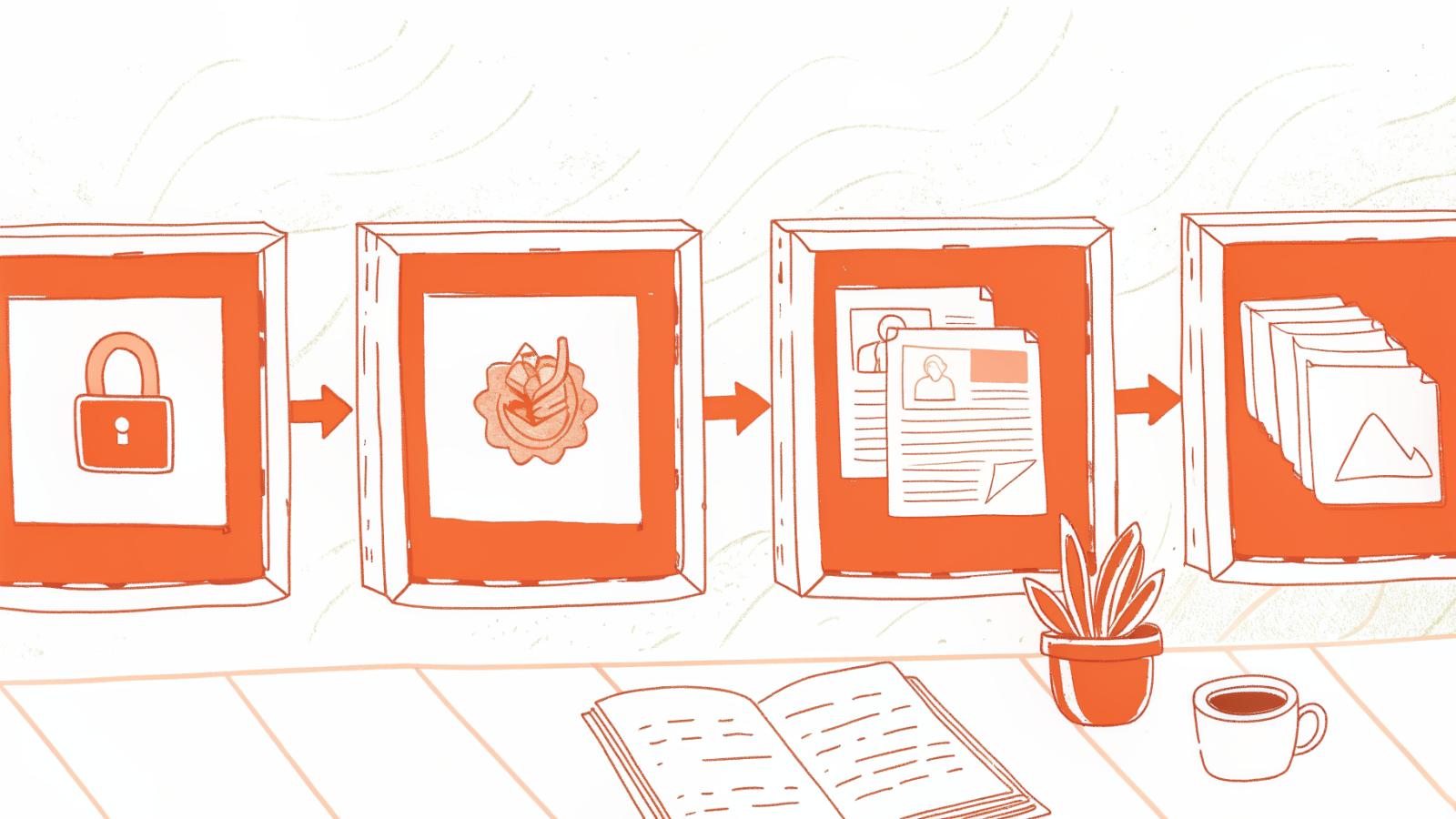
That failure is not random. It traces directly to treating automated drafting as one undifferentiated process rather than a system with distinct layers, each designed to intercept a different class of error.
Layer 1 - Intake Forms and CRM Sync
Automated contract drafting works by pulling client data directly from intake forms or CRM records into document variables, eliminating the re-keying step where most errors originate. According to Lido's July 2026 analysis, manual data entry carries an average error rate of 1 to 4 percent, meaning between 1 and 4 fields in every 100 entered by hand will contain a typo, transposition, or omission. In a contract, a single incorrect address or transaction amount can invalidate a clause or force costly redrafting. CRM sync removes that exposure entirely by treating the source record as the authoritative input.
Layer 2 - Conditional Logic
The system dynamically reshapes the agreement based on user inputs. Select California as the governing state, and a jurisdiction-triggered clause library automatically appends CCPA data-processing addenda. Select a different deal type, and indemnification language adjusts accordingly.
This matters because every US state enforces its own contract requirements through courts, and a single static template cannot safely serve a multi-state practice. Conditional logic is not a convenience feature. It is the mechanism that keeps a document legally coherent across jurisdictions without requiring the drafting attorney to remember every state-specific rule from memory.
Layer 3 - Pre-Approved Clause Libraries
Attorneys draw from a database of pre-vetted boilerplate terms, liability limits, and fallback language the firm or platform has already reviewed and approved. This layer functions as a floor beneath every generated provision. The critical limitation worth naming: a clause library is only as current as its last update. Firms that treat a vetted library as a permanent safety net without a review cadence will eventually discover stale language the same way they discover stale Word templates, after someone challenges it.
Key Benefits of Automated Contract Drafting - Beyond Just Moving Faster
Attorneys who evaluate automated contract drafting tools almost exclusively on generation speed are measuring the wrong variable. The real structural value is that automation simultaneously eliminates the two failure modes most likely to create post-signature problems: unverified clause currency and error-prone manual data entry.

Speed Is the Floor, Not the Ceiling
80-85% faster contract drafting and review times
According to Contracts Connected (2026), automated contract drafting cuts document creation and review times by up to 80-85%. For a small firm where attorneys can spend significant time on a single NDA, that compression is recovered capacity. Firms pairing intake-form automation with a jurisdiction-aware clause library have reported dramatic reductions in NDA turnaround times. Those hours don't disappear; they shift to billable work that actually moves the practice forward.
Speed, though, is the byproduct. It is what happens when the underlying failure modes are removed.
Consistency as a Risk Control
Every agreement is locked to your firm's approved language and policies. Contract inconsistency is a risk problem, not just an aesthetic one. When attorneys draft ad hoc across matters, clause language drifts, liability caps shift, indemnity carve-outs vary, and governing law provisions get copied from the wrong template. As ContractWorks (2024) notes, CLM platforms enforce organizational playbooks and standard language across every agreement, eliminating the policy drift that occurs when contracts are drafted without a central clause library. For small firms without a dedicated contracts team, that enforcement layer is the only QA mechanism that doesn't depend on an attorney catching the error manually.
AI-Flagged Deviations and Missing Clauses Catch Problems Before Signature, Not AfterAutomated drafting tools surface deviations from approved clause libraries and flag missing provisions before execution, shifting risk identification earlier in the lifecycle.
Automated Contract Drafting vs. Manual Templates - A Side-by-Side Comparison
---
Here is a truth most small firms don't want to sit with: a Word template that looks compliant and a contract that is compliant are not the same document. The gap between them widens every month the template sits untouched. When standard templates go without regular review, they can contain clauses that no longer reflect current law, leaving parties exposed to unenforceable provisions without realizing it.

The Five Dimensions That Separate a Living Contract from a Frozen One
Manual templates rely on repetitive, error-prone work, while automated drafting creates a connected, auditable workflow:
- Document form → Manual template: Static Word file; edited by hand each use → Automated drafting: Dynamic form with conditional logic; output updates automatically.
- Data entry → Manual template: Copy-paste from email, CRM, or notes → Automated drafting: Auto-populated from intake form or CRM sync.
- Clause selection → Manual template: Attorney searches manually through prior files → Automated drafting: Algorithmic and AI-driven clause selection from a vetted library.
- Version control → Manual template: Email threads; no single source of truth → Automated drafting: Timestamped audit trail; every change logged.
- Risk potential → Manual template: Silent accumulation; errors invisible until dispute → Automated drafting: Built-in playbook compliance flags deviations before signature.
Sources: BoostDraft, May 2026; LegalOn.
11 Best Automated Contract Drafting Tools for 2026 - Ranked for Verified Output, Not Just Speed
Hallucination is the variable the comparison table cannot quantify, but the empirical record makes it concrete. In trial-style tests, legal-domain AI models hallucinated in at least one out of six queries, according to Stanford HAI (Human-Centered Artificial Intelligence) in 2024. That is not an edge case; it is routine. The concern has already moved from theoretical to documented: AI Law Librarians recorded repeated incidents of fabricated authority making it into actual filings, which is precisely why so many small-firm attorneys ask whether the citations are real before they ask anything about speed.
Fluency and legal groundedness are different variables. A model can write smooth, confident prose and still have no traceable legal basis for what it just proposed. Ranking AI contract drafting software solely by how fast it produces a first draft is a trap. Speed helps only if you can stand behind the output. Attorneys who spend excessive hours manually drafting contracts, then more hours verifying whether the AI's suggestions hold up, have not saved time; they have rearranged where the pain lands.
A familiar pattern plays out. You prompt an AI co-pilot to tighten a limitation of liability clause. It returns clean language, cites a general concept, and leaves you to spend 30 minutes working backward to see if any controlling authority supports that structure for your jurisdiction.
You just traded drafting time for a new, unbillable research spiral. The stylistic polish told you nothing about the legal footing. The same problem surfaces before client calls: when you need to get up to speed on an unfamiliar area of law quickly, a hallucination-prone tool does not shorten your preparation time, it adds a verification layer on top of it.
Workflow friction adds another layer. Small firms live in Word and email. Word-native tools lower adoption risk because they do not ask attorneys to change habits. For example, Clio Draft integrates with Microsoft Word to auto-populate client data into practice-area templates, a targeted way to cut manual steps without making lawyers learn a new editor. Spellbook follows a similar in-document pattern for AI suggestions. The platform shape matters as much as the model inside it because getting value starts with getting used at all.
Most attorneys handle this by grabbing a fast AI drafting assistant, then manually searching to verify a statute or case that the model implied. The hidden cost is time, not only in review, but in the anxiety tax of wondering what you missed. Platforms like OpenCase address that verification step directly.
OpenCase returns contract language tied to primary law with checkable citations, drawing on legal research across 100+ legal databases, with integrations into Cornell LII, daily PACER updates, and the Federal Register, so the authority behind a suggested clause is not something you have to hunt down separately. It connects to Microsoft Word, Google Docs, Outlook, Google Drive, and Dropbox, meaning attorneys can review source-backed suggestions without leaving the tools they already use.
The platform also supports file analysis and full document drafting, so it covers the workflow from first draft through review inside a single environment.
Below are the 11 best automated contract drafting tools for 2026, ranked on the trust axis first and speed second. Each is a viable pick under the right conditions. The goal is to show when each tool's trade-offs align with your firm's workload, risk posture, and stack.
1. OpenCase.com - Best for Verified, Citation-Backed Contract Drafting
OpenCase leads when your non-negotiable is source-backed output you can audit. It generates contract provisions tied to primary legal sources with citations you can check, pulling from 100+ legal databases, Cornell LII, daily PACER integration, and the Federal Register, so attorneys can move faster without guessing. It fits small firms that draft in Word and want minimal workflow change: Microsoft Word, Google Docs, Outlook, Google Drive, and Dropbox integrations mean the tool meets attorneys where they already work.
Document drafting and file analysis are both native to the platform. It is also useful for getting up to speed on an unfamiliar area of law before a client call, since the research layer is built in rather than bolted on afterward. Limitation to note: it focuses on United States law, so cross-border work will still need other sources.
2. Ironclad - Best End-to-End CLM for High-Volume Enterprise Drafting
Ironclad is a full contract lifecycle platform that shines in complex, multi-department workflows. If you need intake, clause libraries, approvals, and analytics tied into a single system, it is a strong foundation, and its drafting assist is good enough for many enterprise use cases. The trade-off is deployment complexity and cost. For a three-attorney practice, it can be overkill compared to lighter Word-native options.
3. LegalOn - Best for AI-Guided Redlining and Risk-Flagged Drafting
LegalOn focuses on pre-signature risk review. Its attorney-vetted playbooks and AI-guided redlines help you spot missing clauses, deviations, and high-risk language quickly, then propose safer alternatives you can accept or modify. Choose it if your bottleneck is review consistency across vendor paper and third-party templates. The trade-off is that it is strongest in redlining and risk flagging, so teams seeking deep first-draft generation may want to pair it with a drafting specialist.
4. Spellbook - Best for Rapid First-Draft Generation Inside Microsoft Word
Spellbook is a Word-native AI co-pilot that can suggest terms, redline language, and flag unexpected liabilities without forcing you into a new editor. It is a natural fit for solo and small-firm attorneys who already work in Microsoft 365 and value in-document speed. The trade-off is verification. Like other generation-first tools, attorneys still need to confirm that suggested clauses are grounded in law rather than merely fluent prose.
5. Harvey AI - Best for Large Law Firm Automated Drafting at Scale
Harvey aims at big-firm scale with wide document support and enterprise controls. Its strength is breadth across drafting, Q and A, and internal knowledge, which suits teams standardizing workflows across many practice groups. Pick it if you have the volume, security requirements, and change-management muscle to roll out a platform at scale. The trade-off is complexity and likely pricing that will not pencil out for smaller teams focused on contracts alone.
6. Avokaado - Best for Automated NDA and Recurring Contract Drafting Workflows
Avokaado excels at repeatable documents like NDAs, employment letters, and routine sales agreements. Smart templates, conditional logic, and self-service drafting let a small firm or its business clients generate consistent documents with fewer attorney touches. It is most valuable when you draft the same few contracts hundreds of times. The trade-off is that bespoke or heavily negotiated agreements will often end up exported to Word for deeper legal fine-tuning.
7. Bind Legal - Best for Self-Service NDA Portals with Bulk Execution
Bind Legal is purpose-built for NDAs at volume. Create a branded self-service portal, publish pre-approved terms, and let counterparties generate and sign without attorney bottlenecks, useful for startups interviewing candidates or agencies onboarding vendors. It does one thing and tries to do it fast. The trade-off is scope. If you need anything beyond NDA workflows or complex fallback handling, you will want a broader drafting environment.
8. Contracts365 - Best for Clause Library-Driven Drafting with Compliance Controls
Contracts365 emphasizes Microsoft-centric deployment and clause-library rigor. For legal teams that want tight control over approved language, mandatory inclusions, and playbook compliance, it provides structure that keeps drafts inside the lines. It is a smart pick for organizations already deep in Azure and Microsoft 365 that need governance more than generative flair. The trade-off is that implementation and maintenance require time to keep the libraries current and the logic aligned with policy.
9. Robin AI - Best for Collaborative Automated Drafting with Human-in-the-Loop Review
Robin AI blends automated drafting with a human review service layer. That hybrid model can reduce risk for firms that want AI acceleration but still prefer a second set of trained eyes on sensitive provisions. It is most helpful when internal bandwidth is thin and turnaround predictability matters. The trade-off is dependence on vendor-side reviewers, which can introduce scheduling limits and per-document costs compared to fully in-house review.
10. Juro - Best for Business-Led Contract Drafting with Legal Guardrails
Juro is a collaborative workspace designed so sales, HR, and procurement teams can generate and approve standard contracts with legal guardrails in place. It works well when your goal is to let business teams self-serve on routine agreements while legal retains control over templates, fallback options, and approvals. Expect speed gains at the intake frontier. The trade-off is that complex negotiations often leave the Juro editor and move into Word, adding a handoff step.
11. LexisNexis+ AI - Best for Research-Integrated Contract Drafting with Precedent Support
LexisNexis+ AI pairs drafting assistance with research depth, so you can pull in authority and precedent support as you work. That integration addresses the core trust issue by making it easier to validate positions and rationale alongside clause language. It suits teams already invested in premium research platforms who draft and research in the same session. The trade-off is pricing and licensing. Enterprise research suites are typically negotiated and can be prohibitive for small firms focused on a narrow set of contracts.
One final perspective to hold while you compare: Stanford HAI (Human-Centered Artificial Intelligence)'s 2024 results show legal AI models can sound confident while being wrong often enough to matter, and AI Law Librarians' 2026 review of sanctions incidents makes clear the risk is real. That is why this list weights verifiability and workflow fit over demo-time speed. Trust first, speed next.
Eleven tools, eleven different trust-and-workflow trade-offs. The real work is knowing which two or three criteria actually matter for your firm's contract volume, risk tolerance, and existing stack. The next section gives small firms an elimination rubric to cut through the noise and reach a defensible decision in under an hour.
Related Reading
- Workflow Automation For Law Firms
- Agentic Ai For Legal Teams
- Ai In Litigation
- How Ai Drafts Legal Documents From Templates
- Automated Contract Drafting
- Ai Contract Negotiation
- Ai Deposition Summary
- Paralegal Automation
How to Choose the Right Contract Drafting Tool - The Criteria Small Firms Actually Need
Feature scorecards feel productive. They aren't. A 5-attorney firm that eliminated three enterprise CLM tools from its shortlist purely on per-seat pricing, before evaluating a single feature, made a smarter decision than firms that spent weeks building weighted comparison matrices. For a small firm, the wrong tool doesn't lose a feature comparison; it loses a malpractice argument. These criteria function as an elimination rubric, not a ranking system. One "no" answer ends the evaluation.

Legal Grounding and Citation Traceability
Can you verify where the language came from? According to the Federal Bar Association Legal Industry Report 2025, attorney trust in AI-generated legal content depends entirely on traceability; "black box" tools are viewed as professionally and ethically unacceptable for client-facing work. When opposing counsel challenges a clause, "I ran it through an AI tool" is not a defense. The source of the language is. The hidden cost is that plausible-sounding language passes review precisely because it reads like correct law. OpenCase's Document Drafting anchors every output to verified legal sources the attorney can actually cite, so speed and professional accountability move together rather than trade against each other.
Workflow Nativity
Does it live where you already work? The Federal Bar Association's 2025 report found that 79% of legal professionals say AI tools must integrate into existing workflows to be adopted effectively. A platform that demands a new login, a new interface, and a new habit will become shelfware within 90 days regardless of its feature set. This is an adoption reality.
Automated Contract Drafting FAQs - The Questions Small Firms Ask Before Switching
Vendor FAQs make automated contract drafting sound like a software onboarding problem. The real questions small-firm attorneys carry into these evaluations are professional-responsibility questions, and they rarely appear on any feature comparison page. And underneath those professional-responsibility questions sits a harder operational truth: small firms are already losing significant hours to manual drafting, hours that represent the single strongest switching motivator when attorneys finally evaluate automation tools. Understanding what these tools can and cannot do responsibly is where that evaluation has to start.
"Small firms spend excessive hours drafting contracts manually, indicating a strong need for automation FAQs that address time-saving as a primary switching motivator."

Can a Client Use These Tools to Draft a Contract Without a Lawyer
Yes. Clients already do. Tools like document automation platforms and general-purpose AI let anyone generate contract language without hiring counsel. The practical question for your practice is whether that language is enforceable, and the honest answer is: sometimes, for routine low-stakes agreements, it holds. For anything involving jurisdiction-specific compliance, indemnification exposure, or novel deal structures, unreviewed AI output is a liability waiting to surface.
The professional boundary here is about what happens when that self-drafted agreement gets challenged and there is no attorney who reviewed it. Automation is appropriate for routine work. On high-stakes matters, it cannot substitute for judgment.
OpenCase is built on that distinction: its Document Drafting tools are designed to accelerate the work attorneys are already qualified to verify, not to replace the verification step. Integration with Microsoft Word, Google Docs, and Google Drive means drafts move directly into the workflows attorneys already use, so the time savings are real without introducing a parallel review burden.
How Automated Tools Handle Jurisdiction-Specific Rules
Most tools do not handle it well. Contract automation jurisdiction accuracy depends entirely on whether the underlying clause library was built against verified, current state law, or against a general training corpus that treats California and Texas as interchangeable. That distinction is rarely disclosed upfront.
State bar ethics opinions issued in 2023 and 2024 have made this more concrete: attorneys remain responsible for jurisdiction-specific accuracy regardless of how a draft was generated. The tool does not carry your bar number. You do. OpenCase addresses this exposure directly through its Search capability across 100+ legal databases, Cornell LII Integration, and Daily PACER Integration, meaning when a jurisdiction-specific question surfaces inside a draft, attorneys can resolve it against authoritative, current primary sources rather than relying on whatever training data an opaque model ingested at some point in the past. The Federal Register Integration extends that same currency to regulatory compliance language, where staleness is often the difference between a clause that holds and one that doesn't.
Are AI-Drafted Contracts Actually Enforceable
Enforceability is a verification question. According to Stanford HAI's benchmarking research, legal AI models hallucinate in at least one out of six queries across some task categories. Hallucination risk in legal research contexts is a documented, measurable baseline that every practitioner using AI-assisted drafting needs to account for. A clause that cites a statute that does not say what the AI claims it says is not enforceable as written.
The enforceability risk is most concentrated in tools that generate language without giving the attorney a fast path to verify it. That is precisely where OpenCase's File Analysis and its search depth across 100+ legal databases do material work: they put the verification layer inside the same environment as the drafting, rather than forcing attorneys to context-switch across separate research platforms to confirm what the draft actually says.
For small firms where the cost of that context-switching is measured in billable hours they cannot recover, closing that loop is the core professional-responsibility argument for how automation can be used responsibly.
Related Reading
- Best Apps for Attorneys
- Matter Management Systems
- Document Review Software For Law Firms
- Best AI For Legal Brief Writing
- Best AI Tools For Personal Injury Lawyers
- Best AI Tool For Legal Redlining
- AI Software For Identifying Issues In Case Files
- Best Patent AI Software For Lawyers
- Contract Drafting Tools
Next steps
If your firm is burning unbillable hours re-reading AI-generated clauses because there is no source to verify, the path forward starts with treating output traceability as a threshold requirement, not a premium upgrade.
Fluency and legal groundedness are independent variables, and general-purpose tools maximize only the first. That means plausible-sounding language clears your internal review and fails when opposing counsel pulls the underlying authority. At the same time, the enforceability risk in AI-drafted contracts concentrates specifically in tools that cannot produce a clause-level audit trail, which is structurally identical to the manual template problem you are trying to leave behind. Together, those two realities point to one decision criterion: before evaluating any drafting tool on speed, confirm whether every clause it produces connects to a checkable primary source.
Start with legal AI built on verified legal datasets. From there, the re-read shifts from "is this real?" to "does this serve my client?", which is the review you are licensed and paid to do.
Frequently Asked Questions
What are the real limitations of AI contract drafting tools I should know before adopting one?
The biggest limitation is that fluent output is not the same as legally grounded output, general-purpose AI tools produce contract language that reads confidently regardless of whether the underlying authority still stands. Stanford HAI's 2024 benchmarking research found that legal-domain AI models hallucinated in at least one out of six queries, meaning fabricated authority making it into actual filings is a documented risk, not a theoretical one. A clause library also carries its own limitation: it is only as current as its last update, so firms that treat a vetted library as a permanent safety net without a review cadence will eventually discover stale language the same way they discover stale Word templates, after someone challenges it.
Does automated contract drafting help before the contract is signed, or only after?
The primary value is pre-signature: automated drafting tools surface deviations from approved clause libraries and flag missing provisions before execution, shifting risk identification earlier in the lifecycle. The post frames this explicitly as moving risk identification before a dispute, which is the structural difference from manual workflows where errors accumulate silently and only become visible when the other side's counsel surfaces them.
How does automated drafting actually handle version control, and is there a real audit trail?
Unlike manual workflows, where fragmented email chains and missing documentation are a direct contributor to malpractice claims, automated drafting platforms maintain a timestamped audit trail with every change logged. The post contrasts this directly with copy-paste version control, where no single email or file preserves what language was in force, when, and why, producing materially different liability caps across clients with no one intending the inconsistency.
What integrations should I expect a contract drafting tool to have?
The post identifies Microsoft Word, Google Docs, Outlook, Google Drive, and Dropbox as the core integrations that matter for small firms, specifically because they allow the document to live inside the tools attorneys already use. Word-native tools in particular lower adoption risk because they do not ask attorneys to change habits, and the post notes that getting value from any platform starts with getting it actually used.
Which type of firm benefits most from contract automation, and what should guide the choice of tool?
Small firms without a dedicated contracts team benefit most, because for them the enforcement layer that locks language to approved clause libraries is the only QA mechanism that does not depend on an attorney catching errors manually, and research overhead that makes verifying templates feel too expensive is a real constraint, not a hypothetical one. When choosing a tool, the post argues the decisive variable is not generation speed but whether the output has a traceable legal basis: a tool connected to verified legal databases, jurisdiction-aware clause libraries, and CRM data integration solves the underlying consistency and verifiability problem, while a tool that only generates faster has automated the risk rather than the drafting.