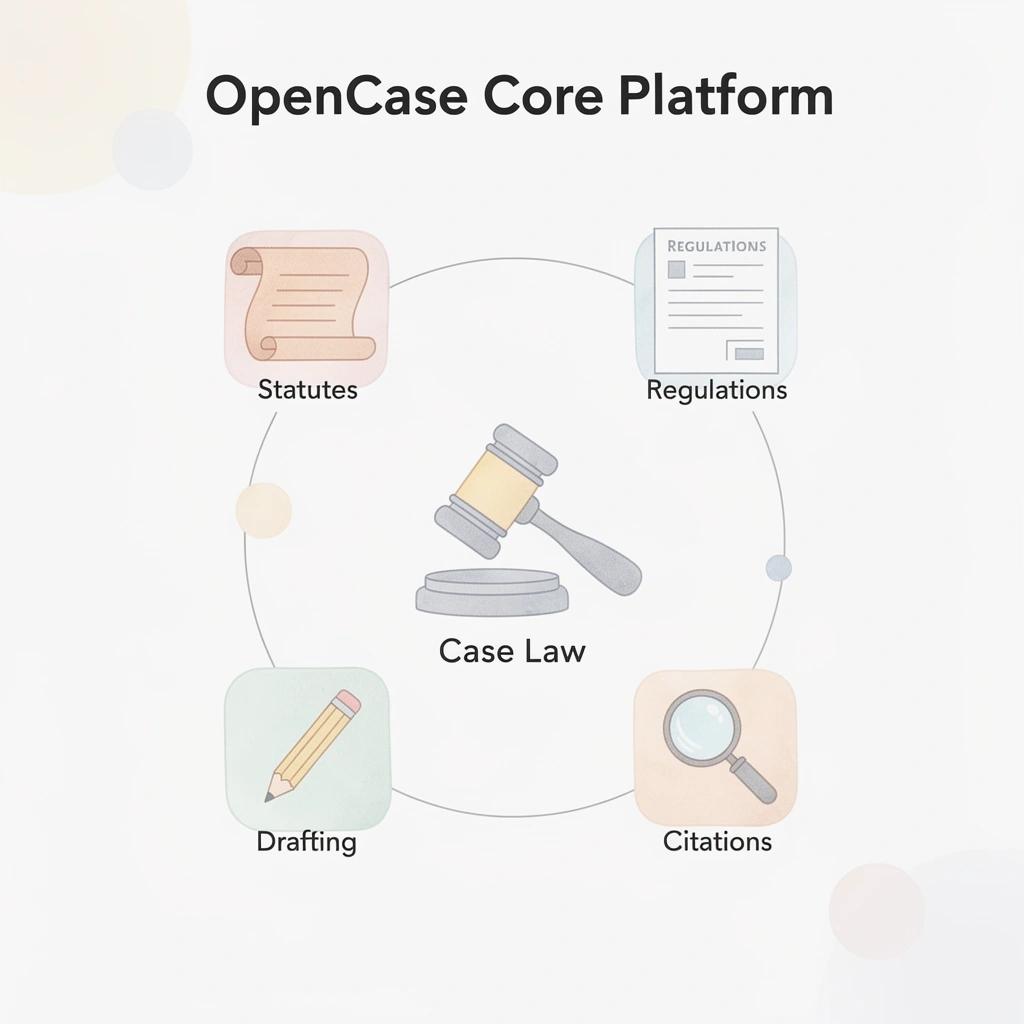
10 Legal Writing AI Tools Every Lawyer Should Know in 2026
Legal Writing AI tools ranked for 2026: OpenCase breaks down 10 options lawyers actually use to draft, review, and file faster.

Managing a law practice means handling client deadlines, case strategy, and complex documents simultaneously. Legal writing demands precision, and even minor errors can carry serious consequences. That pressure has led many attorneys to adopt AI writing tools that draft contracts, briefs, and legal memos faster and more accurately.
Law Practice Management becomes significantly more efficient when document drafting no longer eats up billable hours. OpenCase helps lawyers generate well-structured legal documents in a fraction of the time, reducing drafting errors while keeping language accurate and professional. For firms looking to automate document review, speed up contract drafting, or improve consistency across filings, the practical answer is legal AI.
Table of Contents
- What is AI Legal Writing and How Does It Work?
- Why Are More Law Firms Using AI for Legal Writing?
- Is Legal Writing With AI Secure for Confidential Client Information?
- 10 Legal Writing AI Tools Every Lawyer Should Know in 2026
- Features to Look For When Choosing a Legal Writing AI Tool
- How OpenCase Helps With Legal Writing Without Compromising Accuracy
- Try our Legal AI to Support Your Legal Work from Research to Final Draft
Summary
- Lawyers using AI tools save an average of 2.5 hours per week on document drafting tasks, according to the 2025 Clio Legal Trends Report. Over a full year, that amounts to roughly 130 hours redirected from mechanical drafting to client strategy, case analysis, and legal judgment. The efficiency gain compounds in ways that a single weekly number does not immediately suggest.
- Law firms using AI tools bill up to 34% more hours than those that do not, according to the same 2025 Clio Legal Trends Report. That gap reflects a structural difference in how attorney time gets allocated, not simply faster typing. When drafting scaffolding is handled by AI, attorneys spend more time on work that actually requires a lawyer.
- The adoption curve has steepened as client expectations have shifted. The 2025 Clio Legal Trends Report found that 74% of lawyers at high-growth firms already use AI in their practice. For most firms, the question is no longer whether to adopt but how quickly they can do so without disrupting quality standards.
- Security is one of the most underexamined risks in AI-assisted legal drafting. The average cost of a data breach for law firms reaches $5 million according to LeanLaw, and that figure does not include bar complaints, malpractice claims, or client attrition. Verizon's 2024 Data Breach Investigations Report found that 68% of breaches involved nonmalicious human error, which means good intentions are not a substitute for verified data controls.
- The accuracy case for legal AI depends almost entirely on how the tool is built. AI tools can reduce human drafting error by up to 90% according to CasePacer, but that figure only holds when the system is grounded in authoritative primary sources rather than pattern-matched text generation. A brief citing an overturned case or an amended statute does not just look careless. It can cost a client their case.
- Contract review time can be reduced by up to 80% through AI assistance according to CasePacer, and the mechanism behind that reduction is not simply faster reading. It is the removal of back-and-forth between drafting and verification that inflates review cycles in the first place. When research and writing inform each other in real time, revision cycles shrink and filing deadlines become easier to meet.
- Legal AI addresses this by grounding every drafted output in verified case law, statutes, and regulations traced to authoritative sources, so attorneys can verify, challenge, or refine every citation rather than trusting the output on faith.
What is AI Legal Writing and How Does It Work?
AI legal writing uses artificial intelligence to help lawyers draft, edit, and improve legal documents—including contracts, motions, client letters, and briefs—by creating structured first drafts that lawyers then carefully review, check, and finish. Our OpenCase platform speeds up document creation without moving professional responsibility away from the lawyer.
"AI legal writing tools generate structured first drafts of contracts, motions, and briefs—giving lawyers a faster starting point while keeping professional responsibility firmly in human hands." — OpenCase
💡 What This Means in Practice: AI doesn't replace the lawyer—it handles the time-consuming first draft, so legal professionals can focus on strategy, accuracy, and client outcomes.
🔑 Key Takeaway: AI legal writing is a collaborative tool. The technology creates the foundation; the lawyer provides the expertise, judgment, and final sign-off.
AI assists with drafting, while lawyers remain responsible for legal judgment and final approval:
- Contracts – AI generates a structured first draft, while the lawyer reviews, edits, and finalises the document.
- Motions – AI helps draft arguments and formatting, while the lawyer verifies legal accuracy and strategy.
- Client letters – AI creates tone-appropriate content, while the lawyer personalises and approves the final version.
- Briefs – AI organises structure and citations, while the lawyer validates, refines, and completes the work.

How the technology actually produces a draft
Most legal writing AI relies on large language models trained on vast amounts of text. The better systems use retrieval-augmented generation, searching a carefully selected database of statutes, case law, and regulations before drafting. This grounding step separates a useful professional tool from advanced autocomplete.
What does the attorney's role look like inside the drafting loop?
A lawyer gives the AI a prompt with important facts, the location where the law applies, desired outcomes, and specific laws or cases to reference. The AI produces a structured draft. The lawyer then reads it carefully, checks citations against primary sources, adjusts strategy if needed, and revises until the document reflects their actual position. The benefit is speed; the lawyer remains responsible.
The problem arises when you skip the review step. Lawyers who use AI output as finished work risk citation errors, jurisdictional problems, and unsupported arguments. Drafting happens quickly while checking gets rushed, allowing errors to slip into final documents.
How does legal writing AI handle citations differently across tools?
Most AI legal writing tools handle basic drafting well: consistent formatting, standard clause suggestions, logical argument structure, and plain-language summaries. They differ significantly in how they handle citations. Tools that check outputs against authoritative primary sources, such as Cornell LII, CourtListener, or govinfo, provide reliable results. Tools that generate citations from training data alone require extensive manual verification. Legal AI built around verified primary law grounds every draft in traceable, authoritative sources rather than asking attorneys to trust the model's memory.
What time savings does legal writing AI actually deliver in practice?
According to the 2025 Clio Legal Trends Report via 2Civility, lawyers using AI tools save an average of 2.5 hours per week on document drafting and legal writing tasks. Over a full year, that amounts to roughly 130 hours for client strategy, case analysis, and legal judgment that AI cannot perform.
What drives lawyers to adopt these tools faster than time savings alone is the pressure of tight deadlines, scattered research, and a blank page.
Why Are More Law Firms Using AI for Legal Writing?
The pressure to produce more, faster, without error is now the baseline. Firms responding effectively are not working harder; they are changing what their attorneys spend time doing.
"The firms winning today aren't the ones pushing attorneys to grind longer hours — they're the ones restructuring where attorney time goes."
🎯 Key Point: The competitive advantage in modern legal practice isn't effort; it's strategic reallocation of attorney time away from low-value tasks.
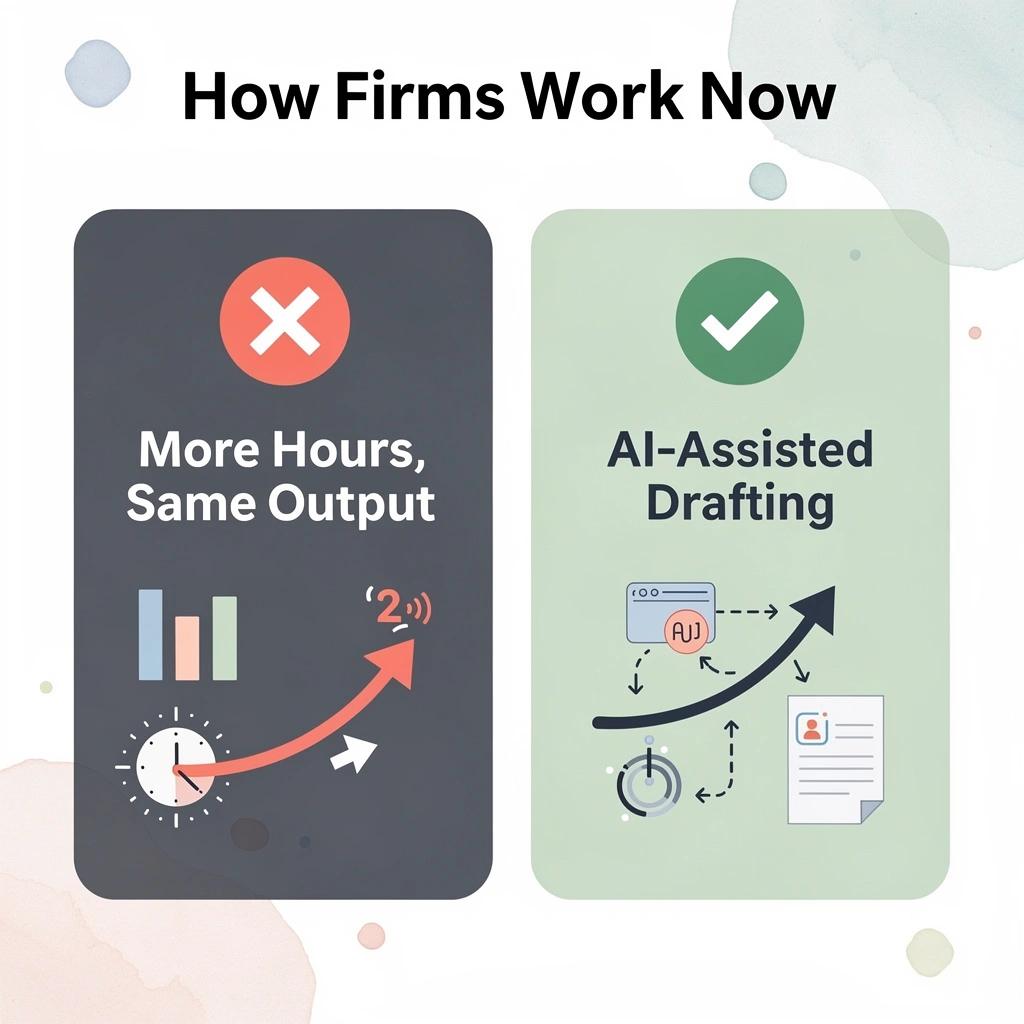
The shift toward AI-assisted legal drafting is driven by concrete results, not technology enthusiasm. According to the 2025 Clio Legal Trends Report, law firms using AI tools bill up to 34% more hours than those that do not. This reflects a structural difference in how time gets allocated when attorneys stop spending hours on document scaffolding and focus on work that actually requires a lawyer.
AI-enabled firms can increase productivity by reducing time spent on routine drafting tasks:
- AI-enabled firms – Can bill up to 34% more hours by reducing the time spent creating initial document drafts and scaffolding.
- Non-AI firms – Remain at baseline productivity levels because attorneys handle drafting manually from start to finish.
💡 Tip: The 34% billing gap isn't about working longer — it's about eliminating the hours attorneys previously lost to repetitive document work.
🔑 Takeaway: A 34% increase in billable hours is a structural outcome, not a marginal gain. Firms that haven't adopted AI tools are leaving a significant share of recoverable revenue on the table.
What changes when drafting gets faster?
The failure point in most legal writing workflows is not attorney knowledge, but the gap between knowing something and translating it into a properly structured, cited document. Automated legal drafting tools built on verified primary sources close that gap without introducing risk. Our legal AI solutions ensure speed doesn't compromise the accuracy that legal practice demands. Speed without accuracy is not a productivity gain in legal practice: it is a liability.
How does legal writing AI reduce revision cycles across the firm?
Most firms handle this by working on two things simultaneously: one attorney conducts research while another writes, and then a senior attorney brings both together. This consumes significant hours per matter and strains resources when caseloads increase. Platforms like OpenCase help by ensuring that every piece of writing is grounded in real case law, statutes, and rules, so research and writing work together rather than against each other. The result is fewer revisions, not just faster first drafts.
Why are firms adopting legal writing AI right now?
The adoption curve has steepened as competitive pressure has become evident. Clients now track turnaround times as closely as billing rates. When a rival firm delivers a contract in 48 hours instead of five days, that difference registers. The 2025 Clio Legal Trends Report found that 74% of lawyers at high-growth firms already use AI in their practice, shifting the question from whether to adopt to how quickly firms can do so without compromising quality.
What does repetitive drafting actually cost attorneys?
Attorneys describe repetitive drafting as more than frustration. The phrase "soul-crushing routine work" recurs among legal professionals, capturing something real: the cognitive cost of producing the fifteenth version of a boilerplate motion extends beyond the time lost. It erodes the focused attention that complex legal analysis demands. Firms that reduce that load protect the judgment capacity their clients are paying for.
Related Reading
- Law Practice Management
- Google Gemini For Lawyers
- Claude vs. ChatGPT for Lawyers
- ChatGPT Prompts For Lawyers
- Copilot For Lawyers
- Ai Use Cases For Lawyers
- Ai Legal Hallucinations
- Legal Tech Trends
- Prompt Engineering For Lawyers
- Legal Writing Ai
- Claude For Lawyers
- Ai Legal Ethics
Is Legal Writing With AI Secure for Confidential Client Information?
Security is not a feature you can assume. The question is not whether AI-assisted legal drafting can be secure, but whether your specific tool was built with that obligation in mind.
"The question is not whether AI-assisted legal drafting can be secure, but whether your specific tool was built with that obligation in mind." — Core Security Principle
⚠️ Warning: Never assume a tool is secure by default. Security must be verified, not presumed. Always audit your AI platform's data handling policies before inputting any client information.

The gap between consumer AI platforms and professional-grade legal writing tools is substantial. Consumer services are designed to improve through use, meaning your inputs — client facts, privileged strategies, and sensitive financial details — can become training material. This is the business model, not a bug, and it creates a direct conflict with a lawyer's duty of confidentiality under Model Rule 1.6.
The way an AI platform handles data has a direct impact on client confidentiality and compliance:
- Consumer AI tools – User inputs may be used to train future models, creating a higher risk for confidential client data.
- Professional legal AI – Keeps data isolated and excludes it from model training, providing a lower-risk, compliance-focused environment.
- General enterprise AI – Data handling depends on contract terms, so confidentiality protections should be verified before use.
💡 Tip: Before using any AI tool for legal work, explicitly confirm whether your inputs are used for model training — this single question can determine whether you're in compliance or violation of Model Rule 1.6.
🔑 Takeaway: The business model of consumer AI is fundamentally incompatible with a lawyer's confidentiality obligations — only tools built specifically for legal professionals offer the structural protections your clients deserve.
What do the numbers actually tell us about financial exposure?
The financial exposure is real. According to LeanLaw, the average cost of a data breach for law firms reaches $5 million, excluding bar complaints, malpractice claims, and client attrition. One major firm paid $8 million to settle breach-related claims; another settled for $750,000 after 51,000 client employee records were compromised. These cases are not rare.
Why do good intentions fail when using legal writing AI without verified controls?
Most lawyers using unsecured tools do not intend to expose client information. The failure point is usually invisible: a deadline arrives, a familiar interface opens, and a sensitive prompt is submitted without verification of where the data goes. Verizon's 2024 Data Breach Investigations Report found that 68 percent of breaches involved nonmalicious human error, meaning good intentions are not a substitute for verified controls.
What secure AI legal tools actually require
Companies that do this well verify everything with their vendors. Any AI tool handling sensitive information requires zero-data-retention policies, SOC 2 Type II certification, end-to-end encryption, and clear contracts prohibiting the use of your information for model training. ABA Formal Opinion 512 establishes that lawyers must understand how their vendors handle data. This due diligence is an ethical obligation.
Why does legal writing AI need verified sources to stay secure?
The most secure legal AI platforms base every draft on verified primary sources, case law, statutes, and regulations sourced from authoritative databases. This reduces the risk of compounding errors when unverified text gets filed without review. Security and accuracy are inseparable: when a platform cannot show you where its answer came from, you have two problems.
How can legal writing AI deliver protection without sacrificing accuracy?
Knowing what to look for in a secure platform is only part of the answer. The harder question is how a tool can provide that protection without sacrificing the accuracy that makes it worthwhile.
Related Reading
- Objections In Court
- Will Lawyers Be Replaced By Ai
- How To Use ChatGPT For Legal Research
- Is ChatGPT Good For Personal Injury Lawyers
- Law Firm Seo
- Law Clerk
- Legal Billing Software
- Billable Meaning
- Law Firm Marketing
- Iolta Account
- Lawyer Salary
- Legal Ai Tools
10 Legal Writing AI Tools Every Lawyer Should Know in 2026
Artificial intelligence has moved far beyond simple text generation. The best legal AI writing platforms help attorneys draft pleadings, summarize case law, review contracts, improve legal research, verify citations, and produce client-ready documents in significantly less time. The key difference is whether they provide reliable legal authority, protect confidential client information, integrate into existing workflows, and reduce citation errors.
"The best legal AI writing platforms help attorneys produce client-ready documents in significantly less time — but only when they provide reliable legal authority and protect confidential client information." — Key Industry Insight, 2026
The most valuable legal AI capabilities help firms improve efficiency while maintaining accuracy and security:
- Draft pleadings – Reduces manual drafting time by generating structured first drafts.
- Summarise case law – Surfaces relevant precedents more quickly to speed up legal research.
- Review contracts – Identifies potential risk clauses to support more accurate contract analysis.
- Verify citations – Helps minimise citation errors and AI hallucinations with source validation.
- Workflow integration – Keeps legal work within secure, integrated environments that protect confidential client data.
🎯 Key Point: Not all legal AI tools are created equal — the critical differentiator is reliable legal authority combined with robust data protection.
🔑 Takeaway: When evaluating any legal AI writing platform, attorneys must prioritize tools that address all four pillars: legal accuracy, client confidentiality, workflow compatibility, and citation integrity.

1. OpenCase (opencase.com)
OpenCase delivers a trusted AI platform for legal research and drafting grounded in verifiable U.S. primary law sources. Lawyers use it to produce accurate, citation-ready documents while maintaining strict confidentiality, reducing manual work, verification risks, security concerns, and burnout that can lead to missed opportunities.
Key Features for Legal Writing
- Real-time research assistance that surfaces relevant authorities from trusted datasets like Cornell LII as you draft, eliminating hours spent hunting for precedents.
- Microsoft Word add-in for seamless in-document drafting, research, and citation insertion.
- Google Docs integration for collaborative drafting environments.
- Outlook workspace capabilities that transform email into an AI-assisted legal drafting tool.
- Document and folder analysis that processes uploaded files securely to inform tailored drafts and summaries.
- Daily case monitoring and alerts keep drafts current with new developments.
- Grounded responses with direct citations traceable to primary law records address accuracy and hallucination concerns.
- Enterprise-grade security including encryption, SOC 2 Type II compliance, and no use of your data for model training.
- Clio integration for syncing matters and documents with practice management.
- Shared projects and team collaboration tools that maintain context across firm members.
Pros
Built exclusively on authoritative legal data; strong privacy and security protections; multiple integrations reduce tool-switching; scalable plans support solo to enterprise needs; reclaims time for strategy and client work while improving document quality.
Cons
Primarily focused on U.S. law sources; free tier has daily limits.
Accessibility
Available through a clean web interface with native plugins for Microsoft Word, Google Docs, and Outlook. Pricing includes a Free tier (limited questions and pages), Pro at $82 per seat/month (billed annually), Business at $119 per seat/month, and Enterprise custom plans. Three-day trials and US-based data hosting facilitate evaluation.
2. Harvey AI
Harvey AI is a comprehensive legal assistant trained on extensive legal information. It serves large companies and medium-sized law firms well, streamlining high-volume document work by generating thoughtful first drafts and strategic insights across research, analysis, and drafting.
Key Features
- Advanced contract and brief drafting with legal reasoning abilities.
- Custom model fine-tuning on firm-specific precedents.
- Risk detection and clause analysis during document creation.
- Integration with existing legal tech stacks and practice management tools.
- Secure enterprise deployment with strong data governance.
- Multi-document analysis for complex litigation or transactional matters.
- Continuous learning from user feedback to improve outputs.
Pros
Exceptional depth for sophisticated legal reasoning; scales well for larger teams; strong security and compliance features protect confidentiality; boosts productivity and combats burnout.
Cons
Higher pricing for larger budgets, steeper learning curve, less suitable for solo practices.
Accessibility
Enterprise-focused with custom pricing. Web-based with integrations, demos, and pilots available for law firms.
3. Spellbook
Spellbook transforms contract drafting by operating natively inside Microsoft Word, providing transactional lawyers with immediate AI assistance without leaving their familiar environment. It eliminates inefficient manual editing and revision cycles that delay client service.
Key Features
- Real-time clause suggestions and redlining in Word.
- Playbook enforcement for consistent firm standards.
- Risk flagging and alternative language proposals.
- Learning from your firm's precedent library for customized outputs.
- Contract review and negotiation support tools.
- Version comparison and change tracking enhancements.
- Secure, private processing that respects confidentiality.
Pros
Seamless Word integration eliminates workflow friction, speeds up contract turnaround, improves consistency and reduces errors, and supports better work-life balance.
Cons
Focused primarily on contracts rather than broad litigation drafting; requires Microsoft 365 environment; subscription adds ongoing cost.
Accessibility
Integrates directly with Microsoft Word. Pricing ranges from $100–300 per user/month depending on plan; free trials or demos are commonly available.
4. Thomson Reuters CoCounsel
CoCounsel combines research and drafting capabilities, using Thomson Reuters' legal database for verified, jurisdiction-aware support. It provides verified content that speeds up accurate document production while reducing verification burdens.
Key Features
- AI-powered legal research with draft generation.
- Document summarization and key insight extraction.
- Citation checking and Shepardizing integration.
- Drafting assistance for memos, briefs, and correspondence.
- Secure cloud environment with enterprise compliance.
- Workflow automation for repetitive tasks.
- Collaboration features for team review and editing.
Pros
Trusted data sources reduce hallucination risks; comprehensive for research-heavy practices; strong ethical safeguards; enable firms to grow without proportional increases in hiring.
Cons
Higher costs for full suite access; works best within the Thomson Reuters ecosystem; may feel excessive for simple tasks.
Accessibility
Available through Thomson Reuters platforms with subscription models starting at hundreds per user/month and integrating with common tools.
5. Lexis+ AI
Lexis+ AI combines deep legal databases with generative capabilities for drafting and analysis, addressing time pressures and accuracy demands by offering precise, source-backed assistance for jurisdiction-compliant documents.
Key Features
- Natural language drafting of legal documents with compliance checks.
- Advanced research synthesis into draft language.
- Citation verification and Shepard's treatment.
- Document review and redlining support.
- Personalized insights based on practice area.
- Secure, audited environment for client data.
- Integration with Lexis ecosystem for seamless research-to-draft flow.
Pros
Unparalleled depth of legal sources; excellent for complex matters; built-in verification tools; enhances firm efficiency and client satisfaction.
Cons
Premium pricing; tied to Lexis+ subscription; steep learning curve for new users.
Accessibility
Part of LexisNexis+ subscriptions, with AI features adding value to existing plans. Available via web and integrated access; enterprise and individual options offered.
6. Clio Manage AI (formerly features like Vincent or Duo)
Clio Manage AI integrates smart technology into a leading practice management platform, helping solo and small law firms work faster by automating drafting, summarization, and workflow tasks without switching between tools. It reduces the administrative burden that causes burnout and hinders firm growth.
Key Features
- Context-aware document summarization from case files.
- Drafting assistance for correspondence, bills, and basic legal documents.
- Task and workflow automation tied to matters.
- Smart search across your firm's data for quick insights.
- Secure, firm-specific data processing with no external training.
- Integration with billing and client communication tools.
- Prioritizing to-dos and deadlines with AI support.
Pros
Seamless fit for existing Clio users; maintains data security within your practice management system; reduces context switching; supports revenue growth through efficiency.
Cons
Best leveraged within the Clio ecosystem; less specialized for heavy litigation drafting; features evolve with platform updates.
Accessibility
Built into Clio Manage subscriptions at standard monthly fees with easy activation for current users.
7. MyCase IQ
MyCase IQ provides an integrated AI assistant for case-focused drafting, editing, and organization within the firm's case management environment. It eliminates disorganization and repetitive work that slow down the delivery of deliverables and increase the risk of errors.
Key Features
- In-case-file drafting and editing tools.
- Document summarization and key point extraction.
- Content generation for client communications and filings.
- Organization of ideas and application of consistent formatting.
- Secure processing tied to your matter data.
- Editing suggestions for clarity and professionalism.
- Workflow support that aligns with case progression.
Pros
Eliminates external tool fragmentation; strong for small to mid-sized firms; enhances accuracy within familiar systems; simplifies daily tasks.
Cons
Platform-specific to MyCase; may not match the depth of standalone research tools; requires broader MyCase suite adoption to deliver full value.
Accessibility
Integrated within MyCase platform as part of standard subscription plans.
8. BriefCatch
BriefCatch uses AI to improve legal writing through editing, refinement, and clarity improvements. Lawyers and judges trust it because it solves the final-stage polishing that consumes hours and weakens persuasive impact.
Key Features
- Advanced editorial suggestions for legal briefs and memos.
- Clarity and conciseness improvements while preserving legal precision.
- Style consistency checks across documents.
- Citation and structural feedback.
- Integration with Word for seamless revisions.
- Persuasive language enhancements based on best practices.
- Secure, private analysis of your drafts.
Pros
Excels at final review and refinement; improves document quality and judge reception; saves significant revision time; complements other drafting tools well.
Cons
More editing-focused than initial generation; limited for full research integration; best used as a complementary tool.
Accessibility
Microsoft Word integration via subscription model with pricing for individual lawyers and firms; trials available.
9. Filevine LOIS (Legal Operating Intelligence System)
Filevine's LOIS delivers matter-aware AI intelligence across the case lifecycle, including intelligent drafting and strategy support. It addresses fragmented systems and context loss that impede efficiency in high-volume practices.
Key Features
- Context-aware drafting for motions, discovery, and emails.
- Fact verification and contradiction spotting.
- Deposition preparation and summary tools.
- Intelligent insights from case materials.
- Workflow automation tied to matter progress.
- Secure collaboration and data handling.
- Predictive elements for case strategy in documents.
Pros
Comprehensive case intelligence; reduces manual data hunting; supports end-to-end matter management; scales for growing firms while controlling costs.
Cons
Tied to Filevine platform; requires implementation time; broader than pure writing but excels when fully used.
Accessibility
Part of Filevine platform with enterprise-oriented pricing and demos; integrates deeply with practice operations.
10. Clearbrief
Clearbrief specializes in litigation-focused brief drafting, citation checking, and refinement. It addresses the high-stakes demands of accuracy and persuasion that traditional methods make exhausting.
Key Features
- AI-assisted brief drafting and structuring.
- Automated citation verification and Shepardizing.
- Formatting and compliance checks for court rules.
- Suggestion engine for stronger arguments.
- Integration with Word for litigation workflows.
- Document comparison and version analysis.
- Secure environment for sensitive case materials.
Pros
Litigation-specific strengths; cuts research and checking time; enhances filing quality; supports better outcomes in competitive court settings.
Cons
Primarily benefits litigators over transactional lawyers; requires consistent use to maximize return on investment.
Accessibility
Word integration with subscription pricing for legal professionals; trials and demos available.
Features to Look For When Choosing a Legal Writing AI Tool
AI legal writing tools are dramatically different in how accurate, secure, and legally valuable they are. Some create polished text but don't have reliable legal sources, while others include legal research, citation support, and strong security for businesses. Choosing the right platform means focusing on features that really improve legal writing while protecting clients and meeting professional responsibilities.
"Not all AI legal writing tools are created equal — the difference between a tool with reliable legal sources and one without can mean the difference between a winning argument and a costly error." — Legal Technology Industry Insight
🎯 Key Point: The most critical features to evaluate are accuracy of legal sources, citation support, and enterprise-grade security — not just surface-level writing quality.
Legal-specific AI platforms provide capabilities that general AI writing tools are not designed to deliver:
- Polished text output – Both basic AI writing tools and legal-specific AI tools can generate well-written content.
- Reliable legal sources – Legal-specific AI includes trusted legal sources, while general AI tools often do not.
- Citation support – Built-in citation capabilities are standard in legal AI tools but are rarely available in general writing tools.
- Business-grade security – Legal AI platforms typically provide stronger security and data protection than general-purpose AI tools.
- Professional responsibility compliance – Legal AI is designed to support ethical and professional obligations, whereas basic AI writing tools are not.
⚠️ Warning: Selecting an AI tool based on writing quality alone is a critical mistake — tools without verified legal research capabilities can expose firms to serious professional liability.

Accuracy and Grounding in Verified Legal Sources
Choose tools that rely on official legal databases rather than general training information. The best platforms cite specific cases, laws, and rules with direct links for immediate verification. This reduces the risk of inaccurate information that could harm client cases or create ethical issues for law firms.
Seamless Integration with Existing Workflows
Choose solutions that work directly inside Microsoft Word, Google Docs, Outlook, or practice management systems like Clio. Native integrations eliminate copy-paste friction, preserve formatting, and provide real-time assistance while drafting. This reduces context switching, accelerates work, and helps teams reclaim billable time while lowering burnout.
Robust Data Security and Confidentiality Protections
Ask for business-level security features: SOC 2 Type II compliance, encryption for data at rest and in transit, zero data retention for training, and explicit prohibitions against using your information to improve models. OpenCase provides private data isolation and audit capabilities that protect client confidentiality and reduce the risk of breaches that can trigger malpractice claims and erode trust.
Customizability and Firm-Specific Learning
Look for platforms that learn from your company's past work, playbooks, and writing styles to deliver consistent, branded results. Custom clause libraries, playbook enforcement, and feedback loops create tailored assistance that improves over time, reducing document inconsistency and supporting new team member training.
Jurisdiction Awareness and Compliance Features
Pick tools that recognize regional differences and automatically flag compliance issues. Advanced options include court rule checking, local citation formats, and jurisdiction-specific clause suggestions. These safeguards prevent costly errors in multi-state practices and ensure documents meet filing standards from the start.
Collaboration and Team Workflow Support
Good tools provide shared projects, real-time editing, permission controls, and version history. Comment resolution and approval workflows accelerate review cycles, reduce miscommunication, speed up client deliverables, and improve team collaboration.
Transparency, Explainability, and Ethical Safeguards
Choose platforms that clearly show content sources, inspire confidence in results, and offer easy editing tools so lawyers maintain full control and responsibility. Following standards such as ISO 42001 for responsible AI governance adds accountability and supports ethical obligations, informed consent processes, and defensibility during review.
Scalability and Pricing Flexibility
Pick plans that grow from free options for solo lawyers to enterprise choices with dedicated support. Clear pricing, trials, and per-seat models let firms match spending to real value and growth, avoiding budget problems while enabling teams to adopt tools that save time and create revenue opportunities.
How OpenCase Helps With Legal Writing Without Compromising Accuracy
Accuracy in legal writing cannot be traded for speed—the two must work together, and that depends on how the tool is built, not what it promises.
"Accuracy in legal writing cannot be traded for speed—the two must work together, and that depends on how the tool is built, not what it promises."
💡 Tip: When evaluating any AI legal writing tool, ask how it sources its output—pattern-matched approximations are not the same as grounded legal authority.

Most AI-assisted drafting fails because it generates smooth writing without connecting it to primary authority, creating liability rather than a usable draft. AI tools improve accuracy by reducing human error when grounded in authoritative sources rather than pattern-matched approximations. A brief citing an overturned case or amended statute doesn't just look careless—it can cost a client their case.
The reliability of AI-assisted legal drafting depends on whether outputs are grounded in verified authority:
- AI with primary source grounding – Uses authoritative sources, resulting in lower risk and more reliable legal outputs.
- AI with pattern-matched output – Generates responses without verified authority, creating a higher risk of inaccuracies.
- Manual drafting without verification – May produce inconsistent results and carries medium-to-high risk without proper review.
⚠️ Warning: A brief that cites an overturned case or amended statute doesn't just look careless—it can directly cost a client their case and expose your firm to serious professional liability.
🎯 Key Point: OpenCase is built to connect AI-assisted drafting directly to verified, authoritative sources—so every output is fast and legally defensible.
How does grounded drafting actually change the workflow?
The familiar approach—drafting first, then researching separately, then reconciling the two—reveals hidden costs when those tracks yield conflicting conclusions, when a key case is distinguished in an unchecked jurisdiction, or when revision cycles add days to filing deadlines. Legal AI like OpenCase closes that gap by surfacing verified citations from Cornell LII, CourtListener, and govinfo directly inside the drafting environment, so research and writing inform each other in real time rather than competing in parallel.
What does Legal Writing AI mean for accuracy in practice?
That integration changes what accuracy means in practice: not catching errors after the fact, but building arguments on verified ground from the first sentence. AI reduces contract review time by eliminating the back-and-forth between drafting and verification that lengthens review cycles.
What keeps AI from replacing legal judgment?
The main difference between a professional-grade legal writing tool and a general-purpose AI is that the former supports judgment rather than replacing it. OpenCase surfaces relevant authority and generates draft language, but the attorney decides which argument to make, which precedent to emphasize, and how to frame the client's position. Legal writing AI built for trained professionals treats the lawyer as the decision-maker and the platform as research and drafting infrastructure: the relationship the profession requires.
How does transparency keep legal writing AI accountable to the attorney?
Transparency keeps this relationship strong. When every citation traces back to a primary source, the attorney can verify, challenge, or refine it. The draft becomes a documented starting point, not a finished product requiring blind trust.
Related Reading
- ChatGPT for Lawyers
- Ivo
- Harvey
- Clio
- Best Ai Contract Review Tool
- Everlaw
- Legora
- Spellbook
- Law Insider
Try our Legal AI to Support your Legal Work from Research to Final Draft
The best legal teams are not choosing between speed and rigor. They are choosing tools that refuse to separate the two.
"The best legal teams are not choosing between speed and rigor: they are choosing tools that refuse to separate the two." — OpenCase
🔑 Takeaway: In today's legal landscape, purpose-built Legal AI eliminates the false choice between moving fast and getting it right.
Legal AI built on verified primary sources, like OpenCase, gives attorneys a drafting environment where every citation traces back to real case law, statutes, and regulations — before the sentence is finished. Our platform combines research and writing into one accountable process inside the tools you already use. If your current workflow treats verification as a separate step after drafting, you are carrying a cost that adds up with every document you produce.
💡 Tip: If your team is still running research and drafting as two separate workflows, you are paying a hidden tax in time, risk, and rework — on every single document.
OpenCase transforms legal workflows by combining research, drafting, and verification into one accountable process:
- Research first, draft second – Replaced with a unified workflow where research and drafting happen together.
- Manual citation verification – Replaced with automatically verified primary sources.
- Risk of ungrounded citations – Reduced by ensuring every citation is traceable to real legal authority.
- Separate tools for each step – Replaced with one integrated and accountable process.
- Cost compounds per document – Shifted toward efficiency gains that compound across every document.
⚠️ Warning: Treating citation verification as an afterthought isn't just inefficient — it's a liability that scales with your document volume.
Start your free tier at opencase.com and experience grounded drafting in practice.
🎯 Key Point: Grounded drafting, where every citation is verified before you finish the sentence, is the new standard for accountable legal work.