

ChatGPT for Lawyers: 11 Best Legal Use Cases in 2026
ChatGPT for lawyers explained: 11 real use cases saving firms time in 2026. See how OpenCase helps you put them into practice.
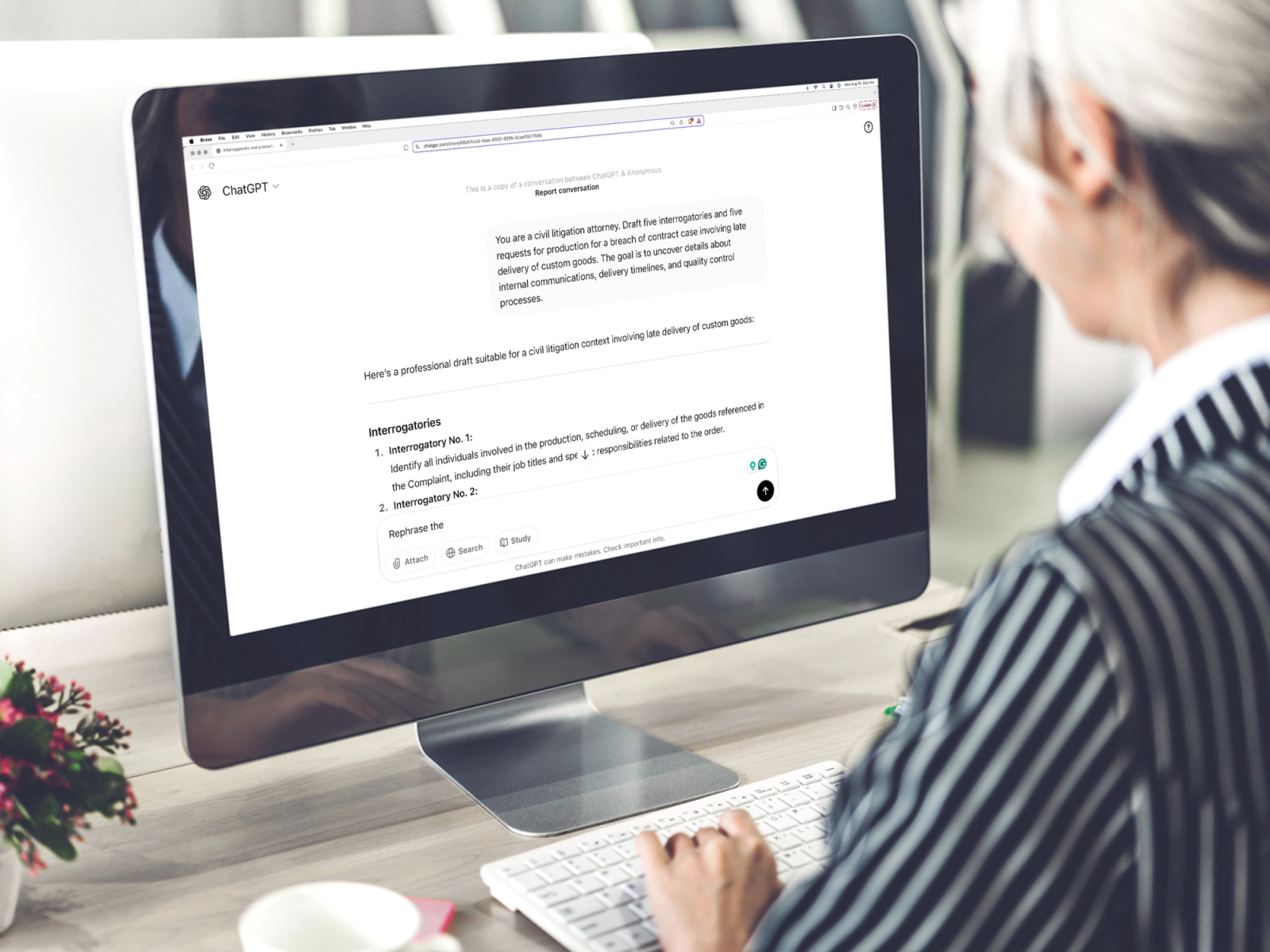
Three deadlines, a pending contract review, and a research memo still hours from being done — that is the reality for most lawyers on any given week. Effective law practice management increasingly depends on finding smarter ways to handle drafting, case research, and client prep without sacrificing accuracy or judgment.
ChatGPT has become a practical tool for lawyers looking to reclaim time on exactly these tasks, from generating first-draft documents to surfacing relevant case law faster. Firms that want purpose-built support for these workflows are turning to legal AI designed to work alongside legal professionals, not replace them.
Table of Contents
- What Is ChatGPT, and Which Legal Tasks Can ChatGPT Help With?
- Why Are More Lawyers Using ChatGPT in Their Daily Work?
- Can ChatGPT Be Trusted for Legal Research?
- 11 Best ChatGPT Use Cases for Lawyers in 2026
- Best Practices for Using ChatGPT in Legal Work
- How OpenCase Complements ChatGPT
- Try our Legal AI to Support your Legal Work from Research to Final Draft
Summary
- Legal professionals are spending significant time on tasks that do not require deep legal judgment. Lawyers using AI report saving an average of 2.5 hours per day on routine tasks, according to the 2025 Clio Legal Trends Report. That reclaimed time shifts toward strategy, client counsel, and the nuanced analysis that actually moves cases forward.
- The financial case for AI adoption in legal practice is measurable, not theoretical. The 2025 Clio Legal Trends Report found that law firms using AI earn up to 34% more revenue per lawyer than non-AI firms. That gap reflects the ability to handle more matters with the same headcount and to respond faster to client requests, rather than simply billing additional hours.
- General-purpose AI tools carry a specific and well-documented risk in legal work. According to Widener Law Library's analysis of generative AI and legal research, ChatGPT fabricated all six case citations in a legal brief filed in federal court, with each citation appearing legitimate on the page. The consequences have included judicial sanctions, bar referrals, and lasting reputational damage for the attorneys involved.
- The architecture of tools like ChatGPT explains why citation fabrication is a predictable outcome rather than an occasional error. These systems generate text based on statistical patterns learned during training, not by retrieving verified authority from primary sources. Because legal writing always includes citations, the model produces them even when no authoritative source exists to support the claim.
- Productivity gains from AI narrow quickly when verification becomes a separate manual workflow. Companies using ChatGPT report productivity gains of 30 to 45 percent, according to Master of Code Global, but in legal practice, those gains shrink when attorneys must cross-reference citations, confirm holdings, and check the precedential status of cases outside the tool that produced the draft. The verification bottleneck often consumes as much time as the drafting itself.
- Confidentiality workarounds create a quality tradeoff that most legal teams underestimate. Anonymizing client details before using a general AI tool strips away the context that produces precise, jurisdiction-specific output, resulting in generic drafts that require more extensive editing. Security certifications like SOC 2 Type II and policies prohibiting the use of client data for model training eliminate the need for that trade-off entirely.
- OpenCase legal AI addresses the citation reliability gap by grounding legal research in verified primary sources from Cornell LII, CourtListener, and govinfo, so attorneys can trace every reference back to the authoritative record without leaving their drafting environment.
What Is ChatGPT, and Which Legal Tasks Can ChatGPT Help With?
ChatGPT is a generative AI tool built on large language models that processes natural language instructions to produce structured, coherent text. For legal professionals, it transforms facts, documents, or research questions into usable outputs in seconds instead of hours. It doesn't think like a lawyer, but it removes the friction between a blank page and a working draft.
"ChatGPT transforms facts, documents, or research questions into usable outputs in seconds instead of hours — removing the barrier between a blank page and a working draft."
💡 What ChatGPT Actually Does: ChatGPT doesn't replace legal judgment — it accelerates the groundwork. Think of it as a first-draft engine that handles the heavy lifting so lawyers can focus on strategy and analysis.
ChatGPT accelerates common legal workflows:
- Document drafting – Creates working drafts of contracts, memos, and briefs quickly.
- Legal research – Summarizes case law, statutes, and legal concepts clearly.
- Client communications – Translates complex legal language into plain English.
- Contract review – Identifies key clauses and potential issues for attorney review.
- Legal memos – Organizes research and structures arguments professionally.
⚠️ Critical Limitation: ChatGPT is not a licensed attorney and must never be used as a substitute for qualified legal advice. Always verify AI-generated outputs before relying on them in any legal matter.

Where ChatGPT actually moves the needle
ChatGPT works best for time-consuming tasks requiring no deep legal thinking: first-draft demand letters, deposition summaries, contract clause comparisons, client status updates, intake checklists, and argument brainstorming. A lawyer spending 90 minutes writing a routine demand letter from scratch produces comparable output to one spending 20 minutes refining a strong AI-generated draft—but at triple the cost.
How does ChatGPT for lawyers compress contract review time?
Contract review demonstrates this capability well. Give ChatGPT a vendor agreement with a clear instruction, such as "flag any indemnification clauses that deviate from standard commercial terms," and it delivers a structured breakdown in under a minute. That first pass doesn't replace attorney judgment but reduces the time between receiving a document and identifying negotiation leverage. According to Master of Code Global, companies using ChatGPT report productivity gains of 30 to 45 percent, a range that aligns with legal teams' experience when deploying AI for specific tasks rather than comprehensive use.
Where does ChatGPT for lawyers fall short in terms of reliability?
The failure point is usually this: a lawyer pastes a legal question into ChatGPT, receives a confident, well-structured answer with case citations, and moves forward without checking those citations against authoritative primary sources. ChatGPT was not built to base its outputs on verified legal records. It generates text that sounds real, but that text is not accurate when a filing deadline is two days away.
This is where the difference between general-purpose AI and purpose-built legal AI becomes professionally important. Using ChatGPT for research summaries carries hidden costs: a cited case may not exist, or may say something different from what the summary claims. Platforms built specifically for legal work base every answer on verified primary sources from Cornell LII, CourtListener, and govinfo, so citations can be traced back to the authoritative record.
What tasks are actually safe for ChatGPT for lawyers?
ChatGPT is useful for legal work when it stays in its lane: drafting, summarizing, brainstorming, and organizing. The professional risk lies in using an AI that was never designed to meet the evidence and citation standards required by legal practice.
Related Reading
- Law Practice Management
- Google Gemini For Lawyers
- Claude vs. ChatGPT for Lawyers
- ChatGPT Prompts For Lawyers
- Copilot For Lawyers
- Ai Use Cases For Lawyers
- Ai Legal Hallucinations
- Legal Tech Trends
- Prompt Engineering For Lawyers
- Legal Writing Ai
- Claude For Lawyers
- Ai Legal Ethics
Why Are More Lawyers Using ChatGPT in Their Daily Work?
The legal workday is structurally broken. Emails, contract markups, research requests, and deadline tracking compete for finite hours, with no efficient escape. ChatGPT offers a pressure valve — when billing by the hour and drowning in administrative weight, that feels like oxygen.
"When billing by the hour and drowning in administrative weight, that feels like oxygen." — The reality for today's overloaded legal professional
🔑 Takeaway: The legal profession isn't adopting ChatGPT out of curiosity — it's adopting it out of necessity. When billable hours are the lifeblood of a practice, every minute lost to administrative overhead is revenue gone.
💡 Tip: Lawyers who integrate AI tools like ChatGPT into their daily workflows report reclaiming significant time previously lost to repetitive tasks — time that can be redirected toward high-value client work.
ChatGPT helps reduce time-consuming legal tasks:
- Email drafting – Generates polished drafts instantly.
- Contract markups – Speeds up clause review and redlining support.
- Research requests – Provides fast preliminary legal research summaries.
- Deadline tracking – Creates structured tasks and timeline plans.
⚠️ Warning: Relying on ChatGPT without attorney review is never acceptable — it is a productivity accelerator, not a replacement for qualified legal judgment.

How much time can ChatGPT for lawyers realistically save each week?
According to the 2025 Clio Legal Trends Report, lawyers using AI report saving an average of 2.5 hours per day on routine tasks. Across a five-day week, that reclaims a full business day for strategy, client counsel, and detailed legal thinking that advances cases. Attorneys adopting these tools no longer spend Tuesday nights organizing a deposition summary that AI can complete in minutes.
What is actually driving the daily habit?
The pattern that keeps showing up is not an interest in technology but tiredness from repeatedly doing the same cognitive work. Solo practitioners describe working through the night on filings covering multiple areas, losing sleep to meet deadlines across courts with different rules and timelines. ChatGPT becomes the first draft engine, the summarizer, the structural scaffold, while the lawyer drives strategy and applies judgment. The human does the legal work; the AI handles the scaffolding.
How does ChatGPT for lawyers compress the distance to a working draft?
The firms seeing productivity gains are not replacing attorney judgment with AI output. They are shortening the distance between a blank page and a working draft. Most attorneys start from scratch on every document, which is familiar but quietly expensive. As caseloads grow and client expectations for turnaround shrink, that approach creates a ceiling on how much a firm can deliver. Legal AI built specifically for practice, where outputs are grounded in verified primary sources rather than probabilistic text generation, addresses that ceiling without introducing the citation risk that general-purpose tools carry.
Does adoption actually change firm performance?
The 2025 Clio Legal Trends Report found that law firms using AI technology earn up to 34% more revenue per lawyer compared to firms without it. This gap stems from handling more cases with the same staff, responding faster to client needs, and reducing associate burnout—a major source of costly turnover. Firms without AI are falling behind competitors delivering the same quality work in half the time.
How does ChatGPT for lawyers affect associate retention?
Associates entering practice today grew up using AI tools for research and writing. Asking them to spend three hours manually summarizing a 200-page deposition transcript when better options exist signals how a firm values their time. The firms winning the retention battle are those where AI handles the drudgery, and humans handle the craft.
What happens when lawyers trust AI output too much?
But saving time and making more money tell only part of the story. What happens when lawyers trust the AI output too much and the underlying research cannot be verified?
Can ChatGPT Be Trusted for Legal Research?
ChatGPT produces legal research that reads as if it were written by a careful attorney, which is exactly the problem. The smooth writing is not proof that it is accurate. It guesses which words should go together rather than finding verified law from trusted sources.
"The smooth writing is not proof that it is accurate — ChatGPT guesses which words should go together rather than finding verified law from trusted sources."
⚠️ Warning: Polished prose from an AI is not the same as legally verified output. A well-written hallucination is still a hallucination.
🔑 Takeaway: Don't treat ChatGPT's confident tone as a signal of legal accuracy. The real risk is that its output looks indistinguishable from reliable research — until it isn't.
When confidence becomes a liability
According to the Widener Law Library's analysis of generative AI and legal research, ChatGPT fabricated all six case citations in a legal brief filed in federal court. Each citation appeared authentic, complete with party names, court designations, and docket numbers, yet none existed. This is not a bug awaiting a fix but the expected output of a system never designed to find and verify primary legal authority.
What happens to attorneys after a fabricated citation is filed?
Most attorneys discover this only after filing. Judges across multiple jurisdictions have issued sanctions, required bar referrals, and ordered attorneys to personally notify sitting judges and active clients. The reputational damage extends far beyond the courtroom, following a lawyer into every future engagement and client pitch.
Why does checking a citation after using ChatGPT for lawyers still fall short?
Running a quick search on a case that ChatGPT mentions might feel like verification, but it's not. Looking up whether a case exists differs fundamentally from confirming what it decided, whether it remains good law, or whether later cases have overruled or limited it. A case can be real but cited for something it doesn't say. Platforms designed for legal research, like OpenCase, solve this by basing every answer on primary sources from Cornell LII, CourtListener, and govinfo. This way, attorneys can trace each citation to the actual record rather than relying on a generated summary.
The architecture explains the behavior
ChatGPT does not search a database. It generates text based on patterns learned during training. When asked about a niche statutory interpretation or a recent circuit court decision, it fills the gap with the most statistically plausible response. That response often includes invented citations because legal writing, as a genre, always includes citations. The model learned that pattern and applies it faithfully, regardless of whether the underlying authority exists. This is not a flaw in execution; it is the system working exactly as designed for the wrong job.
Why does fabricated precedent pose a compounding risk for ChatGPT for lawyers?
The legal community's primary concern is that fabricated court decisions could enter case law as cited authority if left unchecked by both sides. This risk compounds each time verification is skipped. The critical question is whether the AI tool a lawyer chooses was built with the data integrity and source verification that legal practice demands.
Related Reading
- Law Clerk
- Objections In Court
- Will Lawyers Be Replaced By Ai
- Is ChatGPT Good For Personal Injury Lawyers
- Iolta Account
- Legal Billing Software
- Lawyer Salary
- How To Use ChatGPT for Legal Research
- Legal Ai Tools
- Law Firm Marketing
- Billable Meaning
- Law Firm Seo
11 Best ChatGPT Use Cases for Lawyers in 2026
ChatGPT has become a remarkably useful tool in law firms and legal departments. While it doesn't replace legal judgment or authoritative legal research, it helps lawyers complete repetitive tasks faster, organize complex information, and improve productivity. Used alongside verified legal sources and careful human review, ChatGPT saves time without compromising professional standards.
"ChatGPT helps lawyers complete repetitive tasks faster, organize complex information, and improve productivity — all without compromising professional standards." — Sage Journals, 2026
🎯 Key Point: ChatGPT is not a replacement for legal expertise — it's a force multiplier that frees lawyers to focus on high-value work that truly requires human judgment.
💡 Tip: Always pair ChatGPT outputs with verified legal sources and a thorough human review process to maintain professional and ethical standards.
AI enhances legal productivity but does not replace attorney expertise:
- Speed up repetitive tasks – AI improves efficiency but cannot replace authoritative legal research.
- Organize complex information – AI assists with structure but not professional legal judgment.
- Improve drafting productivity – AI accelerates writing but does not replace ethical responsibility.
- Summarize documents quickly – AI saves time but cannot provide nuanced case strategy.
🔑 Takeaway: The real value of ChatGPT for lawyers lies in time savings on routine work — giving legal professionals more capacity for the complex, judgment-driven tasks that only they can perform.
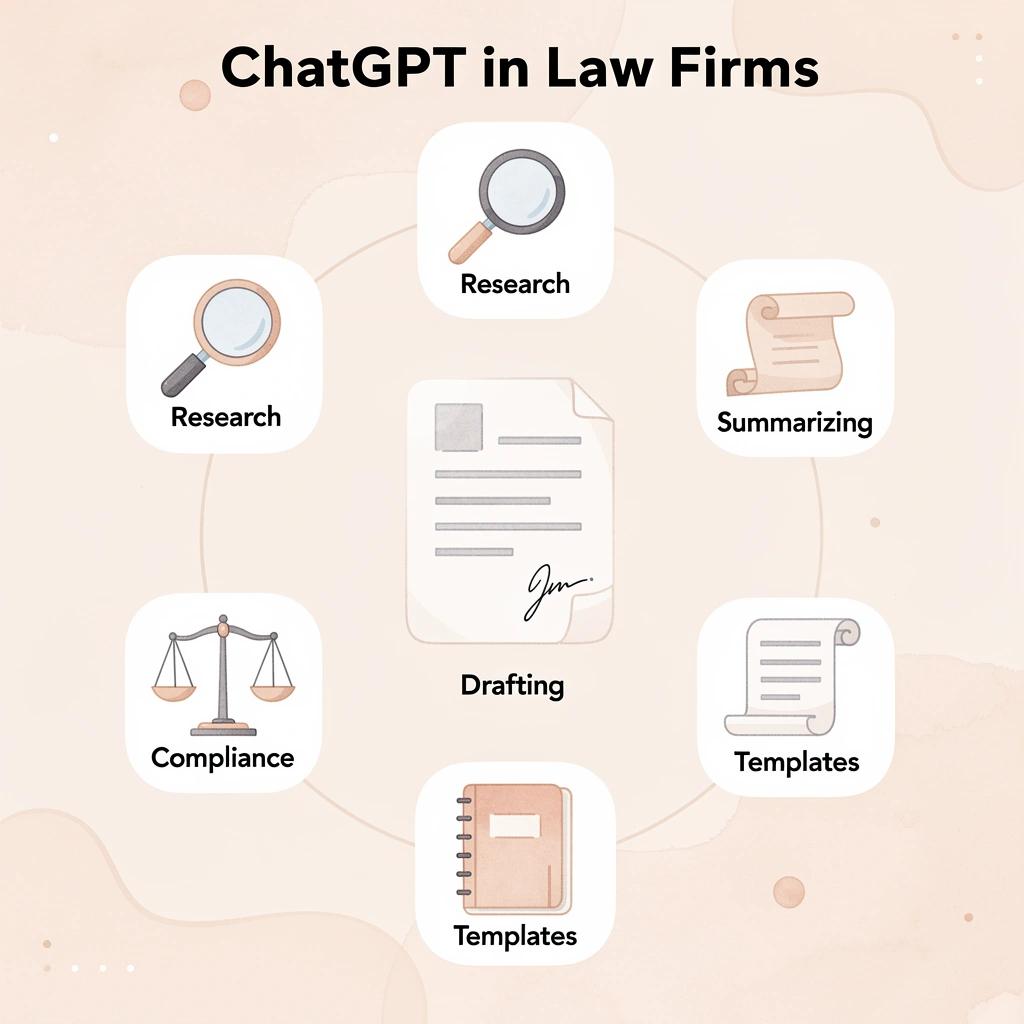
1. Drafting Initial Versions of Legal Documents
Lawyers can use advanced models like GPT-5.4 to create first drafts of memos, briefs, motions, and contracts by providing case facts, jurisdiction details, desired outcomes, and specific instructions. This cuts initial drafting time by 50-70%, giving attorneys a solid structure to refine with precise legal arguments, citations, and nuances. Always treat the output as a rough draft requiring full verification against primary sources and ethical standards.
2. Summarizing Case Law and Legal Research
ChatGPT excels at writing clear, simple summaries of court cases, laws, regulations, and long documents. It can identify main decisions, facts, legal questions, and related cases. Lawyers can quickly grasp the basics or compare different areas of law for initial research before consulting verified sources such as Westlaw or LexisNexis. However, these AI models can fabricate citations or fail to capture area-specific updates, so users must verify the work to ensure research accuracy.
3. Reviewing and Analyzing Contracts
For contract review, lawyers ask the tool to identify key clauses, potential risks, inconsistencies, or negotiation leverage points in NDAs, service contracts, or vendor agreements. It flags issues such as indemnity provisions, liability limits, or governing law terms, providing a second set of eyes to accelerate due diligence. In 2026, larger context windows enable processing of longer documents, though outputs require detailed attorney scrutiny to avoid missing subtle risks or jurisdiction-specific requirements.
4. Crafting Client Communications and Explanations
ChatGPT translates complex legal concepts into clear language for client emails, letters, and updates on rule changes, case progress, or advice. It can break down intricate laws like GDPR regulations into simple, neutral explanations tailored for business audiences. This improves client understanding and satisfaction while reducing time spent on routine communications, provided lawyers verify all details for accuracy and confidentiality.
5. Generating Client Intake Scripts and Questionnaires
Lawyers use the tool to create organized intake forms, screening scripts, and questionnaires that gather important facts, verify jurisdiction, and efficiently direct cases. These can power early client interactions or AI voice agents for 24/7 screening, improving lead qualification and reducing administrative burden. Customize prompts with firm-specific details, then review outputs to maintain ethical standards and data confidentiality.
6. Creating Billing Narratives and Time Entries
Lawyers can input raw time-entry notes into ChatGPT to generate detailed, professional billing narratives that explain the work performed and improve recovery rates. Firms report 8-15% better recovery through clearer entries. Review and edit each narrative for accuracy, client-specific details, and compliance with billing guidelines.
7. Developing Marketing Content for Practice Areas
ChatGPT can help you write website copy, blog posts, LinkedIn updates, and practice area descriptions that demonstrate expertise and address client needs. It can help you plan search engine-optimized content and create FAQs on topics like contract disputes or regulatory compliance. Use it to generate ideas and draft initial versions, then refine them with your firm's brand voice, verified facts, and professional review to ensure accuracy and ethical standards.
8. Outlining Legal Arguments and Brief Structures
Give the tool case details and key authorities so it can create logical outlines for briefs, motions, or arguments. It organizes IRAC-style structures (Issue, Rule, Analysis, Conclusion) or identifies potential counterarguments. This supports strategic planning and ensures comprehensive coverage before adding citations and deeper analysis. In 2026 models, improved reasoning handles complex scenarios, though attorneys must verify legal precedents and adjust for jurisdiction-specific rules.
9. Assisting with Discovery Document Review and Summarization
Lawyers can use ChatGPT (or connected tools) to summarize depositions, pull out key facts, create timelines, or find relevant information from non-sensitive materials in large document sets. Advanced context handling supports processing extensive files efficiently. Always maintain strict confidentiality protocols: avoid uploading privileged data and perform manual validation to catch omissions or errors in AI-generated insights.
10. Preparing Interview Questions and Deposition Strategies
ChatGPT can create customized lists of questions for client interviews, witness preparations, or depositions based on case facts, legal issues, and goals. It helps you brainstorm cross-examination approaches and plain-language explanations for expert testimony. Customize heavily and review for strategic alignment, as the tool provides starting points rather than guaranteed legal tactics.
11. Supporting Compliance Checks and Risk Assessments
Lawyers use ChatGPT to analyze regulatory updates, policies, and internal procedures for compliance gaps. It generates summaries and checklists tailored to specific industries such as finance, healthcare, and data privacy, and converts complex texts, such as new legislation, into actionable insights or training materials. Every review requires verification against official sources and expert legal interpretation to mitigate risks of incomplete or outdated analysis.
Best Practices for Using ChatGPT in Legal Work
ChatGPT can help lawyers work faster and get significantly more done, but it requires good judgment and ethical safeguards at every step. Following best practices helps attorneys stay genuinely efficient, protect client confidentiality, and ensure that every output is verified for accuracy.
"AI tools like ChatGPT are only as reliable as the human judgment applied to them — in legal work, that judgment is non-negotiable." — Legal Technology Best Practices
Responsible AI use requires accuracy, privacy, and human oversight:
- Verify all AI-generated output – Prevents errors in legal documents and advice.
- Protect confidential data – Safeguards attorney-client privilege and sensitive information.
- Use AI for drafts, not final decisions – Keeps human judgment and accountability in control.
- Apply ethical safeguards – Maintains professional responsibility standards.
💡 Tip: Always treat ChatGPT's output as a first draft — never a finished product. Every response must be reviewed by a qualified attorney before use in any legal context.
⚠️ Warning: Inputting sensitive client information into ChatGPT poses serious confidentiality risks. Always anonymize or omit identifying details to protect client privilege and comply with professional ethics rules.
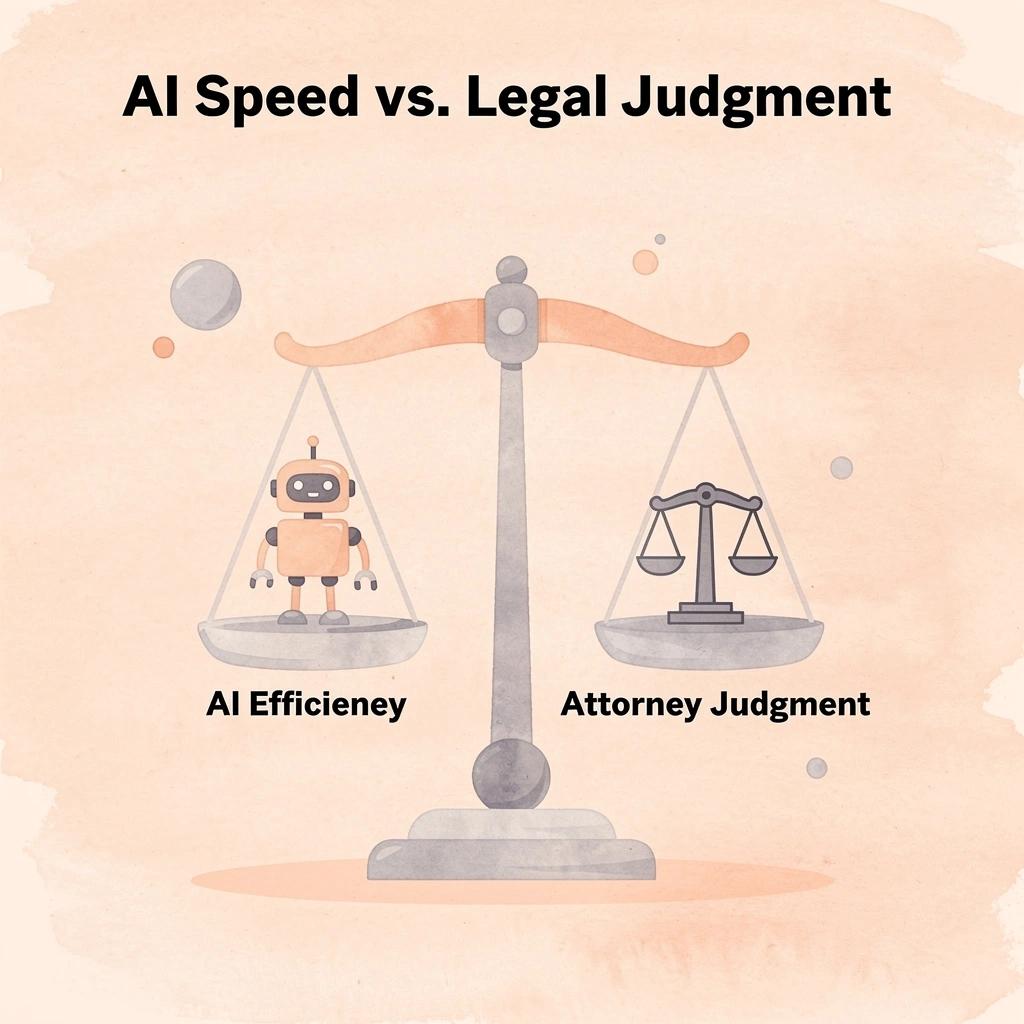
✅ Best Practice: The most effective legal professionals use ChatGPT as a force multiplier — handling repetitive tasks like research summaries, document drafting, and clause generation while reserving critical legal judgment for the attorney.
Prioritize Data Confidentiality and Anonymization
Remove or generalize client-identifying information, privileged details, and sensitive facts before entering prompts into general-purpose tools like ChatGPT. Use placeholders such as [Client A] or hypothetical scenarios that capture core legal issues without real identifiers. This protects the attorney-client privilege and complies with professional conduct rules, whereas standard consumer versions may retain or use inputs for model improvement unless enterprise settings with zero-retention policies are enabled. Review provider terms carefully and use anonymization for all matter-related work.
Master Structured Prompt Engineering
Write detailed prompts that specify the AI's role (for example, an experienced lawyer in a specific state), provide all necessary background information, explain what you want it to do, specify your desired answer format, and set limits on tone or length. Instruct it to flag anything uncertain and avoid fabricating information. This approach yields better first drafts and analyses than vague questions, enables faster revisions, and ensures answers match your needs—such as memos in IRAC format or contract clause reviews. Test and refine your prompts over time, maintaining a collection of your best ones to ensure consistent results.
Verify All Outputs Rigorously
Treat every AI-generated response as a first draft requiring careful verification. Verify citations, legal holdings, statutes, and factual claims using trusted sources like Westlaw, LexisNexis, or official government databases. Hallucinations—where AI models generate plausible but fabricated responses or misstate rules—remain a known problem, even in advanced 2026 versions. Create a standardized checklist to cross-check information and document your verification process. This ensures compliance with ABA guidelines and protects you from sanctions or malpractice claims.
Select Appropriate Tools and Account Tiers
Choose enterprise or team versions of ChatGPT with better privacy controls, limits on data retention, and policies that exclude work-related content from training. For critical tasks, use legal AI tools designed for this purpose that provide sourced answers and secure workspaces. Select tools based on security certifications (such as SOC 2), integration capabilities, and alignment with your firm's workflows. Begin with low-risk internal uses, such as brainstorming, before expanding to client-facing work.
Develop and Enforce Firm-Wide AI Policies
Create clear internal guidelines that define approved tools, permissible tasks, prohibited uses (such as sharing confidential data), and supervision requirements. Include training on capabilities, limitations, and documentation of AI-assisted work for billing and compliance. Regularly update policies to reflect evolving ethics opinions, such as ABA Formal Opinion 512, and conduct usage audits to ensure consistent application across the team.
Integrate OpenCase for Streamlined Practice Management
OpenCase simplifies AI-assisted legal work through research, drafting, and citation tools integrated with Microsoft Word, Google Docs, Outlook, and Clio. It draws from trusted sources like Cornell LII datasets, secures file analysis with encryption during data transfer and storage, and ensures your data never trains models through ISO 42001-aligned governance.
Maintain Human Oversight and Ethical Judgment
Think of ChatGPT as a helpful assistant rather than a replacement for professional expertise. Review its outputs carefully to ensure accuracy and serve your client's best interests. Be transparent about using AI when appropriate, obtain client permission for specific uses, and check bar ethics resources for rules in your state. This demonstrates competence and honesty while using technology to provide better legal services.
How OpenCase Complements ChatGPT
ChatGPT and OpenCase solve fundamentally different problems. ChatGPT speeds up drafting. OpenCase makes the output trustworthy. Together, they dramatically shrink the distance between a blank document and a court-ready filing — without sacrificing the verified authority that serious legal work demands.
"ChatGPT accelerates the drafting process, but OpenCase ensures every citation, argument, and reference meets the verified standard that courts require." — Legal Tech Insight
🎯 Key Point: ChatGPT and OpenCase are not competitors — they are complementary tools that each solve a distinct stage of the legal drafting workflow.
Combining AI tools creates a faster path from research to filing:
- ChatGPT – Accelerates drafting with fast first drafts.
- OpenCase – Improves accuracy with verified legal authority.
- Together – Delivers end-to-end efficiency from initial idea to court-ready filing.
⚠️ Warning: Relying on ChatGPT alone for legal filings risks unverified citations and unsupported arguments — always pair it with a verification layer like OpenCase.

Where does ChatGPT for lawyers hit a wall in verification?
The failure point emerges during verification. A lawyer finishes a ChatGPT-drafted motion with clean language and solid structure, then cross-references citations against primary sources, confirms holdings, and checks jurisdiction-specific precedent—work that often takes longer than drafting itself. According to Master of Code Global, companies using ChatGPT report productivity gains of 30 to 45 percent, but in legal practice, those gains shrink when verification becomes a separate, manual workflow.
OpenCase addresses this by embedding research directly into the drafting environment. Through a Microsoft Word add-in, lawyers can highlight a claim, query OpenCase in the sidebar, and receive responses grounded in Cornell LII statutes, Supreme Court opinions, and daily-indexed federal and state filings with Bluebook-formatted citations tracing to authenticated primary sources. Verification happens inside the document, not after it.
How does OpenCase remove the anonymization tax on output quality?
Most lawyers remove client details before using general AI tools, but stripping away context yields generic output requiring extensive editing. OpenCase holds SOC 2 Type II compliance and ISO/IEC 27001 certification, with a firm policy that user data is never used to train its models. Lawyers can upload actual case files, sync matters from Clio, and work within their existing document environment without the anonymization tax that degrades output quality.
Why does jurisdiction specificity matter when using ChatGPT for lawyers?
The combination's power lies in jurisdiction specificity. SeoProfy reports that ChatGPT reached 100 million users within two months of launch, demonstrating broad usefulness. But breadth and depth differ. A general-purpose tool trained on everything knows little about any jurisdiction and much about none. OpenCase ingests PACER dockets daily and pulls from continuously updated official sources, so responses reflect what is filed and decided in a specified jurisdiction, not a generalized approximation. That precision distinguishes a research memo needing heavy revision from one that holds up in court.
The right question was never whether AI belongs in legal practice, but whether the specific tool a lawyer uses has the data integrity, source traceability, and security architecture the profession requires.
Related Reading
- Everlaw
- Spellbook
- Ivo
- Harvey
- Best Ai Contract Review Tool
- Clio
- Legora
- Law Insider
Try our Legal AI to Support your Legal Work from Research to Final Draft
If your workflow depends on AI-generated drafts, verified citations, and research connected to authoritative primary sources, you need a tool built for that purpose. Legal AI like OpenCase works inside Microsoft Word and Outlook, so research, drafting, and citation happen in one place without switching between platforms or manually cross-checking sources.
"Research, drafting, and citation happen in one place — without switching between platforms or manually cross-checking sources." — OpenCase
💡 Tip: If you're toggling between browser tabs, document editors, and citation tools, you're losing billable time. A fully integrated legal AI workflow eliminates that friction.
🔑 Takeaway: Verified citations and source-traceable research aren't optional extras—they're the foundation of defensible legal work. Tools that unify these inside your existing document environment deliver a measurable edge.

OpenCase is built for trained legal professionals who understand that AI supports judgment — it does not replace it. Every feature reflects the reality that accuracy, traceability, and professional accountability remain the lawyer's responsibility, not the algorithm's.
⚠️ Warning: Not all legal AI tools are equal. Many generate plausible-sounding citations that are unverified or hallucinated — a risk no legal professional can afford.
✅ Best Practice: Explore OpenCase to see how verified, source-traceable legal research integrates directly into the documents you are already writing, keeping your research-to-final-draft pipeline fast, accurate, and fully defensible.