

11 Best Legal AI Tools Every U.S. Lawyer Should Know in 2026
Legal AI tools ranked and reviewed by OpenCase. Find the 11 best options U.S. lawyers are using in 2026 to save time and win more cases.

Spending hours digging through case law only to second-guess the results is a frustration most legal professionals know well. Effective law practice management depends on getting accurate, reliable information quickly, and the right tools make that possible. A growing number of AI-powered platforms are now helping lawyers draft faster, research smarter, and reduce the risk of costly errors.
OpenCase is built specifically for legal professionals who need dependable answers without the inefficiency of manual research. Rather than replacing professional judgment, it supports it by surfacing relevant case law and automating routine drafting tasks. For firms ready to work more efficiently, it delivers practical value where it counts most. Explore how legal AI can transform the way your practice operates.
Table of Contents
- What Are Legal AI Tools, and How Do They Work?
- Why Are Legal AI Tools Important for U.S. Lawyers?
- Are Legal AI Tools Secure for Handling Client Information?
- 11 Best Legal AI Tools Every U.S. Lawyer Should Know in 2026
- How to Choose the Right Legal AI Tool for Your Law Practice
- Why Law Firms Choose OpenCase for AI-Powered Legal Research
- Try our Legal AI to Support your Legal Work from Research to Final Draft
Summary
- Legal AI adoption among U.S. attorneys has accelerated sharply in recent years. The 2026 Legal Industry Report, drawing on responses from over 1,300 legal professionals, found that 69% now use general-purpose AI tools at work, more than double the prior year's figure. This shift reflects a widening gap between what manual research can deliver and what clients increasingly expect in terms of speed and depth.
- Burnout among attorneys is not just a wellbeing concern but a quality-of-representation problem. Bloomberg Law's 2024 Attorney Well-Being Survey found that 48% of attorneys reported feeling burned out in the second half of 2023, rising to 58% among those ages 25 to 34. With average workweeks approaching 50 hours and 76% of respondents working on at least half their days off, the cognitive bandwidth required for genuinely strategic legal work is quietly eroding.
- AI adoption is creating a measurable competitive distance between firm sizes. The ABA's 2024 Legal Technology Survey found that firms with 100 or more attorneys reached 46% AI adoption, compared to just 18% among solo practitioners. Clients comparing turnaround times and research depth between AI-equipped firms and manual practices are making decisions based on what they actually experience, not what they assume.
- Security concerns remain a real barrier to AI adoption, but they apply unevenly across tool categories. Bloomberg Law's 2025 State of Practice Survey found that 49% of law-firm attorneys who had not yet adopted generative AI cited security risks as a primary reason for holding back. That caution is rational for consumer-grade tools, but enterprise legal AI platforms built with isolated tenancies, SOC 2 Type II audits, and contractual no-training clauses operate under fundamentally different protections.
- Professional responsibility rules have formally caught up with AI use in legal practice. ABA Model Rule 1.1, Comment 8 requires lawyers to keep pace with changes in legal practice, including relevant technology, and 40 states plus the District of Columbia and Puerto Rico have adopted this or equivalent language. ABA Formal Opinion 512, issued July 29, 2024, adds a concrete due diligence framework requiring attorneys to evaluate data sensitivity, disclosure risk, and specific tool safeguards before inputting any client information into a generative AI system.
- The global legal AI software market is projected to grow from $3.11 billion in 2025 to more than $10.82 billion by 2030, and Bloomberg Law's 2025 State of Practice Survey found that litigators now openly describe AI efficiency as approaching a standard-of-care expectation. A missed controlling case or an unreviewed clause does not stay invisible, and the reputational consequences of those gaps extend well beyond what any malpractice policy can offset.
- Legal AI addresses this by grounding research outputs in verified primary sources, tracing every citation back to authenticated legal authority, and integrating directly into the drafting environments attorneys already use, so the verification step collapses into the original query rather than becoming a separate workflow.
What Are Legal AI Tools, and How Do They Work?
Legal AI tools are software applications that use artificial intelligence to handle legal tasks that once required hours of manual effort. They analyze legal language, retrieve relevant authority, and generate useful outputs in seconds — not days.
"Legal AI tools analyze legal language, retrieve relevant authority, and generate useful outputs in seconds, not days — transforming tasks that once consumed entire workdays into near-instant results."
💡 What This Means: Legal AI tools are not just search engines — they are intelligent systems capable of understanding, processing, and acting on complex legal language with speed and precision that no manual process can match.
🎯 Key Point: The defining feature of legal AI tools is their ability to collapse hours of manual effort into seconds of automated output — making them essential for any modern legal workflow.
Legal AI accelerates core legal workflows:
- Legal language analysis – Reduces hours of manual review to automated processing.
- Authority retrieval – Replaces lengthy searches with intelligent discovery.
- Output generation – Speeds up drafting and research from days to near-instant results.

Why are legal AI tools replacing traditional research methods?
The traditional approach—opening a legal research database, running keyword searches, scanning results across multiple jurisdictions—works with light caseloads but becomes a bottleneck under deadline pressure. The 2026 Legal Industry Report found that 69% of legal professionals now use general-purpose AI tools at work, more than double the prior year's figure. This shift reflects a gap between what manual research can deliver and what clients expect.
How the research layer actually works
Legal AI research tools differ from search engines: they read full questions, find checked primary materials from case law, statutes, and rules, then add analysis. This method, called retrieval-augmented generation, reduces unsupported claims because answers derive from real legal authority rather than memory alone. OpenCase sources information from trusted sources, including Cornell LII, CourtListener opinions, RECAP dockets, and govinfo's Federal Register and CFR, so every answer includes a traceable citation you can verify before adding it to a client file.
Beyond research contracts, predictions, and workflow connections
AI contract intelligence systems break agreements into individual clauses and extract key provisions like indemnities or termination rights. They then compare these provisions against your firm's preferred positions or market benchmarks, letting attorneys focus on negotiation strategy rather than exhaustive line-by-line markup. Some systems analyze aggregated docket data and judicial tendencies to surface probabilistic guidance on motion outcomes or settlement ranges: pattern-based insight that would take analysts far longer to compile manually.
How do legal AI tools deliver value across your existing systems?
The largest efficiency gains occur when these tools connect directly to platforms attorneys already use. When AI-processed data flows automatically into matter files, triggers task assignments, and updates client portals without manual re-entry, the productivity gains from research and review reach the client. Isolated tools that produce good outputs but require manual transfer into your systems deliver only a fraction of their potential value.
What oversight and market context should firms understand about legal AI tools?
Every credible legal AI deployment includes traceable source citations so attorneys can verify information, and professional responsibility rules on competence and supervision apply fully. The global legal AI software market is projected to grow from $3.11 billion in 2025 to more than $10.82 billion by 2030. Firms that capture this value combine machine speed with careful attorney review at every step.
Once you understand what these tools can do, the question becomes why U.S. lawyers cannot afford to ignore them now.
Why Are Legal AI Tools Important for U.S. Lawyers?
U.S. lawyers face growing workload pressures that are outpacing their ability to handle them. At the same time, clients expect more, and the stakes are critically high if lawyers miss important laws or contract terms. Legal AI tools help by making it significantly faster to get verified answers to questions — but they don't replace the lawyer's own judgment and decision-making.
"The legal profession is under mounting pressure: more work, higher client expectations, and zero tolerance for missed details — making AI-powered tools no longer a luxury, but a necessity."
💡 Tip: Legal AI tools are most effective when used as a force multiplier — handling time-consuming research tasks so lawyers can focus on high-value judgment calls.
⚠️ Warning: AI tools are not a substitute for professional legal judgment. Always treat AI-generated answers as a starting point, not a final authority.
Legal AI helps attorneys manage complexity while preserving human judgment:
- Heavy workloads – Automates repetitive research and administrative tasks.
- Client expectations – Delivers faster, verified information.
- Missing key laws – Identifies relevant statutes and contract terms.
- Decision pressure – Supports legal judgment without replacing attorneys.

The burnout math is not sustainable
Bloomberg Law's 2024 Attorney Well-Being Survey of more than 600 legal professionals found that 48 percent of attorneys reported feeling burned out during the second half of 2023, climbing to 58 percent among attorneys ages 25 to 34. The survey linked this exhaustion to disrupted sleep for 56 percent of respondents, average workweeks approaching 50 hours, and 76 percent working on at least half their days off. When manual document review and multi-jurisdiction research consume every available hour, the mental effort required for strategic legal thinking disappears. This is not a productivity problem: it is a quality-of-representation problem.
How are legal AI tools widening the competitive gap between firms?
The ABA's 2024 Legal Technology Survey of 512 private-practice lawyers found that firms with 100 or more attorneys reached 46 percent AI adoption, compared to 18 percent among solo practitioners. Clients compare turnaround times, research depth, and billing rates between AI-equipped firms and manual practices. Attorneys who absorb higher internal costs while competitors deliver faster, more thorough work product lose ground incrementally, matter by matter.
Where do familiar workflows start costing attorneys and clients time?
Most lawyers rely on familiar workflows: Westlaw or Lexis searches, manual cite-checking, and individual document review. As cases accumulate and deadlines tighten, problems compound, causing noticeable delays. Platforms like OpenCase use AI-generated research based on verified primary sources from Cornell LII, CourtListener opinions, and govinfo's Federal Register and CFR, delivering traceable citations rather than text that requires full manual rechecking. The difference between trustworthy output and output needing further research determines where hours are saved or lost.
Malpractice exposure grows where research gaps live
Bloomberg Law's 2025 State of Practice Survey of more than 750 legal professionals found that nearly 40 percent of attorneys using AI reported increased automated workflows, and one-third reported more time for higher-level strategic work. Litigators now describe AI efficiency as approaching a standard-of-care expectation, since clients refuse to pay for slower methods when faster alternatives exist. A missed controlling case or unreviewed clause variation surfaces in adverse rulings, fee disputes, or malpractice claims, and no insurance policy fully offsets the reputational cost that follows.
Competence rules have already caught up
ABA Model Rule 1.1, Comment 8, requires lawyers to keep abreast of changes in legal practice, including the benefits and risks of relevant technology. Forty states, the District of Columbia, and Puerto Rico have adopted this or equivalent language.
What do legal AI tools mean for your competence obligations?
Attorneys who do not engage with AI-assisted legal research, automated contract analysis, or AI-powered drafting tools cannot evaluate their outputs, supervise junior attorneys using them, or advise clients on the technology's limits. Competence now includes knowing which tools deliver reliable, source-verified answers and which ones produce confident-sounding errors that only trained attorneys would catch.
Once you accept that using these tools is no longer optional, a harder question emerges.
Related Reading
- Law Practice Management
- Google Gemini For Lawyers
- Claude vs. ChatGPT for Lawyers
- ChatGPT Prompts For Lawyers
- Copilot For Lawyers
- Ai Use Cases For Lawyers
- Ai Legal Hallucinations
- Legal Tech Trends
- Prompt Engineering For Lawyers
- Legal Writing Ai
- Claude For Lawyers
- Ai Legal Ethics
Are Legal AI Tools Secure for Handling Client Information?
Legal AI platforms built for a specific purpose are secure for handling client information — but only if you pick the right tool and follow existing professional ethics due diligence. Consumer chatbots and enterprise legal AI systems have very different designs, and treating them as interchangeable is a critical mistake no firm should make.
"The security of client data depends entirely on whether your AI tool was built for legal enterprise use — or simply repurposed from a consumer product." — ABA Model Rules Framework
⚠️ Warning: Using a general-purpose consumer chatbot to process confidential client information may violate your professional responsibility obligations under existing ethics rules. Always verify the platform's design intent before use.
✅ Best Practice: Before adopting any AI tool, conduct formal ethics due diligence — review the platform's data retention policies, encryption standards, and whether it was purpose-built for legal professionals.
Enterprise legal AI provides stronger protections for professional use:
- Data privacy – Consumer tools may use inputs for training; enterprise AI isolates client data.
- Encryption – Enterprise solutions provide stronger security protections.
- Ethics compliance – Built to meet professional legal standards.
- Confidentiality controls – Uses strict access management to protect sensitive information.
🔑 Takeaway: Security is not a default — it's a deliberate feature of purpose-built legal AI platforms. Your due diligence is the first and most essential line of defense for protecting client trust.

Why the "AI Equals Data Leakage" Fear Persists
The fear has a real reason. Early public generative models improved by absorbing user prompts, and well-known cases of lawyers feeding confidential documents into untested consumer tools validated that concern. A recurring pattern across legal departments shows senior attorneys, under deadline pressure, entering merger documents or litigation strategies into unapproved personal AI tools that were never designed with attorney-client privilege in mind. Bloomberg Law's 2025 State of Practice Survey found that 49 percent of law-firm attorneys who had not adopted generative AI cited security risks as a main reason for hesitation. The problem is applying this caution uniformly to all AI systems, including platforms built specifically to prevent the exact exposure those attorneys fear.
What does secure by design actually mean in practice?
Enterprise legal AI platforms built for professional use operate on a fundamentally different architecture. Client data is processed within isolated tenancies or private cloud instances, encrypted in transit and at rest, and governed by contractual no-training clauses that legally prohibit vendors from using the data to improve the underlying model. Independent third-party audits under SOC 2 Type II and ISO 27001 frameworks verify these controls hold in practice. The residual risk in self-learning public systems, where a prompt could theoretically resurface in someone else's output, is eliminated by design.
How do legal AI tools convert confidentiality into an enforceable obligation?
Most legal teams review vendor privacy pages and accept standard terms without deeper scrutiny. As matters grow more sensitive, this surface-level review creates real exposure: a confidentiality breach discovered after a merger closes or a litigation strategy leak carries consequences no engagement letter can undo. Legal AI platforms built around zero-retention policies, private cloud instances, and contractual data prohibitions convert confidentiality from a stated commitment into an enforceable technical obligation—the only kind that holds under Rule 1.6 scrutiny.
What ABA Formal Opinion 512 Requires You to Do
ABA Formal Opinion 512, issued 29 July 2024, removes the ambiguity. Before inputting any client information into a generative AI tool, you must evaluate the sensitivity of the data, the likelihood of disclosure, and the specific safeguards the tool provides. For self-learning tools that train on user inputs, the Opinion requires informed client consent that is deliberately obtained, not buried in boilerplate engagement language. This mirrors the due diligence framework lawyers already apply to cloud storage providers and e-discovery platforms.
What does the compliance path for legal AI tools actually look like?
The compliance path is clear: evaluate how the tool handles data, confirm that contracts prohibit using your data for training, verify that third parties have checked the tool's security, and obtain client permission when needed. Lawyers who follow these steps comply with Rule 1.6 in the same way they do with email and cloud-based document management.
How do legal AI tools shift from a question of trust to a question of proof?
Once you understand that security in legal AI is a verifiable, auditable, contractual property rather than a marketing claim, the question shifts from whether to trust AI with client data to which platform has earned that trust through independent proof.
Related Reading
- Legal Billing Software
- Iolta Account
- Law Firm Marketing
- Objections In Court
- How To Use ChatGPT for Legal Research
- Lawyer Salary
- Will Lawyers Be Replaced By Ai
- Is ChatGPT Good For Personal Injury Lawyers
- Law Firm Seo
- Law Clerk
- Billable Meaning
11 Best Legal AI Tools Every U.S. Lawyer Should Know in 2026
The right legal AI tool saves time, helps lawyers research faster, write accurately, organize complex cases, and focus on client advice instead of repetitive work. Below are the standout legal AI tools for U.S. lawyers in 2026, starting with OpenCase.
"The right legal AI tool saves time, helps lawyers research faster, and lets them focus on client advice instead of repetitive work: a shift every modern U.S. law firm needs to make in 2026." — Editorial Insight
🔑 Takeaway: The most impactful legal AI tools don't automate tasks—they fundamentally shift how lawyers spend their time, moving focus from low-value repetitive work to high-value client strategy.
💡 Tip: When evaluating any legal AI tool, ask one question: Does this give me back billable-quality hours? If the answer is yes, it belongs on your shortlist.

1. OpenCase
OpenCase is a legal AI platform for U.S. lawyers that delivers research, drafting, and citation capabilities grounded in authoritative primary sources. It helps attorneys overcome document overload, accelerate the production of verifiable work product, reduce burnout from repetitive tasks, and protect client confidentiality through enterprise-grade controls aligned with professional standards.
Features
- Searches across 100+ legal databases with answers traceable to verified primary law records via a dedicated Sources Portal.
- Trained on Cornell LII datasets including U.S. statutes and Supreme Court opinions.
- Incorporates daily indexes from open-source federal and state opinions plus RECAP dockets.
- Ingests authenticated PDFs from govinfo covering the Federal Register, CFR, and public-law archive.
- Ingests daily PACER dockets and filings for current case materials.
- Supports drafting and editing directly inside Microsoft Word and Google Docs.
- Transforms Outlook into an AI legal workspace for seamless matter handling.
- Sync legal matters and case documents with Clio.
- Provides access to files and secure sharing through Google Drive and Dropbox integrations.
- Delivers enterprise-grade encryption for data in transit and at rest with explicit no-training policies on client inputs.
Pros
Primary-source grounding and traceable citations reduce malpractice exposure and weak client positions. Comprehensive integrations eliminate context switching and support existing workflows to reduce burnout. Strong privacy architecture (SOC 2 Type II, ISO 27001, ISO 42001) directly addresses confidentiality obligations under ABA guidance and client expectations.
Cons
Focused primarily on research, drafting, and citations.
Accessibility
Designed for trained legal professionals and enterprise teams. Contact OpenCase at https://www.opencase.com/ for deployment options, demonstrations, and tailored enterprise plans.
2. Harvey AI
Harvey provides an enterprise-grade generative AI platform for research, contract analysis, due diligence, and complex drafting. It helps large firms save hours on high-volume document work while enforcing ethical walls and security controls that meet client confidentiality standards.
Features
- Domain-specific models for legal research, drafting, and multi-document analysis
- Secure Vault for bulk document storage and matter-level organization
- Knowledge access to hundreds of legal and regulatory data sources
- Custom workflow automation and agentic task handling
- Native Microsoft 365 integration (Word, Outlook, SharePoint)
- Matter-level permissions and ethical wall support
- Enterprise controls including SAML SSO, audit logs, and multi-region data residency
Pros
Handles sophisticated BigLaw workflows at scale and reduces time on due diligence and contracts; strong security posture (SOC 2 Type II, ISO 27001) supports ABA confidentiality requirements; collaboration features improve team efficiency.
Cons
Enterprise pricing and seat minimums make it inaccessible for most small firms and solos; custom pricing requires sales engagement.
3. CoCounsel (Thomson Reuters)
CoCounsel is an AI legal assistant that works with Westlaw and Practical Law, helping speed up research, document review, and drafting while basing work product on trusted sources to reduce malpractice exposure.
Features
- Generative research and drafting powered by Westlaw primary law and Practical Law guidance
- Document analysis and summarization for review tasks
- Brief and motion drafting support with built-in citation checking
- Organizational knowledge integration for firm-specific precedents
- Workspaces that maintain matter context across sessions
- Risk-reduction features that surface potential issues in drafts
- Seamless connection to the broader Thomson Reuters legal ecosystem
Pros
Deep grounding in Westlaw content improves research reliability and citation accuracy; yields measurable time savings in review and drafting, freeing capacity for higher-value work; and supports competitive speed without sacrificing defensibility.
Cons
Functions best for existing Thomson Reuters subscribers; the cost can be significant for firms without prior Westlaw investment.
4. Lexis+ AI
Lexis+ AI combines generative capabilities with the LexisNexis content library and Shepard's citation tools, enabling attorneys to conduct natural-language research, generate arguments, and validate authorities while addressing the risk of missed precedent.
Features
- Conversational search across the LexisNexis legal database
- AI-assisted drafting of memos, briefs, and correspondence
- Shepard’s integration for real-time citation validation
- Litigation analytics and predictive insights
- Document summarization and key-issue extraction
- Protégé-style personalized assistance within the platform
- Secure enterprise deployment options with data controls
Pros
Excellent citation validation reduces malpractice exposure; broad content coverage supports thorough research under time pressure; analytics inform case strategy and competitive positioning.
Cons
Performance is strongest for users already in the Lexis ecosystem; generative outputs still require independent verification.
5. Spellbook
Spellbook embeds AI contract drafting, redlining, and review directly inside Microsoft Word, enabling transactional attorneys to accelerate clause analysis and negotiations while preserving confidentiality through controlled processing.
Features
- Real-time clause suggestions and redlining inside Microsoft Word
- Playbook-based contract review against firm or client standards
- Automated identification of risks, missing terms, and deviations
- Drafting assistance for common agreement types
- Version comparison and markup generation
- Integration focused on the Word workflow lawyers already use
- Security controls designed for confidential transactional work
Pros
Eliminates platform switching for contract-heavy practices and reduces document-review burnout. Playbook enforcement improves consistency and reduces negotiation delays. Word-native design lowers adoption friction.
Cons
Narrower scope limited primarily to contracts rather than broad research or litigation support; less suited for pure litigation or e-discovery workflows.
6. Luminance
Luminance specializes in AI-driven contract review, due diligence, and negotiation support. It automates high-volume document work, flags risks consistently, and protects against missed clauses and competitive disadvantages.
Features
- Legal-Grade agents that review contracts against the firm or client playbooks
- Traffic-light risk scoring (red/amber/green) for clauses
- Autopilot negotiation assistance for routine agreements such as NDAs
- Bulk portfolio analysis and contract intelligence querying
- Word-integrated chatbot for clause suggestions and redrafting
- Automated compliance monitoring across contract repositories
- Learning from prior negotiations to suggest fallback language
Pros
Dramatically speeds up M&A due diligence and contract cycles; agentic features free attorneys to focus on higher-value strategy; a strong focus on transactional accuracy reduces exposure to overlooked risks.
Cons
Primarily transactional rather than litigation- or research-oriented, enterprise pricing and setup time limit accessibility for smaller practices.
7. Kira by Litera
Kira delivers hybrid AI contract intelligence that extracts and analyses provisions across large document sets with high accuracy. It solves the repetitive review bottleneck that contributes to burnout and enables faster, more thorough due diligence.
Features
- Recognition of 1,400+ contract provisions across dozens of agreement types
- Hybrid proprietary machine-learning plus generative AI for extraction and summaries
- Smart Fields for automated clause identification and data-point capture
- Multi-document Smart Summaries for rapid synthesis
- Collaboration tools, including assignment tracking and analysis grids
- Bulk import with deduplication and document triage
- Toggleable generative AI controls for governance
Pros
Proven accuracy above 90% on trained models reduces the risk of incomplete reviews; scales efficiently for high-volume projects; integration within the Litera suite supports broader document workflows.
Cons
Strongest in contract and due-diligence use cases rather than pure legal research or e-discovery; requires training or configuration for firm-specific concepts.
8. Relativity aiR
Relativity aiR puts generative AI into the leading e-discovery platform, enabling litigation teams to quickly prioritize documents, find privileged information, and extract insights from large document collections. This helps teams skip linear review and meet tight deadlines while maintaining defensible work.
Features
- AI-powered first-pass relevance and issue coding
- Privilege detection and automated privilege-log generation
- Key-document identification and prioritization
- Fact extraction and timeline building
- Case-strategy insights and conversational data exploration (aiR Assist)
- Integration directly inside RelativityOne workflows
- Support for data-breach response and investigations
Pros
Cuts first-pass review time dramatically on large data sets, addressing document-overload pain; built-in defensibility features satisfy ethical and court standards; leverages existing Relativity infrastructure for many firms.
Cons
Most valuable for users already licensed for RelativityOne; generative outputs require human validation to prevent over-reliance.
9. Everlaw
Everlaw is an AI-powered cloud e-discovery and litigation platform that streamlines document review, story-building, and teamwork. It helps lawyers process large volumes of discovery faster while maintaining the security and audit trails needed to protect client information.
Features
- Predictive coding and AI-assisted document prioritization
- Storybuilder for visual case narrative construction
- Advanced search, clustering, and near-duplicate detection
- Real-time collaboration and assignment tools
- Automated privilege and responsiveness coding support
- Secure cloud infrastructure with strong access controls
- Integration with common litigation and production workflows
Pros
The interface is easy to use with a low learning curve compared with traditional e-discovery tools. It speeds up review cycles and improves consistency, freeing capacity for strategy, while strong security supports ABA confidentiality expectations.
Cons
It focuses mainly on e-discovery and litigation rather than transactional drafting or broad research; pricing scales with data volume.
10. Clearbrief
Clearbrief uses AI to connect evidence, transcripts, and exhibits directly to briefs and motions, speeding up drafting and citations while ensuring every factual claim traces back to its source. This reduces the risk of malpractice from unsupported statements and eliminates manual cross-referencing.
Features
- Automatic linking of record citations to source documents and transcripts
- AI-assisted brief and motion drafting with evidence grounding
- Timeline and fact-extraction tools from discovery materials
- Hyperlinked, court-ready output formats
- Collaboration features for team review of linked drafts
- Search and organization across large evidence sets
- Security controls appropriate for confidential case materials
Pros
Eliminates hours of manual citation checking and strengthens filing defensibility; integrates evidence management with drafting to reduce context-switching; supports competitive speed on motion practice.
Cons
Narrower focus on briefing and evidence linking rather than full research or contract work; best used as a complement to broader platforms.
11. Briefpoint
Briefpoint uses AI to help lawyers draft discovery documents and write responses more quickly and accurately. It enables litigation attorneys to create consistent discovery responses and requests much faster than manual drafting, while ensuring everything is checked against the case record. This reduces document bloat, late-night work sessions, and the risk of missing information or providing inconsistent answers that could harm clients.
Features
- Automated generation of discovery responses and requests based on uploaded case materials
- Consistency checking across related interrogatories and requests
- Integration of firm templates and preferred language
- Evidence linking and citation support within drafts
- Collaboration tools for attorney review and editing
- Export to standard court and production formats
- Secure handling of confidential discovery documents with access controls
Pros
Cuts hours from repetitive discovery drafting and improves consistency across large response sets; keeps attorneys in familiar workflows; and supports defensible, record-grounded work product that addresses malpractice exposure from overlooked details.
Cons
Specialized for discovery and related drafting rather than broad legal research, contract analysis, or full e-discovery review. Works best as a complement to research or review platforms.
How to Choose the Right Legal AI Tool for Your Law Practice
The best legal AI tool works well for your firm's specific practice areas, makes workflows measurably better, keeps client information safe, and produces consistently reliable work. Look at how it performs in the areas that matter most to your attorneys and clients.
"The right legal AI tool isn't just about features — it's about fit: the intersection of your practice area needs, workflow demands, and client confidentiality standards." — Legal Technology Best Practices
💡 Tip: Before committing to any platform, pilot test the tool against your firm's actual case types — not just generic demos. Real-world performance in your practice area is the only metric that matters.
Key criteria help identify the right legal AI solution:
- Practice area fit – Ensures specialized knowledge and accurate legal outputs.
- Workflow integration – Reduces friction by working with existing tools.
- Data security – Protects client confidentiality through strong safeguards.
- Output reliability – Builds trust with accurate results and quality citations.
⚠️ Warning: Never adopt a legal AI tool based solely on general reviews. A tool that excels at contract drafting may perform poorly for litigation support — always evaluate against your firm's core workflows.
✅ Best Practice: Involve both attorneys and support staff in the evaluation process. The tool that wins on every level — from senior partners to paralegals — is the one that will actually get used.

Map Your Highest-Impact Workflow Bottlenecks First
Write down the tasks consuming the most of your attorneys' time: conducting thorough legal research under a deadline, reviewing documents or contracts for the first time, writing repetitive pleadings or discovery responses, and assembling briefs that connect to evidence. List the biggest problems by frequency and cost. This prevents purchasing general tools that don't address your core needs. This list lets you select tools excelling at research using primary sources, extracting clauses, or organizing e-discovery. You can skip tools that help only with peripheral tasks.
Insist on Verified Security and Zero Client-Data Training Policies
Client confidentiality under Model Rule 1.6 remains absolute. ABA Formal Opinion 512 requires lawyers to assess the risk that information entered into a generative AI tool could be shared or reused. Request written proof of encryption in transit and at rest, SOC 2 Type II or similar certification, ISO 27001 controls where available, and a contractual guarantee that client data will never be used to train or improve the underlying models. Tools that rely on public or consumer models carry disclosure risk; enterprise legal platforms like OpenCase eliminate this risk through private instances and zero-retention architectures.
Require Outputs Grounded in Traceable Primary Authority
Hallucinated citations and unsupported assertions create direct exposure to malpractice and court sanctions. Prioritize platforms that retrieve from verified primary sources: statutes, case law, regulations, and authenticated dockets. They should surface the exact underlying authority for every material claim. Features such as retrieval-augmented generation paired with a sources portal or citation validation layer enable rapid human verification, transforming the tool into a productivity multiplier rather than a liability generator. Eliminate any system that cannot demonstrate consistent grounding in authoritative legal data.
Confirm Native Integrations With Your Core Practice Systems
A powerful AI engine that forces attorneys to leave Microsoft Word, switch out of their practice-management platform, or re-upload documents into a separate interface adds friction that erodes promised time savings. Look for seamless connections to tools your firm already uses: Word and Google Docs for drafting, Clio or similar systems for matter syncing, Outlook for workspace continuity, and common document repositories such as Google Drive or Dropbox. Native integration preserves context across workflows, reduces training overhead, and ensures efficiency gains compound rather than fragment.
Evaluate Real-World Usability and Support for Your Team
Even the most accurate tool delivers little value if attorneys resist adoption or require extensive technical assistance. Assess the learning curve through live demonstrations or limited pilots, noting whether the interface supports plain-language queries, maintains matter context across sessions, and produces outputs attorneys can review and edit without disrupting their workflow. Strong vendor training resources, responsive support, and clear documentation determine whether the platform becomes a daily asset or an abandoned license.
Align Pricing and Scalability With Your Firm’s Size and Resources
Enterprise platforms often impose seat minimums and annual commitments that exclude solo and small practices, while lightweight tools may lack the depth larger teams need. Calculate total cost of ownership, including configuration, training, and ongoing fees, against realistic time savings on your identified bottlenecks. The right choice scales with your practice without forcing sudden overhead jumps or leaving you underpowered as caseloads grow.
Verify Vendor Transparency and Built-In Oversight Mechanisms
ABA Formal Opinion 512 emphasizes that lawyers have a duty to be competent and to supervise their work. You must understand what a tool can and cannot do, and you are responsible for everything it produces. Select vendors that provide clear information about data handling, tool limitations, and work verification procedures. Look for platforms that maintain records of outputs or display confidence levels to support careful review. Platforms that position the lawyer as the final decision-maker align with ethical rules and prevent over-reliance on the tool.
Conduct a Controlled Pilot Before Full Commitment
Before firm-wide rollout, run a time-boxed pilot on defined matters with clear success metrics: hours saved, error rates, attorney satisfaction, and security or integration issues. Involve both tech-comfortable and cautious team members, document findings, and expand access only when data confirms the tool solves original bottlenecks without introducing new risks.
Why Law Firms Choose OpenCase for AI-Powered Legal Research
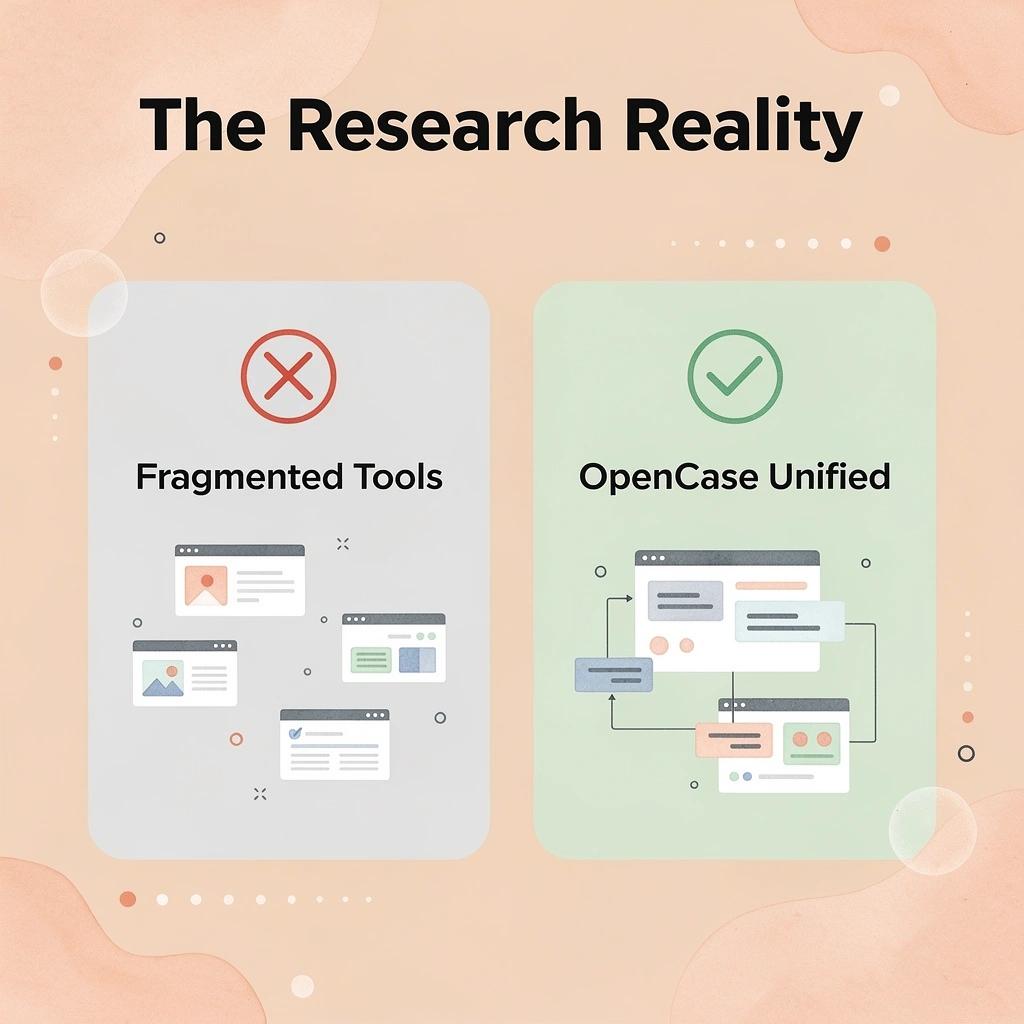
Law firms choose OpenCase because putting together general-purpose AI tools, database subscriptions, and manual verification workflows creates more work than it solves. Every answer comes with a clear chain of authority, so attorneys can move from research to filing without needing a separate verification step.
"Every answer comes with a clear chain of authority, so attorneys can move from research to filing without needing a separate verification step." — OpenCase
🎯 Key Point: General-purpose AI tools force law firms into a costly cycle of database subscriptions + manual verification — OpenCase eliminates that overhead entirely.
🔑 Takeaway: The real advantage of OpenCase isn't just speed — it's the built-in chain of authority that removes the verification bottleneck between research and filing.
OpenCase streamlines legal AI workflows from research to filing:
- Multiple AI tools – Replaced by one unified legal platform.
- Separate databases – Combined into an integrated legal database.
- Manual verification – Simplified with automatic authority validation.
- Research process – Moves from research → verify → file to research → file directly.
What changes when citations are built into the output
The failure point in most legal research workflows is not the search, but the gap between finding a result and trusting it enough to use it. Attorneys relying on general AI tools spend significant time verifying whether cited cases actually say what the tool claims. When research outputs link directly to authenticated primary sources—Cornell LII statutes, CourtListener opinions, RECAP dockets, and govinfo PDFs—that verification step collapses into the original query.
How do legal AI tools compress the citation review process?
Most firms handle this through informal review practices: a second attorney checks citations, or a paralegal pulls the original documents before filing. This process breaks down as caseload volume climbs and the review layer becomes the bottleneck. Our platform at OpenCase addresses this by displaying the source next to the answer, allowing attorneys to read the authority and AI output simultaneously rather than sequentially, compressing a two-step process into one.
Why workflow integration matters more than raw capability
Legal professionals consistently identify the same barrier: a powerful tool requiring attorneys to leave their existing environment creates adoption friction that kills usage. Research capability means nothing if attorneys route around it. OpenCase drafts and edits inside Microsoft Word and Google Docs, turns Outlook into a research workspace, and syncs with Clio, Google Drive, and Dropbox—the tool lives where work already happens.
How do legal AI tools help smaller firms close the capability gap?
Small and mid-sized firms can close the capability gap with larger competitors without hiring more people or rebuilding their technology stack. A two-attorney firm using a platform integrated into existing tools can produce research depth that previously required a team of associates and a dedicated research librarian.
What does reduced friction mean for the matters a firm can take on?
Faster research cycles, fewer verification passes, and reduced context-switching expand what a firm can handle. A practice that once declined complex multi-jurisdictional matters due to research overhead can now price and staff those matters competitively.
What is the deeper shift that legal AI tools create for firm growth?
The most important change happens at a level that most lawyers don't immediately expect: it shifts how they think about what they can build next.
Related Reading
- Best Ai Contract Review Tool
- Law Insider
- Legora
- Everlaw
- Harvey
- Clio
- Spellbook
- Ivo
- ChatGPT For Lawyers
Try our Legal AI to Support your Legal Work from Research to Final Draft
Speed without verified sources creates risk. Attorneys need a platform that surfaces accurate legal authorities, traces every citation back to primary law, and fits within their existing workflow. In legal practice, unverified AI output is a professional liability.
"Attorneys need a platform that surfaces accurate legal authorities, traces every citation back to primary law, and fits inside their existing workflow." — OpenCase
🎯 Key Point: Speed alone is insufficient. Every AI-generated legal answer must be grounded in verified, traceable sources to protect both attorney and client.
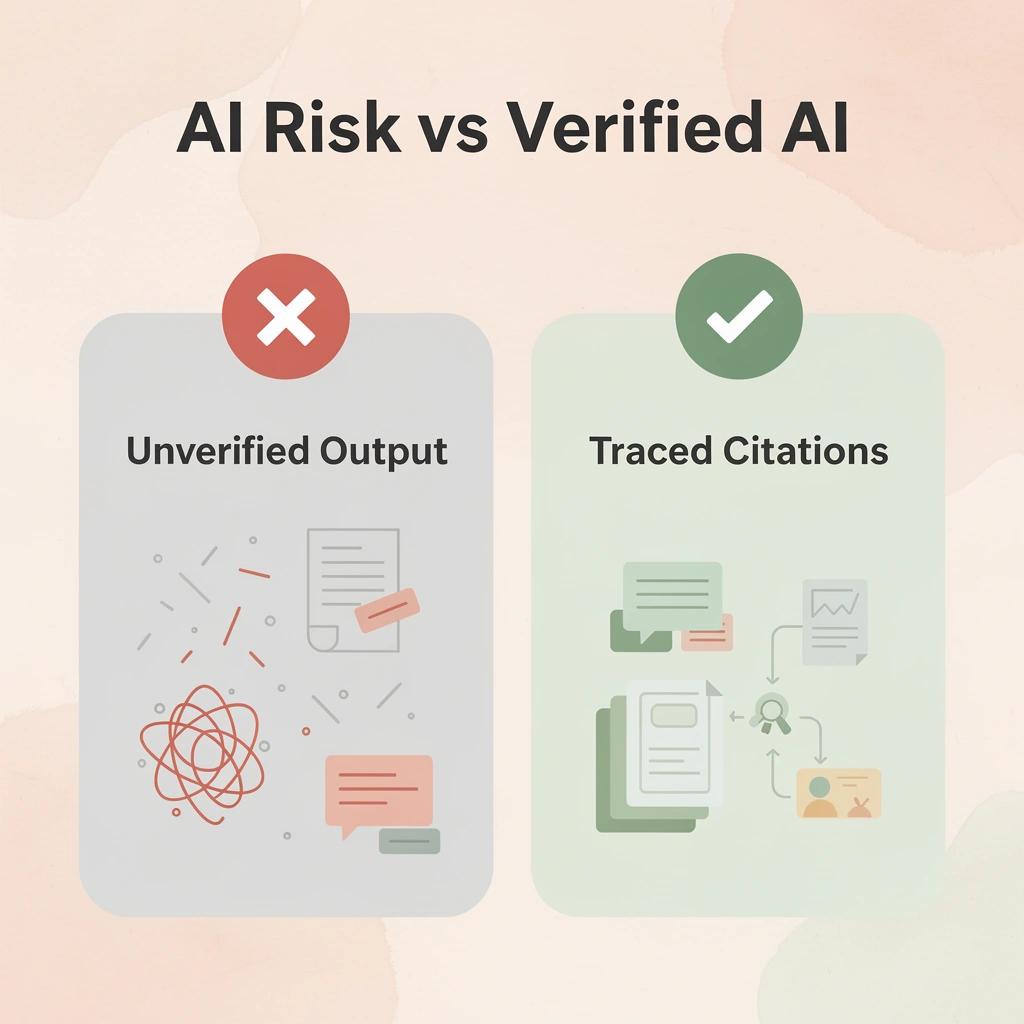
OpenCase brings AI-powered legal research and drafting directly into Microsoft Word and Outlook, grounding every answer in verified sources from Cornell LII, CourtListener, and govinfo. Our platform keeps attorneys in control of every legal decision without interrupting their workflow to cross-check a separate platform.
Trusted legal sources provide reliable authority for research:
- Cornell LII – Provides federal and state statutes and case law.
- CourtListener – Offers federal court opinions and docket records.
- govinfo – Delivers official U.S. government publications.
💡 Tip: Because OpenCase integrates directly into Microsoft Word and Outlook, attorneys can move from research to final draft without ever leaving their existing tools — eliminating the costly context-switching that slows legal work.
⚠️ Warning: Using AI tools that cannot trace citations back to primary law exposes attorneys to citation errors, hallucinated precedents, and serious malpractice risk.
Visit OpenCase to see how verified legal AI integrates directly into your existing work — from first research query to final draft, all within the tools you already use.
🔑 Takeaway: OpenCase is built for attorneys who demand speed and accuracy, delivering AI-powered research and drafting grounded in verified primary law without disrupting workflow.
[IMAGE: https://im.runware.ai/image/os/a07dlim3/ws/3/ii/a69979d9-ff4f-4ee7-bc4c-a894ed438ac4.webp] Alt: Hub and spoke diagram showing OpenCase connected to its verified legal sources and integrations