

30 ChatGPT Prompts For Lawyers to Boost Productivity
ChatGPT prompts for lawyers that actually save time. OpenCase shares 30 ready-to-use prompts to draft, research, and manage cases faster.

Lawyers routinely lose hours to tasks that sit far outside the courtroom: drafting routine emails, summarizing case notes, researching precedents, and keeping up with client communication. ChatGPT prompts offer a practical way to handle this work faster, freeing up time for the legal thinking that actually moves cases forward.
The prompts below are ready to use and built around the real demands of law practice management, so there is no need to start from scratch or experiment blindly. For firms that want to go further, OpenCase's legal AI is designed specifically for legal professionals who need smarter tools without adding more hours to their day.
Table of Contents
- What Is ChatGPT, and Which Legal Tasks Can ChatGPT Help With?
- Why Are More Lawyers Using ChatGPT in Their Daily Work?
- Can ChatGPT Be Trusted for Legal Research?
- 30 ChatGPT Prompts For Lawyers to Boost Productivity
- How to Get More Accurate Responses From ChatGPT Prompts
- How OpenCase Complements ChatGPT in a Legal Workflow
- Try our Legal AI to Support your Legal Work from Research to Final Draft
Summary
- AI adoption among lawyers has accelerated sharply, driven by the volume of language-heavy work that fills a legal workday without requiring legal judgment. A Thomson Reuters survey found that 63 percent of lawyers have used AI, and 50 percent said exploring AI implementation at work is their highest priority. The shift reflects necessity more than curiosity, as legal workloads have not decreased and administrative tasks continue to consume billable hours.
- ChatGPT delivers genuine value on drafting, summarizing, and brainstorming tasks where a lawyer's own review refines the output. Attorneys are using it to turn rough case notes into client updates, generate first-pass contract reviews, and stress-test litigation arguments before writing a brief. The tool earns its place in tasks where accuracy is confirmed through human judgment, not in tasks where an unverified output could reach a court or client unchecked.
- Legal research is the specific category where general-purpose AI creates professional exposure. Over 50 percent of legal professionals report concerns about AI hallucinations when using tools like ChatGPT for research, and the problem is structural. ChatGPT predicts plausible legal language based on training data rather than retrieving verified primary sources, which means a citation can look authoritative, read authoritatively, and not exist in any reporter.
- A knowledge cutoff compounds the risk of hallucination in fast-moving areas of law. GPT-4 has a training gap that can leave it one to two years behind current legal developments, meaning a well-organized research output could be built entirely on superseded precedent. Attorneys working under deadline pressure are the least likely to catch this before a filing goes out.
- Law firm AI adoption nearly tripled from 11 percent in 2023 to 30 percent in 2024, according to the American Bar Association Legal Technology Survey Report, which means more attorneys are navigating the gap between AI-generated drafts and verified legal authority without a clear system for bridging it. Firms using AI tools report saving 2 to 3 hours per case on administrative tasks, but those savings disappear when unverified outputs require manual correction before anything can be filed.
- The attorneys managing this most effectively treat AI adoption as a task-by-task decision rather than an all-or-nothing commitment, using general-purpose tools for the generative layer and purpose-built tools for the verification layer. That split keeps speed and accuracy from working against each other.
- Legal AI addresses this directly by grounding research outputs in verified primary sources, so the confirmation step is built into the workflow rather than added manually after a draft is already written.
What Is ChatGPT, and Which Legal Tasks Can ChatGPT Help With?
ChatGPT is a generative AI tool built by OpenAI that processes natural language and produces structured, coherent text based on your instructions. For lawyers, that means getting a usable first draft, research summary, or reorganized notes within seconds. It handles language tasks at speed, but does not check its output against primary legal sources.
"For lawyers, ChatGPT delivers a usable first draft, research summary, or reorganized notes within seconds — handling language tasks at speed that no human can match."
💡 What ChatGPT Does: ChatGPT excels at drafting, summarizing, and reorganizing legal text at speed — making it a powerful starting point for lawyers who need to move fast.
⚠️ Critical Limitation: ChatGPT does not verify its output against primary legal sources. Always cross-check any AI-generated legal content before relying on it in a professional capacity.
- First draft documents: Yes; acts as an efficient starter, but always requires thorough attorney review for tone and substance.
- Research summaries: Yes; excellent for quick overviews, but you must manually verify every finding against trusted primary legal sources.
- Reorganizing notes: Yes; streamlines workflow by turning raw inputs into structured formats in seconds.
- Citing primary legal sources: No; never rely on AI for citations, as it cannot guarantee the accuracy of its references and is prone to hallucinating case law.

Where ChatGPT genuinely earns its place
ChatGPT provides real value for language-intensive tasks that don't require verified sources: drafting demand letters, creating intake templates, summarizing deposition transcripts, and brainstorming litigation angles. A lawyer using ChatGPT to transform messy case notes into a polished client update makes a smart choice about where human judgment is needed.
Which tasks are ChatGPT prompts for lawyers actually designed to perform?
Contract review is another strong use case. Paste in a long agreement with specific instructions, and it will flag unusual clauses, suggest alternative language, and identify unclear terms in a fraction of the time a manual first-pass review would take. That output focuses your attention on what matters most before the real analysis begins.
The failure point is legal research. When lawyers ask ChatGPT to find case law, cite statutes, or confirm regulatory requirements, they ask a language model to do something it was not designed to do reliably. According to Coursera, GPT-4 scored in the top 10% on the Uniform Bar Exam, but passing an exam differs fundamentally from accurately citing verifiable primary sources in active litigation. Made-up citations have already cost lawyers in real courtrooms.
Why does verifying ChatGPT results create a hidden cost for lawyers?
Most lawyers verify ChatGPT results in a database afterward. This workflow creates a hidden cost: verification takes time, and if the initial output points in the wrong direction, you've spent more time than you would have if you'd started with a verified source. Legal AI built specifically for legal research addresses this by grounding every result in primary sources with verified citations, eliminating the confirmation loop that general-purpose AI requires.
Use ChatGPT for tasks where accuracy is refined through your own review, and use purpose-built legal research tools for tasks where an unverified citation could trigger a sanctions motion or mislead a client. This reflects a precise understanding of what each tool does well.
What surprises most lawyers is not how much ChatGPT can do, but how quickly they start relying on it before fully understanding the one category where it can quietly get them into serious trouble.
Why Are More Lawyers Using ChatGPT in Their Daily Work?
Lawyers are turning to ChatGPT because the math of a legal workday doesn't add up. Too many hours disappear into tasks requiring language skills but not legal judgment: drafting routine client updates, summarizing depositions, or generating intake questionnaires. Attorneys who have made that shift report getting those hours back.
"AI is set to save professionals 12 hours per week by 2029 — time currently lost to repetitive language tasks that require no legal judgment." — Thomson Reuters, 2024
🎯 Key Point: The shift to ChatGPT isn't about curiosity but about reclaiming billable hours lost to routine, language-heavy tasks that don't require a law degree.

The pressure is real and measurable. According to a Thomson Reuters survey of lawyers, 63 percent have used AI in the past, reflecting necessity rather than curiosity. Legal workloads have not shrunk — what has changed is that attorneys now have a powerful tool to handle repetitive language work while they focus on reasoning that requires a law degree.
- What ChatGPT Handles: Automates high-volume, routine tasks including client updates, discovery summaries, intake questionnaires, and initial document drafts.
- What Lawyers Still Own: Retains exclusive responsibility for high-level legal strategy, nuanced case reasoning, empathetic client advocacy, and persuasive courtroom argumentation.
🔑 Takeaway: With 63% of lawyers already using AI tools, this is no longer an emerging trend — it's a professional standard reshaping how legal work gets done.
What are lawyers actually doing with ChatGPT prompts for lawyers day to day?
Lawyers are using ChatGPT to write drafts faster, brainstorm arguments, test contract language, and organize rough notes into memos. A lawyer in a lawsuit might ask ChatGPT to create counterarguments to a motion, then use that list to strengthen their brief. This is legitimate because the lawyer makes decisions at every step.
Where does ChatGPT fall short, and when does the risk become real?
Most firms use ChatGPT for drafting and administrative tasks while relying on separate tools for verified legal authority. That split works until the line between drafting and research blurs. When a lawyer asks ChatGPT to "find cases supporting this argument," the tool generates confident, specific-sounding citations that may not exist. Platforms like OpenCase address that boundary by pulling citations verified against primary sources.
ChatGPT's impressiveness at tasks it handles well creates unwarranted confidence in its performance on tasks where it should not be trusted.
Is AI adoption in law a trend or something more permanent?
50 percent of lawyers surveyed said exploring AI implementation is their highest priority. This reflects a rapid change in the legal profession. Lawyers succeeding with AI treat adoption as a task-by-task decision, not an all-or-nothing commitment.
Related Reading
- Law Practice Management
- Google Gemini For Lawyers
- Claude vs. ChatGPT for Lawyers
- ChatGPT Prompts For Lawyers
- Copilot For Lawyers
- Ai Use Cases For Lawyers
- Ai Legal Hallucinations
- Legal Tech Trends
- Prompt Engineering For Lawyers
- Legal Writing Ai
- Claude For Lawyers
- Ai Legal Ethics
Can ChatGPT Be Trusted for Legal Research?
ChatGPT produces confident, fluent legal text that sounds authoritative because it was trained on authoritative sources, not because it has access to verified legal authority. That fluency is exactly what makes it dangerous for research. OpenCase, by contrast, grounds legal research in actual verified case law, helping you distinguish between confident language and reliable legal authority.
"ChatGPT sounds authoritative because it was trained on authoritative sources, not because it has access to verified legal authority. That distinction is critical for any serious legal researcher." — OpenCase
⚠️ Warning: Fluent, confident-sounding output is not the same as legally accurate output. ChatGPT can fabricate case citations that sound completely real.
🔑 Takeaway: When it comes to legal research, the real risk isn't obvious errors but plausible-sounding misinformation. Always verify against verified case law through a trusted source like OpenCase.

What does a confident ChatGPT error actually cost lawyers?
In Mata v. Avianca (S.D.N.Y. 2023), lawyers Steven Schwartz and Peter LoDuca submitted a brief citing six non-existent cases that ChatGPT had fabricated. The court fined them $5,000 for failing to verify the citations. Beyond the financial penalty, the case damaged their professional reputations. ChatGPT compounds this risk by confidently defending incorrect answers and generating plausible-sounding justifications for legally baseless positions, making errors that compound the longer the tool is used.
Why do ChatGPT prompts for lawyers produce citations that look real but aren't?
ChatGPT predicts the next likely word based on patterns in its training data rather than looking up cases on Westlaw or Lexis. When trained on legal briefs, court opinions, and law review articles, it learned to produce text that resembles verified legal authority without relying on real sources. The result is a citation that looks and reads real, but is not.
How can lawyers make verification built-in rather than an afterthought?
Most lawyers plan to check AI output later—a reasonable instinct that breaks down under time pressure, when they are most likely to use AI. Our platform at OpenCase addresses this by grounding every research output in citations verified against primary legal sources, making verification built in rather than a manual step at the end.
The knowledge gap nobody warns you about
Stanford researchers found that general-purpose models like ChatGPT hallucinate between 58% and 82% of the time when answering legal questions. Even specialized legal AI tools hallucinate 17% to 34% of the time, introducing error rates into legal filings and advice that no competent attorney can accept without careful verification.
What happens when attorneys skip verification of ChatGPT prompts?
In Johnson v. Dunn (N.D. Ala. 2025), lawyers from a prominent firm faced disqualification, bar referrals, and orders to notify all current clients and judges after submitting ChatGPT-generated motions with fabricated citations. The court emphasized that such misconduct damages the judicial process, clients' interests, and lawyers' standing, beyond the monetary penalties.
In practice, a lawyer researching a regulatory question in a fast-moving area of law could receive a confident, well-organized answer built entirely on outdated precedent. The brief looks solid. The research is stale.
Is the hallucination problem something future AI updates will fix?
That gap is not a bug that future updates will fix; it is a design reality of how large language models are trained and used. Using ChatGPT as a research partner for current legal authority poses professional liability risks. Attorneys who succeed use general-purpose AI for its strengths and send legal research through tools built to handle verified, current law. Our OpenCase platform helps legal teams access verified, up-to-date legal authority without the hallucination risks associated with general-purpose AI models.
Related Reading
- Lawyer Salary
- Iolta Account
- Legal Billing Software
- Law Firm Seo
- Legal Ai Tools
- Law Clerk
- Billable Meaning
- Is ChatGPT Good For Personal Injury Lawyers
- Law Firm Marketing
- Objections In Court
- How To Use ChatGPT for Legal Research
- Will Lawyers Be Replaced By Ai
30 ChatGPT Prompts For Lawyers to Boost Productivity
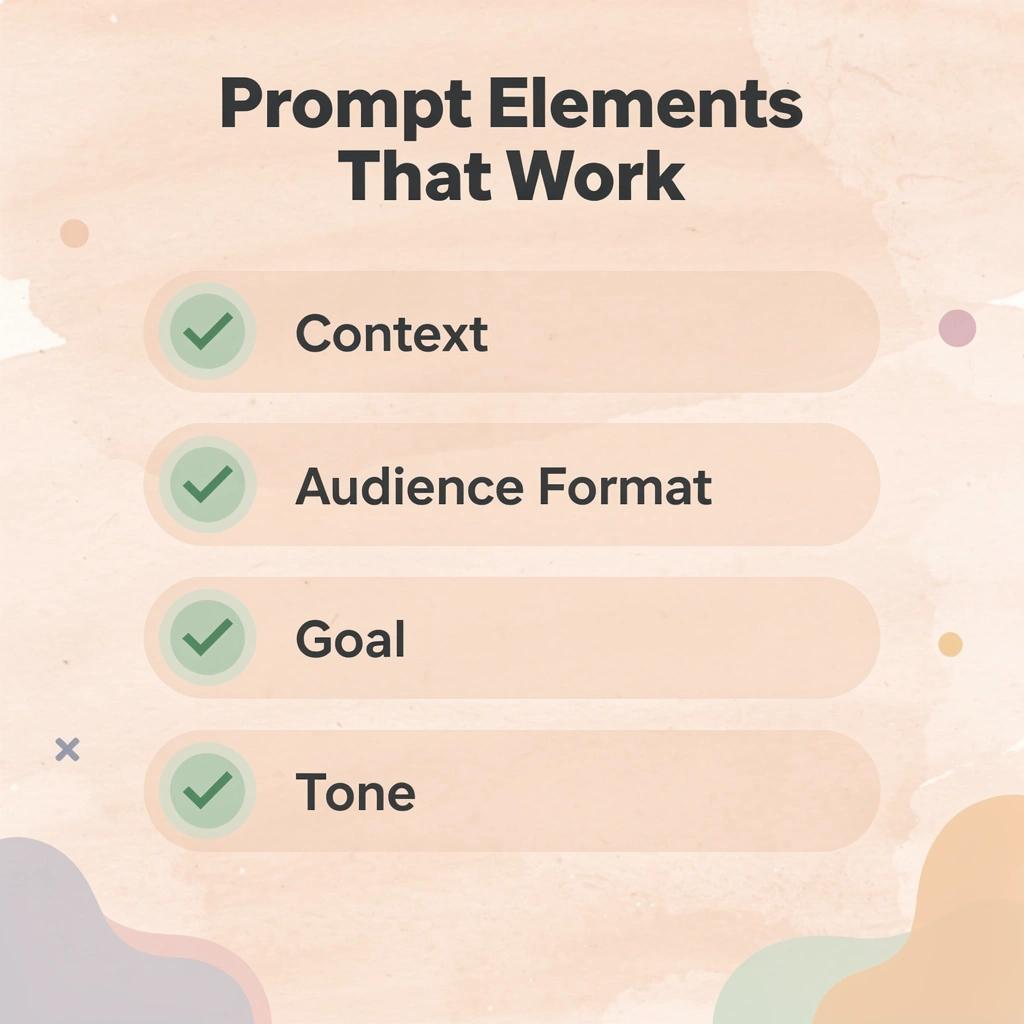
The right prompt decides whether ChatGPT gives a vague response or a truly useful one. Lawyers get better results by providing context, defining the audience, specifying the format, and clearly stating the goal. The 30 prompts below help attorneys save time on everyday legal work while keeping the lawyer in control of every final document and legal conclusion.
"The quality of AI output is directly determined by the quality of the prompt — context, clarity, and intent are the three non-negotiables." — Legal AI Best Practices
💡 Tip: Always give ChatGPT role context (e.g., "You are an experienced litigation attorney...") before your request — this single step dramatically improves the relevance and precision of every response.
🎯 Key Point: These 30 prompts are designed so the attorney stays in command — ChatGPT handles the heavy lifting of drafting and research, but every final decision and legal conclusion remains yours.
- Context: Defines the specific legal scenario, facts, and constraints, preventing the AI from generating generic or irrelevant boilerplate.
- Audience: Calibrates the voice, vocabulary, and level of detail, ensuring the output is appropriately pitched for a judge, a client, or internal counsel.
- Format: Dictates the structural output (e.g., table, bulleted memo, formal letter), saving you the time of reformatting and rearranging text.
- Goal: Keeps the AI's generation laser-focused on the specific outcome you need, preventing unnecessary fluff and keeping the response actionable.
The Golden Prompt Formula: [Role] + [Context] + [Goal] + [Format] + [Tone/Audience]
Research Prompts
Good legal research is one of the best ways to use ChatGPT as a lawyer. The prompts below help you quickly find precedents, statutes, and arguments in an organized way.
1. Summarize Key Precedents
"Act as an experienced legal researcher. Summarize the holding, key facts, and reasoning from [insert case name and citation] in clear bullet points suitable for a motion brief. Highlight any dissenting opinions and jurisdictional limitations."
2. Identify Relevant Statutes
"Review this factual scenario: [paste scenario]. List all applicable federal and state statutes with section numbers, explain their relevance, and note any recent amendments or key appellate court interpretations."
3. Outline Legal Arguments
"Create a structured outline for arguing a specific legal issue in a particular jurisdiction. Include main authorities, possible counterarguments, and suggested rebuttals based on established case law."
4. Compare Jurisdictional Approaches
"Compare how different states handle a legal topic. Provide side-by-side differences in statutes, leading cases, and practical implications for a client operating in both jurisdictions."
5. Update on Recent Developments
"Search your knowledge for cases or regulations after 2023 involving [topic]. Summarize the most significant ones with citations and explain their impact on current practice in [area of law].
6. Generate Demand Letter
"Write a professional demand letter on behalf of [client description] against [opposing party] for [claim details]. Use formal tone, include key facts, demand amount, deadline, and legal basis without revealing confidential information."
7. Draft Client Memorandum
"Prepare a short internal memorandum analyzing [legal issue] based on these facts: [paste facts]. Structure it with issue, rule, application, and conclusion sections. Cite relevant authorities."
8. Create Contract Clause
"Draft a [specific clause type, e.g., indemnification] clause for a [contract type] agreement between two U.S. companies. Include standard protections, exceptions, and notice requirements."
9. Outline Litigation Complaint
"Outline the structure and key allegations for a complaint in [court and jurisdiction] regarding [cause of action]. Suggest supporting elements and potential exhibits."
10. Refine Legal Brief Section
"Clarify this legal brief section, strengthen the argument, and reduce length: [paste text]. Maintain the formal legal tone and improve logical flow."
Contract Prompts
11. Review Contract Risks
"Examine this contract excerpt to identify potential risks, ambiguities, and unfavourable terms from the perspective of [party type, e.g., service provider]: [paste excerpt]. Suggest specific changes with explanations."
12. Summarize Long Agreement
"Provide an executive summary of this contract, highlighting key obligations, timelines, payment terms, termination rights, and potential liabilities: [paste contract text]."
13. Generate NDA Template
"Create a mutual non-disclosure agreement for [industry] discussions. Include standard definitions, obligations, exceptions, duration, and governing law provisions."
14. Negotiate Clause Improvements
"Suggest stronger alternative language for this clause to better protect [client interests]: [paste clause]. Explain the improvements and any trade-offs."
15. Compare Contract Versions
"Compare these two contract versions and create a redline-style summary of material differences, focusing on risk allocation and business terms: Version 1 [paste], Version 2 [paste]."
Client and Admin Prompts
16. Draft Client Status Update
"Write a clear, empathetic email update for a client on the status of their [matter type]. Include recent progress, next steps, and timeline, avoiding legal jargon where possible."
17. Prepare Intake Questionnaire
"Create a detailed client intake questionnaire for [practice area] cases. Include questions that gather essential facts, identify potential issues, and follow intake best practices."
18. Generate Engagement Letter
Draft a professional engagement letter template for [practice area] that includes scope of services, fees, billing terms, and termination provisions compliant with [state] ethics rules.
19. Respond to Client Inquiry
"Craft a responsive reply to this client email: [paste email]. Address concerns professionally, provide clear answers, and suggest next actions."
20. Organize Case Notes
"Turn these messy case notes into an organized timeline with key events, decisions, and action items: [paste notes]. Highlight deadlines and potential risks."
Strategy and Practice Prompts
21. Brainstorm Litigation Strategy
"Brainstorm three different strategies for taking this case to court with these facts: [paste summary]. Evaluate the strengths, weaknesses, and best approach for each."
22. Deposition Preparation
"Create a list of 15 focused questions for questioning a [witness type] in a [case type] matter, including follow-up questions for expected answers."
23. Case Evaluation
"Analyse the strengths and weaknesses of this possible case based on the facts: [paste facts]. Estimate your likelihood of winning and suggest next steps."
24. Ethics Compliance Check
"Review this proposed action for ethical considerations under ABA Model Rules: [describe action]. Flag potential issues and suggest compliant alternatives."
25. Policy Drafting
"Draft an internal firm policy on [topic, e.g., AI use] that addresses risks, best practices, and compliance requirements."
26. Billing Narrative Improvement
"Rewrite this billing entry to be more descriptive and professional while complying with client guidelines: [paste entry]."
27. Negotiation Preparation
"Prepare key talking points and concessions for negotiating [agreement type] with [opposing side characteristics]. Anticipate their positions."
29. Workflow Optimization
"Analyze my current workflow for [task, e.g., contract review] described here: [paste description]. Suggest AI-assisted improvements and prompt templates to reduce time by at least 50%.
30. Marketing Content Outline
"Create an outline for a blog post on [legal topic] targeted at [client demographic]. Include SEO-friendly headings and key points that establish expertise without giving specific advice."
These 30 prompts equip lawyers with practical tools to enhance daily productivity across core responsibilities. Test and refine them with non-confidential information, then always apply professional judgment and verification.
How to Get More Accurate Responses From ChatGPT Prompts
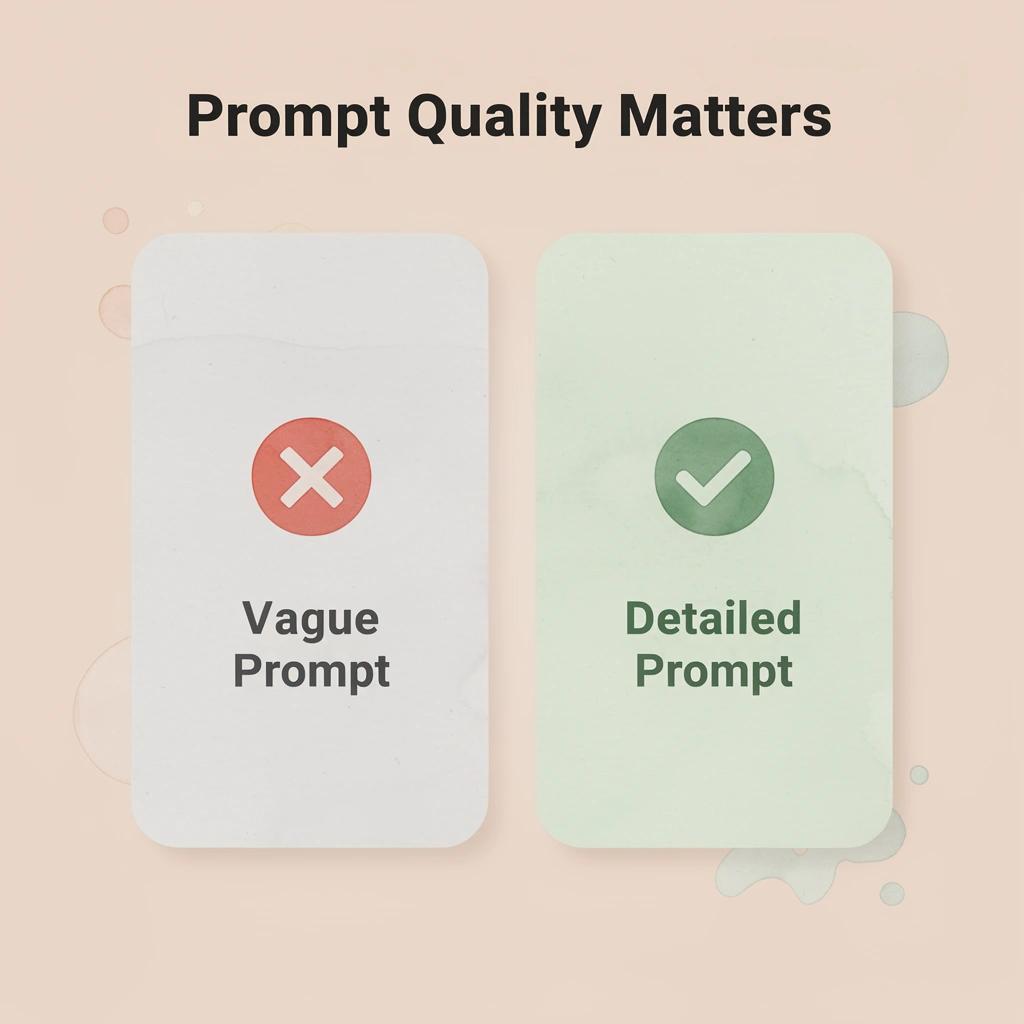
ChatGPT's response quality depends much more on the prompt than the model itself. A detailed prompt gives ChatGPT the context it needs to generate truly useful, organized, and relevant content. By following prompt-writing best practices, lawyers can consistently produce responses that require less editing and better support their daily work.
"A detailed, well-structured prompt is the single most powerful lever lawyers have to unlock accurate, practice-ready output from ChatGPT." — Prompt Engineering Best Practices
- Vague, minimal prompt: Produces generic, low-value responses that waste time on heavy editing.
- Detailed, context-rich prompt: Improves relevance and focus, significantly reducing the need for manual revisions.
- Role + context + format specified: Yields highly accurate, professional-grade output tailored for immediate use.
💡 Tip: Always include who you are, what you need, and what format you want in every prompt — these three elements alone can dramatically improve output quality.
⚠️ Warning: Skipping context in your prompt is the most common mistake lawyers make — ChatGPT cannot infer your jurisdiction, practice area, or audience unless you explicitly state them.
Provide Specific Context and Details
Unclear prompts lead to unclear or wrong answers. Include important background information, limits, your audience, and exactly what you need. Specify the relevant area or country, desired format (bullet points, tables, etc.), and what to exclude. This helps the model deliver accurate, relevant information.
Assign Clear Roles and Expertise Levels
Tell ChatGPT to take on a specific role, such as a senior lawyer in a particular area of law. This role helps the response match professional expectations, using appropriate style, detail, and terminology. It prompts the model to apply expert thinking rather than provide generic answers.
Use Structured Formats and Step-by-Step Instructions
Ask for outputs organized into clear structures, such as numbered steps, tables, or sections with headings. Breaking down complex tasks into sequential steps improves logical flow, reduces mistakes, and produces more coherent, verifiable answers.
Incorporate Examples and Few-Shot Learning
Provide one or more high-quality examples of the desired output format or style within the prompt. This guides ChatGPT toward matching the quality and structure. Few-shot prompting consistently produces higher accuracy by establishing clear patterns for the model to follow.
Iterate and Refine with Follow-Up Prompts
Think of first responses as rough drafts. Ask follow-up questions to fix mistakes, add information, or adjust the tone. Point to specific passages and request changes based on new information. This iterative process improves accuracy incrementally and surfaces details that a single request might miss.
Leverage Specialized Legal Tools for Verification
Lawyers can use special tools like OpenCase to find verified primary sources through large legal databases, daily PACER dockets, and trusted records from Cornell LII and RECAP. Enterprise-level privacy protections and connections with practice management systems ensure outputs are secure and can be tracked.
Test and Validate Outputs Thoroughly
Check important answers against reliable outside sources before using them. Break down claims into verifiable parts and independently confirm facts. This flags mistakes or outdated information in large language models and helps maintain accuracy in professional work.
How OpenCase Complements ChatGPT in a Legal Workflow
Knowing which tool to reach for matters less than understanding how those tools connect. A workflow built on disconnected strengths is fragile: in legal practice, fragility has consequences.
"A workflow built on disconnected strengths is fragile."
🎯 Key Point: The competitive advantage isn't using AI tools—it's knowing how to chain them together into a system that holds up under scrutiny.

ChatGPT speeds up language-heavy legal work — drafting, summarizing, and brainstorming at inhuman speed. But every output sits in evidentiary limbo until a verified source confirms it. That gap between "plausible" and "proven" is where attorneys lose time and credibility. According to the American Bar Association Legal Technology Survey Report, AI adoption in law firms nearly tripled from 11% in 2023 to 30% in 2024 — meaning more attorneys are navigating this gap without a clear system for bridging it.
- Drafting & Summarizing (ChatGPT): High efficiency, but carries the risk of "hallucinations" and plausible-sounding but legally incorrect content.
- Source Verification (OpenCase): Acts as the critical filter that eliminates evidentiary limbo by tethering claims to authentic legal databases.
- Final Review (Attorney): The mandatory human gatekeeper; the only way to ensure the final product meets professional standards of credibility and accuracy.
💡 Tip: Every ChatGPT output should be treated as a starting point — not a finished product. OpenCase closes the loop by anchoring AI-generated language to verified, citable sources.
⚠️ Warning: With AI adoption jumping 19 percentage points in a single year, firms that lack a verification workflow are scaling their risk just as fast as their output.
What does ChatGPT handle versus what does a verified research tool handle?
ChatGPT handles the generative layer: drafting a motion outline, rewriting a contract clause for plain-language clarity, or producing a first-pass summary of a deposition transcript. OpenCase handles the verification layer: pulling the relevant statute, confirming that a precedent exists, and returning a traceable citation linked directly to a primary source. One tool creates the scaffold; the other confirms the structure can hold weight.
How do ChatGPT prompts for lawyers fall short without a verification layer?
Without this pairing, attorneys draft with ChatGPT, then manually search Westlaw or PACER to verify suggestions, copying citations between platforms and risking fabricated citations slipping through undetected. OpenCase's legal AI closes that loop by integrating verified sources directly into the drafting environment, so verification happens within the workflow rather than after it.
Why do verified sources change the risk calculation?
Professional accountability in law attaches to the attorney who signed the filing, not the tool that generated the idea. According to Bolt Data Legal, law firms using AI tools report saving 2 to 3 hours per case on administrative tasks, but those savings evaporate when unverified outputs require manual correction before filing. Speed without accuracy is deferred risk.
How does pairing ChatGPT prompts for lawyers with authenticated data close the accuracy gap?
OpenCase addresses this by grounding every research response in authenticated legal data, including daily-indexed federal and state opinions, PACER dockets, and primary source archives from Cornell LII. An attorney can run a ChatGPT-drafted argument through OpenCase and receive citations that trace directly back to actual case law, not predicted language. This is the quality-control layer the workflow was missing.
Once you see how that pairing holds up under real deadline pressure, the question shifts from whether to use both tools to something more interesting.
Try our Legal AI to Support your Legal Work from Research to Final Draft
ChatGPT handles language work. OpenCase handles legal authority. This critical separation lets practices move fast without cutting corners, giving legal teams the best of both worlds: speed and verified accuracy.
"The separation between language generation and legal authority is what lets practices move fast without cutting corners." — OpenCase
🔑 Takeaway: AI-generated language and verified legal research are not the same thing. The most effective legal teams treat them as two distinct, complementary tools.

Stop manually chasing citations after AI-generated drafts. Visit OpenCase to see how our verified legal research integrates directly into Word and Outlook. Productivity gains from better prompting depend on a solid legal foundation — and that is exactly what OpenCase provides.
💡 Tip: Don't let unverified citations undermine an otherwise strong AI-assisted draft — OpenCase's direct integration into your existing workflow means zero extra steps to get authoritative legal backing.
⚠️ Warning: Relying on ChatGPT alone for legal authority is a critical risk — always pair AI language tools with a verified legal research platform like OpenCase.
- ChatGPT: Focuses on language generation; its primary strength is rapid drafting, creative brainstorming, and summarizing large quantities of text.
- OpenCase: Focuses on legal authority; its primary strength is ensuring every claim is backed by verified, searchable, and court-ready legal research.
- Combined Workflow: Enables end-to-end drafting; use ChatGPT to structure the narrative and synthesize findings, then use OpenCase to substantiate the document with reliable, accurate citations.
Related Reading
- Best Ai Contract Review Tool
- Harvey
- Legora
- Spellbook
- Everlaw
- Law Insider
- Clio
- ChatGPT For Lawyers
- Ivo