

Copilot For Lawyers: Pros, Cons, and Best Use Cases for 2026
Copilot for lawyers explained by OpenCase: real pros, cons, and top use cases to help your firm decide before 2026.

Client demands, tight deadlines, and compliance requirements leave most lawyers with little room to focus on the work that actually requires their judgment. AI tools built specifically for legal work are changing that reality, giving firms a practical way to handle drafting, document review, and case note summaries faster and without sacrificing accuracy. Law Practice Management has always been about working smarter under pressure, and purpose-built AI is now making that possible in ways that were previously impractical.
OpenCase is built around that idea, offering a hands-on assistant that handles repetitive, time-consuming tasks so lawyers can focus on higher-value work. The result is a leaner workflow that stays sharp on compliance while cutting down the hours spent on low-value tasks. Firms looking for a concrete starting point can explore what legal AI looks like in practice with OpenCase.
Table of Contents
- What Is Copilot and How Does It Work in Legal Practice?
- Who Should Use Microsoft Copilot for Legal Work?
- Is Copilot Safe for Confidential Legal Work?
- 7 Best Use Cases for Copilot in Legal Practice
- Best Practices for Using Copilot Responsibly in Legal Work
- How OpenCase Complements Copilot in a Legal Workflow
- Try our Legal AI to Support your Legal Work from Research to Final Draft
Summary
- Legal AI tools are reshaping how attorneys manage time-intensive tasks like drafting, summarizing, and organizing case materials. According to Attorney at Work, Copilot can save lawyers up to 2 hours per day on drafting and summarization tasks, which amounts to a full workday returned to substantive legal work across a five-day week. That figure carries different weight depending on practice size, but the underlying pressure it addresses is consistent across solo practitioners, small firms, and corporate legal departments alike.
- Microsoft 365 Copilot costs $30 per user per month on top of an existing Microsoft 365 subscription, according to the Maryland State Bar Association. For a 20-attorney firm, that is $7,200 per year before any configuration or training investment. The firms seeing the strongest returns are not the ones that deployed it across every workflow at once, but those that identified two or three high-friction tasks, tested against those specific use cases, and expanded only after measuring results.
- Security architecture, not just contractual commitments, determines whether AI tools belong in privileged legal workflows. Microsoft's own documentation confirms that prompts and responses are not used to train foundation models, and that 100% of existing Microsoft 365 permissions and data governance controls carry over to Copilot. The more common risk is not the AI itself but the permission hygiene underneath it. Concentric AI reports that Copilot can surface sensitive files that up to 80% of employees should not have access to due to misconfigured permissions, a gap the tool reveals rather than creates.
- Sensitivity labels are a prerequisite for compliant deployment, not an optional configuration step. When documents carry labels like "Privileged and Confidential," Copilot respects those labels in how it handles and presents content. Skipping that labeling step leaves the tool free to aggregate and summarize whatever it can access, which creates the kinds of inadvertent disclosure scenarios that ethics opinions specifically warn against. SOC 2 Type II compliance and ISO/IEC 27001 certification provide independently verified evidence that security controls operate consistently, and any AI tool handling privileged information should be able to produce that documentation on request.
- General-purpose AI generates text that sounds legally plausible, but legally plausible is not the same as legally accurate. When AI output is not grounded in verified citations to primary sources, the verification burden falls entirely on the attorney, eroding much of the time savings the tool was meant to provide. Valasys Media's analysis of lawyers using Copilot in legal workflows found that productivity gains are most durable when AI output connects to verified legal authority rather than generative inference alone.
- The productivity argument for legal AI is strongest when research, drafting, and matter organization operate as a single connected workflow rather than three separate steps with manual handoffs between them. Microsoft 365 Copilot's 12-plus monthly release notes from 2024 show consistent investment in productivity features, but external legal data sources like federal court dockets remain outside its scope by design, leaving a gap that attorneys typically fill through fragmented manual processes.
- OpenCase legal AI addresses this gap by pulling verified citations from over 100 authoritative legal databases directly into Microsoft Word and ingesting daily PACER filings by matter, so research and drafting happen inside the same environment rather than across disconnected tools.
What Is Copilot and How Does It Work in Legal Practice?
Microsoft Copilot is an AI assistant built directly into Microsoft 365 applications that legal professionals already use—Word, Outlook, Teams, and Excel. It combines large language models with your firm's data, pulling from files, emails, and documents you have explicit permission to access. Then it generates or refines output in real time without sending that data to external platforms—a critical distinction for firms handling sensitive client information. The result is a contextual AI assistant that understands your specific work environment rather than producing generic, one-size-fits-all responses.
"Copilot doesn't operate in isolation—it pulls from your firm's own files, emails, and documents to deliver responses that are contextually grounded in your actual work." — Microsoft 365 Copilot Architecture
💡 Example: Instead of asking a generic AI chatbot to draft a contract clause, Copilot in Word can reference your firm's existing templates, prior agreements, and internal style guides to produce output that already fits your standards.
- Large Language Models: Processes and generates natural language, enabling the automation of drafting, summarizing, and analyzing complex legal text.
- Microsoft 365 Integration: Connects seamlessly to Word, Outlook, Teams, and Excel, allowing you to leverage powerful AI directly within the tools your firm already uses daily.
- Firm Data Layer: Pulls information from permitted files and emails, ensuring the AI delivers context-specific, relevant outputs rather than generic, unhelpful responses.
- On-Platform Processing: Keeps all data strictly within your Microsoft environment, providing the necessary infrastructure to protect client confidentiality and maintain rigorous data security.
🔑 Takeaway: Copilot's core advantage for legal professionals isn't just its AI capability—it's that it operates within your existing Microsoft 365 ecosystem, meaning no new platforms, no data migration, and no compromise on confidentiality protocols.
⚠️ Warning: Copilot only accesses data you have explicit permission to view. It does not override your firm's existing access controls—so outputs are only as comprehensive as your individual data permissions allow.

How does Copilot for lawyers handle firm data and access controls?
Copilot uses semantic search to ground its outputs in your Microsoft 365 tenant, surfacing relevant precedents from SharePoint, summarizing client threads from Outlook, or extracting action items from recorded Teams meetings while respecting existing access controls. It does not learn from your data or expose it to other users. According to the Maryland State Bar Association's 2025 breakdown of Microsoft's Copilot lineup, integration with widely used Microsoft 365 apps means adoption curves for most firms are far shorter than those for deploying an entirely new platform.
What does Copilot actually do inside legal workflows?
Copilot delivers value in three places: document work, communication, and analysis. In Word, it drafts engagement letters or pleadings from a prompt referencing your templates, then refines tone or structure on request. In Outlook, it condenses a 40-email client thread into a three-line summary and suggests a professional reply. In Excel, it turns a spreadsheet of litigation costs into a structured analysis without requiring formulas. Each task takes minutes instead of hours, with the attorney retaining full control.
Where does Copilot for lawyers fall short on legal research?
Most teams toggle between document management, legal databases, and Word drafts, copying and pasting across windows and losing track of their work. Platforms like OpenCase fill a specific gap: while Copilot works well with internal documents and communications, our platform grounds legal research in verified citations from trusted sources such as Cornell LII, CourtListener, and govinfo, ensuring that the law you cite comes from its original source rather than a language model's training data.
What does it cost to deploy?
Microsoft 365 Copilot costs $30 per user per month for enterprise legal teams, in addition to an existing Microsoft 365 subscription. For a firm of 20 attorneys, that is $7,200 per year before setup or training. Consider which workflows you are solving before rolling it out to everyone.
How should law firms strategically roll out Copilot for lawyers?
The firms getting the most from Copilot identified two or three high-friction tasks, tested the tool against those specific workflows, measured the time saved, and built on that. This careful approach keeps compliance and ethical obligations manageable, since every AI output requires attorney review, and the narrower the use case, the easier that oversight becomes.
Knowing how Copilot works is only half the equation. The more interesting question concerns the people using it.
Who Should Use Microsoft Copilot for Legal Work?
The professionals who benefit the most from Microsoft Copilot are those who spend their days doing tasks that take a lot of attention but don't require special skills: formatting emails, summarizing meeting notes, organizing research threads, drafting standard engagement letters. When that work fills up the calendar, the legal judgment clients actually pay for gets squeezed into whatever time is left.
"The legal judgment clients actually pay for gets squeezed into whatever time is left — crowded out by formatting emails, summarizing notes, and organizing research."
🎯 Key Point: If your billable hours are being eaten by low-skill, high-attention tasks — formatting, summarizing, organizing — Microsoft Copilot is built specifically for your workflow.
- Formatting emails: No legal judgment required; Copilot handles this efficiently to save time.
- Summarizing meeting notes: No legal judgment required; Copilot excels at distilling key points from transcripts.
- Organizing research threads: No legal judgment required; Copilot streamlines information management and synthesis.
- Drafting standard engagement letters: No legal judgment required; Copilot automates routine documentation based on your templates.
- Legal strategy & client counsel: Requires high-level legal judgment; Copilot’s role here is strictly limited to supporting, not replacing, your professional expertise.
🔑 Takeaway: The real cost of administrative overload isn't just lost time — it's high-value legal judgment being pushed to the margins of the workday. Copilot reclaims that space.

Where does the time pressure hit hardest for solo and small firm lawyers?
Solo practitioners feel this most acutely. Without support staff, every hour spent on repetitive drafting is an hour lost to client strategy or business development. Small firm teams face the same problem on a larger scale: multiple matters moving simultaneously with no buffer and growing client expectations for fast responses. Attorney at Work reports that Copilot can save lawyers up to 2 hours per day on drafting and summarization tasks, returning a full workday per week to substantive legal work.
How does Copilot for lawyers scale across mid-sized firms and legal departments?
Mid-sized firms and corporate legal departments face higher volumes, more complex workflows, and rising costs due to inconsistency across teams. Contract comparisons, policy summaries, and cross-departmental coordination increase as the company grows. Copilot addresses this by working within the Microsoft 365 environment that legal teams already use, without requiring new infrastructure or a disruptive migration.
What slows legal research, and how can that foundation be strengthened?
Most legal teams conduct research by manually pulling sources, cross-referencing documents across tabs, and compiling findings into memos that consume hours. The risk of missing important citations increases with each additional document. Platforms like OpenCase ground research answers in verified citations from trusted primary sources, so the synthesis work Copilot accelerates in Word or Outlook starts from a foundation checked against real law, not probabilistic output.
Who should wait, and who should move now
Copilot rewards legal teams who are already organized. If your document management is fragmented, your permissions inconsistent, or your workflows undocumented, Copilot will surface those gaps faster than it fills them. The Maryland State Bar Association notes that Microsoft offers three distinct Copilot tiers for legal professionals: Standard, Pro, and 365, each suited to different practice sizes and infrastructure levels. Selecting the wrong tier signals that the adoption decision was made before the workflow problem was clearly defined.
How should Copilot for lawyers be tested before full rollout?
Find two or three tasks where you can easily measure time loss and where attorney review is straightforward. Test Copilot against those specific workflows. Measure what changes. Then expand. This discipline keeps compliance obligations manageable and ensures that every AI output stays within the boundaries set by professional responsibility rules.
Can Copilot for lawyers be trusted with confidential client information?
The central question stopping many lawyers is whether any AI tool, regardless of how well it integrates with other systems, can be trusted with the confidential information at the heart of every client relationship.
Related Reading
- Law Practice Management
- Google Gemini For Lawyers
- Claude vs. ChatGPT for Lawyers
- ChatGPT Prompts For Lawyers
- Copilot For Lawyers
- Ai Use Cases For Lawyers
- Ai Legal Hallucinations
- Legal Tech Trends
- Prompt Engineering For Lawyers
- Legal Writing Ai
- Claude For Lawyers
- Ai Legal Ethics
Is Copilot Safe for Confidential Legal Work?
Microsoft 365 Copilot is safe for confidential legal work when your organization sets it up and manages it properly. Its architecture prioritizes business accountability, which is critical for maintaining attorney-client privilege.
"Microsoft 365 Copilot is architected so that your organization remains in full control of its data — a non-negotiable requirement for any firm handling confidential legal matters." — Microsoft Security & Compliance Framework
⚠️ Warning: Even the most secure AI tool becomes a liability if your organization fails to configure and manage it properly. Proper setup is essential — it is not optional.
🔑 Takeaway: Attorney-client privilege protection does not happen automatically — it depends on your firm's governance policies, access controls, and ongoing oversight of Copilot deployment.

- Organizational Control: Ensures your firm—not Microsoft—retains full governance over how sensitive data is accessed and utilized.
- Attorney-Client Privilege: Proper configuration is essential to maintain the sanctity of privileged communications, ensuring they remain protected within the AI-enhanced environment.
- Responsible AI Setup: Centralizes accountability within your firm, which reinforces your compliance posture and ethical obligations.
✅ Best Practice: Before deploying Microsoft 365 Copilot for any confidential legal matter, conduct a full security and compliance audit to ensure your governance framework is firmly in place.
What the data actually says about privacy
According to Microsoft Learn's Data, Privacy, and Security documentation, prompts and responses are not used to train foundation models—zero client data flows to OpenAI for training purposes. This distinguishes Microsoft 365 Copilot from public chatbots that triggered justified concern across the profession. Microsoft operates as a data processor under its Data Protection Addendum, so your firm retains ownership and control. 100% of your existing Microsoft 365 permissions and data governance controls apply directly to Copilot, allowing the tool to inherit your tenant's existing security posture.
What is the permission problem nobody warns you about?
The key difference between a safe deployment and a risky one is permission hygiene. Copilot shows information based on what a user can already access, meaning overly permissive sharing settings become far more visible. According to Concentric AI, Copilot can surface sensitive files that up to 80% of employees should not have access to due to misconfigured permissions. Copilot does not create that exposure; it reveals years of accumulated access drift that nobody audited because manual surfacing was too costly.
How does Copilot for lawyers affect research traceability?
Most firms handle legal research through familiarity rather than a systematic approach: attorneys search familiar databases, pull sources by hand, and verify citations through a time-consuming yet trusted process. When AI enters this workflow without verified sourcing, research output becomes based on probability rather than on traceable evidence. OpenCase addresses this by grounding every answer in verified citations from authoritative primary sources, including Cornell LII, CourtListener, and govinfo, so the research trail holds up under professional scrutiny.
Sensitivity labels are not optional
Companies that use Copilot successfully treat Microsoft Purview sensitivity labels as a necessary first step. When documents have labels such as "Privileged and Confidential," Copilot respects those labels when handling the content. Without them, the tool collects and summarises whatever it can access, leading to accidental information sharing. Sensitivity labels work as the access control layer that tells Copilot which information belongs in which conversation. Skipping this step is like leaving client files in an unlocked room.
What security standards should Copilot for lawyers actually meet?
The standard that lawyers should demand from any AI tool is behavior that can be checked and verified. It should hold up when a client asks how their information was handled. SOC 2 Type II compliance and ISO/IEC 27001 certification are independently verified proofs that security controls are in place and operate consistently. Any AI tool handling privileged information should answer that question with documentation, not reassurance.
But knowing that Copilot can be made secure within your Microsoft environment leaves one question unresolved: what happens when the work requires legal intelligence that exists entirely outside your firm's documents?
Related Reading
- Lawyer Salary
- Iolta Account
- Legal Billing Software
- Will Lawyers Be Replaced By Ai
- How To Use ChatGPT for Legal Research
- Legal Ai Tools
- Objections In Court
- Law Firm Marketing
- Law Clerk
- Law Firm Seo
- Is ChatGPT Good For Personal Injury Lawyers
- Billable Meaning
7 Best Use Cases for Copilot in Legal Practice
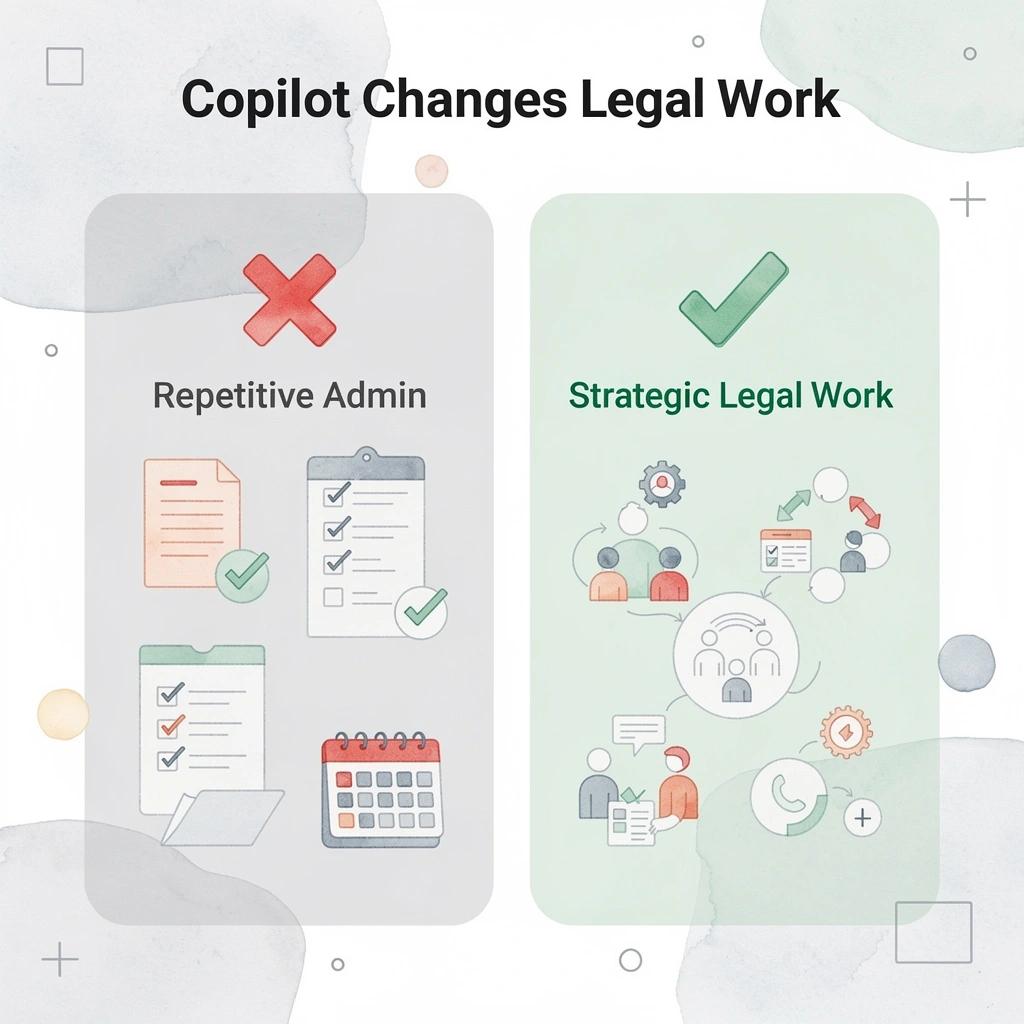
Microsoft Copilot gives the most value by taking away repetitive administrative work from a lawyer's day, freeing up time for legal analysis, client advice, and stronger legal arguments.
"The greatest competitive advantage in legal practice is not working harder — it's eliminating the administrative burden that prevents lawyers from doing their highest-value work." — Microsoft AI in Legal Practice
🎯 Key Point: Microsoft Copilot is not just a productivity tool — it's a strategic advantage that shifts lawyers' time from low-value tasks to high-impact legal work.
- Document Drafting: Moves from manual, time-intensive creation to rapid, automated first drafts.
- Legal Research: Shifts from hours of tedious review to near-instant summarization of relevant sources.
- Client Communication: Evolves from writing from scratch to efficient, AI-assisted response generation.
- Administrative Work: Reduces the time consumed by non-billable tasks, allowing you to reclaim those hours for higher-value work.
💡 Tip: Lawyers who integrate Microsoft Copilot into their daily workflow can reclaim significant billable hours previously lost to repetitive administrative tasks — making every workday measurably more productive.
1. Drafting and Refining Legal Documents
Copilot in Word creates first drafts of legal documents like pleadings, engagement letters, memos, and client updates using prompts that reference existing templates or past examples. Lawyers then refine the language for precision, tone, and persuasiveness while maintaining full editorial control. This transforms hours of writing into focused revisions, producing clearer documents faster.
2. Summarizing Lengthy Contracts and Discovery Materials
In Word or Copilot Chat, the tool condenses long agreements, deposition transcripts, or discovery sets by highlighting key clauses, risks, obligations, and inconsistencies. Users can direct it to focus on specific sections, such as indemnification or termination provisions, helping attorneys identify critical details early in negotiations or case preparation.
3. Comparing Contracts and Identifying Differences
Copilot analyzes multiple agreements side by side, flagging differences in terms and favorability, as well as deviations from standards. It supports clause-by-clause breakdowns and suggests alignment with internal policies, sharpening negotiation positions and reducing oversights in complex transactional work.
4. Enhancing Legal Research and Strategy Development
The assistant organizes notes, summarizes relevant precedents from accessible materials, and helps outline arguments or advisory positions. It brings together insights so professionals can spot patterns across cases more quickly and build stronger strategies without extensive searching, while always checking information against primary legal databases.
5. Managing Client Communications and Intake
In Outlook or Teams, Copilot summarizes email threads and meeting recordings, drafts professional responses, and creates follow-up checklists. It pulls context from prior interactions, enabling teams to maintain consistent client engagement while reducing administrative work.
6. Recapping Meetings and Extracting Action Items
Copilot creates organized summaries during or after Teams calls, identifying decisions, deadlines, and responsibilities, then adding them to notes or task lists. This prevents gaps in litigation prep, internal alignments, and client discussions.
7. Tracking Expenses and Optimizing Business Operations
In Excel, Copilot analyzes case cost data, generates budget and fee reports, and shows trends across matters. It supports forecasting and resource allocation, enabling firms to achieve tighter financial oversight and redirect time toward revenue-generating activities.
Legal teams get the most value from Copilot through targeted prompts, thorough review of outputs, and strong governance practices.
Best Practices for Using Copilot Responsibly in Legal Work
Using Microsoft 365 Copilot responsibly in legal work means finding a critical balance between working faster and following ethical rules, keeping information secure, and meeting professional duties. Careful guidelines help protect clients and keep the firm's reputation strong.
"The intersection of AI efficiency and legal ethics is where responsible adoption begins — firms that establish clear guidelines early protect both their clients and their standing." — Legal Technology Best Practices
- Ethical Rules: Crucial for staying within bar association standards; Action: Rigorously review and verify all AI-generated content before any submission or filing.
- Information Security: Safeguards highly sensitive, privileged client data; Action: Strictly utilize only your firm’s approved, secure Copilot environments.
- Professional Duties: Upholds your core obligations to the client; Action: Maintain absolute human oversight of all work, ensuring AI remains a tool, not a decision-maker.
🎯 Key Point: Responsible AI use in legal settings is not optional — it is a professional obligation that safeguards your clients, your firm, and your license.
⚠️ Warning: Speed gains from Copilot should never come at the cost of accuracy or confidentiality. Always apply independent legal judgment before acting on any AI-generated output.

Establish Clear Governance Policies First
Law firms should establish written policies governing AI use, covering permitted and prohibited applications, required verification checkpoints, information security protocols, accuracy-validation procedures, and client-disclosure obligations. Leadership involvement in developing these policies ensures firm-wide compliance and prevents misuse before problems arise.
Conduct Thorough Microsoft 365 Readiness Reviews
Teams checks permissions, sharing settings, sensitivity labels, and ethical walls in email, Teams, OneDrive, and SharePoint before rollout. This identifies content shared too widely that Copilot could expose based on user access levels, preventing unintended disclosure.
Provide Comprehensive Training and Ongoing Education
Attorneys and staff receive hands-on training on writing effective prompts, checking outputs for accuracy and bias, and understanding limitations such as hallucinations. Regular refresher courses keep teams current with changes. Trained users achieve better results and avoid over-reliance on AI suggestions.
Always Verify and Supervise Outputs
Every Copilot-generated draft, summary, or analysis undergoes full review by an attorney to verify legal accuracy, completeness, and situational applicability. Professionals verify facts against original sources and apply professional judgment to meet competence requirements and maintain accountability.
Protect Confidentiality Through Proper Configuration
Copilot works only within your company's space and respects existing permissions. It does not use client data to train itself outside your organization. Sensitive information stays protected by strong access controls and ethical screens, reinforced by Enterprise commitments under the Data Protection Addendum.
Implement Monitoring, Auditing, and Feedback Loops
Companies track how people use the tool, review its output, and collect feedback to improve their rules. Audits identify unusual activity and measure the tool's impact on efficiency and compliance. Ongoing oversight adapts practices as the tool and regulations evolve.
Start Small with Pilots and Scale Thoughtfully
Early rollouts focus on specific practice groups or power users to test workflows, identify what works and what doesn't, and refine rules before firm-wide implementation. Gradual expansion builds trust, demonstrates value, and keeps risks under control.
Careful integration turns Copilot into a helpful tool rather than a risk. Firms that focus on these practices achieve greater productivity gains while maintaining ethical standards.
How OpenCase Complements Copilot in a Legal Workflow
Copilot handles the productivity layer exceptionally well — drafting, summarizing, and organizing inside Microsoft 365 with real efficiency. What it cannot do is walk into a courtroom argument armed with verified citations from primary legal sources, and that gap matters more than most attorneys expect — until they hit it.
💡 Tip: Think of Copilot and OpenCase as complementary, not competing — one owns the productivity layer, the other owns the legal accuracy layer.
"The difference between a drafting tool and a legal research tool isn't speed — it's verifiability. In litigation, unverified citations aren't just unhelpful, they're a liability." — Legal Technology Insight
🔑 Takeaway: Copilot excels at document efficiency, but OpenCase fills the critical gap where verified primary sources, case law, and courtroom-ready citations are non-negotiable.
- Drafting & Summarizing: Copilot excels within M365 (Word/Outlook); OpenCase is supplementary for these general tasks.
- Document Organization: Copilot leverages the M365 ecosystem; OpenCase provides supplementary file management.
- Verified Legal Citations: Copilot is not built for legal validation; this is a core strength of OpenCase.
- Primary Source Research: Copilot has limited legal-specific research capability; OpenCase is engineered for this as a core strength.
- Courtroom-Ready Output: Copilot carries a higher risk of missing technical requirements; OpenCase is specifically built for reliable, court-ready results.

Where does general AI fall short in productivity for lawyers?
The failure point is usually research. A lawyer using Copilot to draft a motion gets a coherent, well-structured document, but not one based on actual case law from authoritative datasets. General-purpose AI generates legally plausible text, which differs from legally accurate text. That distinction can mean the difference between a strong brief and a professionally embarrassing one. The verification burden falls entirely on the attorney, negating much of the time savings.
How does Copilot for lawyers work better with integrated research?
Most attorneys run research in a separate tool, then manually cross-reference findings back into their Word draft. The constant context switching increases the risk of transcription errors. OpenCase connects directly inside Microsoft Word, pulling verified results from 100+ legal databases including Cornell LII, CourtListener, and govinfo. Research and drafting happen in the same environment, enabling attorneys to produce citation-backed first drafts without leaving their document.
How does grounding research in primary sources change attorney workflows?
According to Valasys Media's analysis of lawyers using Copilot in legal workflows, productivity gains from AI tools last longer when the output connects to checked legal authority rather than computer-generated guesses. When every cited case traces back to a primary source that an attorney can open and read, the verification step shrinks from a full audit to targeted confirmation. This shifts how attorneys allocate their attention: from checking whether something is real to evaluating whether it applies.
Where does Copilot for lawyers fall short on live docket tracking?
The PACER dimension remains untouched by Copilot. Tracking live dockets manually is slow, error-prone, and easily deprioritized under deadline pressure. OpenCase ingests daily PACER filings and organizes them by matter, providing litigation teams with real-time visibility into case activity without requiring separate logins or manual checks. Microsoft 365 Copilot's release notes across 12+ monthly updates in 2024 show a consistent productivity investment, but external legal data sources, such as federal court dockets, remain outside its scope by design.
The workflow that actually holds together
The critical difference between a fragmented AI setup and a coherent one is whether research results flow directly into the documents and tasks attorneys are already managing. When they don't, lawyers run parallel workflows and stitch them together manually. When they do, drafting, research, and matter organization become a single continuous motion rather than three separate steps, each introducing a risk of lag and error. That compression—the elimination of seams between tools—is where the real productivity argument lives.
The question worth sitting with is whether the tools you are using today are connected or merely adjacent.
Try our Legal AI to Support your Legal Work from Research to Final Draft
Most legal teams find gaps not in any one application, but in the handoffs between them: where verified research ends and manual drafting begins, or where docket updates reside in a separate tab that no one checks consistently. That friction compounds across every matter, every week.

OpenCase closes those handoffs directly. It pulls verified citations from 100+ authoritative legal databases into Microsoft Word, ingests PACER dockets daily, and operates under SOC 2 Type II and ISO/IEC 27001 standards. Research, drafting, and matter visibility become one motion instead of three. Start your free trial at OpenCase to see how a connected legal workflow transforms your practice.
Related Reading
- Best Ai Contract Review Tool
- Ivo
- Harvey
- Spellbook
- Law Insider
- Legora
- Chatgpt For Lawyers
- Everlaw
- Clio