

Claude Vs ChatGPT For Lawyers: Which Is Better for Legal Work
Claude vs ChatGPT for lawyers: OpenCase breaks down which AI handles contracts, research, and drafting better for your firm.
Choosing between Claude and ChatGPT is a practical decision that affects how efficiently a lawyer handles research, drafting, and client communication. Both tools have real strengths, but their performance on legal tasks differs in ways that matter day-to-day. Understanding those differences helps legal professionals pick the right tool without wasting time on trial and error.
General-purpose AI models are not built with legal workflows in mind, which means lawyers often have to work around their limitations rather than with them. Law practice management runs more smoothly when the tools in use are matched to the actual demands of legal work. For firms that want a purpose-built solution from the start, OpenCase offers legal AI designed specifically to move cases forward.
Table of Contents
- What Is Claude and How Does It Help Legal Professionals?
- What Is ChatGPT, and Which Legal Tasks Can ChatGPT Help With?
- Which AI Protects Client Confidentiality Better?
- Claude Vs ChatGPT: 7 Key Differences
- Claude Vs ChatGPT: Which Should You Choose for Legal Work?
- How OpenCase Complements Claude and ChatGPT in a Legal Workflow
- Try our Legal AI to Support your Legal Work from Research to Final Draft
Summary
- Citation integrity remains the most significant limitation of general-purpose AI in legal work. Tools like Claude and ChatGPT generate plausible legal reasoning, but neither verifies citations against primary sources in real time. Claude scores 84.7% on the LegalBench benchmark, reflecting genuine legal reasoning ability, but benchmark performance does not confirm that a cited case exists, that its holding is accurate, or that the precedent still stands.
- Document processing capacity meaningfully affects how useful AI tools are in practice. Claude supports a context window of up to 200,000 tokens, allowing it to process approximately 150,000 words in a single session. That means a full deposition transcript or a 90-page contract can be reviewed as a complete document rather than in fragments, which is where most AI tools lose coherence and miss legally significant details.
- Adoption of generative AI in legal practice is growing but remains selective. According to the 2025 Legal Industry Report by MyCase, 31% of legal professionals say they personally use generative AI at work, suggesting the majority of the profession is still evaluating whether the benefits justify the learning curve. That figure reflects real but careful adoption, not the wholesale shift the technology press often describes.
- Confidentiality risk in AI tools is a tier problem, not a brand problem. A 2025 Stanford study found that all major AI providers, including both Anthropic and OpenAI, use chat data for model training by default unless users actively manage their settings. Enterprise agreements from both providers contractually prohibit training on customer data and offer configurable retention windows, closing the protection gap almost entirely at that tier.
- Courts are now distinguishing between managed enterprise AI deployments and unmanaged consumer access, and that distinction carries professional consequences. In United States v. Heppner (2026), a defendant's Claude-generated documents received no privilege protection because the consumer version permitted data collection, and the court found no reasonable expectation of confidentiality. The same outcome has appeared in cases involving ChatGPT.
- Drafting benchmarks between Claude and ChatGPT reveal meaningful but limited differences for legal work. Claude Opus 4.8 scores 91.1% on Harvey's BigLaw Bench compared to 84.2% for GPT-5.4, and attorneys preferred Claude's drafting 64% of the time across 100 tasks. However, a better-written motion built on an unverified citation still creates professional liability, which means drafting quality scores do not resolve the core research reliability problem that either tool presents.
- Legal AI addresses this gap by integrating citation-verified research directly into drafting environments, so attorneys are not manually cross-checking AI-generated references in a separate browser tab while working under deadline pressure.
What Is Claude and How Does It Help Legal Professionals?
Claude is Anthropic's large language model, built with emphasis on reliability, honest reasoning, and reduced hallucination risk. For legal professionals, this matters more than raw capability scores — a tool that confidently produces wrong answers is worse than no tool at all.
"A tool that confidently produces wrong answers is worse than no tool at all — for legal professionals, accuracy and honest reasoning aren't optional features, they're the baseline requirement." — Core Design Principle, Anthropic
🎯 Key Point: Unlike many AI tools optimized purely for performance benchmarks, Claude is specifically designed to acknowledge uncertainty rather than fabricate confident-sounding but incorrect information — a critical distinction in legal work.
💡 Why This Matters for Legal Professionals: In legal contexts, a single hallucinated case citation or fabricated statute can mean missed deadlines, damaged credibility, or serious malpractice exposure. Reduced hallucination risk isn't a nice-to-have — it's the entire value proposition.

What makes Claude useful in a legal workflow
The practical value emerges in document-heavy work. According to the Maryland State Bar Association's analysis of Claude, Claude supports a context window of up to 200,000 tokens, allowing it to process approximately 150,000 words in a single session. A 90-page contract, full deposition transcript, or stack of regulatory filings can be processed as a whole rather than in fragments, preserving the details that can change legal outcomes. Attorneys report that this capability transforms document review from a multi-hour task into a focused editing session.
How does Claude Vs ChatGPT for Lawyers handle drafting and review?
Claude generates first drafts of motions, demand letters, and client summaries from structured prompts, then flags inconsistencies or missing clauses in existing agreements. The output serves as a strong starting point that lawyers refine, verify, and own—a distinction that matters professionally and ethically.
Where general-purpose AI hits a wall for lawyers
The failure point is usually citation integrity. Claude can summarize legal concepts, identify relevant statutory language, and reason through factual patterns with impressive accuracy. GC AI's 2026 benchmark analysis reports Claude scores 84.7% on the LegalBench benchmark, reflecting genuine legal reasoning ability. However, benchmark performance differs from verifying that a cited case exists, that the ruling is accurate, and that the precedent still applies. Most legal professionals who rely on general-purpose AI for research eventually encounter this gap, sometimes before filing, sometimes after.
Why does Claude vs ChatGPT for lawyers still fall short on citation verification?
The common workaround is to treat every AI-generated citation as unverified until it is cross-checked against a primary source. Tools like Claude were not built to verify citations against primary legal databases; they synthesize patterns from training data. When a lawyer needs to know whether a case is good law right now, that distinction is the whole question. Platforms built specifically for legal research, like OpenCase, address this directly by grounding answers in citations verified against primary sources, a standard general-purpose AI was not designed to meet.
What Claude does well, and what it cannot replace
Claude speeds up time-consuming legal work that doesn't require citations: organizing discovery materials, drafting client communications, summarizing deposition transcripts, building chronologies, and flagging risk language in vendor agreements. Legal teams report meaningful reductions in administrative burden, freeing attorneys to focus on strategic work that requires legal judgment.
How does Claude Vs ChatGPT for lawyers change the accuracy question?
The critical question before trusting any AI output in a professional context is not "how capable is this model?" but "how do I know this is accurate?" That answer differs significantly depending on whether you are drafting a client update or citing precedent in a brief.
That gap between drafting support and verified legal research is where the real comparison between AI tools becomes interesting.
Related Reading
- Law Practice Management
- Google Gemini For Lawyers
- Claude vs. ChatGPT for Lawyers
- ChatGPT Prompts For Lawyers
- Copilot For Lawyers
- Ai Use Cases For Lawyers
- Ai Legal Hallucinations
- Legal Tech Trends
- Prompt Engineering For Lawyers
- Legal Writing Ai
- Claude For Lawyers
- Ai Legal Ethics
What Is ChatGPT, and Which Legal Tasks Can ChatGPT Help With?
ChatGPT is OpenAI's generative AI model trained to understand and produce natural language. For legal professionals, it works as a helpful first-pass tool for many different tasks—from drafting correspondence to synthesizing discovery materials—as long as outputs are treated as starting points rather than finished work.
"ChatGPT functions as a powerful first-pass tool for legal work—but outputs must always be treated as starting points, not final, practice-ready work." — Core Usage Principle
💡 Example: A lawyer can use ChatGPT to quickly generate a first draft of a client letter, a case summary, or a discovery synthesis—then apply their own professional judgment to refine and finalize it.
⚠️ Warning: Never treat ChatGPT outputs as finished legal work. Every response requires attorney review before it is used in any professional or client-facing context.
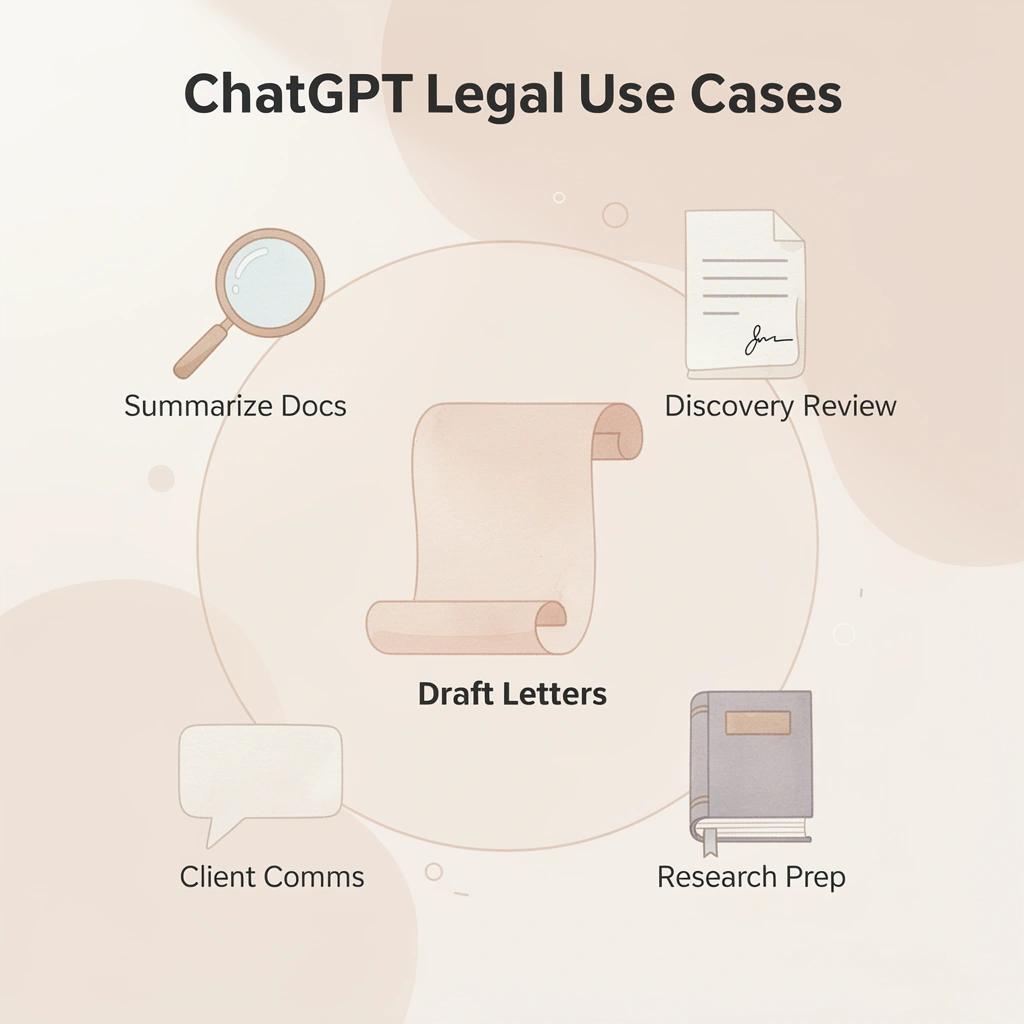
- Drafting: Generates polished first drafts for correspondence and memos, saving significant time.
- Synthesis: Summarizes large discovery sets and identifies themes quickly.
- Review: Flags potential risks or missing clauses in contracts for attorney follow-up.
- Research: Offers rapid concept overviews; requires human verification to avoid inaccuracies.
- Warning: Never input PII/confidential data into public models; rely on human strategic oversight for all final legal work.
What kinds of tasks make ChatGPT genuinely useful for lawyers?
Tasks where ChatGPT works well share something in common: they involve substantial work, follow a clear structure, and receive lawyer review before client or court submission. First-draft demand letters, intake summaries, deposition condensations, contract clause comparisons, and brainstorming counterarguments all fit that profile. The difference between good and bad AI results stems from how you write your prompt, not the model itself. Attorneys who provide ChatGPT specific facts, jurisdiction context, and clear output format requirements receive structured, usable drafts. Vague inputs produce vague outputs.
How much time are legal professionals actually saving with AI?
According to Wolters Kluwer's 2026 Future Ready Lawyer Survey, 92% of legal professionals use at least one AI tool daily, with 62% reporting time savings of 6-20% in their work week. Many firms redirect thousands of hours from routine tasks, and tools like ChatGPT help attorneys manage growing caseloads while preserving the human judgment essential to practice.
The task ChatGPT cannot reliably do
Most lawyers conduct research by running searches, reading cases, and building arguments from verified sources. The shortcut is asking ChatGPT to find precedents or explain how a law applies to specific facts. The risk emerges when the model produces a confident, well-formatted citation that does not exist or cites a real case for something it never said. ChatGPT has no mechanism to verify legal citations against primary sources in real time. It generates text that sounds real, but sounding real is not the same as being accurate. Platforms like OpenCase solve this by grounding legal research in verified primary sources—a structurally different approach from asking a general-purpose language model to recall case law from training data.
Why does citation accuracy matter when comparing Claude vs ChatGPT for lawyers?
The difference matters. For client updates and internal memos, a fabricated citation is embarrassing. In a filed brief, it is a professional liability.
Which AI Protects Client Confidentiality Better?
Both Claude and ChatGPT offer the same client confidentiality protections through properly contracted enterprise agreements. The critical variables are the tier, contract terms, and how your team actually uses the tool — not the brand.
"The critical variable is the tier, contract terms, and how your team uses the tool — not the brand." — Key Insight
🎯 Key Point: Neither Claude nor ChatGPT has an inherent confidentiality advantage — enterprise-tier contracts are what unlock true data protection for client work.
⚠️ Warning: Using consumer-tier versions of any AI tool — regardless of brand — puts client confidentiality at serious risk. Always verify your contract terms before inputting sensitive information.
- AI Brand: Not the deciding factor; prioritize the technical capabilities and security frameworks that fit your specific use cases rather than brand recognition.
- Service Tier: Enterprise plans are critical for legal firms; they provide the data sovereignty, audit trails, and administrative controls that consumer versions lack.
- Contract Terms: Essential for risk mitigation; you must vet clauses regarding data retention, model training on your input, and liability for leaks.AWS
- Team Usage: The most significant vulnerability is often human error; workforce training on what data is "safe" (e.g., avoiding PII in public-facing models) is more effective than any single software purchase.

Where do Claude vs ChatGPT for lawyers actually fall short on confidentiality?
The failure point is consistent: companies choose an AI tool based on its reputation, skip the enterprise agreement, and assume default settings provide professional-grade protections. They don't. A 2025 Stanford study found that all major AI providers, including Anthropic and OpenAI, use chat data for model training by default unless users actively manage settings, with some retaining information indefinitely for safety review. This is a consumer-level problem affecting both equally, not a Claude or ChatGPT problem.
What enterprise contracts actually change
Under Claude Enterprise and ChatGPT Enterprise, providers have signed agreements prohibiting the use of customer data for training. They also let you choose data retention periods, sometimes as short as zero days. These legally binding data processing agreements establish the provider's responsibilities and grant you audit rights. The safety difference between the two platforms is negligible at this level, so a company choosing between them solely for privacy reasons is prioritizing the wrong concern.
What does the Heppner ruling mean for Claude vs ChatGPT for lawyers?
United States v. Heppner (2026) made this clear. A defendant's Claude-generated documents received no privilege protection because the consumer version enabled data collection, and the court found no reasonable expectation of confidentiality. The same outcome has appeared in cases involving ChatGPT. Courts distinguish between managed enterprise deployments and unmanaged consumer access, and that distinction carries real professional risk.
Why do unmanaged consumer accounts create hidden risk for legal teams?
Most legal teams let attorneys pick their own tools, which seems practical until sensitive client details move through an uncontracted consumer account. Legal AI platforms built specifically for legal research address this problem by applying verified source grounding by design, reducing exposure from unverified or unprotected outputs rather than requiring lawyers to manage prompt hygiene and data settings on general-purpose tools.
Knowing your data is not being used for training differs from knowing the legal answer your AI produced is accurate. These are separate problems.
Related Reading
- Lawyer Salary
- Iolta Account
- Legal Billing Software
- Objections In Court
- Law Clerk
- Will Lawyers Be Replaced By Ai
- Law Firm Marketing
- Billable Meaning
- Law Firm Seo
- Legal Ai Tools
- How To Use ChatGPT for Legal Research
- Is ChatGPT Good For Personal Injury Lawyers
Claude Vs ChatGPT: 7 Key Differences
Choosing between Claude and ChatGPT depends on matching the tool to your specific work. Both use large language models to write, analyze, summarize, and reason through complex information, but they differ in capabilities, integrations, pricing, and workflow strengths.
"Both Claude and ChatGPT leverage large language models — but the right choice comes down to capabilities, integrations, and workflow fit." — Key Insight
- Primary Strength: Claude excels in long-form reasoning, nuanced writing, and complex instruction-following. ChatGPT (via GPT-4o) leads in versatility, multimodal capabilities (voice/image), and broader ecosystem integrations.Harri Digital+ 1
- Integrations: Claude offers a more focused, curated environment (e.g., Claude Code, Projects). ChatGPT provides an extensive marketplace with Custom GPTs, third-party plugins, and native tool use.The AI Career Lab+ 1
- Pricing Model: Both standard Pro/Plus tiers are widely anchored at ~$20/month. ChatGPT offers a lower-cost "Go" entry point (~$8/month), while both platforms offer high-end tiers ($100–$200/month) for power users.Zemith+ 1
- Workflow Fit: Claude is typically chosen for deep document analysis, coding, and high-stakes drafting. ChatGPT is the preferred "all-in-one" assistant for creative ideation, rapid research, and multimodal tasks.
🔑 Takeaway: There is no universal winner — Claude and ChatGPT each excel in different scenarios, making tool-to-task matching the most critical decision factor.
💡 Tip: Before committing to either platform, map your most frequent use cases — whether that's complex reasoning, content creation, or third-party integrations — to find your ideal fit.
1. Reasoning and Analytical Depth
Claude provides thoughtful, nuanced reasoning that recognizes complexity and avoids overconfident errors. It excels at breaking down multifaceted problems, weighing trade-offs, and delivering balanced analysis, particularly in long-context tasks and ethical considerations. ChatGPT demonstrates capable reasoning and strong benchmark performance, but sometimes prioritizes direct answers over exhaustive exploration. Professionals tackling strategic planning or detailed evaluations benefit from Claude's careful approach.
2. Writing Style and Creative Output
Claude produces natural, human-like writing with superior coherence and tone control, making it ideal for professional reports and client communications. ChatGPT generates versatile, engaging text quickly but sometimes includes generic phrasing requiring refinement. Writers often prefer Claude for final drafts.
3. Coding and Agentic Capabilities
Claude leads in coding through strong features like Claude Code, which handles large codebases, planning, and agentic workflows with accuracy. ChatGPT offers solid coding support, strong problem-solving skills, and useful integrations. Software engineering teams often prefer Claude for its depth and thoroughness.
4. Multimodal Features and Creativity Tools
ChatGPT leads because it offers built-in image generation through DALL-E, voice mode, and additional multimedia features. Claude excels at text and code but lacks built-in image generation tools. Creative professionals who need to produce visuals depend on ChatGPT.
5. Context Window and Document Handling
Both models support large context windows up to 1 million tokens, but Claude maintains better coherence and accuracy when processing extensive documents, research papers, or code repositories. ChatGPT performs well with integrated tools for real-time web access. Knowledge workers handling massive files appreciate Claude's consistency in deep analysis.
6. Pricing, Access, and Ecosystem Integration
ChatGPT provides a mature ecosystem with custom GPTs, broad integrations, and flexible pricing tiers suited for individual users and teams. Claude offers competitive subscription options with strong value in specialized features like advanced coding agents. Both deliver high performance at similar premium levels, but ChatGPT has an edge for users who rely on multiple integrations.
7. Privacy Approach and Enterprise Readiness
Claude benefits from Anthropic's safety-first philosophy, which includes clear enterprise commitments against training on customer data under commercial plans. ChatGPT matches this with strong enterprise tiers, zero-data-retention options, and solid compliance features. Enterprise governance determines the best fit for confidentiality needs.
Claude Vs ChatGPT: Which Should You Choose for Legal Work?
The right choice depends on what kind of legal work you do. Claude and ChatGPT are both genuinely good at different things, so you should think about which one fits the way you work, how many documents you handle, and what your specific role requires — instead of trying to find which one is universally better.
- Claude: Excels in long-form writing, document analysis, and adherence to complex instructions, making it the preferred choice for detailed legal drafting and sensitive contract review.MindStudio
- ChatGPT: Serves as a versatile "all-in-one" toolkit, excelling in multimodal tasks (voice/images), rapid web research, and deep ecosystem integrations (e.g., Gmail, Drive).The AI Career Lab
- Context Windows: Claude generally offers larger context windows (e.g., 200K–1M tokens) compared to standard ChatGPT configurations, which is advantageous for analyzing massive legal record sets in a single pass.AI Smart Ventures
- Privacy & Compliance: Both offer enterprise-grade privacy controls, but users often favor Claude’s "ethical AI" design for sensitive legal/regulatory tasks.Embed AI
- Strategic Use: Many legal professionals use both: ChatGPT for ideation, quick research, and calendar/email integration, and Claude for serious writing, editing, and deep document work
"The best AI tool for legal work isn't the most powerful one — it's the one that fits your workflow, your document volume, and your practice area." — Legal AI Best Practices
🔑 Takeaway: There is no single winner — your practice type, document complexity, and daily workflow are the real deciding factors. Choose the tool that matches your needs, not the one with the most hype.
💡 Tip: If you regularly work with long contracts or dense legal briefs, Claude's extended context window gives it a critical edge. If you need broad integrations and research tools, ChatGPT may be the stronger fit.

When to Choose Claude for Contract Review and Analysis
Claude excels at reviewing contracts in detail. It handles long documents, identifies potential risks, flags deviations from standard practices, suggests textual changes, and produces organized summaries that explain liability allocation, limitation of liability, and compliance requirements. Lawyers working on complex business deals and contract review appreciate Claude for its accuracy and reliability in analyzing how contract provisions interact.
When to Choose ChatGPT for Quick Drafting and Client Communications
ChatGPT creates fast first drafts of pleadings, demand letters, emails, and routine correspondence with flexible tone changes. It works well for busy law practices and solo attorneys who need a quick turnaround on standard documents and supports rapid revisions for client updates or research outlines.
Claude for In-Depth Legal Research and Case Analysis
Claude brings together case law, statutes, and regulations, offering careful analysis that identifies differences and potential arguments. It can track information across large document sets for timelines and issue spotting, making it well-suited for complicated cases and appeals work.
ChatGPT for Multimodal Support and General Productivity
ChatGPT combines image analysis, voice features, and access to tools for reviewing evidence and preparing presentations. It handles numerous administrative tasks effectively in busy environments, making it suitable for practices that need visual aids or integrated workflows.
Enterprise Considerations for Both in Legal Settings
Both platforms offer enterprise plans with no-training guarantees and enhanced data privacy. Claude's safety focus and ChatGPT's ecosystem maturity provide strong options when paired with firm policies, redaction tools, and verification protocols. Test both under controlled conditions to match your practice area.
How OpenCase Complements Claude and ChatGPT in a Legal Workflow
Claude and ChatGPT write drafts well, summarize quickly, and handle large amounts of document work efficiently. The difference truly shows up when a lawyer needs to support the output in court, in a filing, or with a client who is paying for accuracy.
"The difference shows up when a lawyer needs to support the output in court, in a filing, or with a client who is paying for accuracy." — Core Principle of Legal AI Workflow
🎯 Key Point: General-purpose AI tools like Claude and ChatGPT are powerful for drafting and summarizing — but legal accountability demands a higher standard of verified, citable output.
💡 Tip: Use Claude or ChatGPT for rapid first drafts and document summarization, then rely on a legal-specific tool like OpenCase to validate, cite, and court-proof every critical claim before it reaches a judge, filing, or client.
- ChatGPT: Ideal for quick drafts and summaries, but lacks guaranteed citation accuracy.
- Claude: Excels at analyzing long documents and nuanced writing, but lacks court-ready verification features.
- OpenCase: Purpose-built for high-stakes research and validation, ensuring accuracy under professional scrutiny.

Where general AI tools hit their ceiling
General-purpose AI models create legal reasoning without checking it against primary sources. A motion citing a non-existent case or one overruled years ago creates professional liability. Most legal AI users run both Claude and ChatGPT for different tasks, yet the research layer remains the weakest link.
Why does citation verification break down for Claude vs ChatGPT for lawyers?
Most lawyers copy AI-generated drafts into Word, then manually check each citation in a separate browser tab. This becomes problematic when deadlines tighten or associates juggle multiple files. The hidden risk: a missed citation could end up in a final brief. Legal AI platforms like OpenCase bring together citation-verified research from over 100 legal databases—Supreme Court opinions, federal and state indexes, RECAP dockets—directly into Word and Google Docs, so verification happens within the drafting environment.
Why the drafting quality gap matters less than you think
Claude Opus 4.8 scores 91.1% on Harvey's BigLaw Bench compared to 84.2% for GPT-5.4, and according to AI Vortex's benchmarking via My Legal Academy, attorneys preferred Claude's drafting 64% of the time across 100 tasks. These numbers measure drafting quality but not citation reliability. A well-written motion, even when built on an unverified case, still creates risk.
Is "Claude vs. ChatGPT for lawyers" even the right question to ask?
This is why the Claude-versus-ChatGPT debate is the wrong way to approach legal research decisions. The real question is whether either tool can produce a legal argument you can submit without checking it yourself. The answer, for both, is no. Legal research with verified citations against primary sources was not what either model was designed to do.
Where does the real workflow advantage for attorneys come from?
The workflow advantage comes from treating Claude or ChatGPT as the ideation and drafting layer, then routing research and citation work through a platform built specifically for legal authority. This combination requires understanding where each tool's reliability ends and building the workflow around that boundary.
But even when the workflow is mapped correctly, one variable most firms underestimate tends to surface at exactly the wrong moment.
Try our Legal AI to Support your Legal Work from Research to Final Draft
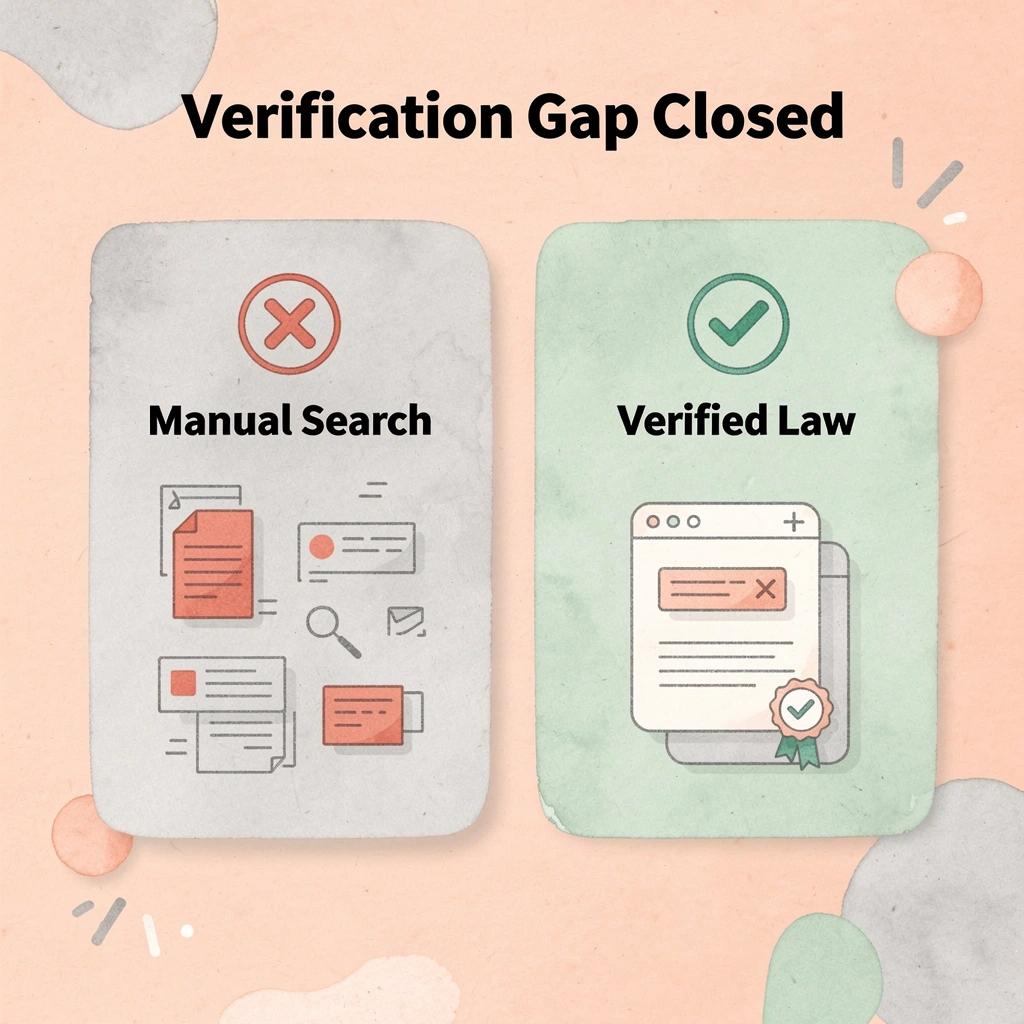
Trust grows stronger with every client and court submission. Putting together outputs from Claude and ChatGPT, then manually searching for citations across separate databases, creates a verification gap that gets wider under deadline pressure. OpenCase closes that gap by searching across 100-plus primary legal databases — including Supreme Court opinions, federal and state indexes, and authenticated govinfo archives — then delivering traceable answers directly inside Word or Google Docs where your drafting already lives.
"Cobbling together outputs from general AI tools, then manually verifying citations across separate databases, creates a verification gap that gets wider under deadline pressure — exactly when accuracy matters most."
- General AI: Relies on unverified training data, requires manual verification, and operates in separate windows outside your document workflow.
- OpenCase: Pulls from 100+ verified legal databases, provides traceable answers with links, and integrates directly into Word and Google Docs.
💡 Tip: A verification gap isn't just an inconvenience — it's a professional liability risk that compounds under tight deadlines.
⚠️ Warning: Relying on general-purpose AI for legal citations means your sources may be unverified, outdated, or — in the worst cases — entirely fabricated.
Start your free trial at OpenCase today. Connect your existing tools, upload your first matter, and work from verified law rather than relying on general AI.
🎯 Key Point: OpenCase integrates directly into the tools you already use, meaning zero workflow disruption and immediate access to authenticated, court-ready legal sources.
✅ Best Practice: Make verified sourcing a non-negotiable part of every matter from day one. Your clients, your reputation, and your court submissions depend on it.
Related Reading
- Best Ai Contract Review Tool
- Ivo
- Harvey
- ChatGPT For Lawyers
- Spellbook
- Law Insider
- Legora
- Clio
- Everlaw