

9 Best Spellbook Alternatives for Legal Teams in 2026
Spellbook isn't the only AI legal tool worth your time. OpenCase breaks down 9 real alternatives built for legal teams in 2026.
Managing legal documents, drafting contracts, and keeping pace with client demands puts real pressure on any legal team. Teams using Spellbook for AI-assisted contract review often reach a point where they question whether the tool truly fits how they work. Finding a practical alternative comes down to understanding what your team actually needs from AI in daily legal workflows.
Many legal teams making that switch are drawn to platforms that support their thinking rather than disrupt it, handling everything from agreement review to clause identification without slowing anyone down. OpenCase was built with exactly that balance in mind, and exploring it is a natural next step for teams ready to get more from legal AI.
Table of Contents
- What is Spellbook and What Does It Offer?
- Why Do Legal Teams Look for Spellbook Alternatives?
- What Should You Look for in a Spellbook Alternative?
- 9 Best Spellbook Alternatives for Legal Teams in 2026
- How to Choose the Right Spellbook Alternative for Your Team
- Why Legal Teams Choose OpenCase for Legal Research and Drafting
- Try our Legal AI to Support Your Legal Work from Research to Final Draft
Summary
- Contract review consumes roughly 40% of a legal professional's week according to GC AI's 2026 analysis, yet most contract-focused AI tools leave the remaining 60% of the workweek untouched. Employment questions, regulatory checks, board summaries, and policy work continue to run on manual effort even after a team has invested in AI for drafting. The efficiency gains on one side get absorbed by the workload the tool was never designed to reach.
- Hallucination rates on legal AI queries range from 17% to 33% according to Stanford's Digital Health Organization research. That range means a meaningful share of AI-generated legal analysis may rest on invented authority, misattributed case law, or fabricated regulatory language. When volume increases, the manual verification pass required after every AI output becomes the new bottleneck rather than a reasonable safeguard.
- Opaque, quote-only pricing shifts budget conversations from planning to damage control. When every seat addition or feature tier requires a new sales conversation, legal departments lose the ability to forecast costs against headcount growth or matter volume. Technology decisions end up made reactively during renewal negotiations rather than proactively during capacity planning, which erodes trust between legal operations and finance over time.
- Enterprise security requirements are a condition of use, not a procurement formality. SOC 2 Type II certification, zero-data-retention agreements, and explicit clarity on whether customer content trains models are the controls that determine whether a platform can be approved for use on privileged matters at all. Ambiguity on any of these points is a structural risk that no drafting speed or feature depth can offset.
- Legal AI addresses this by grounding every research answer in verified primary sources, connecting those findings directly to drafting tools attorneys already use, and building citation traceability into the output itself rather than leaving verification as a separate step.
What is Spellbook and What Does It Offer?
Spellbook is a purpose-built AI platform for transactional lawyers, designed to handle contract drafting and review entirely inside Microsoft Word. It solves one category of problem with focused precision: the high-volume, deadline-driven contract work that fills most commercial legal practices.
"Spellbook targets the high-volume, deadline-driven contract work that defines commercial legal practice — solving it with focused precision directly inside the tools lawyers already use." — Core Value Proposition
💡 What Makes It Unique: Unlike broad legal AI tools, Spellbook operates entirely within Microsoft Word — meaning lawyers get AI-powered contract support without ever leaving their existing workflow.
🎯 Key Point: Spellbook is not a general-purpose legal tool. It is a specialist platform built for one thing — transactional contract work — and it does that with laser-focused precision.

How does Spellbook handle first-pass contract review?
The tool runs a first-pass review on incoming agreements, compares them against your firm's existing playbooks, flags non-standard language, and inserts suggested edits before you read the full document. Starting a markup from a strong baseline rather than a blank page cuts the work from four hours of mechanical searching to two hours of focused judgment. Legal professionals processing stacks of vendor MSAs or procurement agreements feel that gap acutely, especially when deadlines compress into a single afternoon.
What separates Spellbook from a general-purpose AI tool?
What separates Spellbook from a general-purpose AI tool is how deeply it connects to your work. The Market feature compares your draft language against thousands of real agreements, so when you argue that a liability cap is out of range, you can point to actual data rather than intuition. Spellbook Associate manages multi-document projects, updating party details, schedules, and consistent terms across related files simultaneously. Panasonic used this capability to complete a formal RFP build three weeks faster than their previous process.
Most legal teams handle document-level research by putting a contract into a general AI tool and hoping the output is correct. The bigger accountability question is whether you can trace every answer back to a verifiable source. Legal AI platforms built on citation integrity, where every output connects to primary law records from sources like Cornell LII and CourtListener, set a different standard. The professional risk of acting on an unverified AI answer in a high-stakes agreement is significant.
How does Spellbook approach enterprise security and compliance?
Spellbook's security setup reflects enterprise legal work requirements. Zero Data Retention agreements, SOC 2 Type II certification, and compliance with GDPR, CCPA, and PIPEDA ensure client contract data isn't used to train models or stored in shared spaces. More than 4,500 legal teams across 80-plus countries have adopted the platform, validating this security approach.
How does Spellbook answer questions about specific contract language?
The plain-language question-and-answer feature completes the picture. Ask where an indemnification clause applies or what triggers a change-of-control provision, and Spellbook returns an answer based on the specific document, with citations you can verify immediately. It is a workflow-native research function that keeps you inside the agreement and focused on decision-making rather than hunting through pages.
But knowing what Spellbook offers is only half the picture; the more revealing question is why so many legal teams still seek alternatives.
Why Do Legal Teams Look for Spellbook Alternatives?
Legal teams look for alternatives to Spellbook because the tool solves one problem well while leaving other problems unsolved. When a platform doesn't cover what attorneys do every day, the time saved gets consumed by manual work in other areas.
"When a platform doesn't cover what attorneys do every day, the time saved gets used up by manual work in other areas." — Key Insight
💡 Tip: Before committing to any legal AI tool, map out every task your team handles daily—not just contract review—to identify gaps a single-purpose platform will leave behind.
⚠️ Warning: A tool that solves one problem well can create a false sense of efficiency if it forces your team into manual workarounds for everything else.

Limited legal AI capabilities can prevent teams from achieving full workflow efficiency:
- Limited task coverage – Attorneys continue handling many workflows manually when the platform only supports specific tasks.
- Time savings offset – Efficiency gains are reduced when missing functionality creates additional manual work elsewhere.
- Unsolved daily problems – Teams are forced to adopt multiple platforms to address gaps, creating more complexity in their workflow.
The scope problem is bigger than it looks
Legal teams spend most of their time on routine contract review tasks. Spellbook helps with that part. But employment questions, privacy assessments, regulatory memos, and board communications remain untouched. The attorney who finishes a redline set turns immediately to work the AI never addressed, and overall output barely changes.
Why does Spellbook's research gap compound the scope problem?
The research gap compounds this problem. Spellbook's Ask feature works only within the open contract in Word and cannot access case law, statutes, or regulations, forcing questions requiring external legal authority to a second platform or outside counsel. Teams adopted AI to reduce tool switching but end up doing more of it, paying twice for research that should exist in one place.
How does keeping research in one workflow eliminate hidden costs?
Platforms like OpenCase address this by grounding every research answer in verified primary sources, including case law and statutes traced to Cornell LII, CourtListener, and govinfo. This keeps the research function within the same workflow, eliminating hidden costs of outside counsel fees for answerable questions and the cognitive overhead of managing context across multiple interfaces.
When pricing becomes its own risk
Unclear pricing creates friction. Spellbook publishes no public tiers, so every renewal begins with a sales call and ends with an unexpected number. That dynamic shifts budget conversations from planning to damage control, eroding trust between legal operations and the CFO. A tool that saves time on contracts but costs political capital at renewal becomes harder to justify.
Does Spellbook's output work for every audience?
The output problem is more subtle but equally disruptive. Spellbook optimizes language for counterparty negotiations, which works well when the audience is another lawyer. When output reaches a CEO, regulator, or board, the attorney must rewrite before sending.
Why do legal teams keep evaluating alternatives after committing to Spellbook?
The pattern across these gaps is consistent: Spellbook speeds up a specific task, then stops. Every adjacent need becomes manual again. That tension between what the tool promises and what the full workday demands drives legal teams to keep evaluating alternatives, even after committing to one.
Related Reading
- Law Practice Management
- Google Gemini For Lawyers
- Claude vs. ChatGPT for Lawyers
- ChatGPT Prompts For Lawyers
- Copilot For Lawyers
- Ai Use Cases For Lawyers
- Ai Legal Hallucinations
- Legal Tech Trends
- Prompt Engineering For Lawyers
- Legal Writing Ai
- Claude For Lawyers
- Ai Legal Ethics
What Should You Look for in a Spellbook Alternative?
The obvious answer—find something faster—is wrong. The right framework starts with a question most teams never ask: what does the full legal workweek actually cost us, not just the contract review portion?
"The real cost of inefficiency isn't measured in contract review time alone — it's measured across the entire legal workweek." — Key Insight
💡 Tip: Before evaluating any Spellbook alternative, map your full legal workflow first — contract review is only one piece of the total cost equation.
⚠️ Warning: Teams that only optimize for review speed often miss the bigger inefficiencies hiding across the rest of their legal operations.
Evaluating legal AI tools requires looking beyond individual tasks to the overall impact on legal operations:
- Primary question – Instead of asking which tool is fastest, evaluate the total cost of the entire legal workweek.
- Scope of analysis – Assess the complete legal workflow rather than focusing only on contract review.
- Success metric – Measure total operational efficiency instead of review speed alone.
- Outcome – Aim for holistic productivity gains across the practice, rather than isolated improvements to a single task.

Speed is table stakes, not a differentiator
Thomson Reuters' 2025 Future of Professionals Report shows legal professionals expect AI to free nearly 240 hours per year. This benefit materializes only when the platform handles all routine tasks; otherwise, hours saved on contracts are consumed by unsupported work.
Why does citation integrity determine whether AI legal research holds up?
The failure point most teams underestimate is citation integrity. Academic research from Stanford's Digital Health Organization found hallucination rates between 17% and 33% on legal queries across leading AI research systems. This means a significant share of AI-generated legal analysis may rest on invented authority, misattributed case law, or fabricated regulatory language. The verification burden that follows erases time savings and puts the attorney's professional responsibility at risk. Any alternative worth evaluating must surface traceable primary sources rather than confident-sounding outputs.
How does Spellbook handle the manual review bottleneck at scale?
Most teams handle this risk by adding manual review after every AI output. That approach breaks under volume and becomes the new bottleneck. Platforms built around verified citations from authoritative sources like Cornell LII, CourtListener, and govinfo remove that dependency because answers arrive already grounded. Legal AI tools like OpenCase, designed for trained legal professionals, treat citation traceability as a structural requirement, not an optional feature: the distinction that separates professionally defensible research from convenient but unverifiable output.
The security question most teams ask too late
Enterprise-grade security is a requirement for use. Require SOC 2 Type II certification, zero-data-retention agreements, and clear information about whether customer content trains models. Legal teams work with privileged and confidential material in every session. Unclear data controls create structural risk that no drafting speed or feature set can offset. Confirm these controls before the pilot begins, not after the contract is signed.
Pricing that finance can actually plan around
Unclear pricing that relies solely on quotes prevents finance from planning costs based on team size or workload. When adding seats or upgrading requires contacting a salesperson, technology decisions get made hastily during renewal negotiations rather than during planned capacity reviews. Published, tiered pricing gives finance the visibility needed to treat legal technology as a planned operational cost instead of a recurring surprise.
The criteria above form a connected system. The tool that satisfies all of them has a profile most teams don't anticipate when evaluating.
Related Reading
- Iolta Account
- Will Lawyers Be Replaced By Ai
- Objections In Court
- Law Clerk
- Is ChatGPT Good For Personal Injury Lawyers
- Billable Meaning
- Lawyer Salary
- How To Use ChatGPT For Legal Research
- Legal Billing Software
- Legal Ai Tools
- Law Firm Marketing
- Law Firm Seo
9 Best Spellbook Alternatives for Legal Teams in 2026
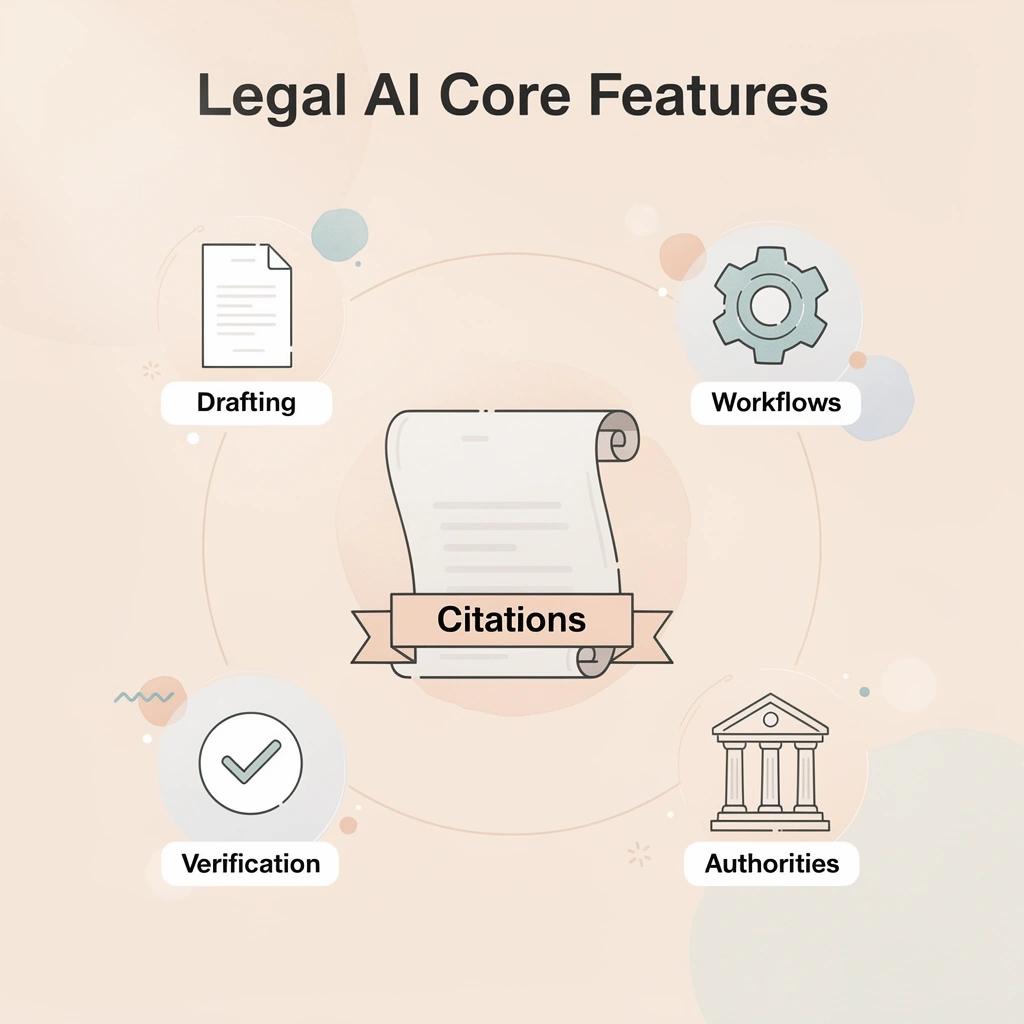
Choosing a Spellbook alternative means picking a platform that removes repetitive legal work while giving attorneys access to trusted legal authorities, verified citations, efficient document drafting, and seamless workflows. The best solutions in 2026 help legal teams spend less time switching between tools and more time delivering accurate legal work.
"The best Spellbook alternatives in 2026 don't just replicate features — they eliminate repetitive legal work entirely, freeing attorneys to focus on high-value counsel." — Legal Tech Insight
🎯 Key Point: The right Spellbook alternative isn't just a feature swap — it's a workflow transformation that gives legal teams back their most valuable asset: time.
💡 Tip: When evaluating alternatives, prioritize platforms that offer verified citations, trusted legal authorities, and native document drafting — these are the critical pillars of any high-performing legal AI tool.
The most valuable legal AI platforms combine accuracy, efficiency, and workflow integration:
- Verified citations – Help eliminate the risk of hallucinated or fabricated legal references.
- Trusted legal authorities – Ensure research is accurate, defensible, and grounded in authoritative sources.
- Efficient document drafting – Reduces the time spent preparing repetitive contracts and legal documents.
- Seamless workflows – Minimises tool switching and context loss by keeping research and drafting within a connected environment.
1. OpenCase
OpenCase is a professional AI platform built for lawyers that delivers legal research, document drafting, and verified citations grounded in primary U.S. law sources. It draws on Cornell LII datasets of statutes and Supreme Court opinions, daily indexes of federal and state opinions plus RECAP dockets, and authenticated PDFs from govinfo covering the Federal Register, CFR, and public-law archive. Every answer remains traceable through a Sources Portal. The platform integrates with tools legal teams already use and maintains enterprise-grade security with data never used for model training.
Features
- Legal research grounded in primary U.S. statutes, case law, and regulations
- Document drafting support inside Microsoft Word
- Real-time use inside Google Docs
- Verified citations linked to primary source records via Sources Portal
- Daily ingestion of PACER dockets and filings
- Outlook turned into an AI legal workspace
- Clio synchronization for legal matters and case documents
- Direct file access and attachment from Google Drive
- Secure document management and sharing through Dropbox
- Project Prompt with jurisdiction selection for focused queries
- File upload and multi-file attachment capability
- Discovery practice and civil procedure support
Best For
Lawyers and legal teams needing reliable primary-source research and drafting assistance within Word or Google Docs while maintaining strict data security and citation traceability.
Pros
- Answers trace directly to verified primary law records rather than unverified web content
- Data is never used to train AI models
- SOC 2 Type II compliance with continuous monitoring and access controls
- ISO/IEC 27001 certification for information security management
- AI governance aligned with ISO 42001 for transparency and accountability
- Native operation inside Microsoft Word, Google Docs, and Outlook
- Seamless connection to Clio, Google Drive, and Dropbox for existing workflows
Cons
- The platform is positioned for research, drafting, and citations
Accessibility
Available through the official website at https://www.opencase.com/. Users can sign up or log in directly. Enterprise access and integrations are obtained via the site or by contacting support. A Trust Portal provides security documentation.
2. Gavel Exec
Gavel Exec is a Word-native and web-based AI contract review and drafting platform for transactional attorneys. It applies firm playbooks, generates priority-ranked redlines, drafts and rewrites clauses, and benchmarks terms against market data without leaving the document environment. Published pricing eliminates the sales-call barrier that complicates budget planning.
Features
- Full-agreement redlining in Microsoft Word and on the web
- Automatic playbook application with one click
- Clause drafting and rewriting from precedents
- Market-data benchmarking of key terms
- Priority-ranked risk flags and comments
- 1,000 monthly completions on paid plans
- Web platform expansion alongside the Word add-in
Pros
Transparent $160 per user per month pricing ($1,740 annual) enables clear forecasting. Strong Word and web flexibility. Playbook enforcement maintains consistency across high-volume work.
Cons
Limited general legal research capabilities outside contracts, with focus remaining transactional rather than full in-house advisory.
Accessibility
Self-serve signup with free trial and no credit card required. Paid plans start at $160 per user per month. Available for Windows, Mac, and Word on the web.
3. LEGALFLY
LEGALFLY functions as a legal operating system for corporate and in-house teams, covering contract review, drafting, legal research across multiple jurisdictions, due diligence, and regulatory monitoring within secure, anonymized workflows.
Features
- AI contract review and negotiation support
- Document drafting with compliance guardrails
- Multi-jurisdiction legal research and advice
- Regulatory monitoring and legal radar alerts
- Multi-document due diligence review
- Agent studio for custom workflow automation
- Data anonymization and Microsoft 365 integration
Pros
It handles the full in-house legal workload, not just contracts, with strong privacy controls through anonymization.
Cons
Pricing requires a guided demo and annual commitment. Getting started is more involved than self-serve tools.
Accessibility
Demo-based access with annual contracts. User-reported costs place LEGALFLY at mid-tier enterprise levels.
4. Ivo
Ivo is an AI contract review and intelligence platform for in-house legal teams. It performs redlining against playbooks and prior contracts in Microsoft Word and Google Docs, surfaces relationships across amendments, and converts executed agreements into searchable portfolio intelligence.
Features
- Playbook-driven redlining in Word and Google Docs
- Prompt-based agentic review and comment generation
- Contract relationship mapping (amendments, restatements, superseding agreements)
- Searchable repository of executed contracts
- Deviation visualization from standard positions
- Plain-language clause explanation and drafting support
- SOC 2 and ISO 27001 certified environment
Pros
Strong multi-document intelligence solves single-file tool limitations, working in both Word and Google Docs. Portfolio analytics transform static contracts into usable knowledge.
Cons
Focused on review and intelligence rather than full end-to-end drafting. Pricing requires a demo.
Accessibility
Demo request required. Enterprise-focused with security certifications for in-house teams managing high contract volumes.
5. GC AI
GC AI is an in-house legal AI platform covering contract work, employment, privacy, governance, research, and stakeholder-facing outputs. It provides playbooks, exact-quote citations, matter memory, and multi-agent research, eliminating the need to route non-contract tasks to separate tools or outside counsel.
Features
- Contract redlining and playbook enforcement inside Word
- Exact Quote citation at character level
- Persistent matter memory across documents
- Multi-agent legal research capabilities
- Plain-language outputs for boards and business stakeholders
- Self-serve 14-day trial with no credit card
- Published pricing at $500 per seat per month
Pros
Directly solves the "half the week" scope problem. Clear pricing and an extended trial reduce evaluation friction. Stakeholder-ready language minimizes rewrite time.
Cons
Higher per-seat cost than pure transactional tools; best suited to in-house teams rather than law-firm transactional volume.
Accessibility
14-day free trial with no credit card required. Published at $500 per seat per month. Designed for in-house legal teams.
6. LegalOn
LegalOn is an AI productivity platform for in-house legal teams that automates contract review through attorney-crafted playbooks and agents, handling intake through redline generation. It extends into matter management, entity governance, and board support, enabling lean teams to deliver consistent output without constant reliance on outside counsel.
Features
- 50-plus pre-built attorney playbooks with plain-English customization
- Automated risk scoring and precise redline suggestions
- AI Assistant for contract questions, summaries, and drafting
- Vault for extracting business insights from executed agreements
- Matter management visibility and ownership tracking
- Multi-language review and redline with original-language return
- Specialized agents for end-to-end tasks (intake, review, translation, playbook generation)
Pros
Strong playbook foundation reduces training time and enforces standards across first- and third-party contracts, extending beyond pure redlining into governance and matter flow. Transparent attorney sign-off design keeps control with the legal team.
Cons
Pricing is custom and quoted through a demo. Best suited to teams with regular contract volume rather than ultra-low volume users.
Accessibility
Demo-based access with per-seat plans. Core Review, Contracting Suite, and full Productivity Suite options. Zero implementation fees on standard plans.
7. Luminance
Luminance is an enterprise Legal-Grade AI platform for high-volume contract analysis, due diligence, and negotiation support. It uses pattern recognition across large document sets, traffic-light risk flagging, and Word-integrated redlining to help teams managing M&A data rooms or extensive supplier portfolios identify anomalies at scale.
Features
- Traffic-light risk flagging (red/amber/green) against internal standards
- Large-scale pattern recognition across hundreds or thousands of contracts
- Microsoft Word integration for negotiation and redlining
- Automated first-pass review with suggested compliant alternatives
- Contract generation and drafting acceleration
- Collaboration tools for multi-party deal work
- Modules for compliance investigation and obligation tracking
Pros
Excels at volume and due-diligence depth that single-document tools cannot match, delivering substantial time savings on large sets with strong enterprise adoption for complex commercial work.
Cons
Quote-only pricing places it in the mid-to-high six-figure annual range for mid-size deployments. Implementation and onboarding take longer than self-serve options, and it's less optimized for routine low-volume commercial redlining.
Accessibility
Enterprise sales process with custom quotes, designed for mid-to-large legal and commercial teams without public self-serve pricing.
8. Thomson Reuters CoCounsel
CoCounsel is a legal AI assistant that meets fiduciary standards and is based on Thomson Reuters trusted content. It supports research, document analysis, writing, and multi-step workflows, integrating with Westlaw and Practical Law while providing citation checking and organizational intelligence.
Features
- Authoritative content grounding from Westlaw and Practical Law
- Document analysis and contract review with source attribution
- Agentic Brief Builder for complex motions and briefs
- Workspaces that maintain matter context across sessions
- Organizational intelligence for firm-specific knowledge embedding
- Citation checking and issue spotting
- Multi-step workflow handling from research through drafting
Pros
Strong research depth and primary-source grounding address the pure-contract research gap. Clear, explainable outputs support professional responsibility. The solution scales from individual to enterprise use within the Thomson Reuters ecosystem.
Cons
Pricing is typically bundled with Westlaw subscriptions and quoted rather than fully self-serve, with higher total cost of ownership when full database access is required.
Accessibility
Available through Thomson Reuters sales with Core, Practical Law, and higher tiers. Annual billing is standard; demos and plan pages are available. Early-access next-generation features roll out in 2026.
9. Harvey
Harvey is an enterprise legal AI platform for large law firms and in-house teams handling research, due diligence, drafting, and complex document analysis. It emphasizes secure, domain-specific reasoning across large matter sets, enabling high-stakes transactional and advisory work without sacrificing accuracy or confidentiality.
Features
- Domain-specific legal reasoning across research and drafting
- Large-scale due diligence and document analysis
- Secure enterprise deployment with rigorous data controls
- Multi-document matter handling and knowledge retrieval
- Drafting support grounded in firm or organizational context
- Integration with existing legal technology stacks
- Workflow automation for high-volume professional services
Pros
Built for large firms and enterprise legal departments, this solution offers strong security and confidentiality protections while addressing multi-document and research needs that narrower tools leave unmet.
Cons
Enterprise-only positioning and custom pricing limit accessibility for smaller teams. Implementation requires more involvement than Word-native self-serve alternatives.
Accessibility
Enterprise sales process with custom pricing based on firm size and usage, targeted at large law firms and sophisticated in-house departments.
How to Choose the Right Spellbook Alternative for Your Team
Choosing a Spellbook alternative means picking software that fits your team's workflow, reduces repetitive work, and helps lawyers produce accurate legal documents. The right solution saves time from day one instead of creating another system attorneys must learn and manage.
"The right Spellbook alternative doesn't just replace a tool — it eliminates friction, accelerates document accuracy, and fits seamlessly into how your legal team already works."
When evaluating legal AI platforms, focus on factors that improve adoption, efficiency, and risk management:
- Workflow fit – Choose a platform that integrates naturally with existing processes; avoid solutions that force attorneys to change their core working habits.
- Repetitive work reduction – Prioritise tools that automate routine drafting and administrative tasks; avoid platforms that still require extensive manual document assembly.
- Document accuracy – Look for built-in validation and review capabilities to reduce legal risk; avoid tools that provide no safeguards for accuracy.
- Time to value – Select a solution that delivers measurable ROI quickly; avoid platforms with lengthy implementation periods or steep learning curves.
🎯 Key Point: The best alternative is the one your attorneys will actually use — adoption rate is just as critical as feature depth.
⚠️ Warning: Avoid tools that promise comprehensive legal automation but require weeks of configuration before delivering value. If it doesn't save time immediately, it's adding to the problem, not solving it.

Map Your Real Workload Before Comparing Features
Legal teams that choose tools based only on how fast they can edit contracts in Word often find that half their week is spent on work outside the platform. Measure the time spent on pure commercial contracts versus employment questions, regulatory checks, board summaries, research, and stakeholder communications. A tool optimized only for Word-based edits leaves the remaining work spread across generic AI, outside counsel, or manual processes. The right alternative covers the main part of that measured workload so time savings accumulate instead of shifting the bottleneck elsewhere.
Demand Transparent Pricing and Clear Cost Predictability
Pricing that is hard to understand and only available through sales calls turns every renewal and seat expansion into an unexpected negotiation. Choose platforms that display per-seat rates or clear tier structures upfront so finance can plan accurately based on headcount and volume. Hidden costs discovered late in evaluation force teams to either overspend or face mid-year budget shortfalls that hurt adoption. Predictable pricing lets you grow usage based on proven value rather than sales pressure.
Require Verifiable Citations and Primary-Source Grounding
Tools that create answers without clear sources require lawyers to verify information, eliminating promised time savings. Look for tools that show exactly where information comes from at the character or document level and use trusted legal sources instead of unverified web content. This protects your professional responsibility and reduces cleanup work.
Test Multi-Document Handling and Workflow Continuity
Single-file redlining tools break when a matter involves related amendments, disclosure schedules, or interdependent agreements. Verify whether the platform maintains context across documents, updates consistent terms in one pass, and keeps prior agreements searchable. Teams that skip this test rediscover the locate-and-cross-check friction the original tool was meant to eliminate.
Confirm Enterprise Security and Explicit Data Controls
Contracts and legal advice contain private and business-sensitive information. Verify that the service meets SOC 2 Type II (or equivalent), maintains a zero-data-retention policy, encrypts data in transit and at rest, and does not use customer content to train models. Request access to a trust portal or security documentation before beginning any pilot so your CISO and compliance team can complete their review.
Run a Pilot With Your Own Documents and Playbooks
Generic demos hide real-world edge cases. Insist on a time-boxed pilot using actual contracts, internal standards, and typical matter types from your practice. Measure first-pass accuracy, time to usable redline or draft, attorney adoption, and post-AI cleanup volume. Real-document results reveal whether the platform fits your standards and risk tolerance.
Assess Output Flexibility for Both Lawyers and Business Stakeholders
Precise negotiation language works for counterparties but requires rewriting for CEOs, boards, and business leaders. Choose platforms that generate both lawyer-ready redlines and plain-language summaries from the same analysis. This dual capability eliminates the manual tone-and-clarity pass that otherwise negates drafting speed gains.
Why Legal Teams Choose OpenCase for Legal Research and Drafting
Legal teams choose OpenCase because it helps them find verified law and turn it into defensible work product—inside the tools they already use, without breaking the chain of accountability.
💡 Tip: The ability to stay inside familiar tools while accessing verified legal research means zero disruption to existing workflows—a critical advantage for time-pressured legal teams.
"Defensible work product starts with verified law—and the best legal teams never break the chain of accountability." — OpenCase
🔑 Takeaway: OpenCase delivers exactly what legal teams need: verified sources, seamless integration, and unbroken accountability—all in one platform.
OpenCase is designed to meet the practical needs of modern legal teams through verified, accountable workflows:
- Verified law – Provides sourced and verified legal references to support accurate research.
- Defensible work product – Produces accountable, traceable drafting backed by authoritative sources.
- Familiar tools – Integrates with existing workflows so legal teams can work in the applications they already use.
- Chain of accountability – Maintains end-to-end traceability, helping eliminate gaps and broken links throughout the legal drafting process.

Why is citation integrity a professional standard rather than a feature?
Most legal AI tools treat citations as optional. OpenCase treats them as a professional responsibility. Every answer includes a direct link to the original source: federal statutes from govinfo, Supreme Court opinions from Cornell LII, or live docket entries from PACER. That traceability matters because when a motion gets challenged, or a client asks "where does this come from," the attorney needs a verifiable answer, not a confident-sounding paragraph with no paper trail.
How does Spellbook compare when it comes to verification overhead?
Most teams verify AI output manually afterward, cross-checking citations against Westlaw or Lexis, a process adding 30 to 60 minutes per research task. Platforms like legal AI collapse that gap by building verification into the output itself, so attorneys confirm sources while reading rather than in a separate audit pass.
Why the research-to-draft connection changes everything
Most AI-assisted legal workflows fail when moving from research to drafting. OpenCase fixes this by keeping research findings in Word and Google Docs, connected to Clio matter records and common file repositories. The statute or case you found goes directly into the document you are building—a structural change in how legal reasoning moves from source to sentence.
Where does Spellbook fit in research-driven legal tasks?
Spellbook handles contract redlines with precision, applying playbooks and comparing commercial terms against market data. However, its design is optimized for transactional agreements rather than research-driven tasks that require attorneys to locate CFR provisions, confirm regulatory status, and draft client advisories in a single session.
Why enterprise trust infrastructure is the quiet differentiator
SOC 2 Type II compliance, ISO/IEC 27001 certification, and ISO 42001 alignment are not marketing checkboxes: they are conditions under which a firm's general counsel will approve a platform for privileged matters. The zero-training commitment—meaning customer content never feeds model improvement—removes the confidentiality risk that makes IT and ethics committees hesitate. When work involves sensitive client matters, regulatory investigations, or court filings, the tool's security posture is part of professional responsibility, not an afterthought.
Accountability to primary law, backed by infrastructure built for professional-grade use, separates a purpose-built legal research platform from a general-purpose writing tool adapted for legal work.
Related Reading
- Law Insider
- Legora
- Best Ai Contract Review Tool
- ChatGPT for Lawyers
- Ivo
- Clio
- Everlaw
- Harvey
Try our Legal AI to Support your Legal Work from Research to Final Draft
Legal teams need research, drafting, citation verification, and document workflow connected in one place, inside the tools they already use daily. OpenCase brings verified legal research and drafting together inside Microsoft Word and Outlook, so your team moves from question to finished document without switching platforms or second-guessing sources.
"From research to final draft — OpenCase keeps your entire legal workflow connected inside the tools you already use, eliminating platform-switching and source uncertainty." — OpenCase
🎯 Key Point: The biggest productivity drain for legal teams isn't the work itself: it's fragmented tools that force constant context-switching between research, drafting, and verification platforms.

The critical difference is accountability to primary law at every step. OpenCase traces every answer back to authoritative sources like Cornell LII, CourtListener, and govinfo, and its enterprise infrastructure — SOC 2 Type II and ISO/IEC 27001 certified — means that accountability extends to how your client data is handled, not just how citations are generated.
These capabilities help legal teams work more efficiently while maintaining accuracy and security:
- Microsoft Word and Outlook integration – Draft, review, and research legal documents without leaving the tools your team already uses.
- Cornell LII, CourtListener, and govinfo – Every answer is linked back to authoritative primary legal sources for greater confidence.
- SOC 2 Type II certification – Provides enterprise-grade security controls to help protect sensitive client data.
- ISO/IEC 27001 certification – Demonstrates compliance with internationally recognised information security standards.
- Unified research and drafting workflow – Enables lawyers to move from legal research to a finished document within a single, connected platform.
💡 Tip: When evaluating legal AI tools, always check for dual certification — SOC 2 Type II and ISO/IEC 27001 together signal the highest standard of enterprise data accountability.
🔑 Takeaway: Visit OpenCase to see how a unified research and drafting workflow — backed by verified sources and enterprise-grade security — fits your practice.