

7 Best Legal Billing Software for U.S. Law Firms in 2026
Legal billing software compared by OpenCase — find the best fit for your U.S. law firm in 2026. Save time and get paid faster.

Billing errors, missed time entries, and slow invoice cycles quietly drain revenue from law firms every year. Many attorneys treat billing as an afterthought, even though it sits at the core of sound Law Practice Management. Choosing the right legal billing software means understanding which features actually reduce admin work, speed up collections, and keep the firm compliant without adding complexity for staff.
The most effective solutions connect matter management, trust accounting, and client invoicing in one place, cutting the friction between doing the work and getting paid for it. OpenCase is built on legal AI that automates time tracking, invoice generation, and payment collection, so attorneys spend more time serving clients and less time chasing billable hours.
Table of Contents
- What Is Legal Billing Software, and How Does It Work?
- Why Is Legal Billing Software Important for U.S. Law Firms?
- Is Legal Billing Software Worth It for Small Law Firms?
- 7 Best Legal Billing Software for U.S. Law Firms in 2026
- How to Choose the Right Legal Billing Software for Your Firm
- How OpenCase Complements Your Legal Billing Workflow
- Try our Legal AI to Support your Legal Work from Research to Final Draft
Summary
- Attorneys consistently underestimate how much revenue disappears before an invoice is ever created. The Clio Legal Trends Report found that lawyers spend only 2.9 hours per day on billable work, meaning every unrecorded time entry compounds an already narrow margin. When time is reconstructed from memory at the end of the day or week rather than captured at the moment of activity, the loss is permanent and invisible on any write-off report.
- The financial scale of poor billing habits is significant across firm sizes. A solo practitioner billing at $350 per hour who overlooks an average of 1.5 hours per week forfeits $25,200 annually, and Am Law 100 firms have tracked realization rates dropping as low as 66.5 percent, meaning roughly one-third of billed work was never collected. Firms using dedicated legal billing software get paid 70 percent faster, according to LeanLaw, which compresses the gap between completing client work and receiving payment from a chronic drain into a manageable cycle.
- Trust accounting failures carry consequences that go well beyond bookkeeping errors. The Ohio disciplinary case involving attorney Theodore Ferris Scribner illustrates the pattern: over four years, he withdrew more than $73,000 from his trust account without compliant ledgers, failed to conduct monthly reconciliations, and ultimately faced a two-year suspension. The California Bar reported aggregate IOLTA balances exceeding $7.66 billion daily across more than 116,000 attorneys, reflecting the scale of client funds that depend on accurate, auditable recordkeeping that spreadsheets cannot reliably provide.
- The administrative burden of manual billing is a measurable cost for small firms. LawPay research found that small law firms using legal billing software save more than 8 hours per week on administrative tasks, and LeanLaw data indicates attorneys lose up to 40 percent of billable time due to poor time-tracking habits. That combination means manual billing costs firms twice: once in missed revenue and again in the attorney time spent on low-value assembly work that software would otherwise handle.
- The legal billing software market reflects how seriously the profession has come to view these gaps. Custom Market Insights valued the global market at $2.15 billion in 2025, projecting growth to $4.28 billion by 2034 at a compound annual growth rate of 7.8 percent. That trajectory is driven not by novelty but by firms discovering, often after a bar complaint or a cash flow crisis, that manual systems cannot produce LEDES-compliant invoices, generate profitability reports, or scale with a growing practice.
- Documentation quality upstream of the invoice determines how defensible billing records are when clients or auditors push back. Legal automation can reduce billing errors by up to 90 percent, according to Bitcot, and the firms capturing that reduction tend to be those where research outputs and billing narratives share a single documented chain of custody rather than being reconstructed across disconnected tools.
- Legal AI addresses this upstream gap by connecting research, drafting, and billing documentation into a single traceable workflow, so the work product supporting an invoice is grounded in verified primary sources rather than reconstructed from memory.
What Is Legal Billing Software, and How Does It Work?
Legal billing software is a tool designed for law firms that connects time tracking, invoicing, trust accounting, and payment collection into one workflow. It replaces scattered spreadsheets, handwritten notes, and separate tools that cause lost revenue and create compliance problems, ensuring every billable minute, expense, and client payment flows through one organized process.
How time capture actually works
The failure point is usually the gap between when work happens and when it gets recorded. Attorneys reconstruct time from memory at the end of the day or week, and the Clio Legal Trends Report shows lawyers spend only 2.9 hours per day on billable work—every unrecorded entry compounds an already tight margin. Legal billing software closes that gap with timers embedded in the matter record, mobile entry for off-site work, and six-minute increment tracking that produces defensible, detailed records. The system automatically ties each entry to a specific client, matter, and task code, ensuring accuracy at the moment of capture.
What happens between a time entry and a paid invoice
Billing is a chain: time entry, rate application, invoice generation, delivery, follow-up, and payment reconciliation. Each link is a place where revenue can stall or disappear.
How does legal billing software close the gap between logged time and collected revenue?
According to the LeanLaw Blog, law firms lose up to 30% of billable time without proper time tracking software. This loss worsens when invoices are delayed, formatted incorrectly, or sent to clients lacking easy payment options. Legal billing software automates rate application (including flat fees, contingency percentages, and LEDES-formatted invoices for corporate clients), generates polished invoices from logged entries, and processes credit card or ACH payments through a client portal that posts directly to the correct matter ledger.
What does scattered trust accounting actually cost a firm?
Many small and mid-size firms manage trust accounting in spreadsheets or generic accounting tools, avoiding dedicated legal software. The cost surfaces during state bar audits or client disputes, when three-way reconciliation reports (bank statement, trust ledger, and client sub-ledgers) must be produced on demand and records are scattered across multiple systems. Platforms like legal AI reflect a shift toward applying the same standard of accuracy and accountability to billing tools that practitioners bring to legal research and document work.
What the software does with financial data after the invoice goes out
Real-time dashboards track resource usage, collections after write-offs, and accounts receivable aging without manual spreadsheet exports. A firm can identify which cases are profitable, which timekeepers lack sufficient work, and which clients have overdue bills. This visibility transforms billing data from a monthly task into continuous monitoring of firm health that informs staffing decisions, fee structures, and client relationships before problems escalate.
Why does the trust accounting piece carry the most risk?
Trust account violations consistently rank among the top complaints in lawyer discipline systems because record-keeping requirements are strict with no room for error. Dedicated trust modules maintain individual client ledgers, separate operating and client funds, and generate the monthly reconciliation reports most state bars require. Every deposit, payment, and balance change receives a time-stamped record, so the firm is audit-ready at any time rather than scrambling to reconstruct records when a complaint arrives.
Related Reading
- Law Practice Management
- Google Gemini For Lawyers
- Claude vs. ChatGPT for Lawyers
- ChatGPT Prompts For Lawyers
- Copilot For Lawyers
- Ai Use Cases For Lawyers
- Ai Legal Hallucinations
- Legal Tech Trends
- Prompt Engineering For Lawyers
- Legal Writing Ai
- Claude For Lawyers
- Ai Legal Ethics
Why Is Legal Billing Software Important for U.S. Law Firms?
Legal billing software is the operational backbone that determines whether a firm captures earned revenue, stays compliant with state bar rules, and maintains working capital for growth. Firms that treat billing as an afterthought consistently fail to collect the money they thought they earned.
"Firms that treat billing as an afterthought consistently fail to collect the money they thought they earned — making legal billing software not a luxury, but a necessity for sustainable practice."
🚨 Warning: Ignoring billing infrastructure doesn't just hurt cash flow — it puts your firm at risk of bar compliance violations and irreversible revenue loss.
💡 Key Point: The right legal billing software directly impacts three critical pillars of firm health: revenue capture, regulatory compliance, and long-term growth capital.
Revenue Capture
Without Billing Software
- Missed billable hours and underbilling
With Billing Software
- Accurate, automated time tracking
Bar Compliance
Without Billing Software
- Manual errors and rule violations
With Billing Software
- Built-in compliance safeguards
Working Capital
Without Billing Software
- Unpredictable cash flow
With Billing Software
- Consistent, predictable revenue

Where does revenue quietly disappear in a law firm?
The failure point is usually invisible. A solo practitioner billing at $350 per hour who trims or overlooks an average of 1.5 hours per week forfeits $25,200 annually in unrecorded, unpaid work. Am Law 100 firms tracked realization rates dropping from 83.11 percent to 80.93 percent over consecutive years, with some firms sliding as low as 66.5 percent—collecting roughly two-thirds of what they billed. Across a firm with multiple attorneys, those percentages represent hundreds of thousands of dollars in permanently lost revenue from work performed but never paid for.
How does legal billing software close the collections gap?
Collection delays compound the problem. Without automatic invoice delivery, payment portals, and organized follow-up sequences, firms carry weeks or months of unbilled work as a silent debt against their operations. According to LeanLaw, firms that use dedicated legal billing software get paid 70% faster, narrowing the gap between completing client work and receiving payment. This compression directly affects payroll timing, partner distributions, and a firm's ability to take on new matters without borrowing against future revenue.
The compliance risk hiding in spreadsheets
Trust accounting failures are ethics violations that trigger bar investigations, formal complaints, and suspension. The Ohio disciplinary case against attorney Theodore Ferris Scribner illustrates this: over four years, he withdrew more than $73,000 in cash from his trust account without proper ledgers linking withdrawals to specific clients, failed to reconcile monthly, and received a two-year suspension, with 18 months stayed. The California Bar's Client Trust Account Protection Program reported that IOLTA balances totaled more than $7.66 billion daily across more than 116,000 attorneys with active trust accounts, demonstrating how much client money depends on accurate, auditable recordkeeping. A spreadsheet cannot enforce three-way reconciliation or flag a shortage before it becomes critical.
How does legal billing software reduce trust accounting risk?
Most attorneys facing trust accounting sanctions were not acting with bad intent. They were managing complex situations with inadequate tools. Our legal billing software with built-in trust ledger features keeps operating and client funds separate for each transaction, automatically generates reconciliation reports, and maintains timestamped audit trails that meet state bar requirements.
Should every tool in a firm's stack meet a compliance threshold?
The same compliance standard applied to trust accounting should extend to every technology tool in a firm's stack. Lawyers evaluating legal AI platforms for research and drafting apply this logic: the tool either produces verifiable, source-linked output that withstands review, or it introduces risk. Billing software and research platforms must meet a compliance threshold, not a convenience threshold, because the professional consequences of failure are identical.
A market built on a real problem
The amount of money being invested demonstrates how seriously the profession takes these gaps. Custom Market Insights valued the global legal billing software market at $2.15 billion in 2025, projecting growth to $4.28 billion by 2034 at a compound annual growth rate of 7.8 percent. This growth is driven by firms discovering—after a bar complaint or cash flow crisis—that manual billing systems cannot scale with expanding practices, cannot produce LEDES-compliant invoices for corporate clients, and cannot generate the profitability reports partners need for compensation and expansion decisions.
Is Legal Billing Software Worth It for Small Law Firms?
Legal billing software is absolutely worth it for small law firms. Firms that treat it as optional end up paying hidden costs: time that never gets billed, invoices that sit unsent, and trust account entries that must be reconstructed from memory.
"Firms that treat legal billing software as optional end up paying hidden costs — unbilled time, unsent invoices, and trust account entries rebuilt from memory."
💡 Tip: If your firm is still tracking billable hours manually, you are almost certainly leaving revenue on the table every single month.
⚠️ Warning: The real cost of skipping billing software isn't the subscription fee you avoid — it's the unbilled hours, delayed cash flow, and compliance risks that quietly accumulate.
Unbilled Time
Impact on Small Firms
- Revenue lost permanently
Unsent Invoices
Impact on Small Firms
- Delayed or missed cash flow
Trust Account Errors
Impact on Small Firms
- Compliance and ethical violations
🔑 Takeaway: For small law firms, legal billing software isn't a luxury — it's the essential infrastructure that protects revenue, client trust, and regulatory compliance.
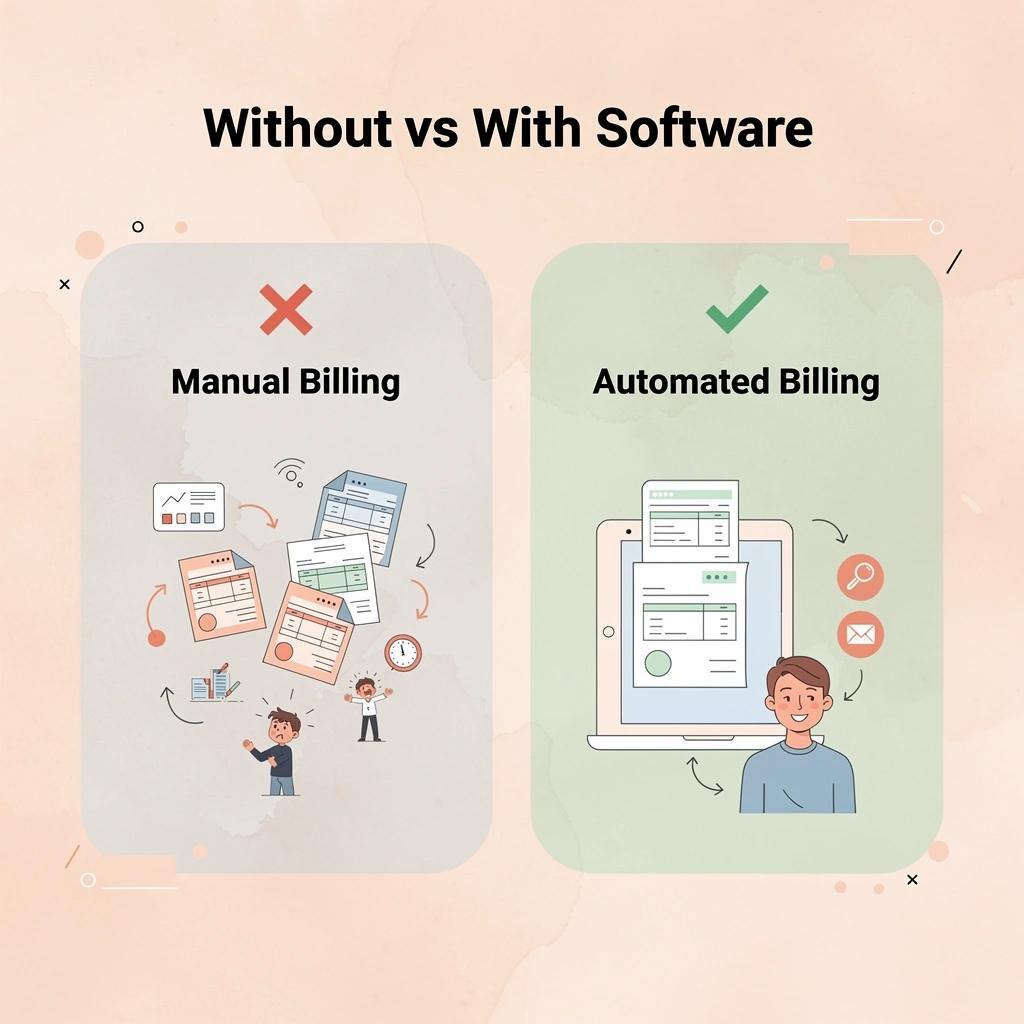
How much billable time does legal billing software recover?
The clearest proof is in time recovery. According to the LeanLaw Blog, attorneys lose up to 40% of billable time due to poor time-tracking habits. For a solo practitioner billing at $250 per hour, this represents a significant portion of annual revenue lost between work performed and work captured. Billing software closes that gap by recording time at the moment of activity rather than when the attorney reconstructs it from a calendar.
LawPay's research reports that small law firms using legal billing software save more than 8 hours per week on administrative tasks: a full workday returned to attorneys weekly. Manual billing consumes time through repetitive, low-value work: assembling invoices, chasing payments, and reconciling trust ledgers by hand.
Is the cost of legal billing software the right thing to evaluate?
Most attorneys evaluate billing software by comparing the monthly cost to the immediate benefit. The real comparison is between software cost and the current system's costs from lost revenue, delayed collections, and compliance exposure due to manual trust accounting. A billing platform should be evaluated on accuracy, audit readiness, and workflow integrity, not price per seat.
The pattern across small firms is clear: attorneys who resist billing software often carry the heaviest administrative load and lack time to evaluate alternatives, creating a self-reinforcing cycle.
What does the right legal billing software actually do for your firm?
The right billing software consistently captures time, creates LEDES-compliant invoices for corporate clients, maintains well-organized trust accounts with appropriate sub-accounts, and generates realization and collection reports that show whether your firm is profitable. These are not extras for a growing firm—they are the tools that tell you whether the engine is running.
But once billing software handles the financial side of your practice, a different question emerges: what about the work that creates those billable hours?
Related Reading
- Law Firm Marketing
- Lawyer Salary
- How To Use ChatGPT for Legal Research
- Iolta Account
- Is ChatGPT Good For Personal Injury Lawyers
- Law Clerk
- Legal Ai Tools
- Will Lawyers Be Replaced By Ai
- Billable Meaning
- Law Firm Seo
- Objections In Court
7 Best Legal Billing Software for U.S. Law Firms in 2026
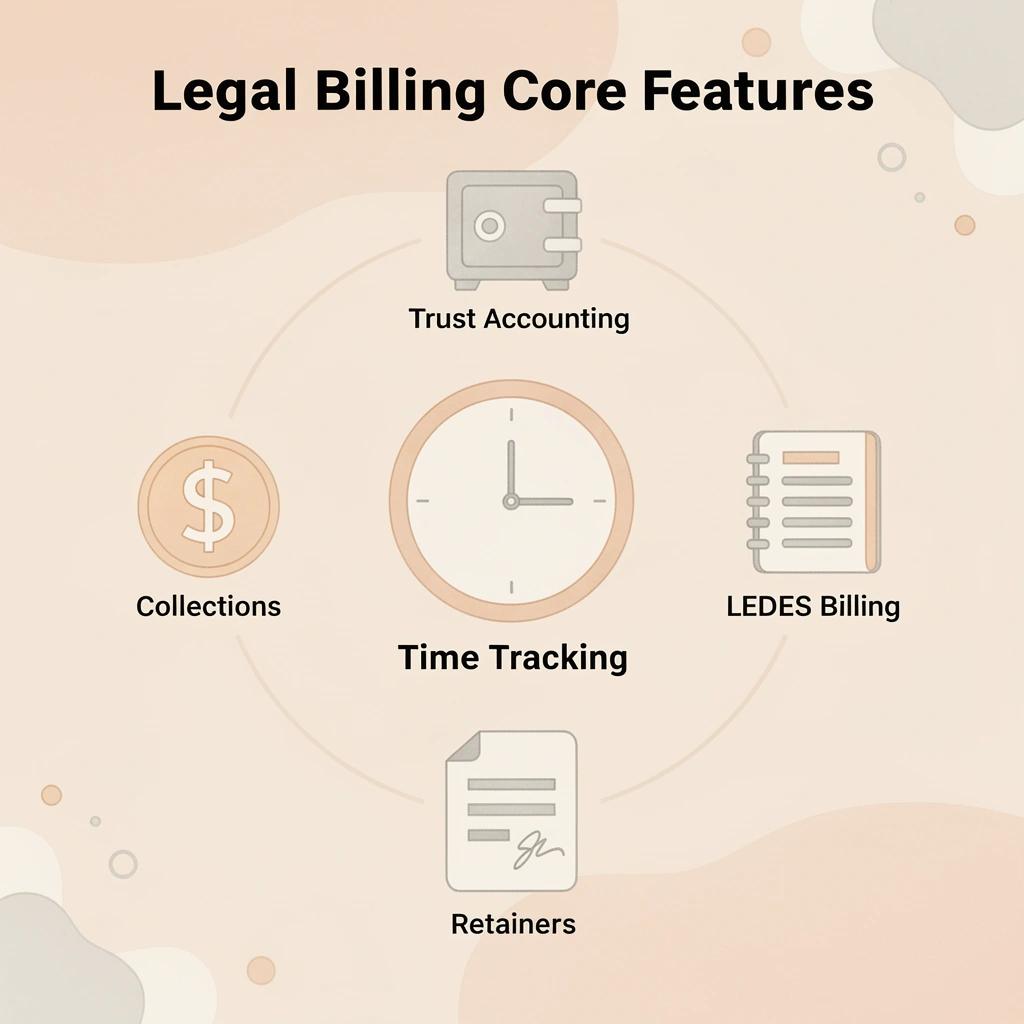
The best legal billing software tracks billable time as it happens, supports trust accounting, handles LEDES billing, manages retainers, makes collections easier, and works with tools you already use. Below are the top legal billing solutions for U.S. law firms in 2026.
"The right legal billing software doesn't just track time — it protects revenue, ensures compliance, and gives law firms the financial clarity they need to grow." — Legal Technology Industry Insight
🎯 Key Point: The most effective legal billing platforms combine real-time time tracking, trust accounting compliance, and LEDES billing support — all in one seamless system.
💡 Tip: When evaluating options, always prioritize software that integrates with your existing tools — from case management platforms to payment processors — to avoid costly workflow disruptions.
Real-Time Time Tracking
Why It Matters
- Captures every billable minute as work is performed
Trust Accounting
Why It Matters
- Supports IOLTA compliance and safeguards client funds
LEDES Billing
Why It Matters
- Required by many corporate and insurance clients for legal billing
Retainer Management
Why It Matters
- Automates retainer replenishment and reduces administrative work
Collections Tools
Why It Matters
- Accelerates cash flow and helps reduce unpaid invoices
Integrations
Why It Matters
- Connects with existing software to create a unified, efficient workflow
1. Clio Manage
Clio Manage is a full practice management platform for solo and mid-sized U.S. law firms, bringing together time tracking, invoicing, trust accounting, and reporting into a single cloud system. It eliminates fragmented manual processes that cause revenue leakage and compliance gaps, freeing attorneys to focus on billable work.
Key Features
- Real-time timers and mobile time entry are linked directly to matters, with calendar and email integrations that capture work as it happens and eliminate end-of-month reconstruction and underbilling.
- Flexible matter-based billing supporting hourly rates, flat fees, contingencies, blended rates, and UTBMS task codes for accurate, defensible invoices.
- Automated invoice generation with customizable templates, narratives, expense tracking, tax and discount calculations, and batch processing accelerates monthly billing cycles.
- Native trust accounting with individual client ledgers, IOLTA support, retainer management, and automated three-way reconciliation reports that maintain compliance and reduce the risk of shortages or commingling.
- Secure client portal where clients view invoices, payment history, and matter status, with online payment options that accelerate collections and improve transparency.
- Detailed financial reporting on utilization rates, realization percentages, accounts receivable aging, matter profitability, and lockup metrics helps identify and close revenue gaps.
- Broad integrations with QuickBooks, Microsoft 365, document tools, and calendars eliminate double data entry and streamline workflows.
Pros
- A strong all-in-one approach reduces the need for multiple tools, cutting admin time and errors.
- Excellent trust accounting tools help firms avoid disciplinary risks associated with shortcomings in manual recordkeeping.
- Robust reporting and analytics provide clear visibility into realization and collections performance, supporting better cash flow decisions.
- A widely adopted ecosystem with many integrations scales as firms grow, without major workflow overhauls.
Cons
- Pricing can add up with add-ons for advanced features, which may feel steep for solo practitioners.
- Some users report a learning curve when transitioning from basic spreadsheets or QuickBooks-only setups.
- Trust accounting depth varies by plan and sometimes requires careful configuration to enable full three-way reconciliation automation.
Accessibility
Cloud-based with strong mobile apps for on-the-go time tracking and matter access. Pricing scales from accessible tiers for solos and small firms. Includes extensive onboarding resources, training webinars, and responsive customer support.
2. MyCase
MyCase is an all-in-one legal practice management platform for small U.S. law firms and solos, with a focus on simple billing and client communication. It streamlines time capture, invoicing, trust handling, and payments while maintaining clean trust records to avoid compliance pitfalls.
Key Features
- Intuitive timers, mobile entry, and quick-add options tied to specific matters and tasks reduce the need to reconstruct time entries from memory at month-end.
- Customizable billing supporting hourly, flat fee, and contingency arrangements with automatic rate application and expense allocation.
- Professional invoice creation with templates, detailed narratives, and recurring or batch invoice options.
- Built-in trust accounting includes retainer tracking, IOLTA-compliant ledgers, and reconciliation tools for accurate client fund separation.
- Client portal for secure invoice access, document sharing, and direct online payments that accelerate collections.
- Reporting dashboards covering accounts receivable, realization trends, and profitability views to highlight cash flow bottlenecks.
- Integrations with QuickBooks, calendar, and email tools keep billing data aligned with daily operations.
Pros
- A user-friendly interface reduces admin time for small teams without dedicated billing staff.
- Strong client portals and payment tools address slow collections and overdue invoices.
- Solid trust accounting prevents recordkeeping errors that lead to bar complaints.
- Transparent pricing and all-in-one design simplify budgeting for growing firms.
Cons
- Advanced reporting and customization may require higher tiers.
- Trust reconciliation tools sometimes require additional setup compared to purely accounting-focused platforms.
- Fewer enterprise-level e-billing options offer full native LEDES.
Accessibility
Fully cloud-based, with reliable mobile apps for time entry and client management, this solution offers affordable pricing for solos and small firms, with clear tier options. It includes onboarding, video tutorials, and dedicated support, scaling well for remote or hybrid practices.
3. PracticePanther
PracticePanther is a streamlined legal practice management system for solo lawyers and small- to mid-sized U.S. law firms, focusing on easy time tracking, matter billing, trust compliance, and payment processing to reduce administrative work and accelerate collections.
Key Features
- One-click timers, mobile apps, and calendar or task integrations that log time immediately against specific matters.
- Matter-specific billing rules for hourly, flat, and other fee types with automatic calculations and task code support.
- Flexible invoice templates with narratives, expenses, and adjustments, plus batch and recurring options for efficient monthly processing.
- Trust accounting module with client ledgers, retainer handling, and reconciliation reporting to support IOLTA compliance and accurate fund tracking.
- Client portal and integrated payment processing that lets clients view and pay invoices online, shortening collection cycles.
- Reporting tools for accounts receivable, time summaries, and financial overviews that surface utilization and payment trends.
- Integrations with QuickBooks and other common tools sync billing data and minimize manual re-entry.
Pros
- Intuitive design helps small teams adopt it quickly, reclaiming hours lost to manual billing and reconciliation.
- Payment and portal features address overdue invoices and improve cash flow predictability.
- Trust tools provide structured records needed to avoid compliance pitfalls such as commingling or incomplete ledgers.
- Affordable entry points and strong automation make it practical for resource-constrained firms.
Cons
- Some advanced customization or reporting may require higher plans.
- E-billing formats like LEDES are supported but may require additional configuration for complex corporate clients.
- Less emphasis on heavy document automation compared to some alternatives.
Accessibility
Cloud platform with solid mobile support for time tracking and matter access on the go. Pricing tiers accommodate solo lawyers through small firms and include setup assistance, a knowledge base, and customer support. Works well for distributed small teams.
4. Smokeball
Smokeball is a practice management platform built for document-heavy small and mid-sized U.S. law firms. Its automation focus, particularly AutoTime technology and integrated workflows, reduces administrative burden, improves billing accuracy, and supports compliant trust handling.
Key Features
- AutoTime technology captures activity across Word, Outlook, and other tools, automatically suggesting time entries linked to matters.
- Comprehensive billing with flexible rates, flat fees, and task-based options that apply automatically based on matter settings.
- Customizable and automated invoice creation with batch processing and narrative generation from matter activity.
- Integrated trust accounting with ledgers, retainers, and reconciliation capabilities to maintain clean client fund records.
- Client portal for invoice review and payments, plus tools that streamline communication and collections.
- Reporting on time utilization, billing status, and financial metrics that identify gaps in realization or lockup.
- Deep Microsoft ecosystem integrations and document automation that keep billing aligned with daily workflows.
Pros
- Automatic time capture dramatically reduces manual entry and reconstruction that drain attorney hours.
- Strong workflow automation ties billing directly to document work, improving accuracy and consistency.
- Trust features support compliance without requiring separate systems, thereby lowering compliance risk.
- Excellent for firms already in the Microsoft environment, minimizing adoption disruption.
Cons
- A heavier focus on document automation may feel excessive for purely transactional practices.
- Pricing reflects the depth of automation, with higher tiers unlocking full features.
- Windows-centric strengths may require workarounds in fully Mac environments.
Accessibility
Cloud-based with desktop integration and mobile access. Tiered pricing supports small firms and scales with growth. Robust training and support enable quick adoption in smaller teams.
5. CosmoLex
CosmoLex is an all-in-one legal practice management and accounting platform combining time tracking, invoicing, native trust reconciliation, and reporting. It eliminates fragmented manual accounting by consolidating billing and financial control in a single system that supports compliance and frees up staff time.
Key Features
- Built-in timers and time entry with matter association, plus expense tracking that feeds directly into billing and accounting.
- Matter-driven billing supporting multiple fee structures, automatic calculations, and professional invoice output.
- Automated invoice workflows with templates, adjustments, and export options.
- Full native trust accounting with three-way reconciliation, client ledgers, IOLTA management, and audit-ready reports.
- Client portal and payment processing tools that improve collection speed.
- Comprehensive accounting and billing reports covering realization, accounts receivable, profitability, and trust balances.
- Integrated general ledger and QuickBooks-style accounting that eliminates the need for separate bookkeeping software.
Pros
- Native accounting depth provides single-system control over billing and trust, reducing errors caused by switching between tools.
- Strong reconciliation and ledger features directly reduce trust recordkeeping risks highlighted in disciplinary cases.
- Reporting helps small firms monitor utilization and cash flow metrics without extra spreadsheets.
- All-in-one design minimizes vendor count and administrative complexity.
Cons
- Steeper learning curve for teams unfamiliar with integrated accounting features.
- Pricing often includes a minimum user or monthly floor that affects the smallest solos.
- Less emphasis on advanced document automation compared to specialized platforms.
Accessibility
Cloud-based with mobile access for time and matter management. Pricing targets small to mid-sized firms, often including accounting features. Offers solid onboarding support and customer service focused on legal users. Best suited for firms prioritizing unified financial workflows.
6. Rocket Matter
Rocket Matter delivers a cloud-based legal practice management platform with strong billing and automation tools for U.S. law firms, particularly solo practitioners and small teams. It addresses scattered time notes that cause underbilling, heavy administrative work that limits client time, and trust accounting compliance through automated capture, streamlined invoicing, and compliance-focused accounting tools.
Key Features
- Automated timers with activity tracking and integrations that log time in real time against specific matters, reducing end-of-cycle reconstruction from notes or memory.
- Matter-based billing supports hourly rates, flat fees, blended structures, and automatic task codes for accurate invoicing.
- Customizable invoice creation with batch processing, detailed narratives, expense allocation, and formatting options accelerates monthly billing.
- Integrated trust accounting with client ledgers, retainer tracking, and reconciliation tools supporting IOLTA compliance.
- Secure client portal for invoice viewing, document access, and direct online payments to improve transparency and accelerate collections.
- Reporting dashboards track utilization, realization rates, accounts receivable aging, and matter-level performance to highlight revenue gaps.
- Integrations with QuickBooks, calendars, email, and document tools eliminate double data entry and connect billing to daily workflows.
Pros
- Strong automation in time capture and workflows reduces administrative time that previously diverted attorneys from client work.
- Trust accounting tools provide structured records that help avoid compliance risks and potential disciplinary exposure tied to manual ledgers.
- Efficient invoicing and payment features accelerate collections by streamlining the process and improving client experience.
- Scalable design allows small firms to grow without requiring a complete system overhaul.
Cons
- Some advanced customization options may require higher-tier plans, increasing costs for small operations.
- Users transitioning from spreadsheets may need time to leverage automation features.
- Reporting depth is solid but feels less accounting-native than platforms built primarily as financial systems.
Accessibility
Fully cloud-based with reliable mobile apps for time entry and matter management from any location. Pricing tiers accommodate solos through small firms with scalable options. Includes onboarding, training resources, and responsive support tailored to legal users. Works well in hybrid or remote small-team environments.
7. TimeSolv
TimeSolv is a dedicated time tracking and billing platform for U.S. law firms. It addresses core pain points: inaccurate time capture leading to revenue leakage, manual invoicing delays that affect cash flow, and an administrative burden on small teams. It offers flexible tracking, automated billing, and reporting to support better realization and compliance.
Key Features
- Flexible timers, mobile entry, and quick logging options tied to matters and tasks let you capture time as you work and minimize reliance on later reconstruction.
- Advanced billing rules supporting hourly, flat fee, project-based, and contingency arrangements with automatic rate application and adjustments.
- Professional invoice generation with templates, batch options, narratives, and expense integration that streamlines creation and delivery.
- Trust accounting capabilities, including ledgers, retainer management, and reconciliation support, maintain accurate client fund handling and compliance.
- Client portal for secure invoice access combined with online payment processing that accelerates collections and reduces manual follow-ups.
- Detailed reporting on time utilization, billing status, realization metrics, and accounts receivable.
- Integrations with QuickBooks and other accounting or calendar tools that keep billing data synchronized and reduce duplicate entry.
Pros
- Focused billing strength closes gaps between worked hours and invoiced amounts through accurate tracking and efficient processes.
- Trust and reconciliation tools support clean records, reducing the risk of fund management issues inherent in manual systems.
- Reporting features give small firms actionable data on utilization and collections to improve cash flow without additional tools.
- Straightforward design suits teams that want powerful billing without overwhelming practice management complexity.
Cons
- Less emphasis on full case or document management compared to broader all-in-one platforms, which may require additional tools.
- Advanced trust features may require configuration during initial setup.
- Pricing and feature depth work best when matched to billing volume, so low-volume practices should evaluate tiers carefully.
Accessibility
Cloud-based with strong mobile support for time tracking and billing access on the go. Offers pricing suitable for solos and small firms with flexible options and provides solid onboarding support, documentation, and customer service.
How to Choose the Right Legal Billing Software for Your Firm
Choosing legal billing software is a long-term business decision that goes far beyond picking the cheapest or most popular option. The right platform captures every billable hour, speeds up collections, maintains compliance, and grows without adding administrative burdens to your team. Evaluate these factors carefully before committing — the cost of switching later is far higher than taking the time to choose correctly now.
"The right legal billing platform doesn't just track time — it captures revenue, enforces compliance, and scales with your firm's growth without adding overhead." — Legal Technology Best Practices
Billable Hour Capture
Why It Matters
- Prevents revenue leakage
What to Look For
- Automatic time tracking with mobile time entry
Collections Speed
Why It Matters
- Improves cash flow
What to Look For
- Online payments and automated payment reminders
Compliance
Why It Matters
- Helps avoid costly regulatory violations
What to Look For
- Built-in trust accounting and audit trails
Scalability
Why It Matters
- Supports long-term business growth
What to Look For
- Flexible user tiers, integrations, and API access
💡 Tip: Before demoing any software, write down your firm's top 3 billing pain points — this keeps your evaluation focused and prevents you from being swayed by flashy features you'll never use.
⚠️ Warning: Never commit to a long-term contract without running a full billing cycle during your trial. Many compliance and collection issues only surface after your first real invoice goes out.

Assess Your Firm’s Size, Billing Volume, and Current Pain Points
Map how attorneys currently log time, how invoices move through approval, how retainers transfer between trust and operating accounts, and where errors or delays occur. Solo and small firms often struggle most—one or two people handle both legal work and administration, leaving little room for consistent manual tracking and resulting in hours lost to end-of-month calendar and email reconstruction. Larger practices may struggle with multiple fee structures across many timekeepers and the need for LEDES-compliant e-billing for corporate clients. Documenting these specifics reveals whether the priority is stronger automation for time entry, native support for complex retainers, or reporting that surfaces realization rates and lockup days so leadership can address revenue leakage.
Prioritize Accurate Time Tracking and Flexible Billing Tools
Choose software with one-click timers, mobile apps, and calendar/email integrations so that time entries are recorded immediately and automatically link to the correct matter and task. Support hourly rates with UTBMS codes, flat fees triggered at milestones, contingency arrangements, blended rates, and automatic discounts or write-downs during review. These capabilities eliminate forgotten or under-recorded entries that reduce realization and leave revenue on the table. Easy expense allocation with receipt attachments helps firms avoid disputes and partial payments that slow collections and tie up working capital.
Demand Strong Trust Accounting and Compliance Features
The platform needs built-in tools for individual client ledgers, IOLTA-compliant handling, retainer tracking, and automated three-way reconciliation between the bank statement, trust journal, and client sub-ledgers. It should flag potential issues such as negative balances or commingling risks and generate audit-ready reports on demand. These features address recordkeeping shortfalls that have contributed to disciplinary actions in solo and small practices, where manual spreadsheets proved insufficient for maintaining the fund separation required by state bars. Clear audit trails and permission controls document every transaction and its authorization.
Evaluate Reporting and Analytics for Revenue and Cash Flow Insights
Ask for real-time dashboards and customizable reports that track resource utilization, realization percentages after adjustments, matter and attorney profitability, accounts receivable aging, and total lockup days combining unbilled work with unpaid invoices. This visibility reveals where time is worked but not billed or where payments slow, enabling quick corrections that improve cash flow without adding staff. For small firms operating with thinner margins, such metrics transform billing data into actionable intelligence rather than relying on incomplete spreadsheets or delayed month-end summaries.
Check Integrations with Existing Tools and Accounting Systems
Ensure the software integrates smoothly with QuickBooks or similar accounting software, calendars, email platforms, and document management systems so data moves automatically without duplicate entry. Strong integrations reduce administrative overhead and keep billing records aligned with daily operations. When trust transactions sync to the general ledger and time entries flow into invoices, the firm avoids errors and lost hours from switching between disconnected tools.
Consider Ease of Use, Implementation, Training, and Support
Pick a platform with an easy-to-use interface, role-based access, and mobile functionality so attorneys and staff can start using it quickly without extensive technical knowledge. Consider setup time, available training resources, and quality of ongoing support, especially for firms without dedicated IT staff. A system requiring extensive customization or constant maintenance can consume the time it was meant to save. For small and solo practices, simple workflows and responsive support are essential.
Analyze Pricing, Total Cost of Ownership, and Potential Return on Investment
Compare subscription fees, add-on costs for advanced trust or payment features, user minimums, and charges for storage or support against time spent on manual billing and reconciliation. Calculate returns by estimating hours reclaimed for billable work and improvements in collection speed from automation and client portals. Software with built-in payment processing and transparent reporting delivers faster payback through reduced lockup and fewer write-offs, making it worthwhile for smaller firms when accounting for time savings and revenue protection.
Review Security, Data Ownership, Compliance Standards, and Vendor Stability
Check that the company has SOC 2 Type II certification or a similar standard, uses data encryption standards, and has clear rules on data ownership and export controls so your firm retains control if circumstances change. For trust accounting, ensure the platform complies with your state's IOLTA rules and can generate the detailed records auditors require. A stable provider with a clear product roadmap and strong focus on the legal industry reduces the risk of billing disruptions or compliance issues.
How OpenCase Complements Your Legal Billing Workflow
Legal billing software closes the revenue loop on work already completed. But that loop's quality depends entirely on what happened before: how the research was conducted, how the narrative was drafted, and how confidently the attorney can defend every line item if challenged.
"That loop's quality depends entirely on what happened before: how the research was conducted, how the narrative was drafted, and how confidently the attorney can defend every line item if challenged."
💡 Tip: The strongest legal billing workflows start long before an invoice is generated. They begin at the research and drafting stage, where every decision either strengthens or weakens your ability to justify fees.
🔑 Takeaway: Billing software captures what was billed, but OpenCase shapes the quality of the work behind it, making every line item defensible and every narrative airtight.

Where does the billing workflow actually break down?
The failure point usually sits upstream, in the fragmented handoff between doing legal work and documenting it for billing. Attorneys finish a complex matter in their practice management system, then open a separate research tool, pull citations from a third source, and reconstruct the narrative from memory when drafting the invoice. Each handoff costs time; each documentation gap creates a dispute waiting to happen. According to Bitcot's Guide for Legal Automation for Your Law Office, law firms lose 40% of billable hours due to inefficiencies in manual tracking, with much of that loss occurring during the research-to-drafting phase.
The common workaround treats billing software and research tools as separate workflows that occasionally intersect. This approach breaks down when matters grow complex, fee petitions face scrutiny, or clients dispute narratives drafted hastily from unverified sources. The billing software shows the revenue shortfall but cannot explain why the documentation failed.
How does legal billing software benefit from verified source integration?
Legal AI platforms like OpenCase solve this problem by connecting directly with Clio, working inside Microsoft Word and Outlook, and creating drafts based on verified primary sources from Cornell LII, govinfo, and authenticated federal dockets. The result is billing documentation traceable to accountable, citable records, which shortens dispute resolution and protects realized revenue.
Why does source traceability matter for billing compliance and dispute resolution?
Being able to track where information comes from matters more than most law firms realize. A detailed invoice with a clear story backed by verified sources is a compliance tool. When a billing audit happens or a client challenges a fee request, the attorney who can point to original source documents is in a much better position than one relying on memory. Bitcot also reports that legal automation can reduce billing errors by up to 90%, with firms capturing that reduction by treating research outputs and billing narratives as a single documented chain of custody. Enterprise-grade standards like SOC 2 Type II and ISO/IEC 27001 should apply to every layer of the workflow, not just the invoicing software, since sensitive billing support documents passing through unsecured tools create compliance exposure.
The attorneys who get this right treat the research and drafting phases with the same care they apply to the invoice itself, understanding that what gets billed is only as defensible as the work product supporting it.
Try our Legal AI to Support your Legal Work from Research to Final Draft
Your legal billing software captures time, manages trust accounts, and speeds up collections—but it only works as well as the work done before it. If research takes longer than it should or drafts need multiple reviews, the invoice is already affected. OpenCase fills that gap, built directly into Microsoft Word and Outlook so attorneys can research verified case law, pull citations traced to primary sources like Cornell LII and CourtListener, and create defensible work product without leaving their document.
"If research takes longer than it should or drafts need to be checked multiple times, the invoice is already affected." — OpenCase
🎯 Key Point: Your billing platform is only as efficient as the workflows feeding into it. Slow research and repeated draft reviews silently inflate every invoice before it's generated.
💡 Tip: OpenCase integrates directly into Microsoft Word and Outlook, so attorneys can access verified case law and primary-source citations without switching tabs or tools—protecting both time and billing accuracy.
![] Alt:Process flow from legal research through drafting to billing and collections](https://cdn.sanity.io/images/3jwti45q/production/8985c9a925aa7e822e88584d9375a37ec37def11-1024x1024.webp?w=1600&fit=max&auto=format)
Attorneys who hold billing platforms to high standards should apply that same care to every workflow tool in their stack. OpenCase meets enterprise-grade requirements with SOC 2 Type II, ISO/IEC 27001, and ISO 42001 certifications — among the most rigorous security and AI governance standards available. Visit OpenCase to request access and see how it integrates into your attorneys' daily workflow.
SOC 2 Type II
What It Covers
- Data security, availability, and confidentiality controls
ISO/IEC 27001
What It Covers
- Enterprise information security management systems
ISO/IEC 42001
What It Covers
- AI governance and responsible AI management practices
🔑 Takeaway: Three enterprise certifications mean OpenCase isn't just a productivity tool — it's a compliance-ready solution built for the serious demands of legal practice.
⚠️ Warning: Not all legal AI tools meet enterprise security standards. Before adopting any workflow tool, verify it holds certifications like SOC 2 Type II and ISO/IEC 27001 to protect client data and firm liability.
Related Reading
- Best Ai Contract Review Tool
- Everlaw
- Clio
- Harvey
- Law Insider
- Ivo
- ChatGPT For Lawyers
- Legora
- Spellbook