

How to Use ChatGPT for Legal Research: 7 Best Practices
How to use ChatGPT for legal research without missing critical details. OpenCase shares 7 proven practices to save time and reduce risk.
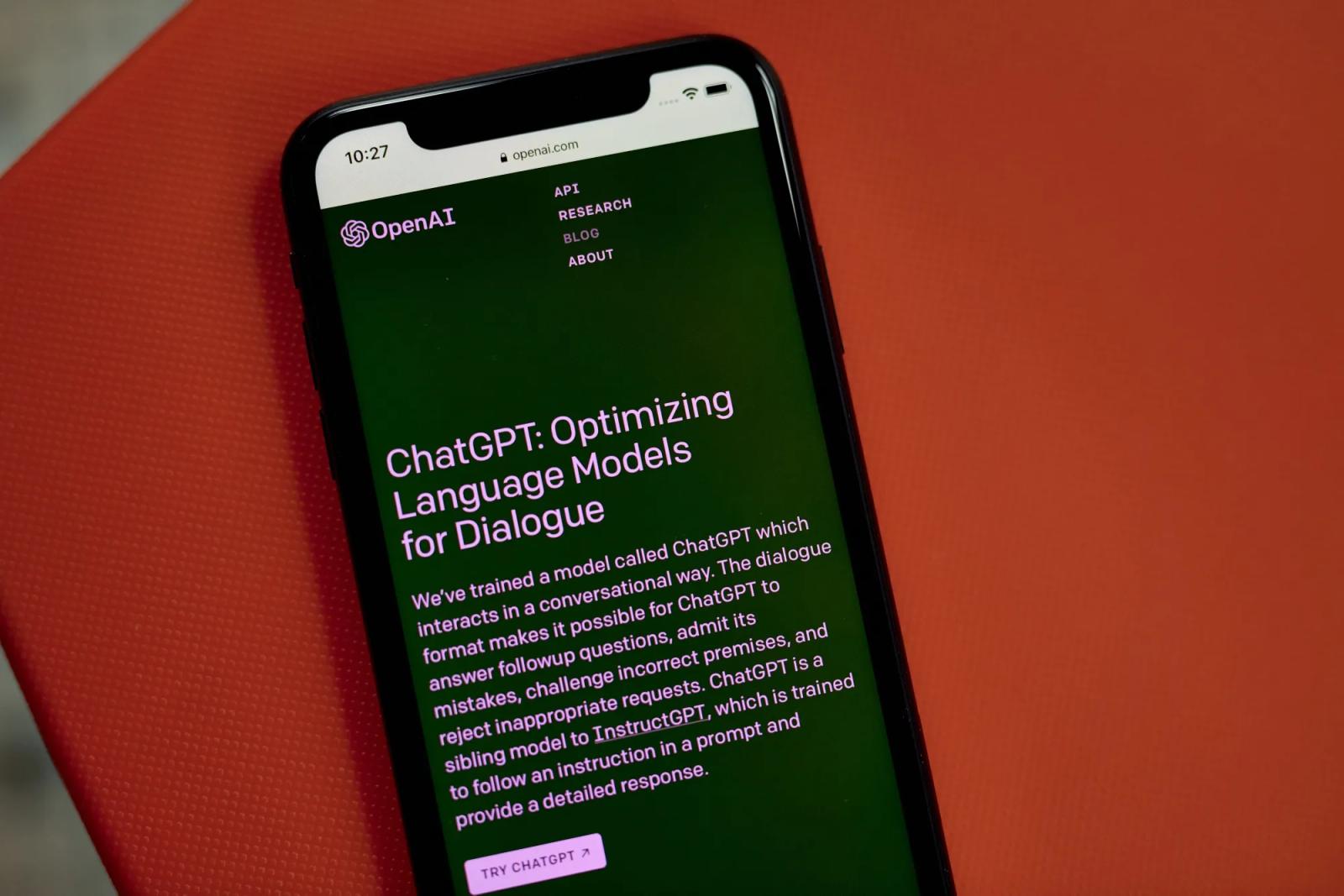
Legal research is one of the most time-consuming demands in law practice management, and the stakes for getting it wrong are high. Missed precedents, outdated statutes, or overlooked case law can damage a client relationship or undermine an entire argument. ChatGPT has become a popular starting point for lawyers looking to move faster, and used correctly, it can help draft research memos, surface relevant statutes, and summarize case law in a fraction of the time.
Still, ChatGPT carries real risks in legal contexts, particularly around fabricated citations and outdated information. Knowing where it helps and where it falls short is essential before relying on it for client work. For lawyers who need accuracy alongside speed, legal AI from OpenCase offers a purpose-built alternative that verifies sources and supports a more reliable research workflow.
Table of Contents
- What Is ChatGPT, and Which Legal Tasks Can ChatGPT Help With?
- Why Are More Lawyers Using ChatGPT in Their Daily Work?
- Can ChatGPT Be Trusted for Legal Research?
- How To Use ChatGPT For Legal Research
- 7 Best Practices for Using ChatGPT for Legal Research Without Ethical Risks
- How OpenCase Complements ChatGPT for Reliable Legal Research
- Try our Legal AI to Support your Legal Work from Research to Final Draft
Summary
- AI adoption among legal professionals has accelerated sharply, with two-thirds of UK lawyers now using AI tools according to a LexisNexis report. This shift is not driven by curiosity about new technology. It reflects the practical reality that repetitive administrative tasks, including client emails, intake summaries, and contract markups, have become unsustainable without assistance.
- ChatGPT demonstrates genuine language competency across legal concepts, scoring in the top 10% on the Uniform Bar Exam according to Coursera. That capability makes it genuinely useful for drafting demand letters, summarizing discovery materials, and structuring arguments. However, treating its output as a finished product rather than a professional starting point introduces serious risk, particularly when citations are involved.
- Hallucinated legal citations are not a rare edge case. According to Widener Law Library's analysis of generative AI in legal research, ChatGPT fabricated all 6 case citations in a federal court filing, each constructed with enough structural plausibility to pass a quick read. The tool generates what a citation should look like, not what one actually is, because it has no connection to any primary legal database.
- The professional consequences of relying on fabricated citations are documented and concrete. Attorney Steven A. Schwartz was penalized $5,000 for submitting non-existent citations generated by ChatGPT in a legal brief, according to the BMD LLC Blog. Despite this, 69% of lawyers reported using AI tools like ChatGPT for legal research, according to LegalFly, meaning the exposure to this risk is the current reality for a majority of the profession.
- The productivity case for AI is real, but it extends beyond speed. According to the same LexisNexis report, 61% of UK lawyers use AI to improve both productivity and work-life balance. Reducing the volume of mechanical tasks is a professional-quality decision, since overworked attorneys handling complex analyses under time pressure are not at their best in their legal reasoning.
- The most effective AI workflows in legal practice draw a clear line between generation and verification. ChatGPT performs well when the task involves drafting structure, explaining legal standards in plain language, or organizing arguments. It is a category error, not a workflow problem, to use it for producing citable legal authority, because no amount of careful prompting changes the fact that it was never built to verify what it generates.
- Legal AI addresses this directly by grounding research answers in verified primary sources across authenticated legal databases, so every citation connects to a real statute, opinion, or regulation before it reaches a filing or client memo.
What Is ChatGPT, and Which Legal Tasks Can ChatGPT Help With?
ChatGPT is a general-purpose AI tool built on large language models, trained to process natural language and generate structured, coherent text. For legal professionals, this translates into real daily utility — from drafting correspondence to summarizing discovery materials — but only when you understand its limitations.
"For legal professionals, ChatGPT translates into real daily utility — from drafting correspondence to summarizing discovery materials — but only when you understand its limitations."
💡 What ChatGPT Actually Is: ChatGPT is not a legal research database or a licensed attorney — it is a large language model designed to generate structured, human-like text based on the prompts it receives. Think of it as a highly capable drafting assistant, not a replacement for legal judgment.
- Correspondence: ✅ High — efficient for structuring professional letters.
- Discovery: ✅ High — excellent for condensing lengthy evidence into summaries.
- Legal Research: ⚠️ Limited — lacks live access to official, up-to-date databases.
- Contract Review: ✅ Moderate — useful for flagging patterns, but lacks deep legal risk analysis.
- Court Filings: ⚠️ Low — requires rigorous human verification for accuracy and compliance.
⚠️ Critical Limitation: ChatGPT does not have access to real-time legal databases like Westlaw or LexisNexis. Always verify outputs with authoritative legal sources before use in any professional context.

What tasks does ChatGPT genuinely move the needle on in legal research?
ChatGPT excels at tasks with clear, repeatable processes. Provide it with a prompt that includes your location's laws, relevant facts, and desired tone, and it can generate a first draft of a demand letter, a contract clause comparison, or a deposition summary within minutes. According to Coursera, GPT-4 scored in the top 10% on the Uniform Bar Exam, demonstrating strong comprehension of legal language and concepts. This makes it valuable for developing arguments, identifying unusual contract provisions, and transforming a blank page into a working draft that attorneys can refine with their own judgment.
Where does ChatGPT for legal research hit its critical failure point?
The critical failure point is research verification. Legal professionals who use ChatGPT treat its research outputs as a starting framework, then confirm every citation and precedent against authoritative primary sources before filing or client delivery. The Leah AI Blog notes that ChatGPT has a knowledge cutoff date, meaning it may not know about legal developments from the past one to two years—a significant gap in fast-moving areas like regulatory compliance or employment law.
What distinction actually matters when using ChatGPT for legal research?
Most attorneys ask whether AI can help them work faster—the right instinct, but only half the question. The other half is whether the tool meets the legal work's accuracy standard. General-purpose AI and purpose-built legal research platforms are not equivalent. Legal AI platforms like OpenCase are designed to ground answers in verified primary sources, making research output traceable rather than generated. For attorneys who rely on citations, that difference represents a reliability threshold, not a feature preference.
How should attorneys treat ChatGPT output to maintain the reliability of legal work?
ChatGPT works best as a drafting and analysis speed-up tool, not a standalone research engine. Use it to generate structure, surface initial arguments, automate intake summaries, and accelerate progress toward a workable draft. Treat every output as a professional starting point, not finished work, and pair it with verified sources for anything that will be filed, cited, or relied upon by a client.
Why Are More Lawyers Using ChatGPT in Their Daily Work?
Time is the scarcest resource in legal practice, and anything that recovers even two hours of a workday adds up dramatically across a full list of cases. Lawyers are turning to ChatGPT because the administrative weight of modern practice — client emails, intake summaries, contract markups, research frameworks — has become impossible to handle without help.
"Anything that recovers even two hours of a workday adds up across a full list of cases." — Harvard Law School, Center on the Legal Profession
🔑 Takeaway: Two hours saved per day equals roughly 500+ billable or recoverable hours per year — a significant competitive advantage for any legal practice.
💡 Tip: The highest-ROI tasks to delegate to ChatGPT are repetitive, text-heavy workflows — think client intake summaries, first-draft emails, and research outlines — where speed matters more than creative judgment.
⚠️ Warning: AI assistance is not a substitute for legal judgment — it handles the administrative load so lawyers can focus on what only they can do.

Why are two-thirds of lawyers now turning to AI?
According to a LexisNexis report, two-thirds of UK lawyers now use AI, a number that would have seemed impossible three years ago. Lawyers adopt it because manual, repetitive tasks reduce profitability and strain staff. A solo lawyer handling family law might spend an entire day writing a complaint response; with AI assistance, that draft takes minutes instead. This frees hours for client consultations, court preparation, and decisions requiring a licensed lawyer.
Is this about replacing legal reasoning or protecting it?
The same report found that 61% of UK lawyers use AI to boost productivity and work-life balance. This is not about replacing legal reasoning but protecting the conditions that allow it to flourish. Overworked lawyers reviewing complex transcripts at midnight cannot do their best analytical work. Reducing routine tasks is a professional-quality decision, not merely an efficiency decision.
Where does the reliability gap appear?
Early adopters use ChatGPT for structure and language while maintaining full human control over legal substance. When a pro se litigant used ChatGPT to draft a court filing, verifying every cited case for accuracy was non-negotiable—correctly so. General-purpose AI tools generate legal language that sounds authentic and flows well, but they cannot verify whether a cited case exists, whether it remains good law, or whether it applies in the relevant jurisdiction.
Why does citation verification add time back into the workflow?
Most attorneys draft using AI, then manually check every citation against primary sources. This saves drafting time but requires extensive verification. Platforms built for legal research, like OpenCase, address this by grounding answers in verified primary sources from the start, ensuring the output is legally sound rather than a plausible draft that requires careful checking.
Where should attorneys draw the line when using ChatGPT for legal research?
The lawyers making the most progress are not using AI for everything. They have drawn a clear line between tasks where general AI performs well and tasks where the accuracy standard is too high for a tool that was never designed with legal citation integrity at its core.
Related Reading
- Law Practice Management
- Google Gemini For Lawyers
- Claude vs. ChatGPT for Lawyers
- ChatGPT Prompts For Lawyers
- Copilot For Lawyers
- Ai Use Cases For Lawyers
- Ai Legal Hallucinations
- Legal Tech Trends
- Prompt Engineering For Lawyers
- Legal Writing Ai
- Claude For Lawyers
- Ai Legal Ethics
Can ChatGPT Be Trusted for Legal Research?
ChatGPT cannot be trusted as a standalone legal research tool. It creates text that sounds authoritative, but that smooth writing masks a critical flaw: it guesses what a legal citation should look like, not what one is.
"ChatGPT guesses what a legal citation should look like — not what one really is." — Core finding on AI hallucination in legal research
⚠️ Warning: Fabricated citations are indistinguishable from real ones in ChatGPT's output — a critical risk for legal professionals relying on it as a standalone source.
🔑 Takeaway: The danger isn't that ChatGPT sounds wrong — it's that it sounds dangerously right, making hallucinated case law easy to miss and costly to act on.

What the failure rate actually looks like
The pattern across courts is architectural, not user error. According to the Widener Law Library's analysis of generative AI in legal research, ChatGPT fabricated all 6 case citations in a legal brief filed in federal court, each invented with enough structural plausibility to pass cursory review. This reflects a system generating coherent output while failing to verify it against real legal authority.
Attorneys assume that proper citation format, plausible docket numbers, and confident holdings indicate real cases. Fabricated citations read identically to real ones until verified. When opposing counsel also uses AI to validate citations, errors can survive multiple rounds of review before reaching a judge.
Why do attorneys continue to trust ChatGPT for legal research despite the risks?
Most lawyers who use ChatGPT for legal research respond rationally to time pressure and to a tool presenting itself with the confidence of a senior associate.
In Mata v. Avianca (S.D.N.Y. 2023), attorneys Steven Schwartz and Peter LoDuca submitted a brief citing six fabricated cases generated by ChatGPT. The court imposed a $5,000 fine and damaged their professional reputations. Similar consequences have followed in other jurisdictions when attorneys rely on ChatGPT for legal research.
How high are the hallucination rates when you use ChatGPT for legal research?
Stanford researchers found that general-purpose models like ChatGPT hallucinate between 58% and 82% of the time when answering legal questions, while specialized legal AI tools hallucinate 17% to 34% of the time on benchmarks: error rates no competent attorney can accept.
In Johnson v. Dunn (N.D. Ala. 2025), attorneys faced disqualification, bar referrals, and orders to notify all current clients and judges after submitting ChatGPT-generated motions with fabricated citations. The court emphasized that such misconduct harms the judicial process, clients' interests, and attorneys' standing, beyond the monetary penalties.
Where exactly does the workflow break down when using ChatGPT for legal research?
The typical workflow breaks down at citations: an attorney prompts ChatGPT, receives a structured legal memo, skims the output, and moves to drafting. This works for organizing arguments or explaining legal standards but fails for case citations, since ChatGPT has no connection to Westlaw, LexisNexis, or any primary legal database. It fabricates cases rather than locating them. Platforms like OpenCase ground answers in verified primary sources so every citation traces back to real law before reaching a filing or client memo.
Where the line actually sits
Keep generation separate from verification. ChatGPT is a generative tool—it produces text. Whether that text matches legal reality requires a separate system. Using it to draft client summaries, structure arguments, or explain procedural concepts aligns with its capabilities. Using it to produce citable legal authority is a mistake. The tool was never built for that job, and no amount of careful prompting changes how it works at its core.
Which kind of AI actually belongs in legal research?
The question is not whether AI belongs in legal research, but which kind of AI, built for which purpose, with which standard of accuracy built into its foundation.
Related Reading
- Lawyer Salary
- Iolta Account
- Legal Billing Software
- Will Lawyers Be Replaced By Ai
- Law Firm Seo
- Law Clerk
- Legal Ai Tools
- Billable Meaning
- Law Firm Marketing
- Objections In Court
How To Use ChatGPT For Legal Research
Legal research requires careful attention to detail and takes many hours that could be used for analyzing cases, giving advice to clients, or getting ready for arguments. ChatGPT makes the process significantly faster by helping lawyers organize information, come up with ideas, and sum up difficult materials. The critical thing is knowing when ChatGPT is helpful and when you must use official legal research tools instead.
"AI tools like ChatGPT are transforming legal workflows by accelerating research, summarization, and ideation — freeing attorneys to focus on high-value analysis and client strategy." — Legal Technology Insight
⚠️ Warning: ChatGPT should never be used as a replacement for verified legal databases like Westlaw or LexisNexis. Always cross-check any AI-generated legal information against official sources before use in practice.
💡 Tip: Use ChatGPT for brainstorming legal arguments, drafting initial research outlines, and summarizing complex case materials — then validate every key finding with authoritative legal tools.
- Brainstorming: ✅ Yes (ChatGPT is excellent for initial ideation, but always apply human judgment to refine ideas.)
- Summarizing: ✅ Yes (Use AI to draft, but always verify against the source material for accuracy.)
- Citing Precedent: ⚠️ Caution (Never rely on ChatGPT’s "memory" for cases; use official legal research tools that provide verifiable, real-time links to primary law.)
- Verifying Statutes: ❌ Not alone (General AI can hallucinate; always cross-reference with official databases to ensure the law is current and accurate.)
- Drafting Outlines: ✅ Yes (A great way to save time; keep the human lawyer in the loop for the final review.)
Craft Effective Prompts for Legal Research
Good prompts specify the jurisdiction, the legal problem, the desired answer format, and the relevant facts. You might ask for a summary of negligence law in a specific state with references to general principles, or a comparison of laws across jurisdictions. Instruct the AI to remain impartial and flag uncertainties. Asking follow-up questions in steps improves responses: request details about specific cases or counterarguments. This structured approach transforms broad, vague questions into clear, actionable information.
Generate Overviews of Legal Concepts and Doctrines
ChatGPT provides short explanations of basic legal concepts, claim elements, and procedural rules. You can ask it to break down concepts such as res ipsa loquitur and the requirements for summary judgment, including their typical applications and exceptions. These overviews help lawyers refresh their knowledge or learn fundamentals before conducting deeper research. The tool organizes information clearly, but you must verify every detail against primary sources, as ChatGPT may oversimplify or omit jurisdictional differences.
Summarize Case Law and Statutes
You can give ChatGPT excerpts or descriptions of cases and statutes to condense into key holdings, facts, reasoning, and implications. Ask it to highlight dissenting opinions, subsequent treatment, or analogous applications. This capability processes lengthy materials rapidly and identifies patterns across multiple sources. Lawyers use these summaries to prioritize full readings but must cross-check against official reporters or databases, since the AI cannot access real-time updates and may misrepresent nuances.
Brainstorm Research Strategies and Search Terms
ChatGPT suggests effective keywords, Boolean search strings, and research pathways for databases such as Westlaw and LexisNexis. Describe your issue and ask for alternative angles, related doctrines, or counterarguments. It generates questions to guide deeper investigation and memoranda outlines, uncovering avenues that might be overlooked under time pressure. Attorneys should evaluate suggestions through professional judgment and test them in primary sources.
Identify Potential Analogies and Counterarguments
Ask ChatGPT questions about the facts of your case to find similar legal decisions from other jurisdictions or areas of law, along with counterarguments. It can reveal creative connections and balanced viewpoints that strengthen your analysis. For example, you could request comparisons to product liability cases when working on a technology dispute. These ideas enable more efficient research and broader coverage, but you must verify everything carefully since the tool may suggest inapplicable or outdated references.
Draft Initial Research Memoranda Sections
ChatGPT organizes early memo sections with headings, issue statements, and rule explanations into clear, professional structures that attorneys then fill in with verified citations and analysis. Final versions require thorough review and integration of current authorities to meet ethical and accuracy standards.
Treat ChatGPT outputs as drafts requiring independent verification through trusted legal databases and primary sources. Combine its speed with professional oversight to improve research efficiency without compromising quality.
7 Best Practices for Using ChatGPT for Legal Research Without Ethical Risks
ChatGPT speeds up legal research, drafting, and document review, but lawyers remain accountable for every filing, citation, and client communication. Following established ethical practices allows attorneys to benefit from AI while protecting client confidentiality, maintaining professional competence, and complying with their ethical obligations.
"Lawyers remain accountable for every filing, citation, and client communication — AI assistance does not transfer professional responsibility." — Legal Ethics Framework
🚨 Warning: Relying on ChatGPT outputs without independent verification can expose attorneys to malpractice liability, bar complaints, and sanctions — the ultimate professional risk.
🔑 Takeaway: The most effective legal professionals treat ChatGPT as a powerful assistant, not a replacement — pairing AI speed with human judgment to stay fully compliant with their ethical obligations.
- Client Confidentiality: Never input sensitive client data into public AI tools. Responsibility: Use only firm-approved, secure systems to avoid waiving privilege or breaching data protection laws.Aston Bond Law Firm
- Professional Competence: AI is a tool, not a practitioner. Responsibility: You are legally and professionally accountable for all advice. You must verify every citation and output to avoid "hallucinations".Aston Bond Law Firm+ 2
- Accurate Filings: Courts hold solicitors responsible for the accuracy of all submissions. Responsibility: Every document must undergo meaningful human review before it is filed or shared.Aston Bond Law Firm+ 1
- Ethical Compliance: SRA principles apply to all work, regardless of the technology used. Responsibility: Implement documented supervision, staff training, and robust risk assessments to ensure compliance with professional standards.

1. Define Clear Objectives Before Prompting
Start every session by clearly stating the exact legal issue, jurisdiction, and your objective in your prompt. Specify whether you need an overview of claim elements, a comparison of statutes, or an analysis of defenses. This focused approach directs ChatGPT toward relevant, structured responses and keeps you aligned with your case strategy for later verification against primary authorities.
2. Provide Detailed Context in Every Prompt
Include important facts, what has happened so far in the case, and any limits in your prompts. Describe the case type, important dates, and applicable laws to generate answers tailored to your situation. Improve your prompts by asking follow-up questions to clarify confusing parts or obtain details about specific points. Build step by step for more helpful results.
3. Verify Every Output Against Authoritative Sources
Check all summaries, citations, and analysis generated by ChatGPT against official databases such as Westlaw, LexisNexis, and government repositories. Shepardize or KeyCite any mentioned cases to ensure they remain valid, and read full opinions rather than relying on generated excerpts. This verification step satisfies professional responsibility rules and protects against flawed material.
4. Avoid Inputting Confidential or Privileged Information
Never enter client-specific details, medical records, or protected data into public ChatGPT. Use it only for general legal concepts or anonymized hypotheticals. This protects attorney-client privilege and complies with data security regulations. For secure AI integration, OpenCase provides enterprise tools with built-in protections that keep information confidential while supporting research workflows.
5. Use Role-Based or Structured Prompting Techniques
Tell ChatGPT to respond as a neutral legal researcher or follow a specific format like IRAC (Issue, Rule, Analysis, Conclusion). Ask for step-by-step reasoning or lists of pros and cons. These techniques improve the organization of output and deepen logical thinking, providing more professional and comprehensive preliminary research support.
Which secure tools best complement ChatGPT for legal research?
Organize verified ChatGPT research within dedicated practice management platforms that prioritize security and workflow integration. Tools designed for law firms bring together verified insights, case documents, and collaboration without exposing sensitive information to public AI systems. OpenCase connects directly with Clio for matter synchronization, Google Drive and Dropbox for secure file access, Microsoft Word for document drafting, and Google Docs for inline assistance, while searching across trusted sources including Cornell LII statutes, Supreme Court opinions, federal and state cases via RECAP dockets, and govinfo archives.
How do enterprise-grade protections keep legal research confidential?
Strong security protections—SOC 2 Type II compliance, ISO/IEC 27001 certification, data encryption in transit and at rest, and restrictions on training with user data—help legal teams maintain information privacy and audit activity. This approach transforms early AI research into actionable, protected knowledge that strengthens case strategy and enhances client service.
7. Document Your Process and Maintain Human Oversight
Keep records of the prompts you used, the outputs you received, and the verification steps you took for each research task. Review all AI-assisted work before adding it to memos, briefs, or advice. This documentation supports ethical compliance and defensibility if questions arise. Treat ChatGPT as a tool that improves your efficiency and the quality of your work, but never replace the critical thinking and judgment that only qualified attorneys can provide.
How OpenCase Complements ChatGPT for Reliable Legal Research
The difference between a general-purpose AI and a purpose-built legal research platform is about how they work, not how they look, and this difference matters most when the stakes are high.
"The difference between a general-purpose AI and a purpose-built legal research platform matters most when the stakes are high." — OpenCase
🎯 Key Point: Not all AI tools are built equal. For legal research, the architecture behind the tool determines whether you get reliable results or dangerous hallucinations.

ChatGPT writes with ease, summing up and organizing arguments faster than any hourly associate. But writing smoothly is not the same as being accurate. When a brief needs controlling precedent or a compliance memo requires verified statutory references, smooth writing without solid backing creates serious risk.
- Fluent writing: Both platforms provide high-quality, human-like drafting, though many legal professionals find alternatives like Claude or purpose-built tools offer more polished results for specific legal prose.Attorney at Work
- Citation verification: OpenCase is designed to surface, extract, and link to primary legal sources in real-time, whereas ChatGPT often struggles to provide consistently accurate or verifiable citations.Microsoft Marketplace
- Purpose-built for law: OpenCase is an AI legal assistant integrated directly into Microsoft Word, specifically optimized for drafting motions, briefs, and memos. ChatGPT is a general-purpose model not specialized for legal workflows.Microsoft Marketplace+ 1
- Verified statutory references: OpenCase provides tools to suggest authorities and validate arguments against primary sources. ChatGPT lacks access to specialized, real-time legal databases, increasing the risk of outdated or inaccurate references.marketplace.microsoft.com+ 1
- Risk of hallucinated cases: ChatGPT carries a high risk of "hallucination," where it may fabricate non-existent legal precedents. OpenCase mitigates this by anchoring its output to reliable, indexed case law.
⚠️ Warning: Attorney Steven A. Schwartz was penalized $5,000 for including non-existent citations generated by ChatGPT in a legal brief—a direct consequence of trusting a tool never designed to verify what it produces.
🔑 Takeaway: A $5,000 penalty is the documented cost of one hallucinated citation. The real risk—to your reputation, your client, and your case—is far greater.
What changes when research is grounded in primary sources?
The failure point in most AI-assisted legal workflows is the gap between a plausible answer and a verifiable one. ChatGPT fills that gap with confident-sounding text; a purpose-built platform fills it with a traceable path to the actual statute, opinion, or regulation. OpenCase searches more than 100 trusted legal databases, including Cornell LII datasets, authenticated federal and state opinions, and govinfo archives, and surfaces results through a Sources Portal that connects each response directly to its primary record.
How does a unified workspace change how we use ChatGPT for legal research?
Most firms handle verification by hand: draft with ChatGPT, cross-reference citations in Westlaw or Lexis, then reformat for the drafting attorney. Legal AI platforms like OpenCase collapse that process into one, integrating verified research directly into Microsoft Word, Google Docs, and Clio so citations and drafts live in the same workspace without manual handoff.
Why security cannot be an afterthought in this workflow
Pasting client details or case strategy into a public AI tool sends that information to external servers without attorney-client privilege protection. OpenCase addresses this through data encryption in transit and at rest, SOC 2 Type II compliance, and a firm policy prohibiting the use of customer data for model training. Security is essential for using AI research in any matter where privilege applies.
How does live docket access change what AI can do for legal research?
Real-time docket access adds a layer that general AI tools cannot replicate. OpenCase ingests daily PACER filings, keeping research current with active litigation rather than frozen at a training cutoff. A motion filed last week, an amended complaint, a new scheduling order—these details shift strategy and remain invisible to tools without live data access.
Is the AI you are using actually built to answer legal questions?
The question is not whether AI belongs in your research workflow, but whether the AI you are using was built to answer legal questions. OpenCase is purpose-built for legal research, ensuring you get answers tailored to your practice.
Try our Legal AI to Support your Legal Work from Research to Final Draft
The key question for any AI legal tool: can it show its work? ChatGPT drafts quickly but cannot point to verified primary sources — a structural limitation, not fixable through prompting.
"ChatGPT drafts quickly but cannot point to verified primary sources — this is structural, not fixable through prompting."
🚨 Warning: Relying on an AI tool that cannot cite verified sources exposes your legal work to unverifiable claims — a risk no legal professional can afford.

Legal AI built for legal work operates differently. OpenCase integrates directly into Microsoft Word and Outlook, surfacing verified case law, extracting citations, and linking to primary sources while you draft. Research and writing happen together rather than in separate steps, eliminating the costly back-and-forth of a fragmented workflow.
💡 Tip: Choose a Legal AI tool that works inside your existing environment—like Microsoft Word and Outlook—so research and drafting remain integrated.
🔑 Takeaway: The difference between general AI and purpose-built Legal AI comes down to source verification, the foundation of every credible legal argument.
Related Reading
- Best Ai Contract Review Tool
- ChatGPT For Lawyers
- Clio
- Legora
- Spellbook
- Everlaw
- Harvey
- Law Insider
- Ivo