9 Best Law Insider Alternatives for Legal Teams in 2026
Law Insider alternatives worth switching to in 2026. OpenCase breaks down 9 tools legal teams actually use to save time and cut costs.

Managing contracts, clauses, and compliance documents is a constant challenge for legal teams, and Law Insider has long served as a popular starting point. Yet as workflows evolve and budgets tighten, many teams find themselves looking for a stronger fit. The right alternative depends on how a team researches, drafts, and organizes its legal work day to day.
Not every tool handles those demands equally well, which is why the options below focus on practical capability rather than surface-level features. For teams that want a solution built around speed, accuracy, and minimal friction, legal AI from OpenCase is a strong place to start.
Table of Contents
- What is Law Insider and What Does It Offer?
- Why Do Legal Teams Look for Law Insider Alternatives?
- What Should You Look for in a Law Insider Alternative?
- 9 Best Law Insider Alternatives for Legal Teams in 2026
- How to Choose the Right Law Insider Alternative for Your Team
- Why Legal Teams Choose OpenCase for Legal Research and Drafting
- Try our Legal AI to Support your Legal Work from Research to Final Draft
Summary
- Legal teams spend an average of three hours reviewing a single contract, according to LegalOn's 2026 State of AI for In-House Legal survey. For a department processing 500 contracts annually, that translates to roughly 188 of 250 working days consumed by review alone. When that review workload runs through disconnected tools for research, storage, approvals, and signatures, the per-tool cost compounds into a structural inefficiency that no single platform upgrade can fix in isolation.
- Poor agreement management practices cost organizations nearly $2 trillion in annual global economic value, according to Deloitte research published in partnership with DocuSign. The majority of that loss occurs after the initial review stage, through missed renewals, untracked obligations, and delayed handoffs. Platforms that stop at clause benchmarking and redlining leave those post-signature stages entirely unmanaged.
- A single agreement passes through 15 or more internal handoffs on average before any external negotiation begins, according to the same Deloitte study. Each transfer point introduces version confusion, lost context, and avoidable delay. Workflow automation that routes approvals in sequence and applies consistent playbooks targets that specific mechanism, not just the speed of the initial review.
- Contract clause databases built primarily from SEC filings reflect the negotiated norms of large, publicly traded companies. When mid-market legal teams use that data to benchmark private SaaS agreements or supplier contracts with specialized indemnification terms, the suggested language often diverges from the norms the counterparty actually uses. The reference set and the real market are not the same thing, and that gap carries credibility costs during negotiation.
- Disconnected workflows cost organizations more than 55 billion hours globally each year, roughly 18 percent of total agreement-related time, according to Deloitte. Legal teams that lack role-based access for finance, procurement, and sales colleagues become permanent relay stations rather than collaborative nodes. That isolation pushes business teams toward workarounds that generate compliance exposure the legal team then has to address after the fact.
- Security certification gaps create friction that compounds across every sensitive matter a team handles. When SOC 2 Type II compliance, zero-data-retention policies, and single sign-on remain unconfirmed in a legal platform, internal IT and risk teams flag matters before they reach the review stage, adding an approval cycle that recurs on every deal touching regulated data or confidential commercial terms.
- Legal AI addresses this by grounding research outputs in verified primary sources such as federal court opinions, statutes, and regulations, so the reasoning behind any legal position can be traced back to an authenticated record rather than inferred from negotiated commercial language alone.
What is Law Insider and What Does It Offer?
Law Insider is a legal technology platform that gives you access to millions of publicly filed contracts, AI-powered drafting and review tools, clause benchmarking, and Microsoft Word integration. It's built on the idea that real, executed agreements are more reliable than generic templates, and your drafting decisions should reflect what sophisticated parties actually accept in the market.
"Real, executed agreements are more reliable than generic templates — your drafting should reflect what sophisticated parties actually accept in the market." — Law Insider Core Philosophy
💡 What It Offers: Law Insider combines contract search, AI-powered tools, and clause benchmarking into one platform — so lawyers can draft faster, smarter, and with real market data behind every decision.
Contract intelligence platforms help legal teams improve drafting efficiency and make better-informed decisions:
- Millions of public contracts – Enables teams to search real, executed agreements for precedent and market examples.
- AI drafting and review tools – Automates contract creation and review processes to accelerate legal workflows.
- Clause benchmarking – Shows what sophisticated parties typically accept to support stronger negotiation strategies.
- Microsoft Word integration – Allows legal teams to work seamlessly within their existing document workflow.
🔑 Key Takeaway: Law Insider isn't just a template library — it's a market intelligence tool that grounds every drafting decision in real-world contract data.

What makes the contract database useful
The platform draws from SEC filings and public sources, giving you searchable access to real-world clause language filtered by keyword, industry, company, or date. When you find a provision that fits, you're looking at language that passed legal review, survived negotiation, and appears in completed agreements. The platform refreshes continuously, so results reflect current practices rather than those from five years ago.
How does Law Insider validate clause suggestions against real commercial practice?
The AI Assistant checks every suggestion against more than 200 million clauses in the database, setting it apart from generic drafting tools. You get first-draft language based on real commercial practice, not boilerplate without a track record.
How does Law Insider help legal teams move faster under deadline pressure?
Most legal teams handle third-party contract review by reading line by line, flagging concerns manually, and cross-referencing precedent files. This approach falters under tight deadlines. OpenCase streamlines research workflows by tracing every answer to verified primary law sources: case law, statutes, and regulations. This makes legal positions auditable and defensible.
How does Law Insider's Index Score change negotiation?
The Law Insider Index Score rates every clause based on how closely it matches language in the public contract database. This transforms negotiation from subjective debate to documented comparison. When a counterparty proposes aggressive language, you can demonstrate exactly how far it deviates from market norms rather than relying on instinct. Combined with a library of more than 40 standard playbooks that encode preferred positions and fallback language for common contract types, our OpenCase platform establishes a consistent review baseline across deals and team members.
How does the Word add-in keep review inside your document?
The Word add-in keeps everything inside your open document. Redlines appear as tracked changes, the Index Score runs on live text, and playbook checks happen without switching to a browser. For teams managing multiple agreements under time pressure, this reduces friction between review and revision.
But even well-designed platforms have limits that become visible when legal teams push against them.
Why Do Legal Teams Look for Law Insider Alternatives?
Legal teams look for other options besides Law Insider when the tool's critical limitations—its foundation based on public filings, per-seat pricing, missing lifecycle tools, and unconfirmed security certifications—cause real problems when working with all of their contracts.
"The gap between a public-filing database and a full contract lifecycle platform is where most legal teams discover Law Insider's limits." — Industry Insight
💡 Tip: If your team manages private contracts, relies on end-to-end lifecycle tools, or operates under strict security compliance, Law Insider's core architecture may be working against you — not for you.
⚠️ Warning: Per-seat pricing models can quietly inflate costs as your legal team scales, making what seems like an affordable tool significantly more expensive over time.
Contract platforms should be evaluated based on data coverage, scalability, lifecycle capabilities, and security:
- Public filings only – Limited access to public contracts can miss valuable private and proprietary contract data.
- Per-seat pricing – Costs may become inefficient as teams grow and more users require access.
- Missing lifecycle tools – Lack of end-to-end contract management creates gaps between drafting, review, execution, and renewal.
- Unconfirmed security certifications – Creates potential compliance risks for organisations handling sensitive contract information.

Why does Law Insider's public data miss private-market reality?
The failure point is usually invisible until a negotiation stalls. Law Insider's clause database draws from SEC-filed agreements, reflecting contract language of large, publicly traded companies. When a mid-market legal team uses that data to negotiate a private SaaS agreement or supplier contract with specialized indemnification terms, the suggested redlines diverge from the norms the counterparty actually uses. The reference set never matched the real market, so the advice misfits, and the team absorbs the credibility cost when the counterparty pushes back.
What happens when clause suggestions lack a defensible data origin?
A clause suggestion is only as reliable as the data behind it. When that data excludes the private business agreements that constitute most day-to-day legal work, teams benchmark themselves against a market they don't inhabit. Legal professionals who rely on verified, traceable sources understand this instinctively: an answer without a defensible source creates risk rather than reducing it. Platforms like legal AI address this by grounding outputs in primary law sources—federal opinions, statutes, and regulations—where every answer traces back to its original record.
How much does missing workflow infrastructure really cost?
According to LegalOn's 2026 State of AI for In-House Legal survey, legal teams spend an average of three hours reviewing a single contract. For a department handling 500 contracts annually, that equals 188 of 250 working days spent on review alone. Switching between separate tools for research, storage, approvals, and e-signature compounds the inefficiency. At $150 per user per month, the cost per person covers only one feature within a workflow requiring four additional tools.
How do security gaps create a recurring tax on every matter?
Security concerns compound this problem. When SOC 2 Type II certification, zero-data-retention policies, and single sign-on are not confirmed, internal IT and risk teams flag sensitive issues before review. This approval process creates an ongoing burden for matters involving regulated data or confidential business terms.
The Isolation Problem Nobody Budgets For
The same problem appears across law departments of all sizes: the tool works well for one lawyer but stops there. Finance, procurement, and sales teams cannot use the same system, so the legal team becomes a messenger rather than a true partner. Every person outside the legal team must wait for a lawyer to complete their work before the process advances. In organizations where the legal team is already stretched thin, this separation pushes business teams to find their own solutions, creating compliance risks the legal team must fix later.
What should Law Insider users prioritize when evaluating alternatives?
Understanding these structural limits is the first step. Determining which capabilities matter most for deciding what to do next is harder.
Related Reading
- Law Practice Management
- Google Gemini For Lawyers
- Claude vs. ChatGPT for Lawyers
- ChatGPT Prompts For Lawyers
- Copilot For Lawyers
- Ai Use Cases For Lawyers
- Ai Legal Hallucinations
- Legal Tech Trends
- Prompt Engineering For Lawyers
- Legal Writing Ai
- Claude For Lawyers
- Ai Legal Ethics
What Should You Look for in a Law Insider Alternative?
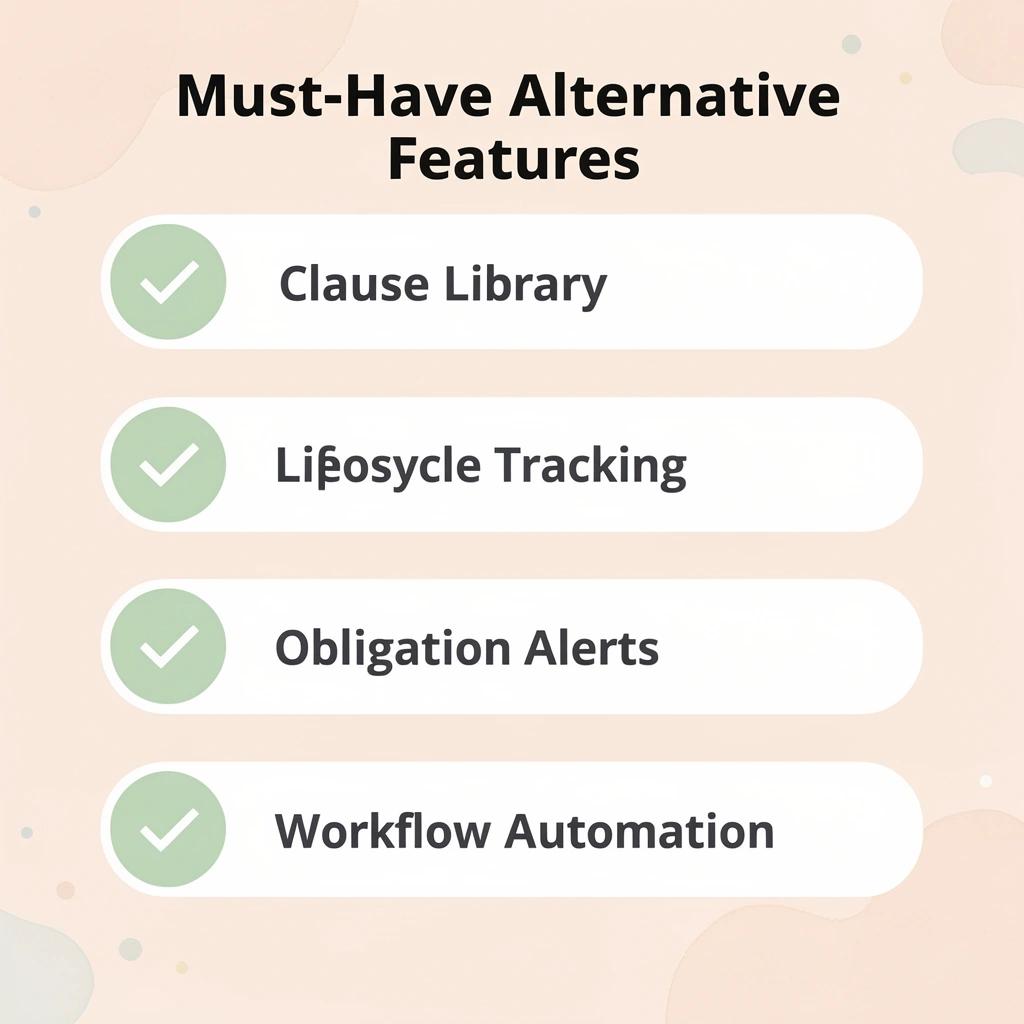
The strongest Law Insider alternatives treat contracts as living operational objects, not static documents to be searched and filed. The platform must handle clause library access, contract lifecycle tracking, workflow automation, cross-functional visibility, and secure private data handling in a single connected environment. Missing even one capability means the underlying dysfunction simply moves to a different place rather than disappears.
"The strongest alternatives treat contracts as living operational objects — missing even one core capability means dysfunction moves to a different place rather than disappears."
🎯 Key Point: A true Law Insider alternative isn't just a search tool — it's a fully connected contract operations platform that covers every stage of the contract lifecycle.
The best contract management platforms improve consistency, visibility, and control across the entire contract lifecycle:
- Clause library access – Ensures every contract uses consistent, pre-approved language to reduce drafting risk.
- Contract lifecycle tracking – Provides visibility into every agreement from initial draft through execution, renewal, and expiry.
- Workflow automation – Eliminates manual bottlenecks and accelerates review, approval, and execution processes.
- Cross-functional visibility – Keeps legal, finance, and operations aligned around a single source of truth for contract data.
- Secure private data handling – Protects sensitive contract information within a controlled, enterprise-grade environment.
⚠️ Warning: Choosing a platform that covers only some of these capabilities doesn't solve your problem — it just relocates it. Demand all five before committing.
Full lifecycle visibility, not just drafting support
The failure point is usually invisible until it becomes expensive. According to Deloitte's research published in partnership with DocuSign, poor agreement management practices cost organizations nearly $2 trillion in annual global economic value, with the majority of that loss occurring after the initial review stage through missed renewals, untracked obligations, and delayed handoffs. A platform that stops at redlining and clause benchmarking leaves those later stages completely exposed. The alternative you choose must track every agreement from first draft through obligation monitoring and renewal capture in one connected record, not across emails and shared folders.
How does workflow automation solve the handoff problem?
Research shows that a single agreement passes through 15 or more internal handoffs on average before external negotiation begins, according to the same Deloitte study. Each transfer point introduces version confusion, lost context, and delay. Automation that applies consistent playbooks, routes approvals in sequence, and surfaces required sign-offs without manual prompting addresses this problem.
Why does clause sourcing matter more than Law Insider market benchmarks?
Most legal teams research comparable clause language through public contract databases, a reasonable starting point. The hidden cost emerges when that language requires defense. Contract language from SEC-filed public agreements reflects public-company deal norms, which often differ from the indemnification structures, liability caps, and governing law provisions common in private-market or sector-specific agreements. Platforms like legal AI address a related problem: when the underlying legal question behind a clause requires verification against actual statutes, regulations, or case law, research grounded in verified primary sources produces answers that can be traced and defended rather than inferred from market practice alone.
Cross-functional access and integration without new silos
The critical difference between a useful alternative and an expensive upgrade is whether non-legal teams can participate without creating bottlenecks. Deloitte found that disconnected workflows cost organizations more than 55 billion hours globally each year, roughly 18 percent of total agreement-related time.
How does Law Insider remove legal as the mandatory intermediary?
Role-based access for sales, procurement, and finance teams removes legal as the required intermediary for routine steps. Clean integration into Microsoft Word, document storage, CRM, and e-signature tools makes the platform the central record rather than another application legal must manage.
The right alternative connects every stage of the agreement process, tracks each handoff, and assigns every obligation to an owner. That structural integrity separates a research upgrade from an operational shift.
Related Reading
- Is ChatGPT Good For Personal Injury Lawyers
- Law Firm Marketing
- Legal Billing Software
- Law Firm Seo
- Law Clerk
- Objections In Court
- How To Use ChatGPT For Legal Research
- Iolta Account
- Billable Meaning
- Will Lawyers Be Replaced By Ai
- Legal Ai Tools
- Lawyer Salary
9 Best Law Insider Alternatives for Legal Teams in 2026
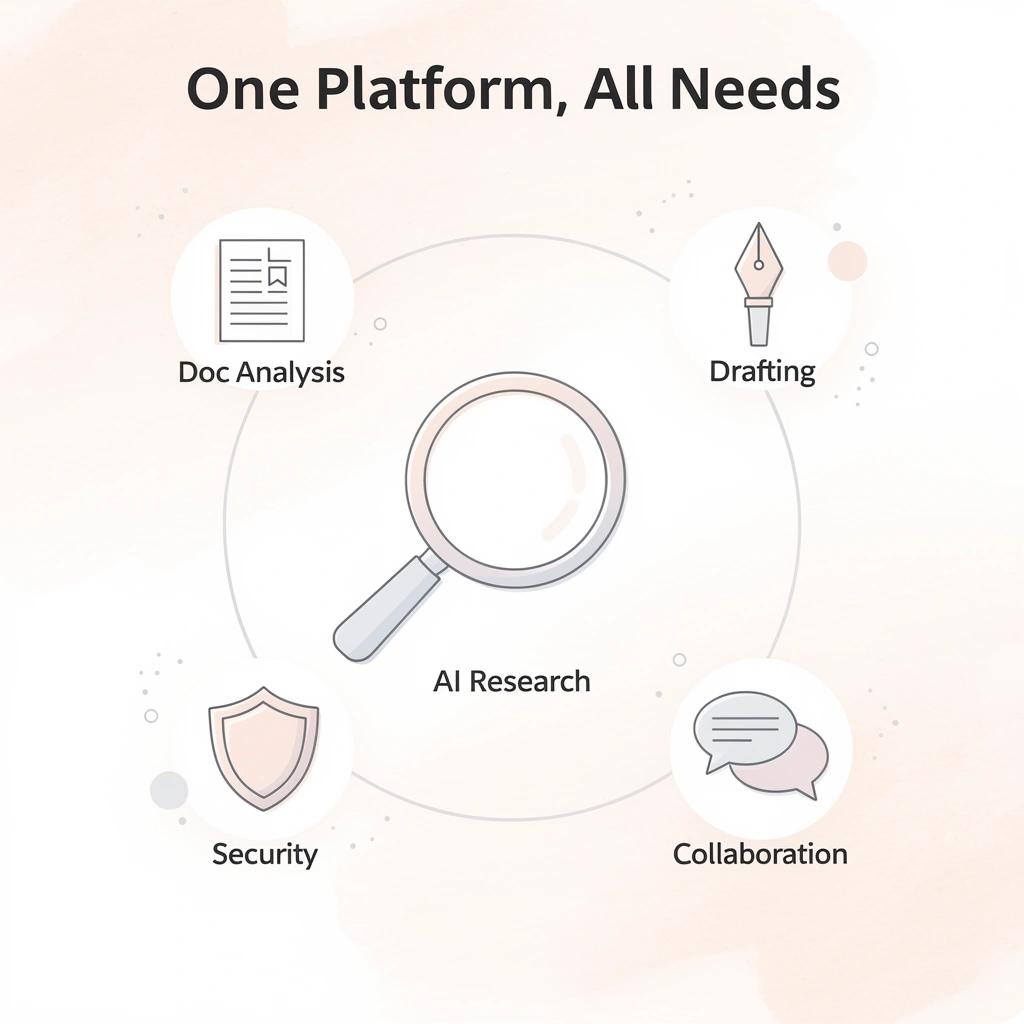
Modern legal work needs AI-powered legal research, document analysis, contract drafting, collaboration, knowledge management, and enterprise security — all in one platform. The best Law Insider alternatives cut down manual work, speed up contract reviews, improve legal accuracy, and work well with existing workflows.
"The best Law Insider alternatives cut down manual work, speed up contract reviews, and improve legal accuracy — all while integrating seamlessly with existing workflows." — Editorial Analysis, 2026
🎯 Key Point: Legal teams in 2026 are no longer choosing between speed and accuracy — the strongest platforms deliver both through AI-powered automation and enterprise-grade security.
Modern legal AI platforms deliver value by improving research, drafting, collaboration, and security across the practice:
- AI-powered legal research – Reduces the time spent on manual case law and clause research.
- Document analysis – Automatically identifies potential risks, inconsistencies, and key issues within legal documents.
- Contract drafting – Accelerates document creation with intelligent templates and AI-assisted drafting.
- Collaboration tools – Keeps legal teams aligned through shared workflows and real-time collaboration.
- Knowledge management – Centralises precedents, templates, and institutional knowledge for easier reuse.
- Enterprise security – Protects sensitive client information and legal documents with enterprise-grade security controls.
This list carefully compares nine of the strongest alternatives for legal teams in 2026 based on their features, strengths, limitations, and overall value — so your team can make a fully informed decision.
🔑 Takeaway: No single tool dominates every category — the right Law Insider alternative depends on your team's specific workflow needs, security requirements, and budget priorities.
⚠️ Warning: Choosing a platform based on features alone is a common mistake. Always evaluate how well a tool integrates with your existing tech stack before committing.
1. OpenCase
OpenCase is a professional AI platform built for lawyers that focuses on research, drafting, and citations grounded exclusively in trusted primary legal sources. It delivers traceable answers from verified records, including Cornell LII datasets of U.S. statutes and Supreme Court opinions, daily indexes of federal and state opinions, RECAP dockets, PACER filings, and authenticated government documents. It integrates directly into tools legal teams already use.
Key Features
- Research trained on Cornell LII's authoritative datasets of U.S. statutes and Supreme Court opinions, plus daily indexes of federal and state opinions and RECAP dockets.
- Ingestion of authenticated PDFs from govinfo's Federal Register, CFR, and public-law archive, plus daily PACER dockets and filings
- Answers that can be traced back to verified primary law records
- Document drafting with native support in Microsoft Word, Google Docs, and Outlook
- Integrations with Clio, Google Drive, and Dropbox enable seamless file access and secure document management.
Best For
Lawyers and legal teams that need research and drafting anchored in primary law with citations, where sensitive work product is encrypted and kept out of AI training sets.
Pros
- Every answer links back to verified primary sources, reducing reliance on incomplete or biased public-contract data.
- Enterprise-grade security with SOC 2 Type II compliance, ISO/IEC 27001 certification, and ISO 42001-aligned AI governance. User data is encrypted in transit and at rest, and never used to train AI models.
- Direct Microsoft Word integration keeps drafting inside the tool that attorneys already use daily.
- Multiple productivity integrations (Outlook, Clio, Google Docs, Drive, Dropbox) reduce friction when switching between tools.
- Continuous updates from PACER, RECAP, and government sources keep research current.
- Built specifically for trained legal professionals with clear disclaimers that it supports rather than replaces independent judgment.
Cons
- The platform is designed for research, drafting, and citation support
Accessibility
OpenCase is available as a professional platform for lawyers with integrations into Microsoft Word, Google Docs, Outlook, Clio, Google Drive, and Dropbox. Access is obtained through the OpenCase platform; no public pricing is listed.
2. Spellbook
Spellbook operates as a purpose-built AI contract assistant that lives inside Microsoft Word and goes beyond basic redlining to learn attorney preferences, apply custom playbooks, and handle multi-document workflows. It solves the surface-level AI and single-document limitations by delivering deeper drafting, advanced review, and preference learning that keep complex commercial negotiations moving without constant tool-switching.
Key Features
- Native Microsoft Word add-in for drafting and redlining
- Customizable playbooks that encode preferred positions and fallbacks
- Multi-document and agentic workflow support
- Preference learning across a lawyer’s prior redlines
- Clause generation and benchmarking against industry standards
- In-document AI chat for contract Q&A
- Strong security posture including SOC 2 and zero-data-retention options
Pros
Advanced AI depth reduces manual review time on complex agreements, stays inside Word so teams avoid interface friction, and offers stronger security certifications than many lighter tools.
Cons
Pricing is sales-led and not publicly listed, which can slow evaluation for smaller teams; full enterprise features require custom configuration.
Accessibility
Custom enterprise pricing; demo and trial access available through sales. Best suited for mid-size to large legal teams handling high volumes of commercial contracts.
3. Ironclad
Ironclad is a full AI-powered contract lifecycle management platform that covers intake through repository, approvals, negotiation, signature, and obligation tracking in one system. It eliminates the tool fragmentation and internal handoff delays that persist when teams pair a clause database with separate storage and approval tools.
Key Features
- End-to-end contract lifecycle from request to renewal
- Visual workflow designer for multi-step approvals and routing
- Centralized searchable repository with version control and audit trails
- AI-assisted review, redlining, and clause library management
- Cross-functional access for legal, sales, procurement, and finance
- Native integrations with Microsoft Word, CRM systems, and e-signature tools
- Analytics on cycle times, bottlenecks, and portfolio risk
Pros
Removes the 15-plus internal handoffs common in disconnected processes, provides true cross-team visibility, and delivers measurable cycle-time reduction through automation.
Cons
Implementation and configuration require more upfront effort than lightweight drafting tools; pricing is enterprise-oriented.
Accessibility
Custom enterprise pricing with demo and implementation support. Designed for legal operations and in-house teams managing high contract volume across departments.
4. Practical Law (Thomson Reuters)
Practical Law supplies expert-drafted standard documents, practice notes, checklists, and AI-assisted search grounded in attorney-created content rather than raw public filings. It gives teams market-standard language and editorially curated know-how, reducing reliance on unfiltered public-company data while supporting faster, more consistent drafting.
Key Features
- Large library of attorney-drafted standard documents and clauses
- Practice notes and how-to guidance organized by practice area
- Generative AI search and summarization grounded in Practical Law content
- Checklists and process tools for common legal workflows
- Integration with Westlaw and other Thomson Reuters research platforms
- Regular editorial updates by practicing attorneys
- Templates that support both private and commercial transaction types
Pros
Higher quality and consistency of language than pure public-filing databases, strong editorial oversight, and seamless connection to broader legal research tools.
Cons
Less focused on live AI redlining of third-party paper or full lifecycle automation; best used alongside a CLM or Word AI tool for complete coverage.
Accessibility
Subscription-based through Thomson Reuters; available to law firms and in-house departments with tiered plans. Demo and trial access typically offered.
5. Genie AI
Genie AI focuses on lawyer-supported AI for contract drafting, review, and document assembly with risk assessment at the clause level. It addresses limited AI depth and private-data handling by combining generative capabilities with human-lawyer validation layers and tools that work across longer, multi-page commercial agreements.
Key Features
- AI-assisted drafting and editing of complex multi-page contracts
- Clause-level risk assessment and analysis
- Document assembly from approved templates and language
- AI document editing that suggests new clause text or style changes
- Support for private contract libraries alongside generated content
- Collaboration features for legal team review cycles
- Focus on accuracy through lawyer-supported AI models
Pros
Stronger handling of longer and more complex agreements than basic tools, built-in risk flagging, and design that keeps attorneys in the validation loop.
Cons
May require more configuration for highly specialized playbooks; less emphasis on full enterprise workflow automation than pure CLM platforms.
Accessibility
Subscription model with options for individuals and teams; demo and trial access available. Suitable for law firms and in-house counsel focused on drafting and review quality.
6. LinkSquares
LinkSquares is an AI-first contract lifecycle platform built for legal-led teams that need a unified repository, automated data extraction, and intelligent review in one place. It solves the public-data limitation and tool fragmentation by ingesting private contracts, extracting over 100 key data points, applying playbooks, and supporting drafting and redlining inside Microsoft Word while giving the entire business visibility into obligations and risk.
Key Features
- AI-powered contract repository with automated organization and search
- Extraction of 100+ key metadata points from every agreement
- AI Legal Assistant for drafting, redlining, and research inside Word
- Playbooks and clause libraries that enforce preferred positions
- Automation and workflows for approvals and task routing
- Portfolio-wide analytics and dashboards for risk and renewals
- Integrations with existing business systems and Microsoft tools
Pros
Centralizes private and executed contracts so teams stop hunting across drives, delivers measurable cycle-time and compliance gains, and combines strong AI review with true repository intelligence.
Cons
Full value requires uploading and organizing an existing contract portfolio; implementation effort is higher than pure Word add-ins.
Accessibility
Enterprise-oriented pricing with demos available. Best suited for in-house legal and legal-ops teams managing growing contract volumes.
7. Robin AI
Robin AI focuses on high-speed, high-accuracy contract review and analysis for enterprise legal teams. It processes large volumes of agreements with playbook-driven review, clause search, risk flagging, and negotiation support while maintaining strict security standards, directly tackling the slow manual review and limited AI depth that frustrate users of lighter tools.
Key Features
- AI contract review claimed to run up to 80% faster than manual processes
- Instant clause search and defined-term checking across documents
- Custom playbooks for consistent risk flagging and suggested edits
- Natural-language chat interface for querying contracts
- Obligation and renewal tracking with smart alerts
- Enterprise security including SOC 2, ISO 27001, and GDPR compliance
- Zero-data-training policy on customer content
Pros
Delivers rapid first-pass review on high volumes, strong privacy and security posture, and practical tools that keep attorneys in control of final decisions.
Cons
Pricing is not fully public and tends toward mid-to-enterprise budgets; less emphasis on full end-to-end lifecycle orchestration than pure CLM platforms.
Accessibility
Freemium entry with paid tiers starting in the low thousands per year for smaller teams and custom enterprise pricing. Demo and trial access available.
8. Lexis+ with Protégé
Lexis+ with Protégé combines trusted LexisNexis content with generative AI for full-document drafting of both transactional agreements and litigation work product. It addresses the need for grounded, high-quality language and secure drafting by generating and refining contracts, motions, and briefs from organizational templates and authoritative sources rather than unfiltered public filings.
Key Features
- Full legal document drafting for contracts, motions, briefs, and client communications
- AI generation grounded in LexisNexis sources and firm templates
- Ability to draft from an organization’s own documents and preferred language
- Integrated research, analysis, and refinement tools in one workspace
- Support for both transactional and litigation drafting workflows
- Secure collaborative environment for legal teams
- Editing and pressure-testing capabilities that keep attorneys in the loop
Pros
Produces higher-trust first drafts because language is anchored in authoritative content, covers both commercial and litigation needs, and reduces the research-to-draft gap.
Cons
Less specialized in pure third-party paper redlining playbooks or full contract repository analytics than dedicated CLM tools.
Accessibility
Available through LexisNexis subscriptions with tiered access for firms and corporate legal departments. Demo and evaluation options offered.
9. Conga CLM
Conga CLM provides end-to-end contract lifecycle management with strong AI-assisted authoring, review, risk assessment, and cross-departmental collaboration. It closes the workflow and visibility gaps by automating generation, negotiation support, obligation tracking, and reporting so legal, sales, and procurement work from the same system instead of fragmented tools.
Key Features
- Full contract lifecycle management from request through renewal
- AI-assisted contract generation, reviewing, and redlining
- Third-party paper risk assessment and deviation flagging
- Obligation management and automated tracking
- Cross-functional collaboration for legal, sales, and procurement
- Bulk import and AI data extraction from existing contracts
- Analytics and insights on risk, performance, and cycle times
Pros
Brings sales and procurement into the same process, reduces internal handoffs, and turns contracts into searchable, actionable data across the business.
Cons
Configuration and change management require dedicated resources; best results appear in organizations ready to standardize processes.
Accessibility
Enterprise pricing with custom quotes and implementation support. Designed for mid-size to large organizations with multi-department contracting needs.
How to Choose the Right Law Insider Alternative for Your Team
Choosing a Law Insider alternative means picking software that matches exactly how your team works, makes you more productive, keeps sensitive information safe, and grows with your organization. The right platform cuts down on manual work, makes legal accuracy stronger, and helps you finish contracts and legal research faster.
"The right legal software doesn't just replace a tool — it transforms how your entire team handles contracts, research, and compliance." — Legal Tech Industry Insight
🎯 Key Point: The most important factor when evaluating any Law Insider alternative is whether it fits your team's existing workflows — not just its feature list.
⚠️ Warning: Don't choose a platform based on price alone. A tool that seems affordable but lacks legal accuracy, data security, or scalability will cost your team far more in lost time and compliance risks down the road.
When selecting a legal AI platform, evaluate how well it supports both your practice and long-term operational needs:
- Workflow compatibility – Reduces adoption friction by fitting naturally into existing legal workflows.
- Legal accuracy – Helps ensure reliable legal research, drafting, and contract analysis.
- Data security – Protects confidential client information through strong security and privacy controls.
- Scalability – Supports your firm's growth without requiring major workflow changes.
- Manual work reduction – Automates repetitive tasks, allowing legal professionals to focus on higher-value work.
✅ Best Practice: Evaluate at least 3 to 5 platforms side by side before committing — prioritizing security certifications, integration capabilities, and contract turnaround speed as your core benchmarks.

Map the Tool to Your Highest-Volume Pain Points
Write down where time and risk build up. Teams spending effort on third-party paperwork need strong AI redlining and playbook consistency. Teams losing hours finding prior agreements need a true repository and workflow engine. Teams handling sensitive client matters need private-data isolation and citation-level traceability. Clear prioritization prevents selecting a tool that solves yesterday's research problem while leaving today's operational friction untouched.
Prioritize Traceable Accuracy and Source Grounding
Public contract databases provide substantial information, but not all of it is reliable. Verify that every suggestion, change, or drafted clause traces back to a verified source: primary law, your own templates, or attorney-vetted playbooks. Platforms that show underlying authority let attorneys verify rather than accept output uncritically. This addresses the risk of relying on unfiltered public filings that may not reflect the private-market norms your deals face.
Demand Enterprise-Grade Security and Data Controls
Legal work involves private and secret information. Ensure the tool uses encryption for data in transit and at rest. Verify SOC 2 Type II or similar certification, ISO 27001 alignment, and a clear policy prohibiting use of customer data to train models. Ask the vendor how they manage access controls, audit logs, and data isolation in shared environments. Security breaches force teams to adopt workarounds that reintroduce the delays the new tool was meant to eliminate.
Require Native Integration with the Tools Your Team Already Uses
A platform that forces constant export and import between Word, email, document management systems, and CRM tools recreates fragmentation. Look for deep Microsoft Word support, connections to systems such as Clio or major DMS platforms, and the ability to keep drafting, review, and collaboration inside existing workflows. Integration quality determines whether the alternative reduces handoffs or adds another system to manage.
Evaluate Workflow Automation and Cross-Team Visibility
Count how many times a typical agreement passes between different people or teams. Strong alternatives automate routing, approvals, status tracking, and obligation reminders so legal, sales, finance, and procurement operate from the same record. Platforms limited to individual attorney drafting leave the coordination burden unchanged. Measure whether the tool can surface cycle-time data and bottleneck reports to verify improvement after adoption.
Test Private Data Handling and Custom Standards
Upload sample executed agreements and preferred playbooks during evaluation. The right alternative must accept private contracts, extract key terms, and apply your organization's positions alongside market benchmarks. Tools restricted to public filings leave private deal norms invisible and force teams to maintain separate clause libraries outside the system.
Calculate Total Cost of Ownership and Implementation Effort
List price is only the starting point. Consider setup time, training hours, data migration, ongoing management, and running parallel systems during the transition. Enterprise platforms require more setup work; lightweight Word add-ins deploy faster but may not accommodate all your storage and workflow needs. Ensure spending aligns with your team's monthly contract volume.
Confirm Measurable Outcomes in a Real Pilot
Run a controlled pilot using actual contracts from your recent pipeline. Track review time, issues flagged versus missed, handoff volume, and attorney confidence in the output. Platforms that cannot demonstrate real reduction in cycle time or risk exposure under real conditions are unlikely to deliver lasting value once the novelty fades. Demand evidence rather than projected ROI slides.
How does Law Insider help close the gaps pure public-clause tools leave open?
Picking the right choice is less about finding a perfect copy of Law Insider and more about filling the operational gaps that basic public-clause tools leave open. Match the platform to your biggest problem workflows, insist on verifiable accuracy and security, require smooth integration, and validate results with your own documents before committing.
Why Legal Teams Choose OpenCase for Legal Research and Drafting
Legal teams choose OpenCase because it bases every research result in verified primary law, not negotiated commercial language. When an attorney needs to understand how a statute applies or how courts have interpreted a specific provision, the answer must trace back to an authoritative source. Contract clause databases simply cannot fill that gap.
"The answer must trace back to an authoritative source — contract clause databases cannot fill that gap." — OpenCase
🎯 Key Point: OpenCase grounds every research result in verified primary law — giving legal teams the certainty that commercial clause databases are structurally unable to provide.
🔑 Takeaway: For attorneys interpreting statutes or tracking judicial interpretation, the difference between primary law and negotiated contract language isn't a minor distinction — it's the entire foundation of sound legal advice.
The quality of legal drafting depends on the authority behind the research source:
- OpenCase – Built on verified primary law, providing authoritative and reliable legal references.
- Contract clause databases – Based on previously negotiated commercial language rather than authoritative legal sources.
- Generic legal search tools – Draw from mixed or unverified sources, resulting in inconsistent reliability.

How does Law Insider differ from primary source legal research tools?
The critical difference is where the data comes from. Law Insider pulls from publicly filed business agreements, mainly SEC submissions, showing what companies have agreed to rather than what courts have decided, or regulators have required. OpenCase trains on Cornell LII's verified U.S. laws and Supreme Court opinions, daily lists of federal and state court opinions, RECAP dockets, and PACER filings. When a lawyer writes a brief, prepares a regulatory response, or advises on compliance risk, market language shows what others agreed to, while primary law shows what will hold.
How does traceable authority change the way attorneys verify research?
Most lawyers research by examining secondary sources, running keyword searches across platforms, and manually following citations to original authority. This approach falters with complex or time-sensitive cases, when information scatters across tabs, citation chains break, and reliance on unverified output becomes risky. Teams using legal AI built on primary source pipelines receive every answer with a traceable link to the authenticated record, reducing verification time and providing defensible authority.
What security standards does OpenCase meet for privileged legal work?
Security is as important as other factors when making a decision. OpenCase has SOC 2 Type II compliance and ISO/IEC 27001 certification, encrypts data in transit and at rest, and never uses customer data to train its models. For legal teams handling privileged communications or sensitive matters, these are essential requirements for using AI responsibly when confidentiality is a legal obligation.
How does OpenCase fit into the tools legal teams already use?
Workflow integration removes ongoing friction. OpenCase connects directly to Microsoft Word, Google Docs, Outlook, Clio, Google Drive, and Dropbox, allowing lawyers to research and draft within applications they already use daily. Research lives where documents live, eliminating export steps and context switching.
OpenCase does not position itself as a replacement for attorney judgment. It is built explicitly for trained legal professionals who need reliable research infrastructure to support their analysis, not automation that bypasses it. That philosophical clarity matters in a profession where accountability cannot be delegated to a tool.
Related Reading
- Everlaw
- Legora
- Harvey
- Best Ai Contract Review Tool
- ChatGPT for Lawyers
- Ivo
- Clio
- Spellbook
Try our Legal AI to Support your Legal Work from Research to Final Draft
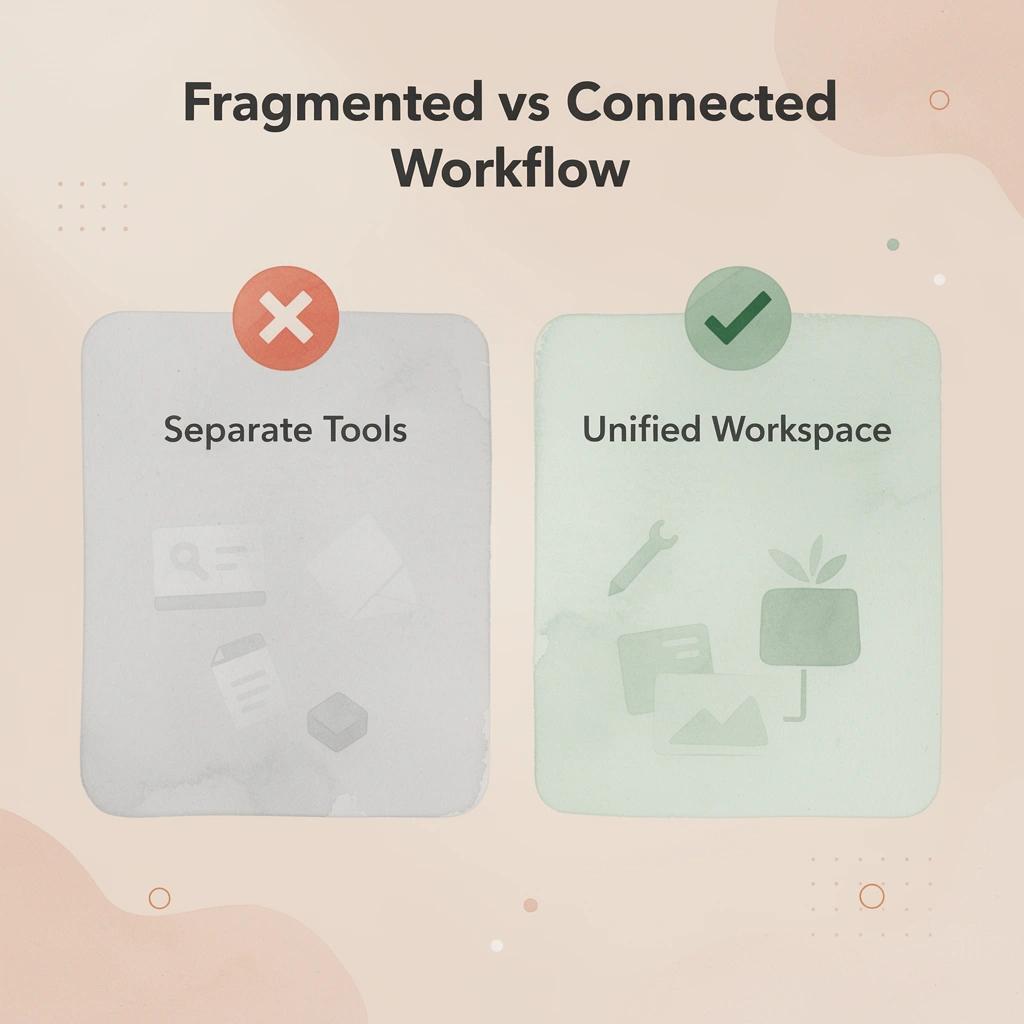
Fragmented workflows—moving between separate tools for legal research, clause drafting, document review, and source verification—reduce accuracy and waste time. Each context switch between platforms introduces friction, error risk, and delays that compound across a matter's lifecycle.
"A single connected workspace where research outputs trace directly to verified primary sources transforms how attorneys draft, review, and deliver work product." — OpenCase
🔑 Takeaway: Legal AI built for practitioners, like OpenCase, replaces that fragmented process with one connected workspace where research outputs trace directly to verified primary sources, and drafting builds from that verified foundation rather than unattributed contract language. Your lawyers stay in full control of every judgment call with reliable, traceable infrastructure underneath.
OpenCase replaces fragmented legal workflows with a connected, verification-first workspace:
- Separate tools for each task – Replaced with one unified platform for research, drafting, and review.
- Unattributed contract language – Replaced with content backed by verified primary legal sources.
- Manual source checking – Replaced with automatic source tracing for greater confidence and efficiency.
- High error risk across handoffs – Reduced through reliable, attorney-first infrastructure designed for legal workflows.
- Time lost to context switching – Eliminated with a streamlined research-to-draft pipeline.
💡 Tip: When evaluating legal AI platforms, prioritize tools that offer end-to-end traceability—from initial research all the way through to the final draft.
⚠️ Warning: Platforms that generate drafting language without linking back to verified primary sources expose your practice to citation errors and undetected inaccuracies that can undermine client outcomes.
🎯 Key Point: To see how a traceable, attorney-first research platform works in practice, visit OpenCase and experience the difference that verified, connected legal AI makes from research to final draft.